Tag-Badges
pendingby Garin Wally
Render frontmatter tags as customizable badges.
Tag-Badges
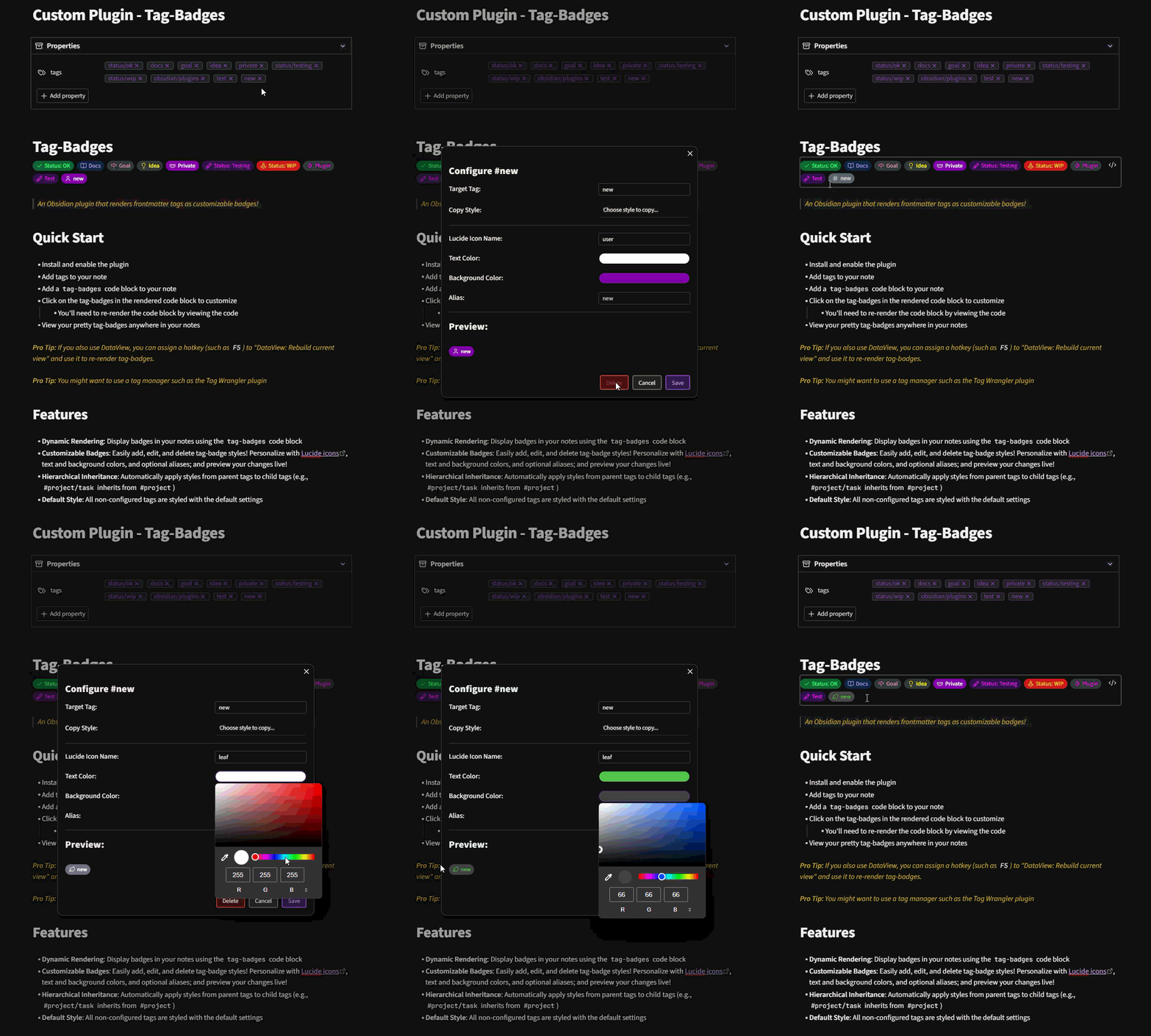
An Obsidian plugin that renders frontmatter tags as customizable badges!
Quick Start
- Install and enable the plugin
- Add tags to your note's properties
- Add a
tag-badgescode block to your note - Click on a tag-badge in the rendered code block to customize it
- You'll need to re-render the code block by viewing the code to see changes
- View your pretty tag-badges anywhere in your notes
Pro Tip: If you also use DataView, you can assign a hotkey (such as F5) to "DataView: Rebuild current view" and use it to re-render tag-badges.
Pro Tip: You might want to use a tag manager such as the Tag Wrangler plugin
Features
- Dynamic Rendering: Display badges in your notes using the
tag-badgescode block - Customizable Badges: Easily add, edit, and delete tag-badge styles! Personalize with Lucide icons, text and background colors, and optional aliases; and preview your changes live!
- Hierarchical Inheritance: Automatically apply styles from parent tags to child tags (e.g.,
#project/taskinherits from#project) - Default Style: All non-configured tags are styled with the default style
Demo
For plugin developers
Search results and similarity scores are powered by semantic analysis of your plugin's README. If your plugin isn't appearing for searches you'd expect, try updating your README to clearly describe your plugin's purpose, features, and use cases.