ClaudianIA
pendingby Enigmora SC
The ultimate Claude AI integration. Chat with Claude, process notes for smart suggestions, and manage your vault with natural language.

The ultimate Claude AI integration for Obsidian




Installation • Features • Documentation • Español • 中文 • Deutsch • Français • 日本語
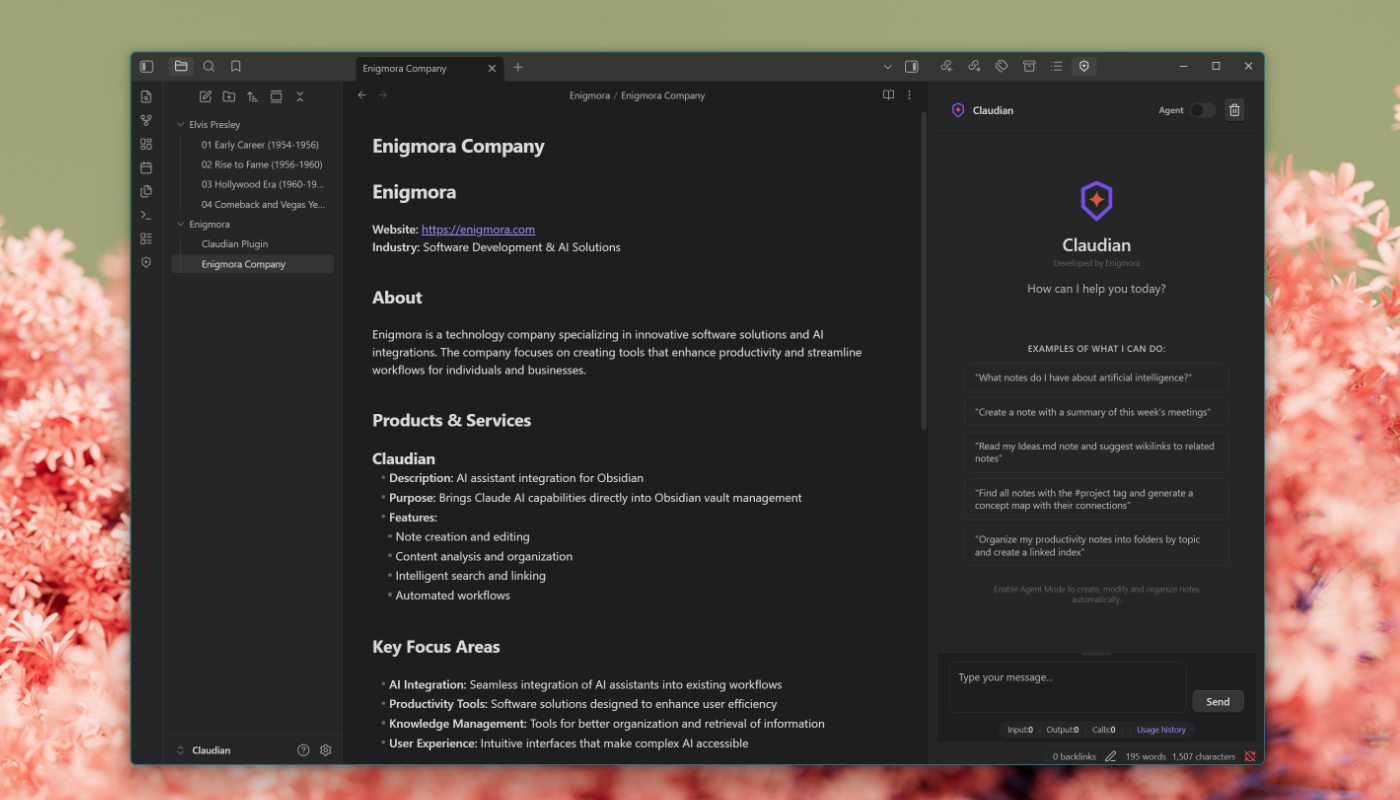
What is Claudian?
Claudian brings Claude AI directly into your Obsidian vault. Chat with Claude in a dedicated side panel, process your notes to get smart suggestions, and use Agent Mode to manage your entire vault with natural language commands.
Your API key stays on your device. Your notes never leave your vault unless you ask Claude to analyze them.
Features
💬 Integrated Chat
Converse with Claude without leaving Obsidian. Responses stream in real-time, and you can stop any request mid-generation.
📝 Smart Note Processing
Analyze your notes and receive intelligent suggestions for tags, wikilinks, and atomic concepts based on your vault's existing structure.
🤖 Agent Mode
Manage your vault with natural language:
- "Create a Projects/2025 folder with subfolders for each quarter"
- "Move all notes tagged #archive to the Archive folder"
- "Translate this note to Spanish"
52 actions across file management, editor control, templates, bookmarks, canvas, and more.
📊 Batch Processing
Process multiple notes at once with extraction templates:
- Key ideas & summaries
- Questions & action items
- Concepts & connections
🗺️ Concept Maps
Generate visual concept maps from selected notes, rendered in Mermaid format.
🧠 Intelligent Model Selection
Automatic model orchestration routes each task to the optimal Claude model:
- Simple tasks → Haiku (fast & economical)
- Content creation → Sonnet (balanced)
- Deep analysis → Opus (maximum quality)
🌍 Multilingual
Full support for English, Spanish, Chinese, German, French, and Japanese. More languages coming soon.
Installation
From Community Plugins (Recommended)
- Open Settings → Community Plugins
- Click Browse and search for "Claudian"
- Click Install, then Enable
Manual Installation
- Download the latest release from Releases
- Extract to
.obsidian/plugins/claudian/in your vault - Enable in Settings → Community Plugins
Quick Start
- Get your API key at console.anthropic.com
- Open Settings → Claudian and enter your key
- Click the Claudian icon in the ribbon or use the command palette
- Start chatting!
Note: This plugin requires an API key from Anthropic. API usage may incur costs based on Anthropic's pricing. Claudian is not affiliated with Anthropic.
For detailed configuration options, see the Configuration Guide.
Documentation
Visit the Wiki for complete documentation:
Privacy & Security
- Network usage: This plugin connects to Anthropic's API to process your requests. Note content is only sent when you explicitly ask Claude to analyze it.
- Local storage: Your API key is stored only on your device in Obsidian's plugin data
- No telemetry: We don't collect any usage data or analytics
- Open source: 100% auditable code under MIT License
Contributing
Contributions are welcome! See our Contributing Guide for details.
git clone https://github.com/Enigmora/claudian.git
cd claudian && npm install
npm run dev
License
MIT License — use it freely in your projects.

Claudian
Developed by Enigmora
For plugin developers
Search results and similarity scores are powered by semantic analysis of your plugin's README. If your plugin isn't appearing for searches you'd expect, try updating your README to clearly describe your plugin's purpose, features, and use cases.