Bases Kanban
pendingby ewerx
Adds a kanban layout to Bases.
Bases Kanban
Requires Obsidian 1.10.6. This plugin adds a kanban layout to Obsidian Bases.
Kanban view for Obsidian Bases
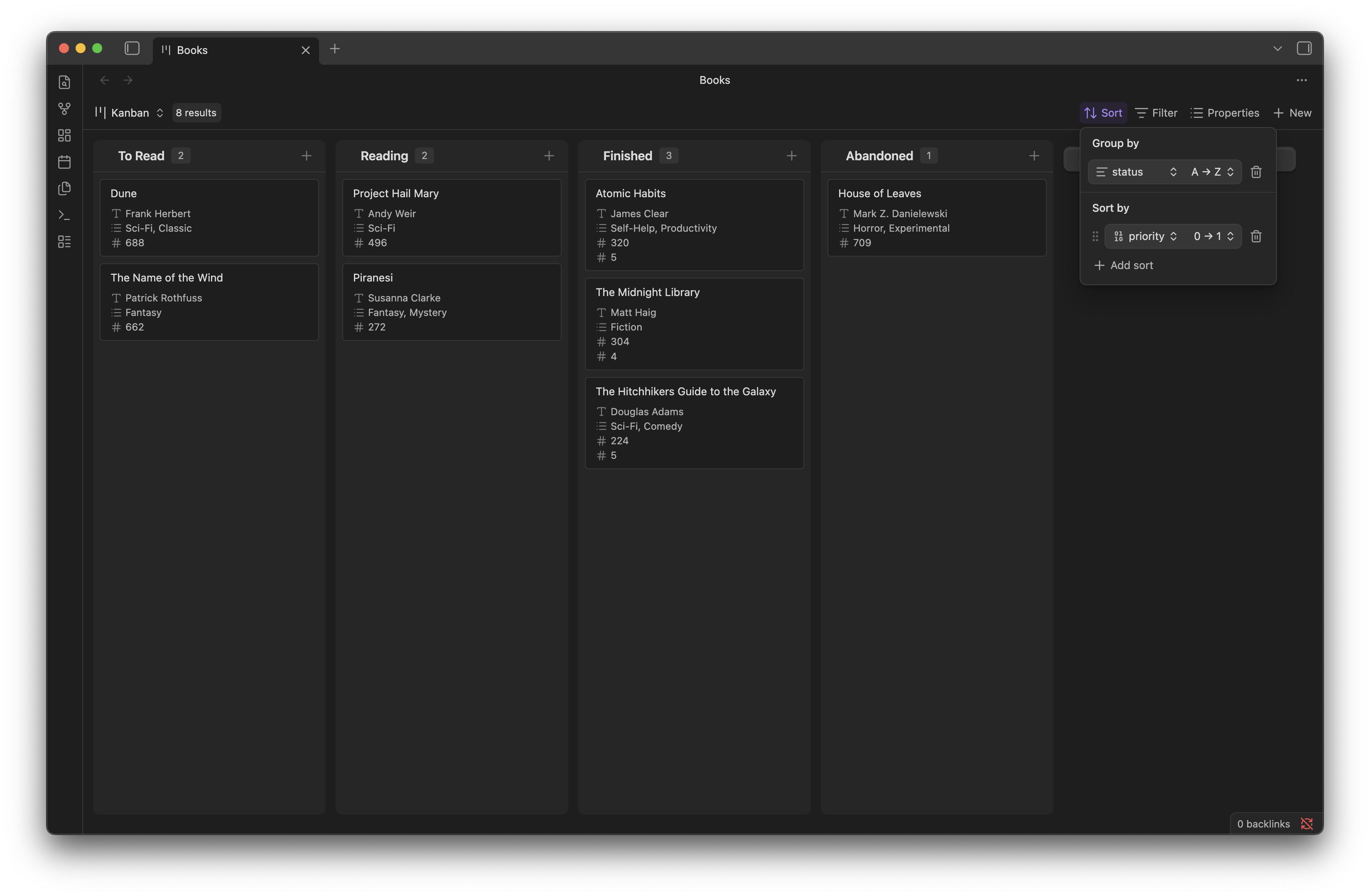
Adds a kanban layout to Obsidian Bases so you can display notes as cards organized in columns.
Features
- Display notes as cards grouped by a property value (e.g., status, priority)
- Drag and drop cards between columns to update the groupBy property
- Drag and drop columns to reorder them (order is persisted)
- Drag to sort cards within a column (requires a numeric sort property)
- Add new cards directly from any column
- Click cards to open the corresponding note
Installation
For development
- Clone this repository into your vault's
.obsidian/plugins/folder - Run
npm install - Run
npm run devto start development mode - Enable the plugin in Obsidian Settings → Community plugins
Building
npm run build
Usage
- Create a Base in Obsidian
- Switch to Kanban view from the view switcher
- Use the Sort menu to configure:
- Group by: The property that defines columns (e.g.,
status) - Sort by: Optional numeric property for card ordering within columns (e.g.,
order)
- Group by: The property that defines columns (e.g.,
Drag and Drop
| Action | Effect |
|---|---|
| Drag a card to another column | Updates the card's groupBy property in frontmatter |
| Drag a card within a column | Reorders cards (updates sort property if configured) |
| Drag a column header | Reorders columns (persisted in view config) |
Requirements for drag and drop
- Moving cards between columns: The groupBy property must be a frontmatter property (detected automatically from the Bases groupBy setting)
- Reordering cards within columns: Requires a single numeric sort property configured in the Bases Sort menu
How it works
The plugin uses the Bases framework for data:
- Column grouping uses the Bases "Group by" setting
- Card sorting uses the Bases "Sort by" setting
- Card properties displayed use the Bases "Properties" configuration
When you drag a card to a different column, the plugin updates that note's frontmatter to change the groupBy property value. When you reorder cards within a column, it renumbers all cards with clean integers (1, 2, 3...) respecting ascending/descending sort direction.
License
MIT
For plugin developers
Search results and similarity scores are powered by semantic analysis of your plugin's README. If your plugin isn't appearing for searches you'd expect, try updating your README to clearly describe your plugin's purpose, features, and use cases.