Dual Title Translator
pendingby H0taru-9F
Automatically translates note titles using DeepL and adds a dual-language title.
Dual Title Translator
Automatically add a translated version of your note title while keeping the original — all in a single filename.
Perfect for:
- bilingual or multilingual vaults
- learning languages
- keeping notes searchable in multiple languages
Powered by DeepL.
✨ What it does
When you rename a note, the plugin detects the language of the title and adds a translated version using a configurable separator.
Example:
- Нотатки ⇋ Notes
- Проєкт ⇋ Project
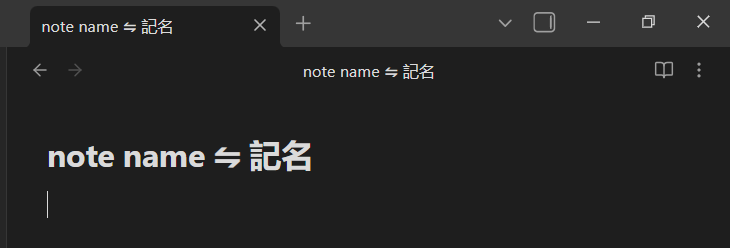
The original title is preserved — the translation is added next to it.
🔑 DeepL API Key
To use the plugin, you need a DeepL API key.
-
Go to the official DeepL developer website:
👉 https://www.deepl.com/pro-api -
Create a free DeepL API account
- The Free plan allows up to 500,000 characters per month
- A payment card is required during registration (DeepL requirement)
- You will not be charged unless you upgrade the plan
-
Copy your API key
-
Paste the key into the DeepL API Key field in plugin settings
⚠️ Make sure there are no spaces before or after the key
🌐 Languages
Select two languages:
- First language
- Can be set manually
- Or use AUTO (DeepL auto-detect)
- Second language
- defaults to English
These languages work bidirectionally.
This means:
- If the note title is written in the first language, it will be translated into the second
- If the note title is written in the second language, it will be translated into the first
⚠️ This feature relies on language detection and may not always be perfectly accurate.
🚀 Installation
From Obsidian (recommended)
- Open Settings → Community Plugins
- Disable Safe Mode
- Click Browse and search for Dual Title Translator
- Install and enable the plugin
Manual
- Download the latest release
- Copy it into
.obsidian/plugins/dual-title-translator - Reload Obsidian
🔒 Privacy & API usage
- Translations are performed via DeepL API
- Only the note title is sent for translation
- No data is stored or tracked by the plugin
❤️ Contributing
Ideas are welcome!
If you find a bug or want a feature, feel free to open an issue.
⭐ Support
If you like the plugin, consider starring the repository 💙
It really helps visibility in the Obsidian ecosystem.
For plugin developers
Search results and similarity scores are powered by semantic analysis of your plugin's README. If your plugin isn't appearing for searches you'd expect, try updating your README to clearly describe your plugin's purpose, features, and use cases.