Sider Copilot
pendingby Sider.ai
Sider Copilot is a smart note-taking app that helps you take notes faster and smarter.
Sider Copilot
A powerful AI-driven Obsidian plugin that integrates Wisebase, Deep Research, and Scholar Deep Research, enabling note intelligence, web research, and knowledge management—all within Obsidian.
🎯 Overview
Sider Copilot brings AI-powered research, note intelligence, and knowledge management directly into your Obsidian vault. Powered by Sider.ai, it seamlessly integrates web research, academic papers, and your personal knowledge base—no context switching needed.
✨ Features
🧠 Chat with Your Notes
Ask questions about your notes and receive AI-powered answers with inline citations to the original content. Context persists across conversations and multiple files for seamless knowledge exploration.
📚 RAG Indexing & Cloud Sync
Automatically slice and sync your notes to your personal Wisebase cloud knowledge base. Enable one-click indexing for instant AI retrieval, with optional auto-sync for live updates.
🌐 Web & Academic Research
Conduct deep web research or search academic papers using Sider's AI engine. Generate comprehensive reports with citations, summaries, and source attribution.
💾 Save Web Pages & PDFs Locally
Discover content through Deep Research and save web pages (as Markdown) or PDFs directly to your vault. Auto-indexed with RAG for instant integration into your knowledge base.
📦 Batch Reference Management
Save all sources from a research report in one click. The plugin creates an organized folder, indexes everything, and syncs to your Wisebase—no manual work needed.
⚙️ Fine-Grained Settings
Control sync behavior, choose AI models, manage research modes, and configure account preferences—all from the plugin settings panel.
🚀 Quick Start
Installation
- Download the latest release from the Sider Copilot GitHub repository
- Extract to your Obsidian plugins folder:
.obsidian/plugins/sider-copilot/ - Ensure the folder contains:
manifest.jsonmain.jsstyles.css - Go to Settings → Community Plugins, disable Safe Mode, and enable Sider Copilot
- Log in with your Sider.ai account (free registration available)
First Steps
- Open the plugin by clicking the Sider Copilot icon in the Obsidian sidebar
- Index a note with RAG by clicking Start RAG in the note header
- Chat or research using the interface—switch between Chat, Deep Research, and Scholar modes at the top
📖 Usage Guide
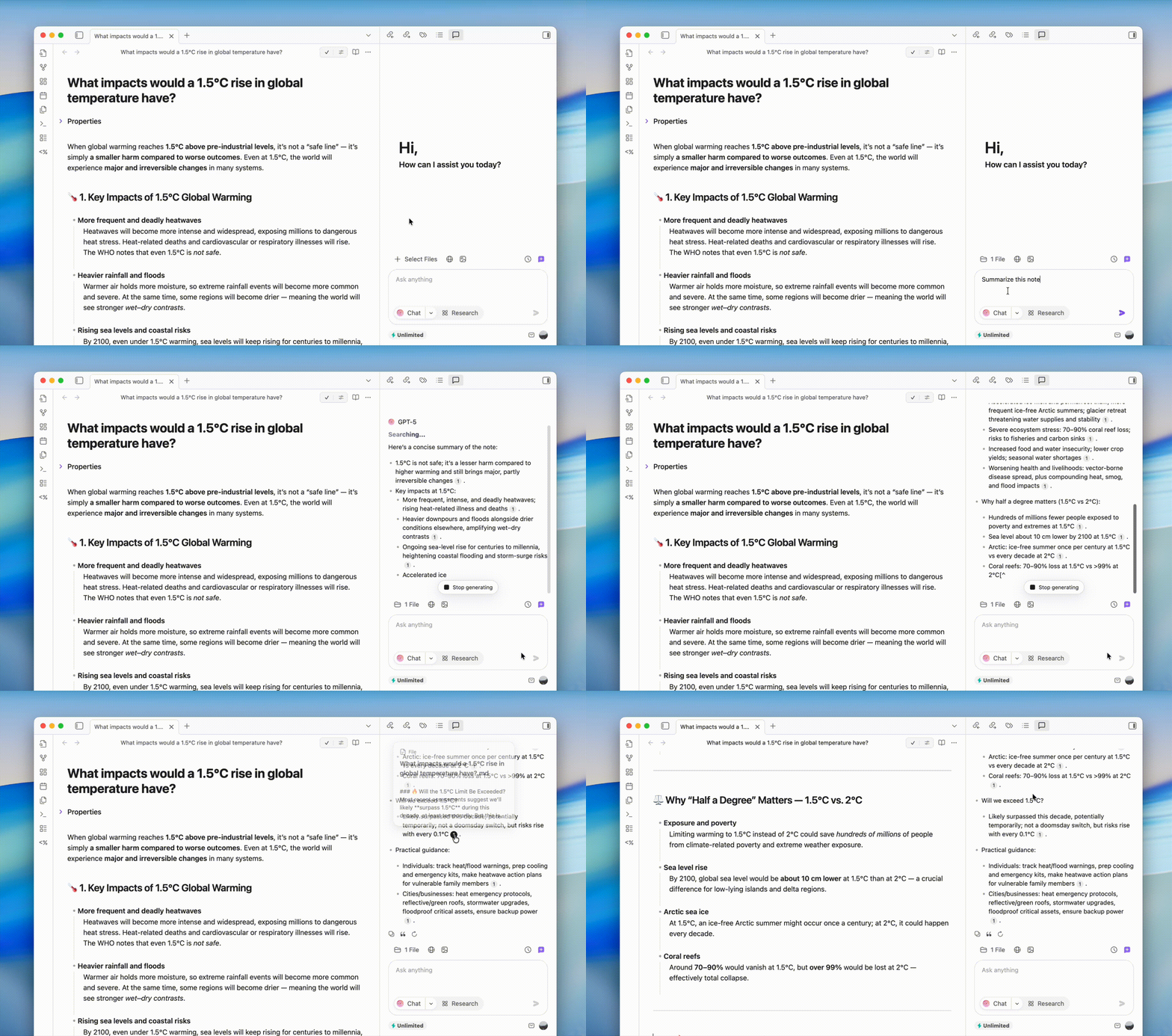
Chat with Notes
- Select a note you've already indexed with RAG
- Ask questions like "Summarize the main ideas" or "What are the key points about X?"
- The AI responds with citations to original paragraphs
- Switch between multiple files without losing conversation context
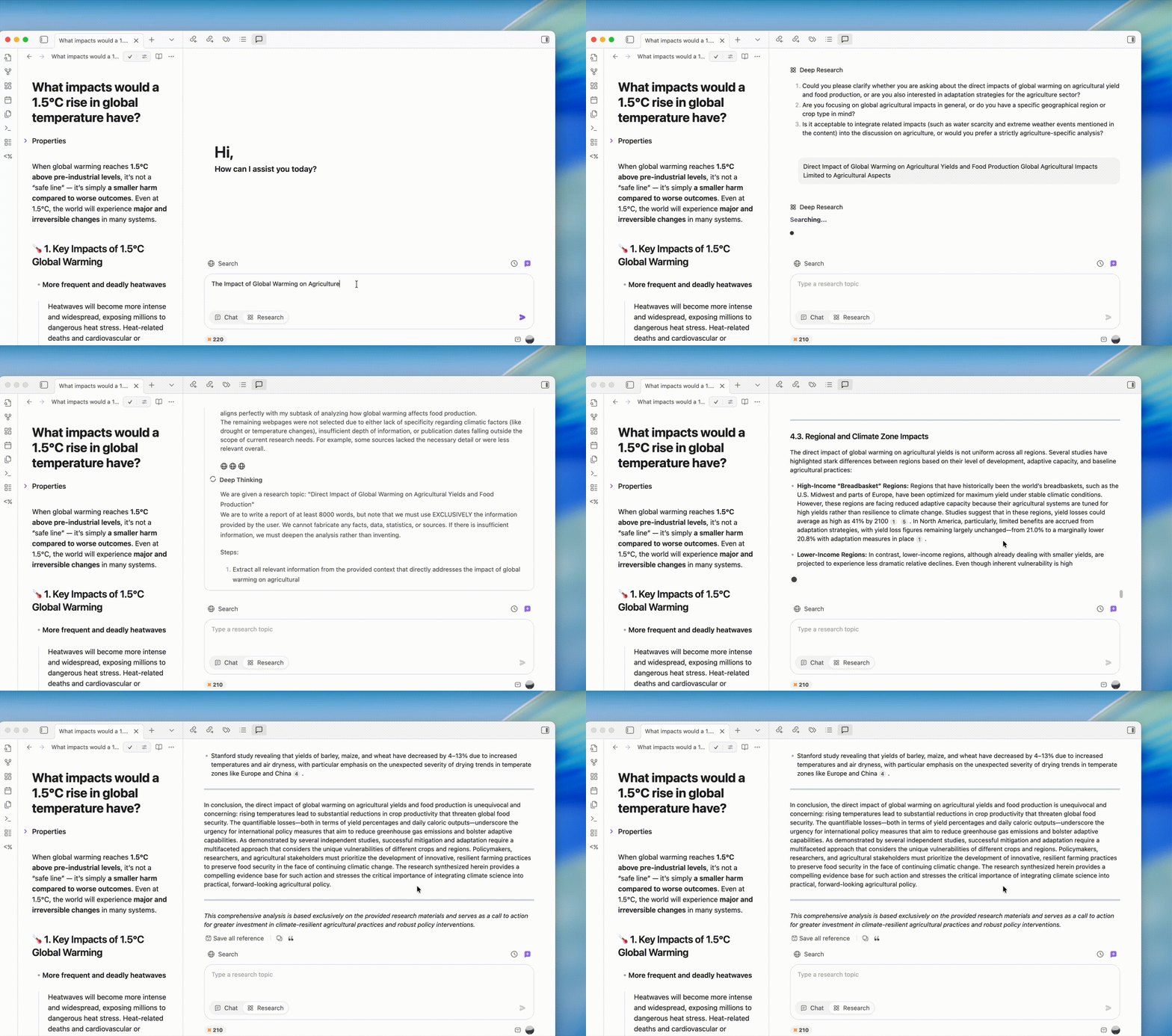
Conduct Web & Academic Research
- Enter your research query in the search bar
- Choose Deep Research (general web) or Scholar Research (academic papers)
- Review the AI-generated report with citations
- Click Save next to any source to add it to your vault
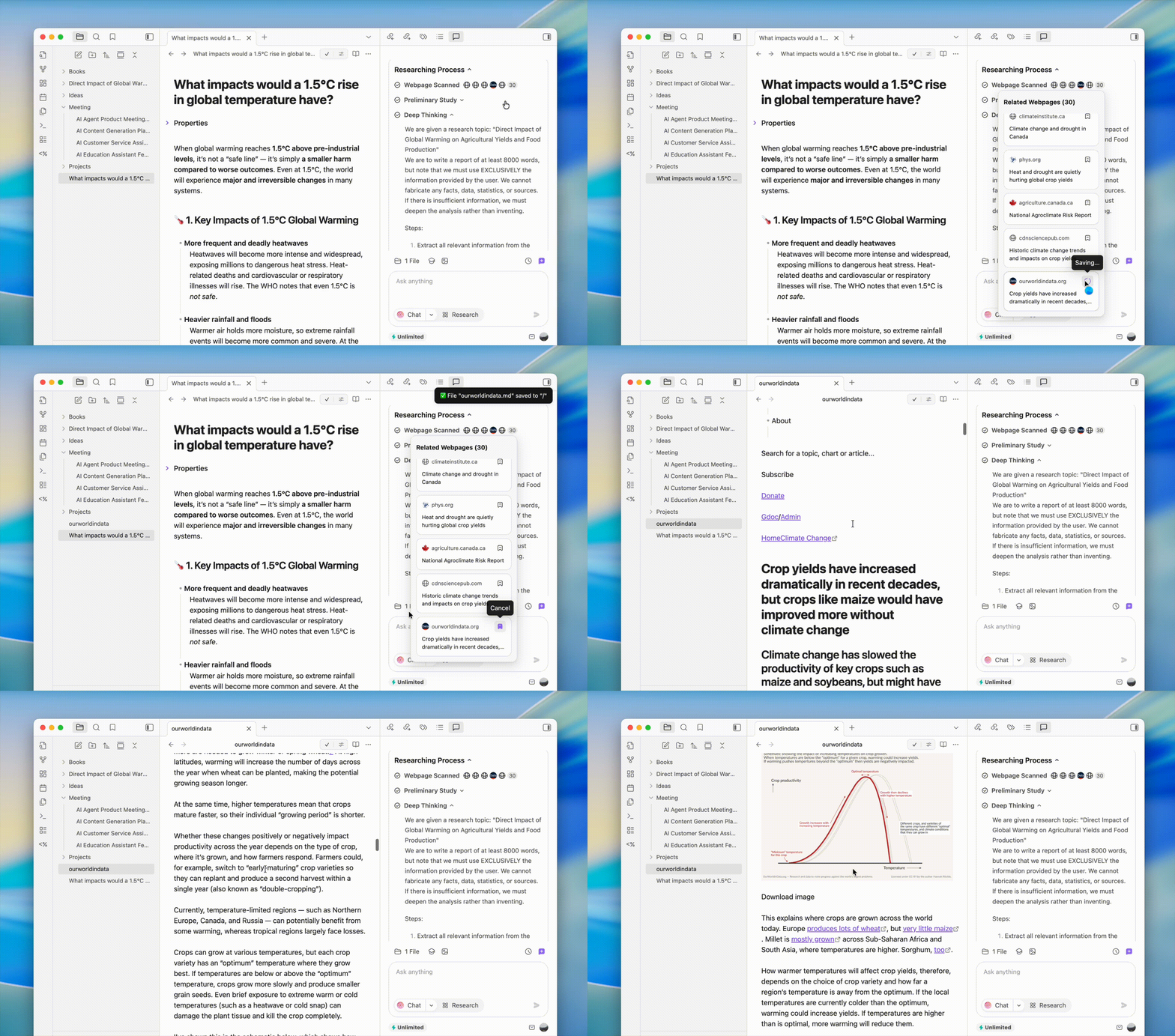
Save Web Pages & PDFs to Your Vault
- While browsing research results, click Save on any web page or PDF
- Web pages are automatically converted to clean Markdown format
- PDFs are parsed and auto-indexed for searchability
- All saved content is stored locally in your vault and synced to Wisebase (optional)
Batch Save All References
- Complete a research report and scroll to the bottom
- Click Save All References
- The plugin will:
- Create a new folder named after your research topic
- Save all cited sources (web pages & PDFs) locally
- Automatically index everything with RAG
- Sync to your Wisebase for cross-device access

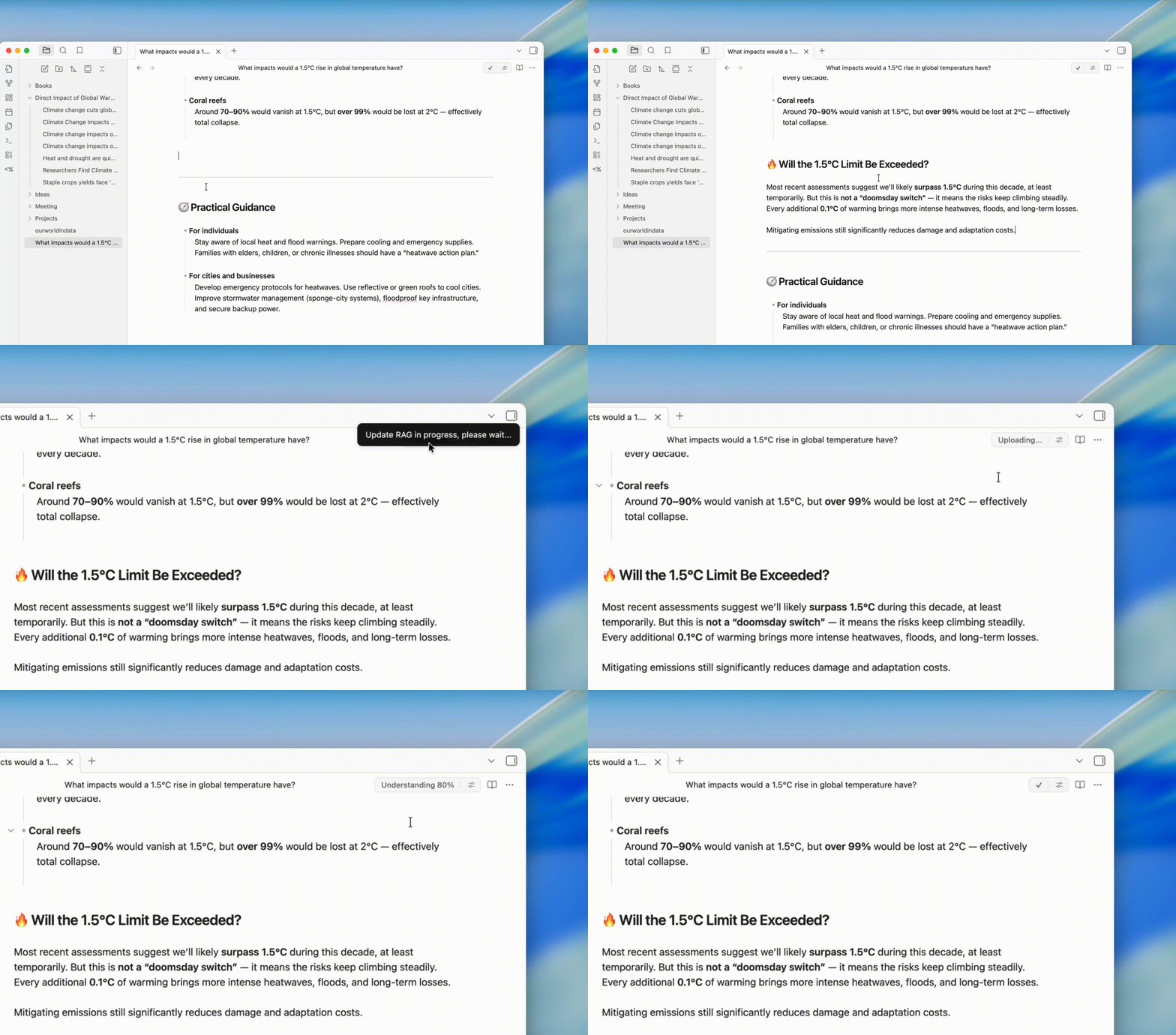
Update Indexed Notes
- After modifying a note you've indexed with RAG
- Click Update RAG in the note header
- Changes sync automatically to your cloud knowledge base
⚙️ Settings
| Setting | Description | Default |
|---|---|---|
| Auto Sync RAG Files | Automatically update Wisebase when local notes change | Off |
| Sync to Wisebase | Upload indexed content to your private cloud knowledge base | On |
| Model Selection | Choose the AI model for chat and research | Auto |
| Research Mode | Select default research type (Deep Research or Scholar) | Auto |
🔐 Privacy & Security
- Your control: Only notes and content you explicitly process are indexed and uploaded
- Private storage: All indexed data is stored in your personal Wisebase—never shared
- No training data: Your content is never used to train public or private models
- Easy deletion: Delete your data anytime from the Sider dashboard
- No background uploads: No automatic indexing without your consent
💳 Pricing
- Free account: Sign up free at Sider.ai
- Daily free credits: Each day you get free credits for Wisebase, Deep Research, and Scholar Research
- Premium plan: Unlock advanced research, larger file support, and higher query limits with Sider Premium
- Manage your subscription and credits at sider.ai
📄 License
MIT License — free to use, modify, and distribute.
🆘 Support
- 📝 Report issues on GitHub
- 💬 Join the Sider.ai Community for discussions
- 📚 Check the Sider.ai Help Center for more help
For plugin developers
Search results and similarity scores are powered by semantic analysis of your plugin's README. If your plugin isn't appearing for searches you'd expect, try updating your README to clearly describe your plugin's purpose, features, and use cases.