Better Bullets
pendingby Lucas Lum
Improves readability of bulleted notes.
Better Bullets for Obsidian
Better Bullets is an Obsidian plugin that enhances the visual hierarchy and readability of your bullet points. It uses dynamic analysis to determine the depth of your lists and applies unique symbols, font sizes, and contextual formatting based on the content of your notes.
Features
1. Hierarchical Bullet Symbols
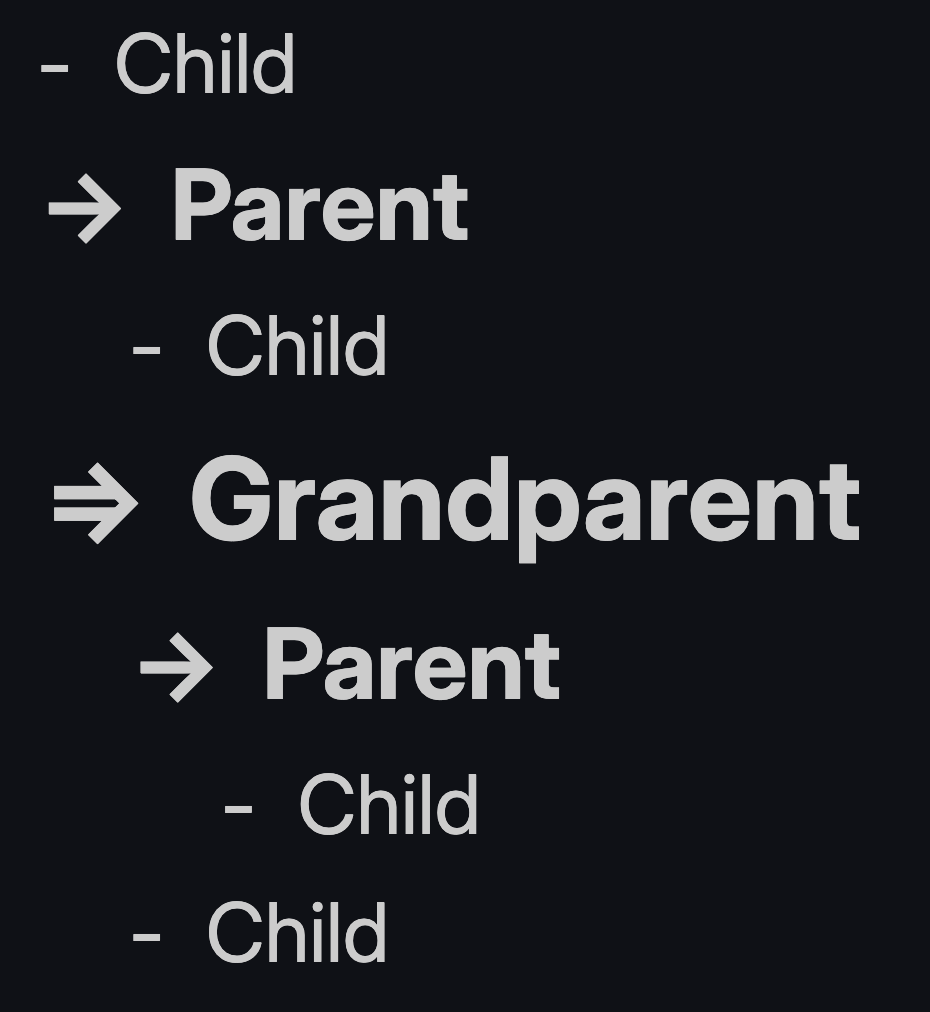
The plugin automatically changes bullet symbols based on their relationship to other items in the list:
- Grandparent (Level 2+): Uses the
=>symbol. - Parent (Level 1): Uses the
->symbol. - Leaf (Level 0): Uses the standard
-symbol.
2. Dynamic Text Formatting
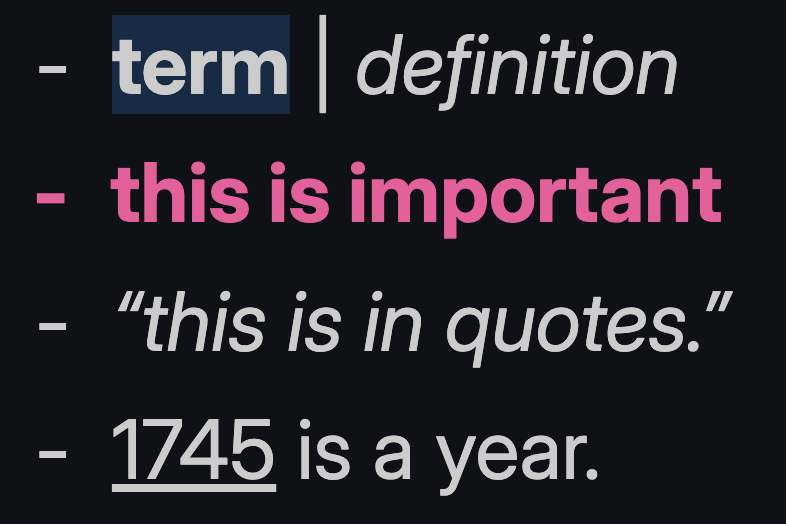
Text is formatted based on its position in a list and specific syntax within the line:
- Automatic Sizing: "Parent" and "Grandparent" lines are scaled up based on your settings to create a clear visual outline.
- Non-Leaf Bolding: High-level list items can be automatically bolded to act as section headers.
- Notes: Lines starting with
Note:use a*bullet, with "Note:" bolded and highlighted and the remainder italicized. - Definitions: Using the
Term | Definitionsyntax bolds and highlights the term and italicizes the definition. - Important Lines: Lines ending with
!are bolded and colored. The trailing!is hidden using the--bb-controlproperty (see below). - Examples: Lines starting with
ex.italicize the text that follows. - Parentheses: Text inside
(parentheses)is italicized anywhere in the line. - Years: 4-digit numbers (e.g.,
1745) are automatically underlined anywhere in the line. - Quotes: Text inside
"straight"or"curly"quotes is italicized anywhere in the line.
Control characters: The
--bb-control: 1CSS property is a special signal used internally by Better Bullets. When applied to a matched pattern segment, that segment is hidden from the rendered output while remaining present in the Markdown source. This lets syntax markers (like the trailing!on important lines) act as triggers without appearing in the final note.
3. Settings
Hierarchy Configuration
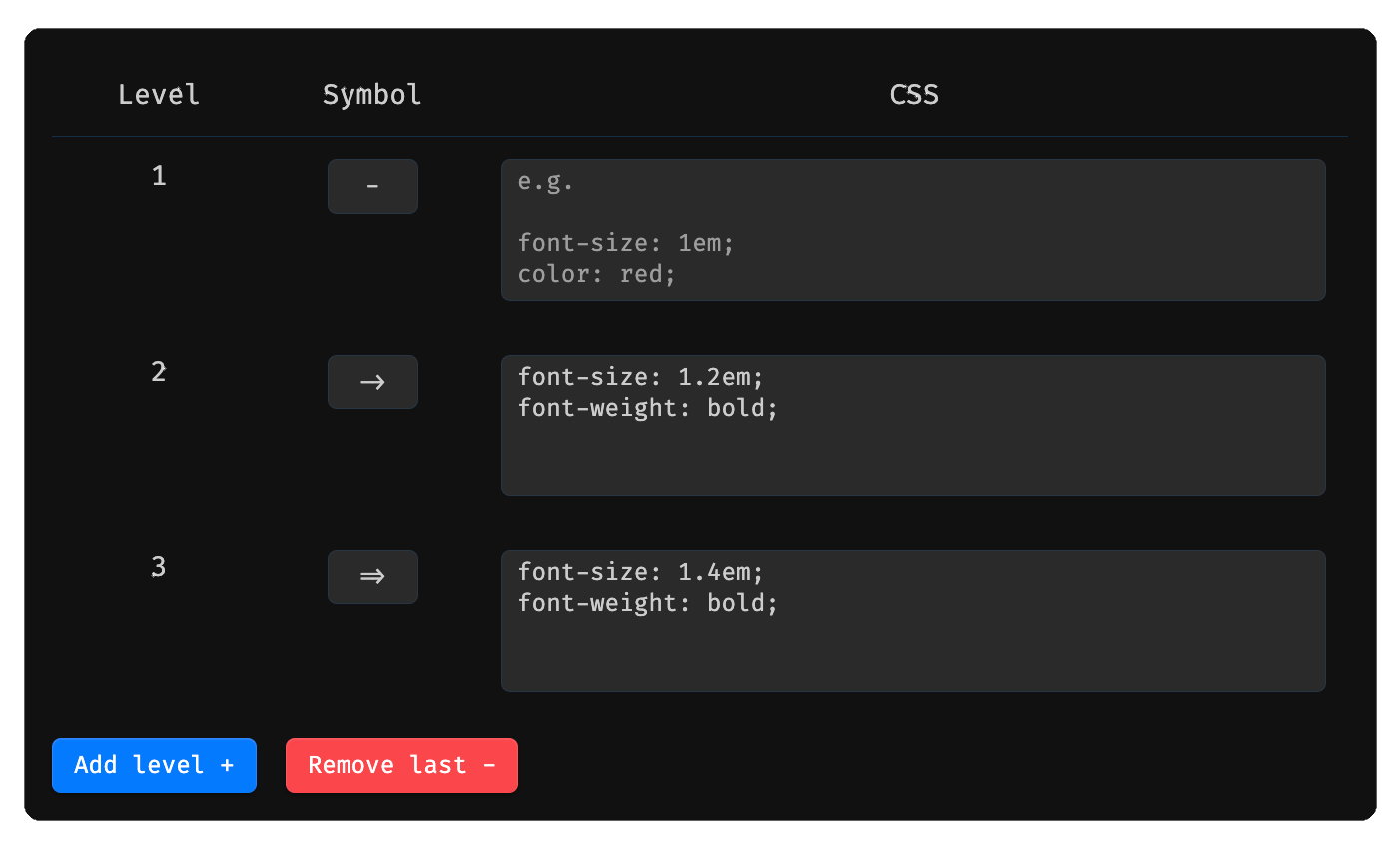
Define the bullet symbol and CSS for each indentation level. Add or remove levels as needed using the Add level + and Remove last - buttons.
Formatting Rules
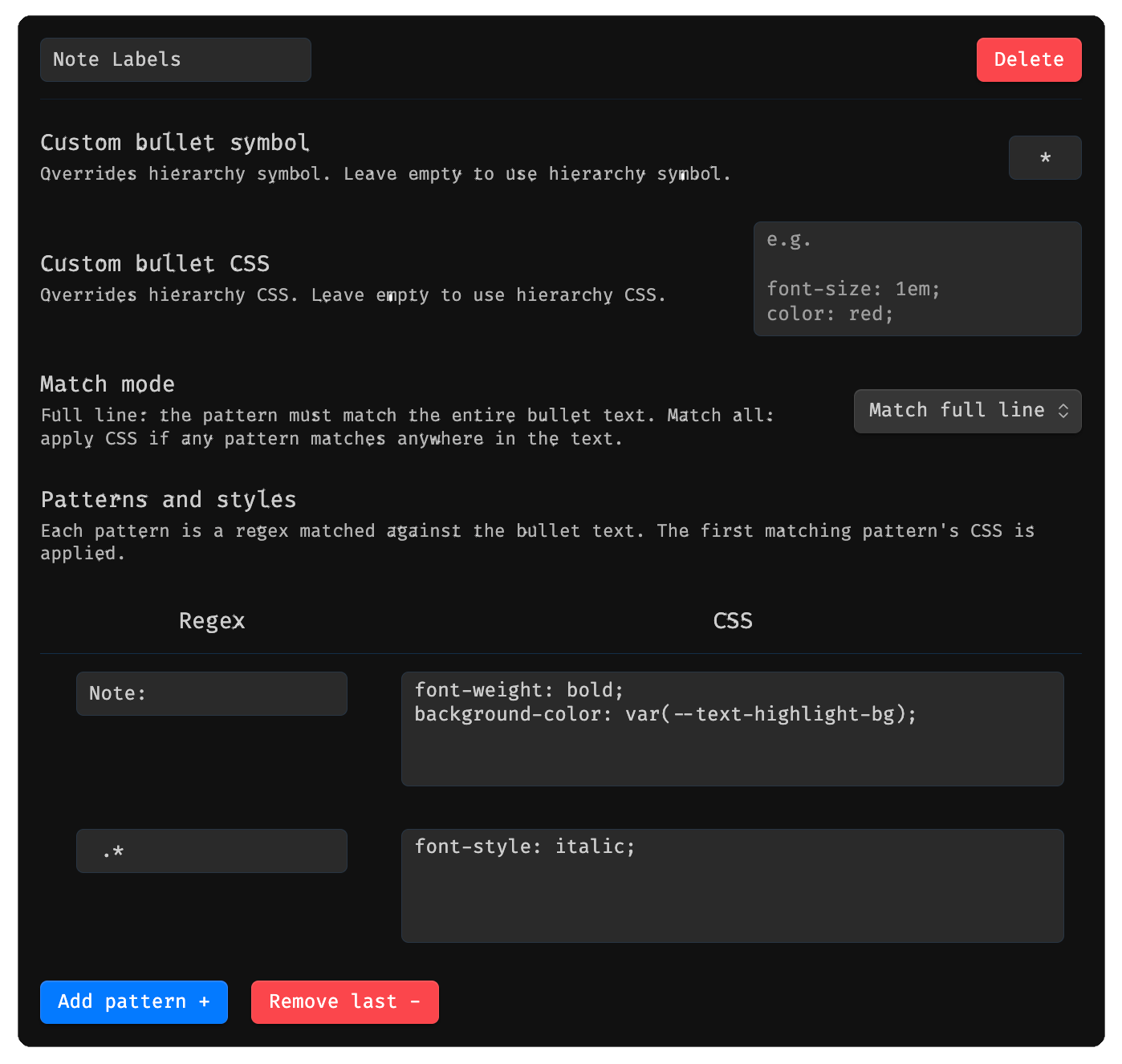
Create custom rules that match bullet text using regex patterns and apply CSS styles. Each rule supports:
- Custom bullet symbol — overrides the hierarchy symbol for matched bullets.
- Custom bullet CSS — overrides the hierarchy CSS for matched bullets.
- Match mode — either Match full line (pattern must match the entire text) or Match all (CSS is applied if the pattern matches anywhere in the text).
- Patterns and styles — one or more regex/CSS pairs; the first matching pattern's styles are applied.
Rules can be added, deleted, and reordered. Clicking Reset to defaults will prompt a confirmation dialog before overwriting all rules with the plugin defaults.
Hotkeys
Move to previous/next line with same indentation: moves to previous/next bullet that has the same indentation while being in parent's fold. Typically bound to ⌘+⌥+↑ and ⌘+⌥+↓
Installation
- Download latest release, unzip, and drag to the
.obsidian/pluginsfolder. - Enable the plugin in settings.
- Start typing bullet points using
-,*, or+.
License
This project is open source under the terms of the MIT License — see the LICENSE file for details.
For plugin developers
Search results and similarity scores are powered by semantic analysis of your plugin's README. If your plugin isn't appearing for searches you'd expect, try updating your README to clearly describe your plugin's purpose, features, and use cases.