Task from Note
pendingby masaskasa
A plugin that uses AI to turn selected text in a note into a task and automatically sends it to TickTick.
Task from Note Obsidian Plugin
A plugin for Obsidian that uses an AI model to turn selected text into a well‑structured task and automatically send it to TickTick. This lets you convert notes, thoughts, and ideas into actionable tasks in a single click, without manual copy‑paste or formatting.
Key feature
- Turn any selected text in a note into a clear, structured task using an AI model
- Automatically create the task in TickTick with title and description
- One‑click flow from Obsidian note to TickTick task, without leaving the editor
- Models compatible with the OpenAI API
Get started
- Installation
- Open Obsidian → Settings → Community plugins → Browse
- Search for "Task from Note"
- Click Install
- Click Enable
- Minimal plugin setup
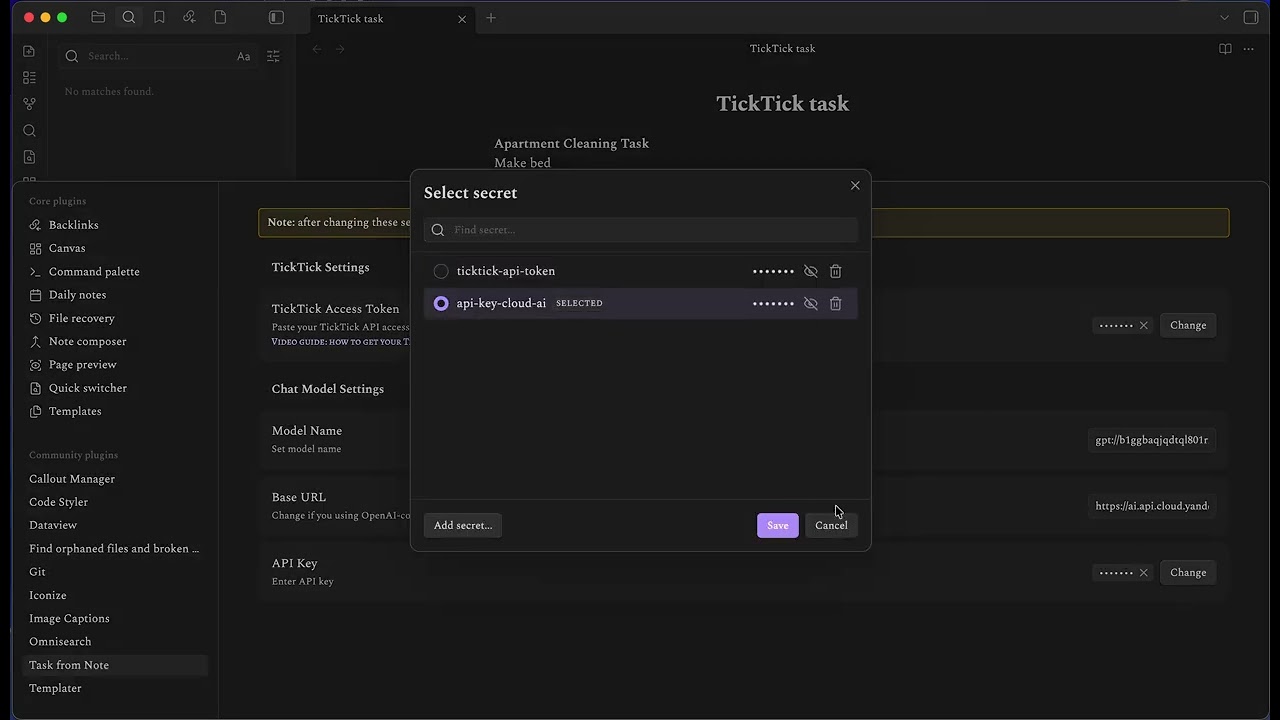
Open Settings → Community plugins → Task from Note and configure:
- TickTick access key (API token)
- Model parameters and access key (model name, base URL and API key)
NOTE: The plugin does not store sensitive data in Obsidian storage. Instead, it uses the system secret storage provided by the Obsidian Plugin API, which varies by operating system (for example, Keyring on Linux). The plugin requests and uses these secrets only for generating and sending tasks to TickTick
To save a secret, enter a unique secret ID first, then paste the secret value. For example:
- ID: ticktick-access-key
- Secret: your TickTick API token
- Command and toolbar button
- Use the Command Palette to run the main command Create task from selection
- Or use toolbar button for one‑click access from the editor
Usage
- Select text in a note that you want to turn into a task (e.g., a sentence, bullet point, or paragraph)
- Run the command Create task from selection (via Command Palette or toolbar button)
- The system uses the configured model to generate a clear task title and description from the selected text
- The plugin automatically creates a task in TickTick (Inbox list) using the generated content
This flow is ideal when you trust the model and want the fastest possible note‑to‑task conversion.
Watch the demo video:
Feedback & Discussions
If you encounter bugs, have feature requests, or want to share ideas for improvements, please open a discussion in the plugin’s Discussions section on its repository. Include your operating system, Obsidian version, plugin version, and a short description of the steps that lead to the issue or suggestion.
For plugin developers
Search results and similarity scores are powered by semantic analysis of your plugin's README. If your plugin isn't appearing for searches you'd expect, try updating your README to clearly describe your plugin's purpose, features, and use cases.