AI Actions
pendingby Ivan Mezentsev
Integrates AI actions into your note-taking workflow.
AI Actions for Obsidian





A powerful Obsidian plugin that integrates AI-powered text processing directly into your note-taking workflow. Transform, enhance, and automate your writing with customizable AI actions.
📋 Changelog
For detailed changes, see CHANGELOG.md.
⚠️ ATTENTION! Since version 0.6.0, system prompt support is enabled by default for all models. If you experience issues, disable the "Enable system prompt" setting for models like "gemma" and others.
Demo
✨ Key Features
🤖 Multi-Provider AI Support
- Plugin AI Providers - External providers through the obsidian-ai-providers
- OpenAI - GPT models with custom API endpoints
- Google Gemini - All models with official SDK (streaming supported)
- Ollama - Local AI models for privacy
- Groq - High-speed inference
- OpenRouter - Access to multiple AI providers
- LM Studio - Local model hosting
- Anthropic - Claude models with official SDK
⚡ Pre-built Actions
- Document Summarization - Generate concise summaries
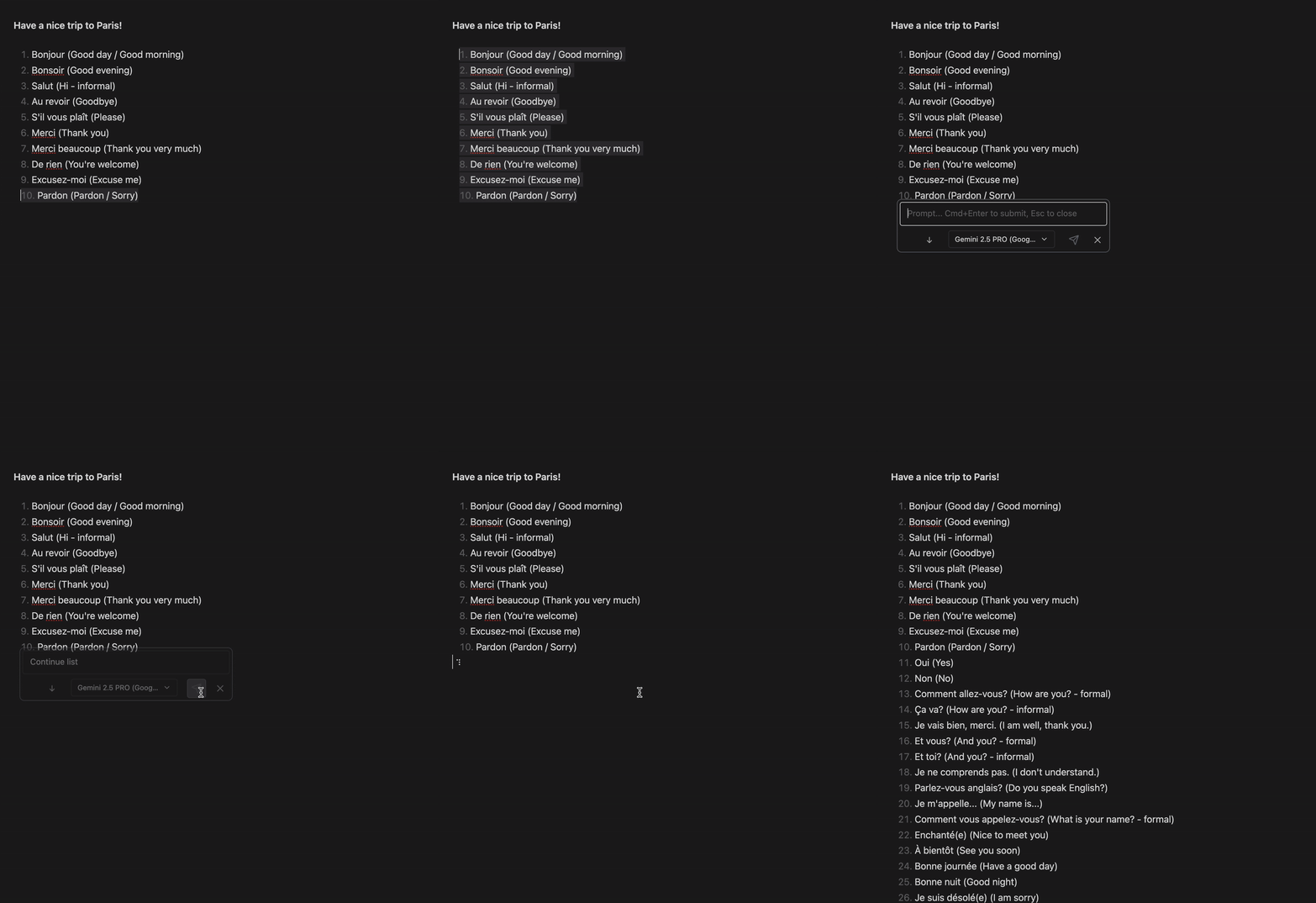
- Text Completion - Smart text continuation
- Professional Rewriting - Enhance tone and clarity
- Hashtag Generation - Auto-generate relevant tags
- Task List Creation - Convert notes to actionable items
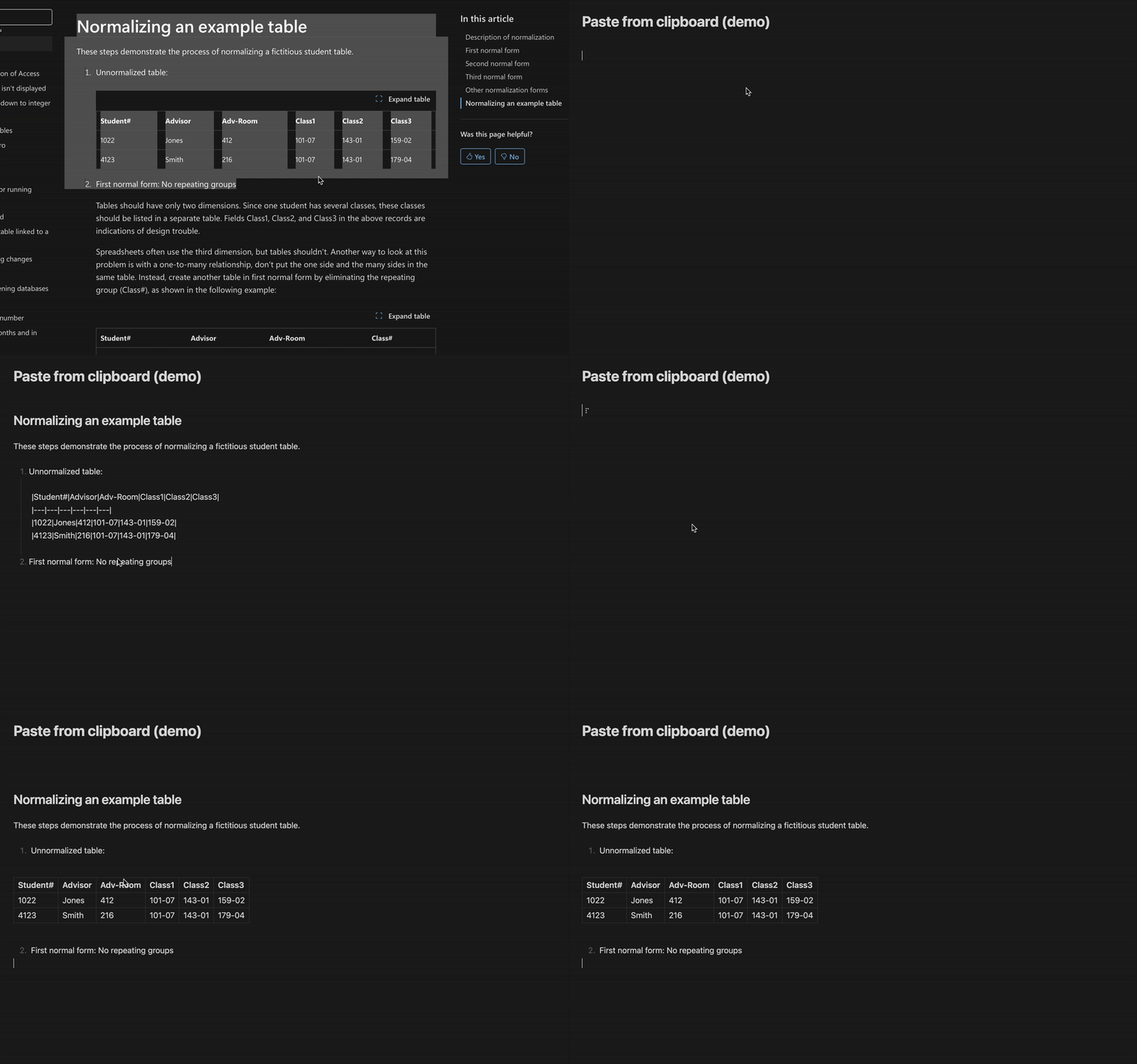
- Paste from clipboard as markdown - You might like this with GPT-4.1 ;-)
⚡ Quick Prompt command
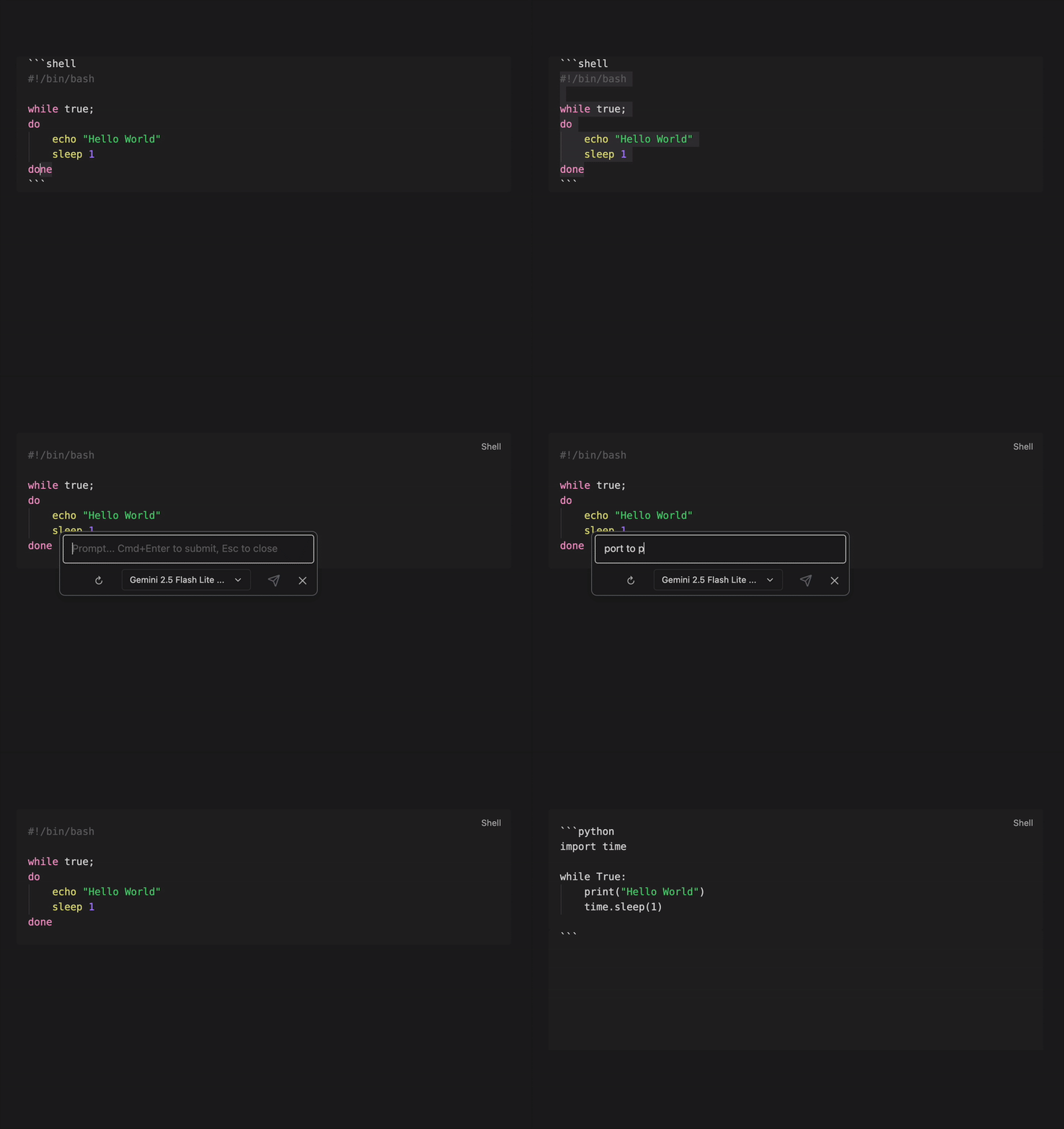
- Quick Prompt - Instant access popup for quick AI queries without creating permanent actions.
🎯 Flexible Text Processing
- Selection Options: Process entire document, selected text or clipboard
- Output Locations: Insert at beginning, append to end, replace selection, or save to specific files
- Output Modes: Choose different processing modes for prompt results
- Custom Formatting: Define output templates with placeholders
- Temperature Control: Adjust AI creativity and randomness
- Token Limits: Control response length
🛠️ Customization
- Custom Actions: Create unlimited personalized AI workflows
- Provider Management: Configure multiple AI providers with different models
- Model Selection: Choose specific models for each action
🚀 Installation
From Obsidian Community Plugins
- Open Obsidian Settings
- Navigate to Community Plugins
- Search for "AI Actions"
- Install and enable the plugin
Manual Installation
- Download the latest release from GitHub
- Extract to your vault's
.obsidian/plugins/ai-actions/directory - Enable the plugin in Obsidian settings
With BART
- Install BART
- In Obsidian, open the command palette
- Run
Brat: Add a beta plugin for testing - Paste
ivan-mezentsev/obsidian-ai-actions - BART will install the plugin
- Enable the plugin in Obsidian settings
⚙️ Configuration
1. Add AI Providers
- Open plugin settings
- Navigate to "AI Providers" section
- Click "Add Provider"
- Configure:
- Name: Display name for the provider
- Type: Select from supported providers
- API Key: Your provider's API key
- URL: API endpoint (auto-filled for most providers)
2. Configure Models
- Go to "AI Models" section
- Click "Add Model"
- Set up:
- Name: Display name for the model
- Provider: Select configured provider
- Model Name: Specific model identifier
3. Customize Actions
- Navigate to "Custom Actions" section
- Edit existing actions or create new ones
- Configure:
- Name: Action display name
- Prompt: AI instruction template
- Model: Selected AI model
- Selection: Text input method
- Location: Output placement
- Format: Output template with
{{result}}placeholder - Temperature: Creativity level (0,25%,50%,75%,100%)
- Max Tokens: Response length limit
📝 Usage
Quick Actions
- Select text or position cursor
- Open Command Palette (
Ctrl/Cmd + P) - Search for AI action (e.g., "Summarize document")
- Review output in preview modal
- Accept or modify the result
Custom Workflows
Create specialized actions for your needs:
- Meeting Notes: "Extract action items from meeting notes"
- Research: "Generate research questions from this topic"
- Writing: "Improve academic writing style"
- Translation: "Translate to [language]"
🔧 Advanced Features
Template Variables
{{result}}- AI-generated output
Output Locations
- Insert Head: Beginning of document
- Append Bottom: End of document
- Append Current: After selection
- Replace Current: Replace selection
- Append to File: Specific file (e.g., Tasks.md)
🔒 Privacy & Security
- Local Processing: Use Ollama or LM Studio for offline AI
- API Key Security: Keys stored locally in Obsidian
- No Data Collection: Plugin doesn't collect or transmit user data
- Custom Endpoints: Use self-hosted AI services
🤝 Contributing
Contributions are welcome! Please:
- Fork the repository
- Create a feature branch
- Submit a pull request
For issues or feature requests, visit the GitHub repository.
📄 License
MIT License - see LICENSE file for details.
🙏 Credits
This plugin is a fork of obsidian-ai-editor by Zekun Shen. Special thanks to:
- Zekun Shen (buszk) - Original plugin architecture and implementation
- Pavel Frankov - LLM providers factory and prompt examples from obsidian-ai-providers
- Pavel Frankov - spinnerPlugin from obsidian-local-gpt
Transform your Obsidian experience with AI-powered text processing!
For plugin developers
Search results and similarity scores are powered by semantic analysis of your plugin's README. If your plugin isn't appearing for searches you'd expect, try updating your README to clearly describe your plugin's purpose, features, and use cases.