MOC Blocks
pendingby NebulousNessie
Interactive Maps of Content for organising vault visually.
Any bugs, please report it on the git repository, thank you!
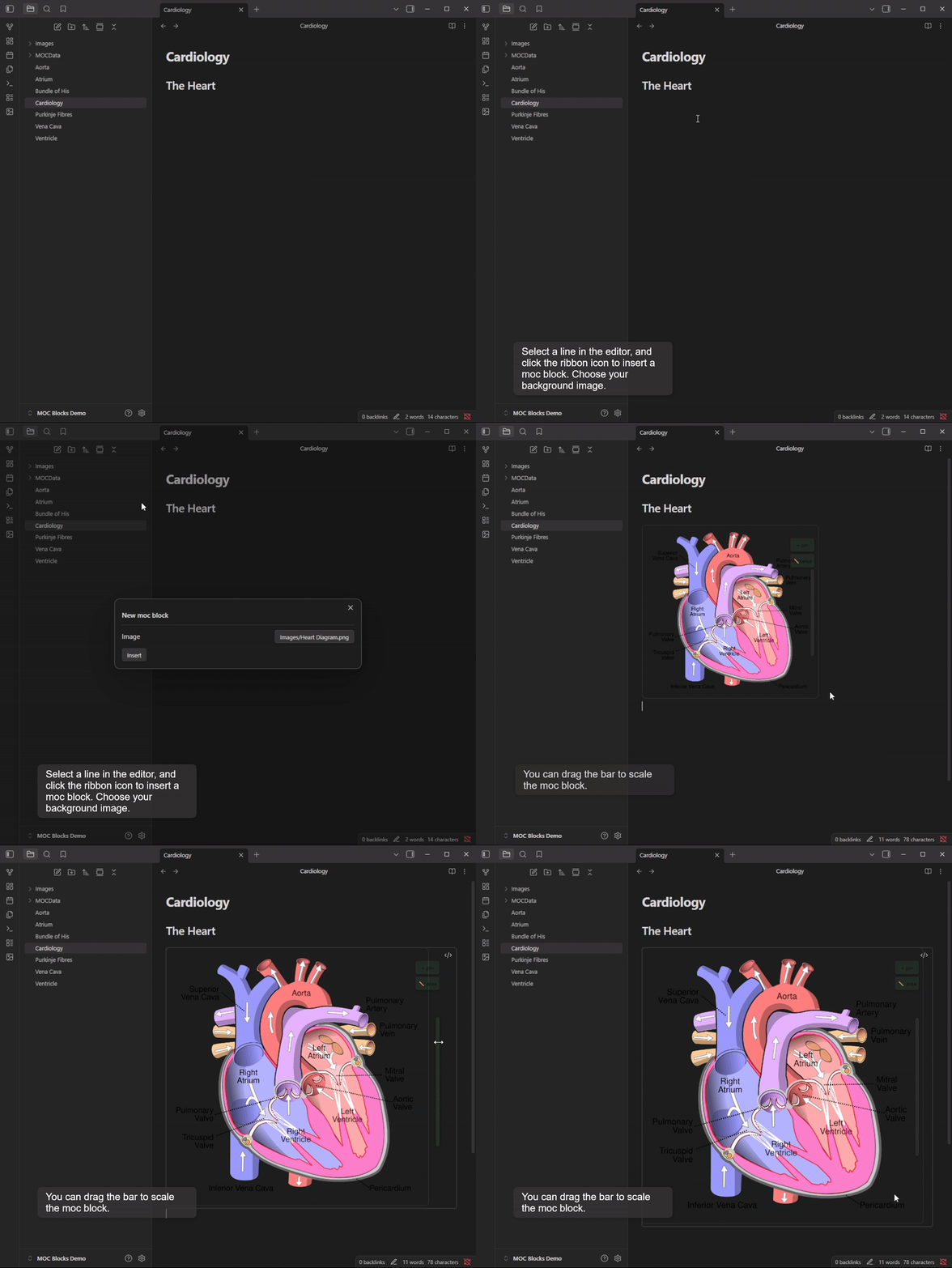
This is a plugin for creating simple Maps of Content, with a background image, using new 'MOC Block' code blocks.
How the Plugin Works
Adding a MOC Block
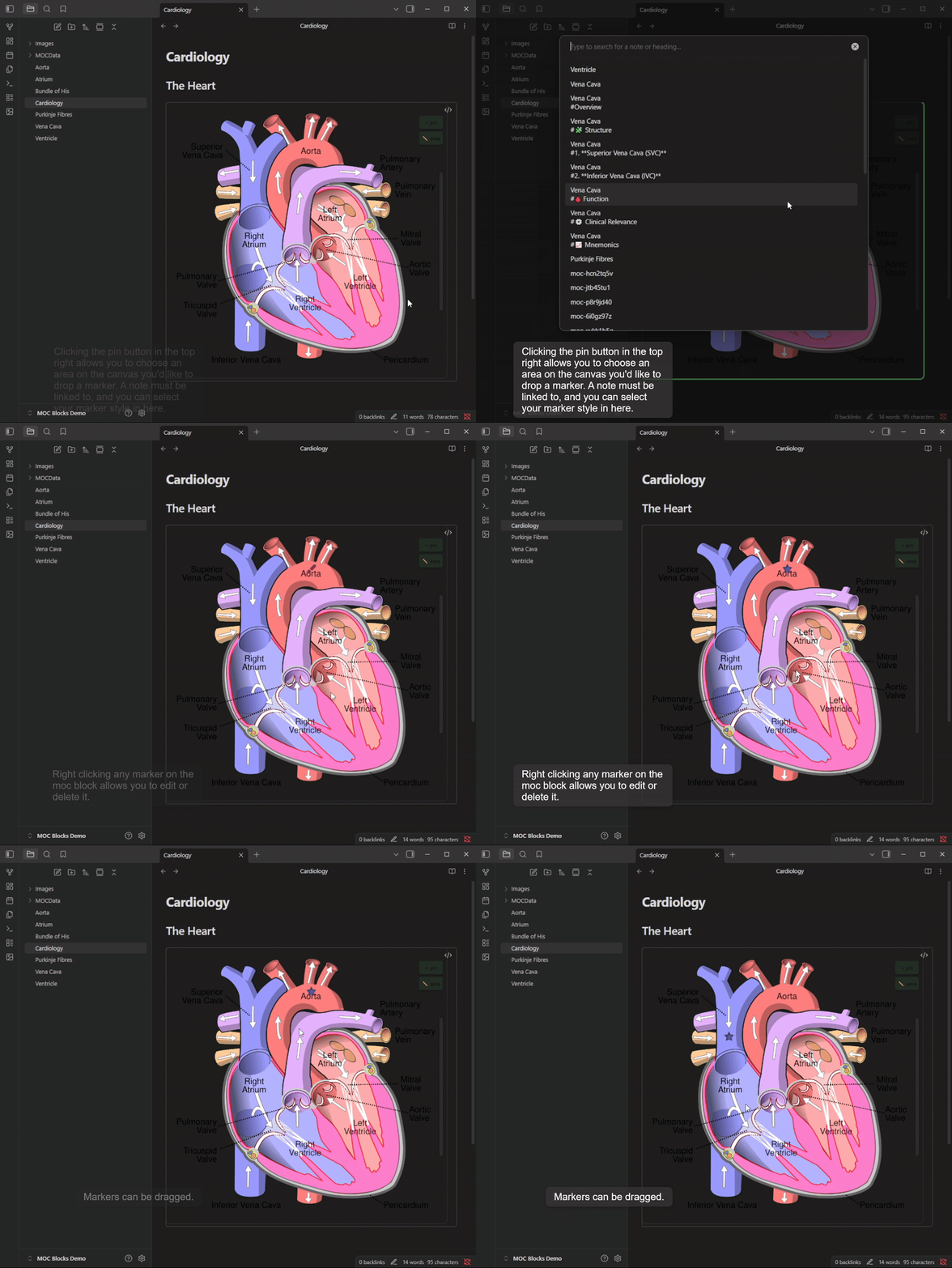
Adding and Editing Markers
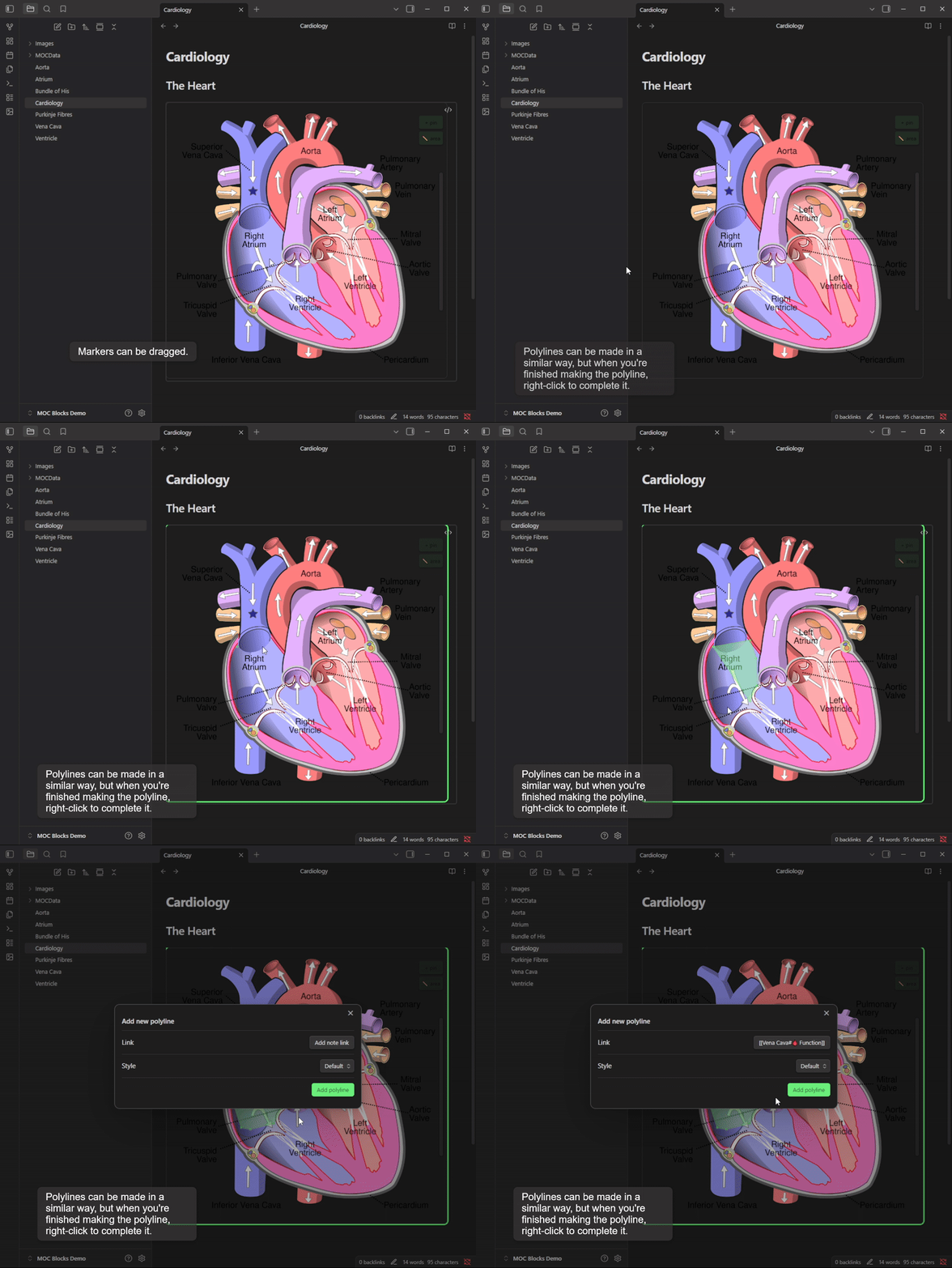
Adding Polylines
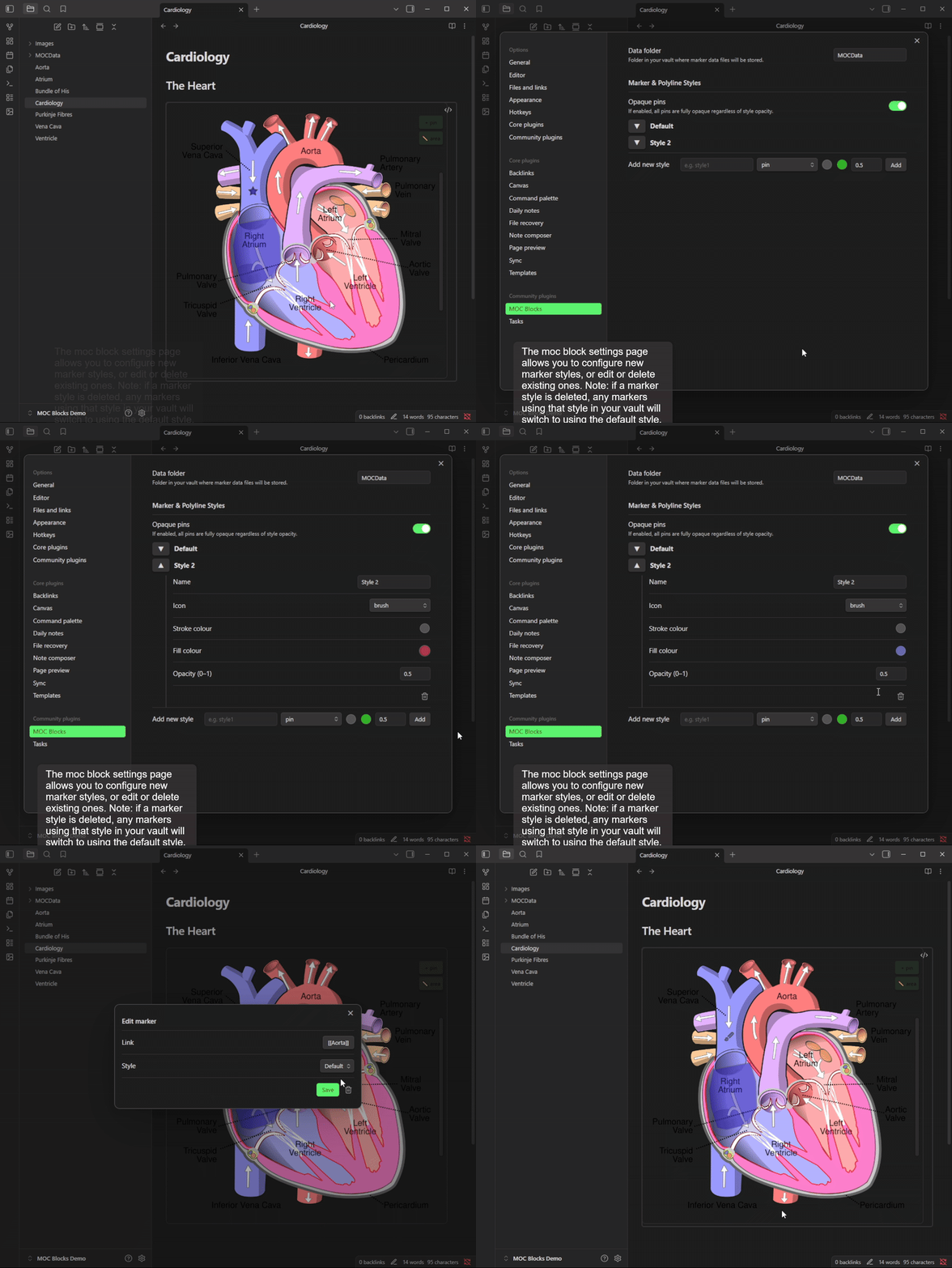
Configuring Marker Styles
The Syntax
``` moc
image: Image1.png
moc_id: [AUTOMATICALLY GENERATED]
image_width: [Image Px width, AUTOMATICALLY GENERATED]
```
Marker location and link data is saved in the moc_id file in your mocdata folder (in vault explorer).
[!IMPORTANT] Note: If you delete any of these files, you will have lost that mocblock's data!
Marker Style data is stored in the plugin data.
[!IMPORTANT] Marker Styles data will be deleted upon plugin deletion from your vault.
Known issues
- For up-to-date issues, see the Git repository
- The image converter plugin breaks the MOC Block resizing feature.
Inspiration
- This plugin is inspired in part by the excellent leaflet plugin, which allows a similar interface specific to maps. Check out that plugin to see if they have better features for your use case!
Support
If you feel you would like to support my work (thank you!), please buymeacoffee.
For plugin developers
Search results and similarity scores are powered by semantic analysis of your plugin's README. If your plugin isn't appearing for searches you'd expect, try updating your README to clearly describe your plugin's purpose, features, and use cases.