Focus
pendingby nelakay
A visibility firewall for task management. Focus on what matters right now.
Focus Plugin for Obsidian
A visibility firewall for your tasks. Focus helps you concentrate on what matters NOW by hiding everything else.
The Problem
Traditional task managers show you everything at once—hundreds of tasks competing for your attention. This creates decision fatigue and anxiety. You spend more time managing tasks than doing them.
Focus is not a task manager. It's a visibility firewall.
The Philosophy
Focus is built on three principles:
-
Radical Constraint: You can only see a handful of tasks at any time. If it's not in your immediate view, it doesn't exist (for now).
-
Temporal Boundaries: Tasks exist in three states:
- Immediate: What you're working on right now (max 3-5 tasks)
- This Week: Your commitment for the current week
- Backlog: Everything else (hidden from daily view)
-
Weekly Planning Ritual: Once a week, you surface your backlog, review what matters, and commit to your week. Then you close the lid and focus.
Features
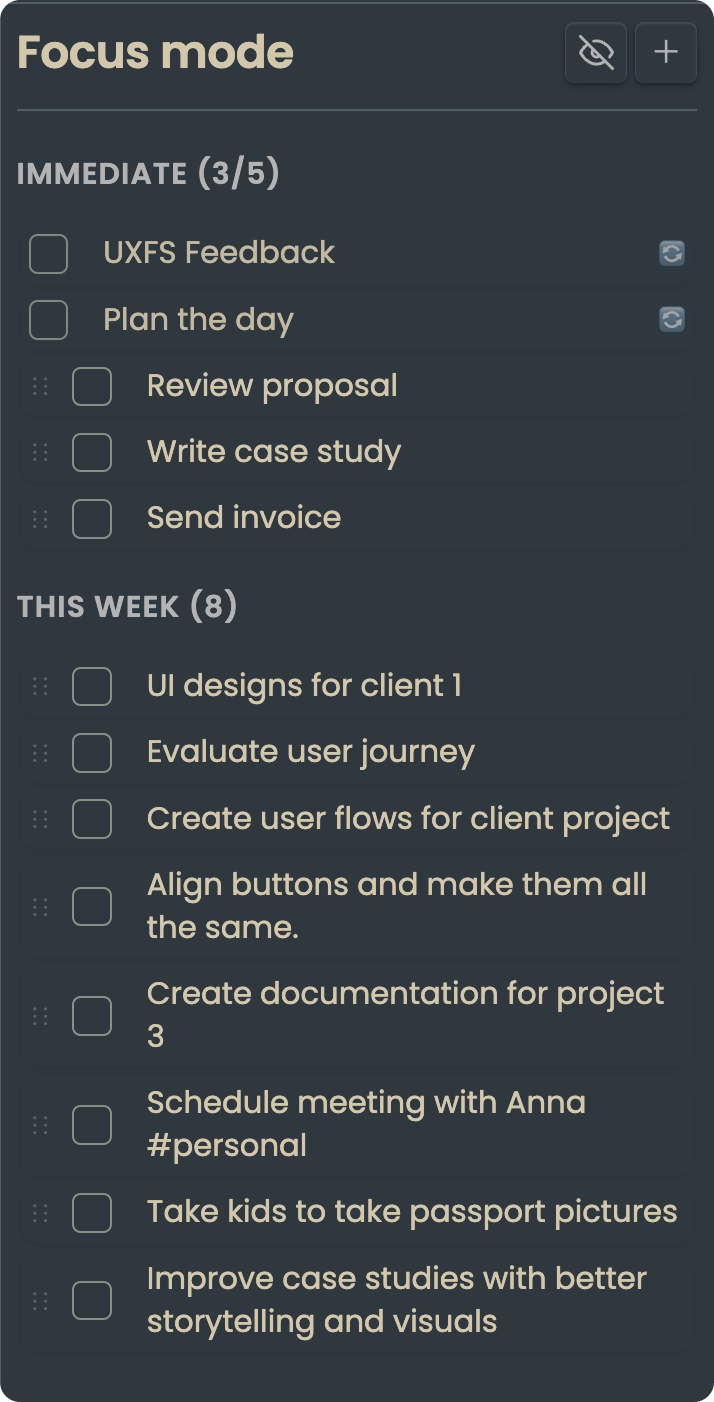
Focus View (Sidebar)Your daily command center. Shows only:
Everything else is hidden. Out of sight, out of mind. |
|
Daily Habits
Track up to 3 recurring habits that reset each morning. Add them to your task file under ## Daily Habits. When completed, they disappear until the next day.
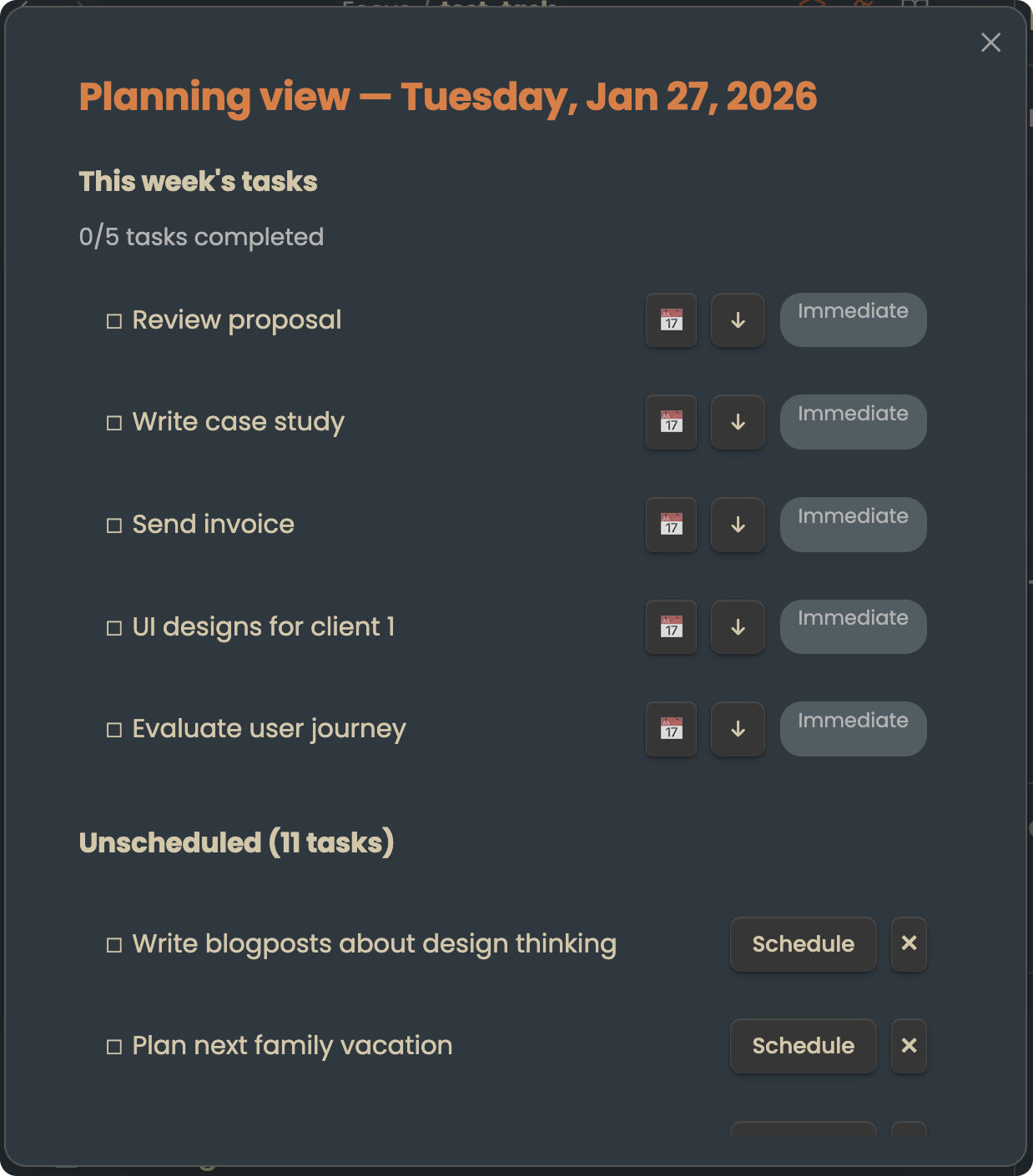
Planning View (Modal)A weekly ritual for intentional task management:
|
|
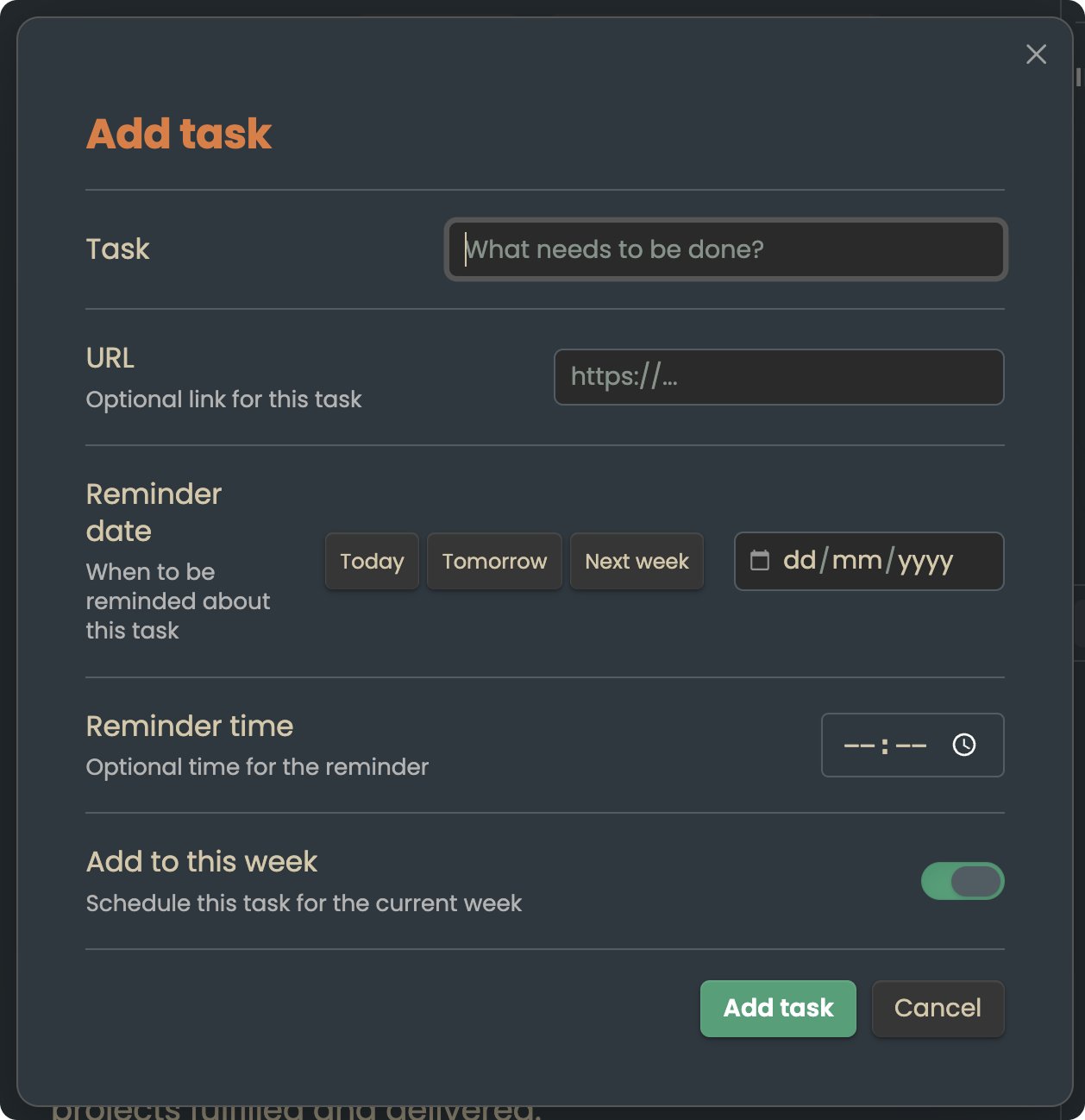
Quick AddAdd tasks on the fly without breaking your flow. New tasks go to your weekly list by default—they won't clutter your immediate focus unless you explicitly promote them. |
|
Drag & Drop
Easily move tasks between Immediate and This Week sections. Promote when you're ready to focus; demote when priorities shift.
Context Menu Actions
Right-click any task to:
- Mark complete/incomplete
- Move to Immediate or This Week
- Deprioritize (send back to backlog)
- Delete
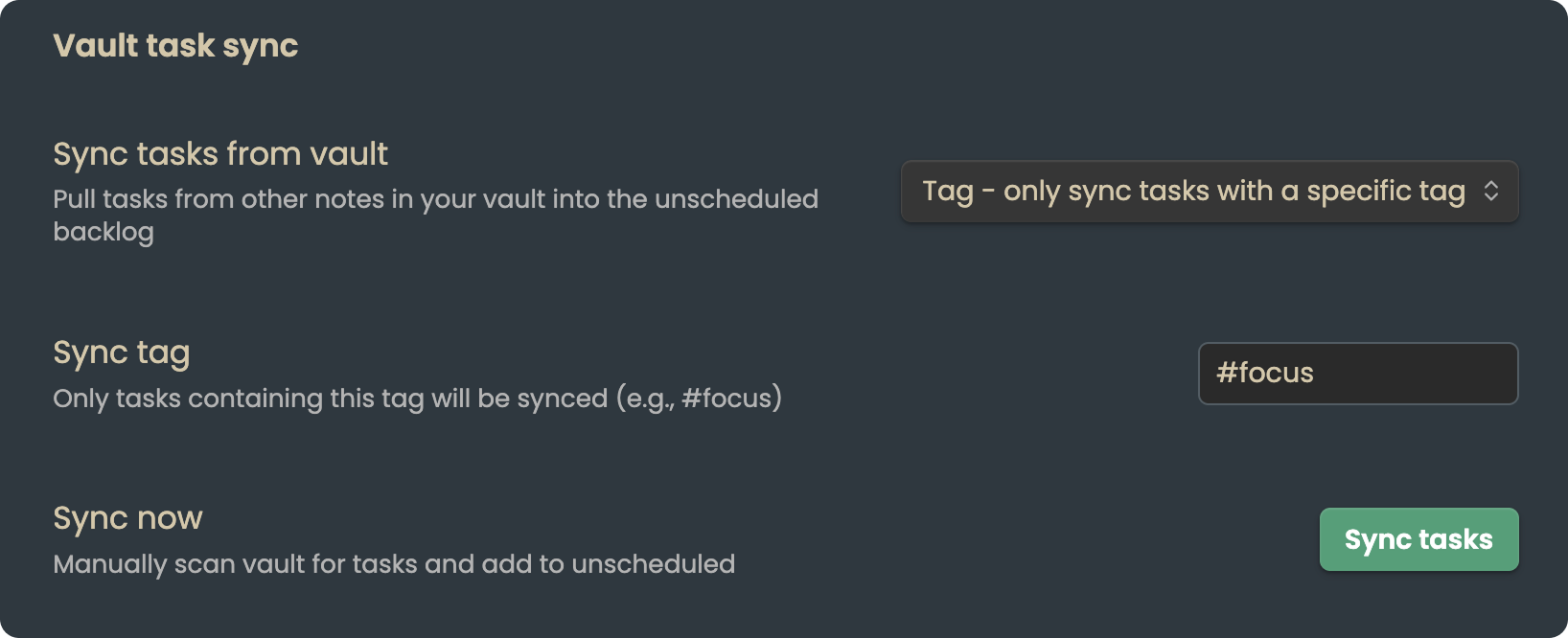
Vault Sync (Optional)Pull tasks from your existing notes into Focus:
|
|
Keyboard Navigation
Navigate and manage tasks without touching your mouse:
j/kor↑/↓: Move between tasksEnterorSpace: Toggle completioni: Move to Immediatew: Move to This Weeku: Deprioritize to backlog
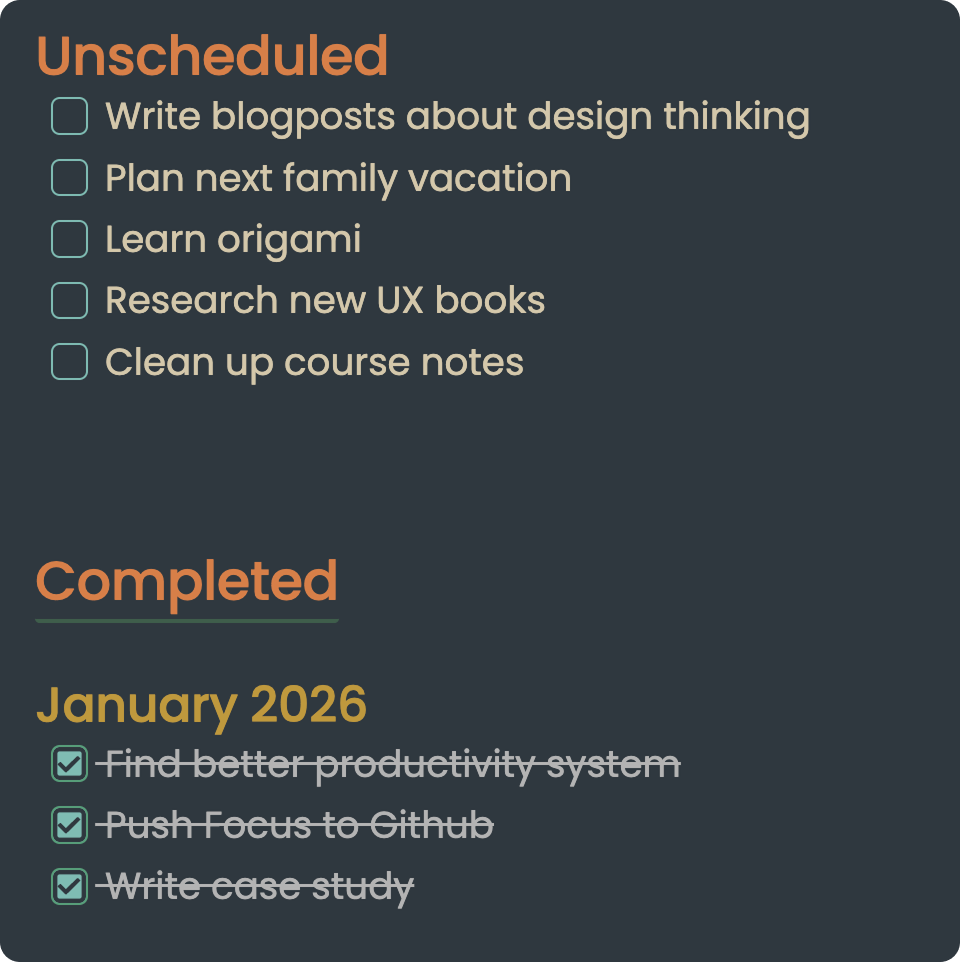
Backlog & Completed TasksAccess your full backlog through the Planning View. Completed tasks are archived by month for easy reference. |
|
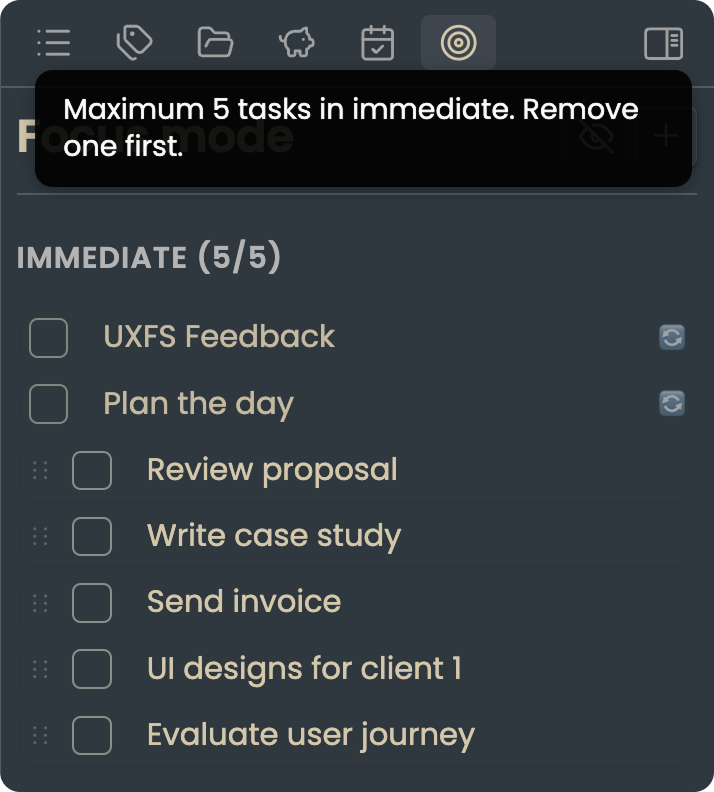
Task LimitsFocus enforces a hard limit on immediate tasks. If you try to add more than allowed, you'll need to make room first. |
|
Wiki-Link Support
Tasks can contain [[wiki-links]] to your notes. Click to navigate directly to the linked note.
Installation
Manual Installation
- Download the latest release from GitHub Releases
- Extract to your vault's
.obsidian/plugins/focus-plugin/folder - Reload Obsidian
- Enable "Focus" in Community Plugins settings
Note: Community plugin listing coming soon!
Usage
Daily Workflow
-
Morning: Open Focus view (sidebar). Your Immediate tasks are your focus for today.
-
Working: Check off tasks as you complete them. If something urgent comes up, add it with Quick Add.
-
Shifting Priorities: Drag tasks between Immediate and This Week as needed. Deprioritize anything that can wait.
-
End of Day: Optional review prompt to reflect on your progress.
Weekly Workflow
-
Planning Day: Focus prompts you to open Planning View (configurable day, default Sunday).
-
Review: See your progress—completed tasks, incomplete tasks, overall stats.
-
Surface: Browse your backlog. What actually matters this week?
-
Commit: Schedule tasks for the week. Be realistic—less is more.
-
Close: Exit Planning View. Your backlog disappears. Focus on what you committed to.
Settings
| Setting | Description | Default |
|---|---|---|
| Task file path | Where Focus stores your tasks | focus-tasks.md |
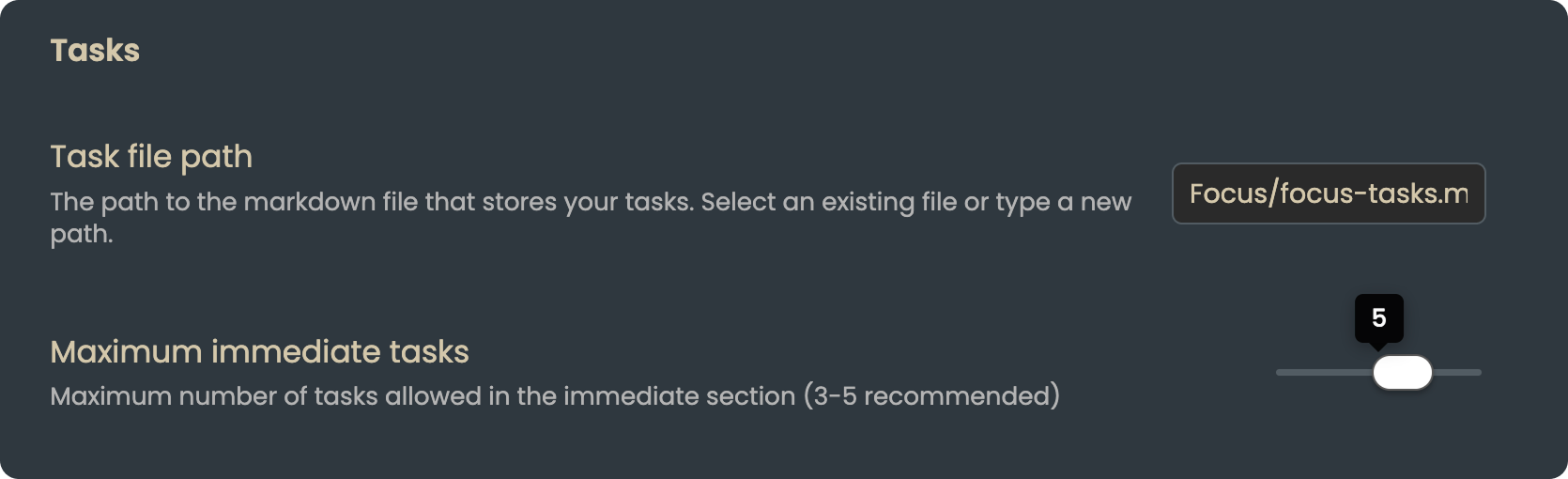
| Maximum immediate tasks | Hard limit on Immediate section | 5 |
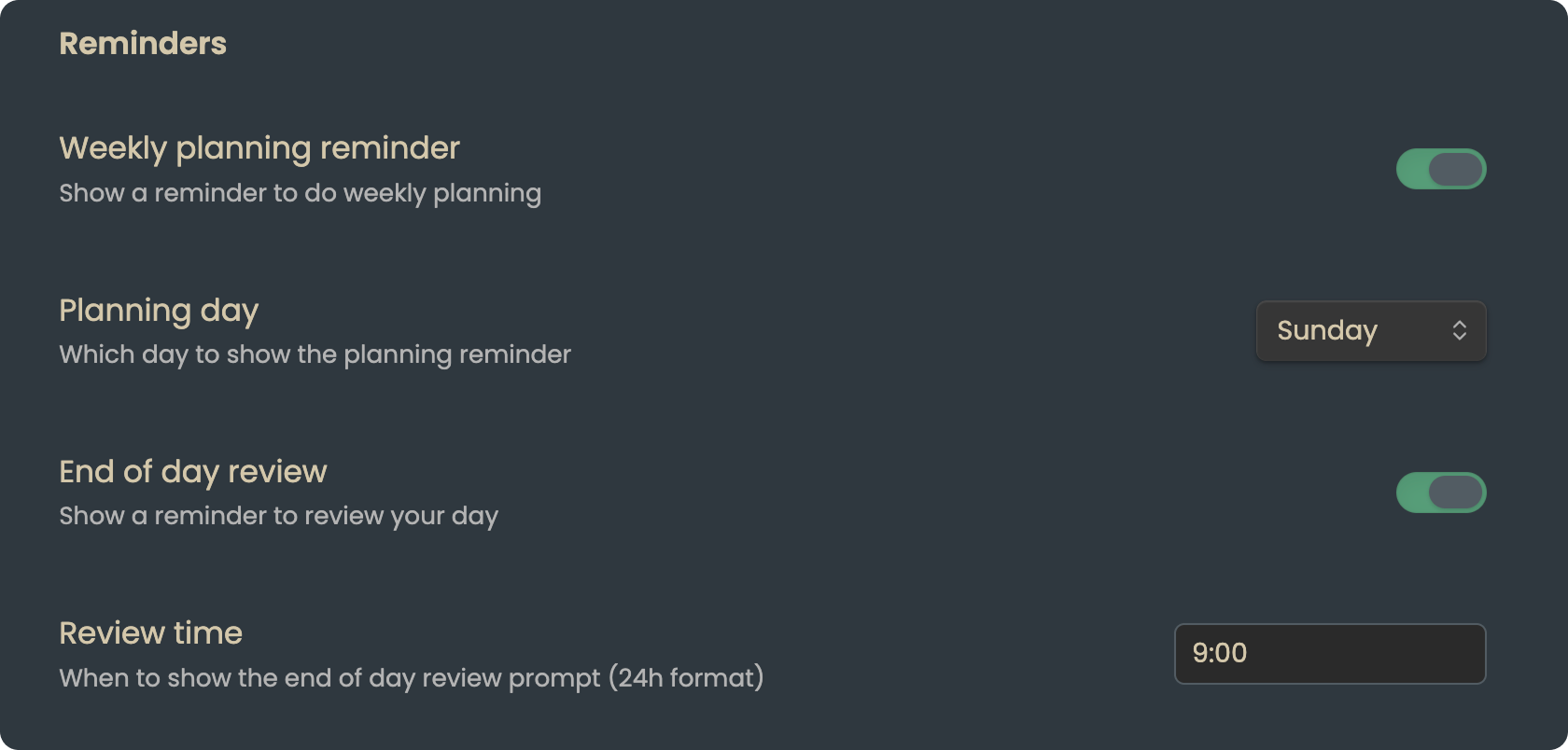
| Weekly planning reminder | Prompt to plan on a specific day | Enabled (Sunday) |
| End of day review | Daily reflection prompt | Disabled |
| Vault sync mode | Pull tasks from other notes | Off |
| Sync tag | Tag to filter synced tasks | #focus |
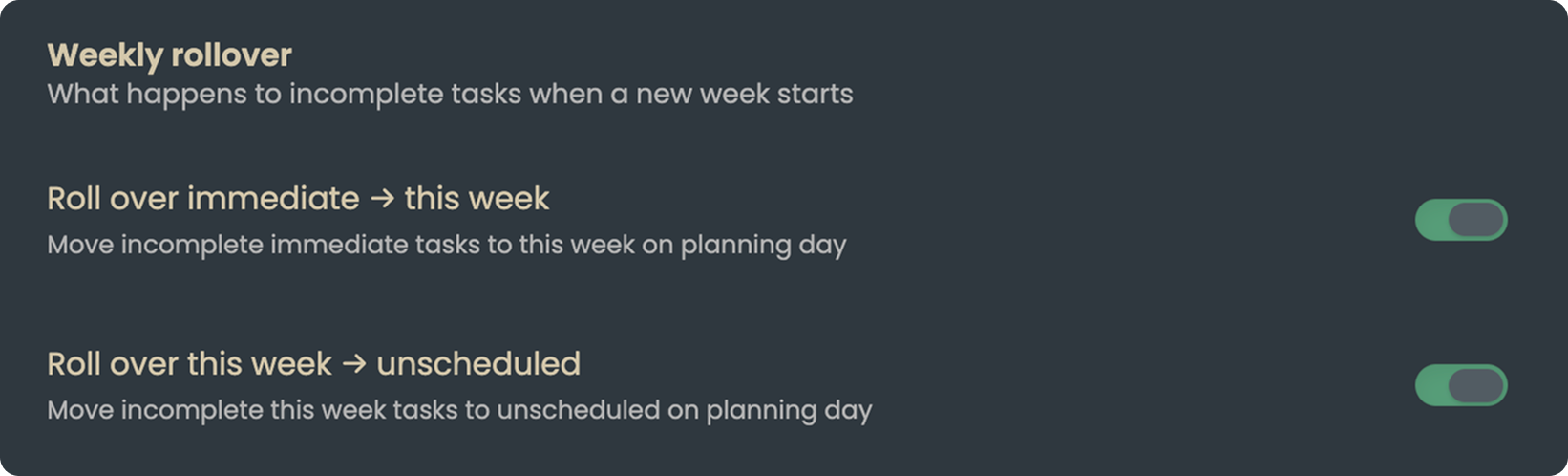
| Rollover behavior | What happens to incomplete tasks | Immediate → This Week → Backlog |
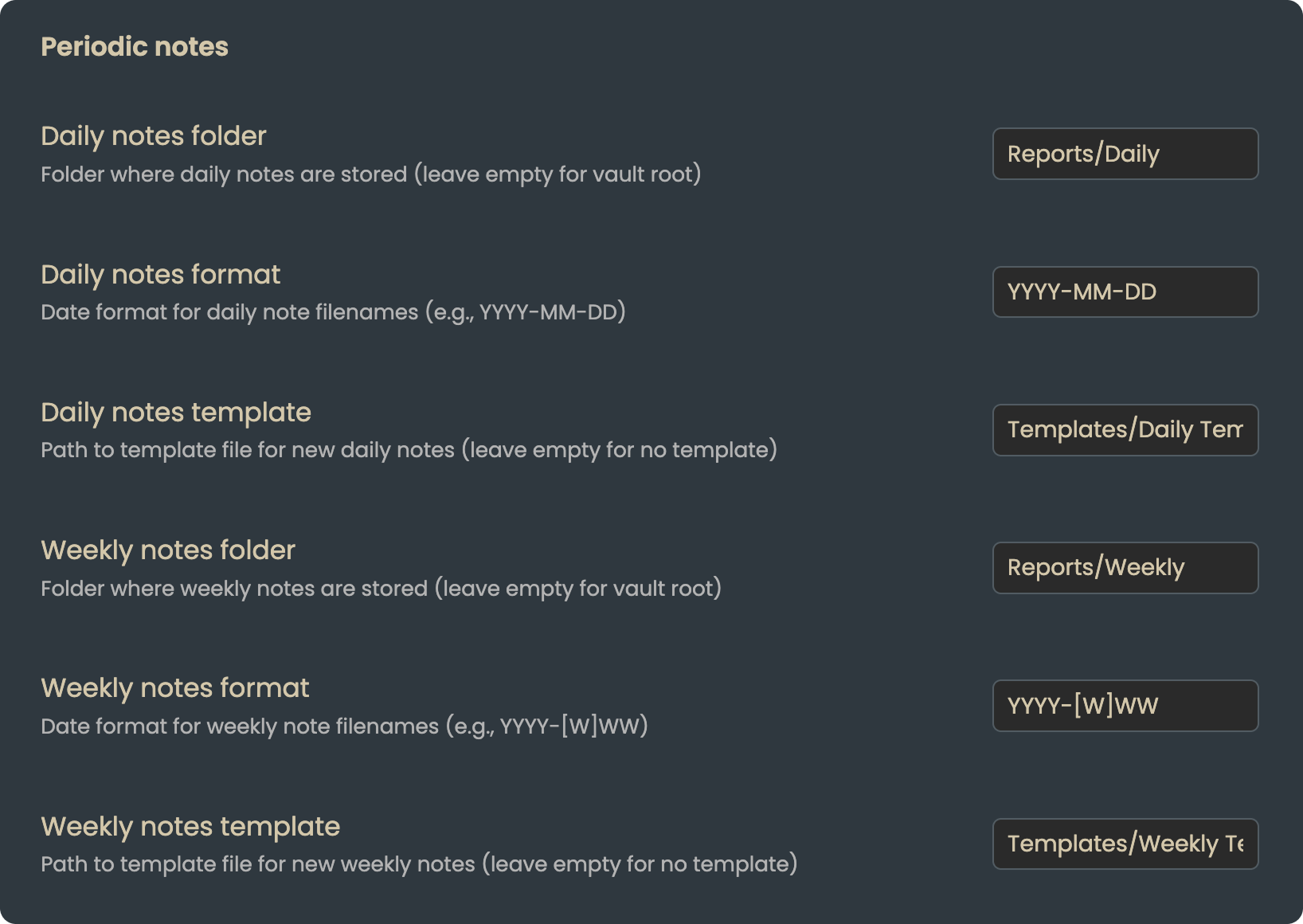
| Periodic notes | Daily/weekly note integration | Configurable |
Settings Screenshots
 |  |
 |  |
Keyboard Shortcuts
Configure these in Obsidian's Hotkeys settings:
| Command | Suggested Hotkey |
|---|---|
| Open Focus View | Cmd/Ctrl + Shift + F |
| Open Planning View | Cmd/Ctrl + Shift + P |
| Quick Add Task | Cmd/Ctrl + Shift + A |
Data Storage
Focus stores your tasks in a markdown file within your vault (default: focus-tasks.md). This means:
- Your data stays in your vault
- It's plain text and version-controllable
- It syncs with your existing Obsidian sync solution
- You can edit it manually if needed
FAQ
Q: How is this different from Obsidian Tasks or other task plugins?
A: Most task plugins help you manage more tasks. Focus helps you see fewer tasks. It's not about organization—it's about attention.
Q: Can I have more than 5 immediate tasks?
A: Yes, the limit is configurable (1-7). But we recommend keeping it low. If everything is a priority, nothing is.
Q: What happens to completed tasks?
A: Completed tasks stay visible (faded) until your next planning session, then they're cleared. This lets you see your progress without manual cleanup.
Q: Can I use this with my existing task system?
A: Yes! Enable Vault Sync to pull tasks from your existing notes. Focus becomes a "lens" over your existing tasks rather than a replacement.
Q: Is my data safe?
A: Your tasks are stored in a plain markdown file in your vault. Focus never sends data anywhere. Back up your vault as you normally would.
Contributing
Contributions are welcome! Please read our contributing guidelines before submitting PRs.
Development Setup
# Clone the repo
git clone https://github.com/nelakay/obsidian-focus-plugin.git

# Install dependencies
npm install

# Build
npm run build

# For development with watch mode
npm run dev
Project Structure
src/
├── main.ts           # Plugin entry point
├── types.ts          # TypeScript interfaces
├── FocusView.ts      # Sidebar view component
├── PlanningModal.ts  # Weekly planning modal
├── AddTaskModal.ts   # Quick add task modal
├── EndOfDayModal.ts  # Daily review modal
├── SettingsTab.ts    # Plugin settings
└── taskParser.ts     # Markdown file parser
Support
License
MIT License - see LICENSE for details.
Focus: Less noise. More signal. Get things done.
For plugin developers
Search results and similarity scores are powered by semantic analysis of your plugin's README. If your plugin isn't appearing for searches you'd expect, try updating your README to clearly describe your plugin's purpose, features, and use cases.