Bionic Reading
pendingby OMEG-Lu
Applies a bionic reading effect in Reading View by bolding the first portion of each word for faster reading.
Bionic Reading for Obsidian
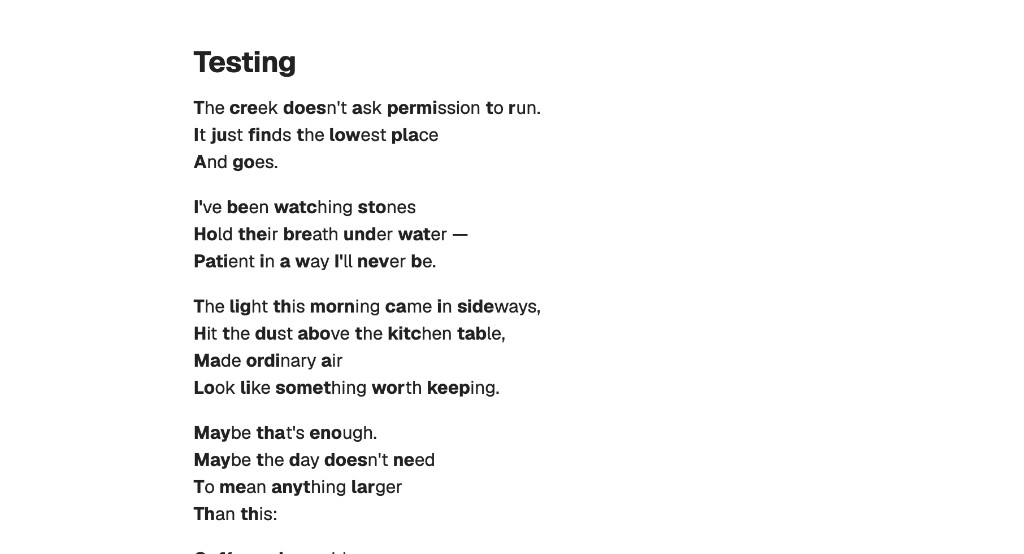
An Obsidian plugin that applies a bionic reading effect in Reading View -- the first portion of each word is bolded, creating artificial fixation points that help your eyes glide through text faster.
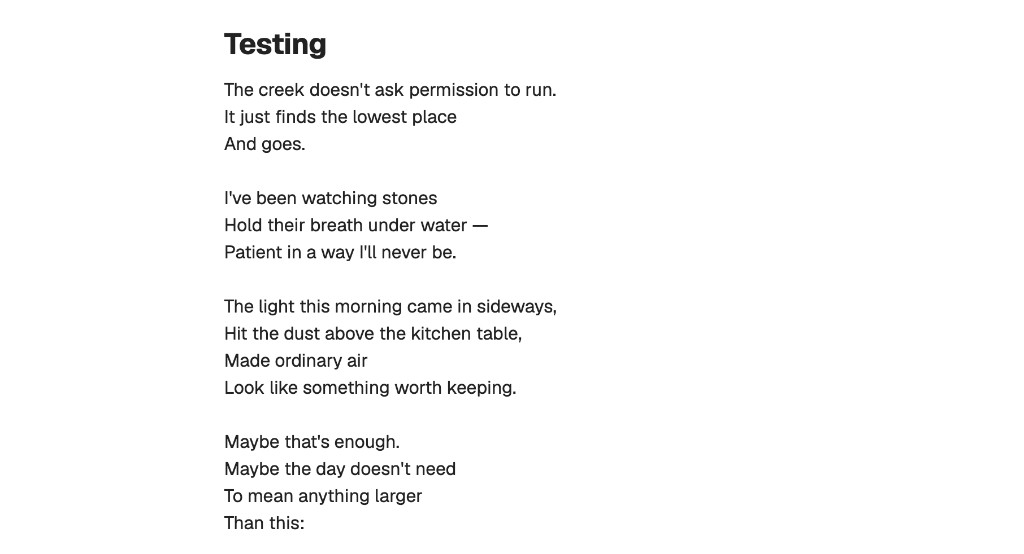
Before & After
Before -- normal Reading View:
After -- with Bionic Reading enabled:
Features
- Works automatically in Reading View (source/editor mode is untouched)
- Latin-only -- only processes English and other Latin-alphabet text; Chinese, Japanese, Korean, and other scripts are left untouched
- Skips code blocks, inline code, math blocks, and SVG elements
- Non-destructive -- your markdown files are never modified
- Configurable fixation strength
Settings
| Setting | Description |
|---|---|
| Enable bionic reading | Toggle the effect on/off without uninstalling the plugin |
| Fixation strength | Slider from 1 (light) to 5 (heavy) -- controls how many letters per word are bolded |
Installation
- Download
main.js,manifest.json, andstyles.cssfrom the latest release - In your vault, create the folder
.obsidian/plugins/bionic-reading/ - Copy the three downloaded files into that folder
- Open Obsidian, go to Settings > Community plugins, and turn off Restricted mode if it's on
- Enable Bionic Reading in the plugin list
- Open any note in Reading View to see the effect
Development
npm install
npm run dev    # watch mode
npm run build  # production build
For plugin developers
Search results and similarity scores are powered by semantic analysis of your plugin's README. If your plugin isn't appearing for searches you'd expect, try updating your README to clearly describe your plugin's purpose, features, and use cases.