Vocabulary Highlighter
approvedby eatgrass
Hightlight vocabulary based on the word frequency.
★ 52 stars↓ 5,903 downloadsUpdated 2y agoMIT
Vocabulary Highlighter for Obsidian
highlight English words according to the frequency
Introduction
Enhance your reading and learning experience in Obsidian with the Vocabulary Highlighter. This plugin highlights words based on their frequency, aiding in English language learning and content review. Perfect for students, writers, and English language enthusiasts.
Screenshots
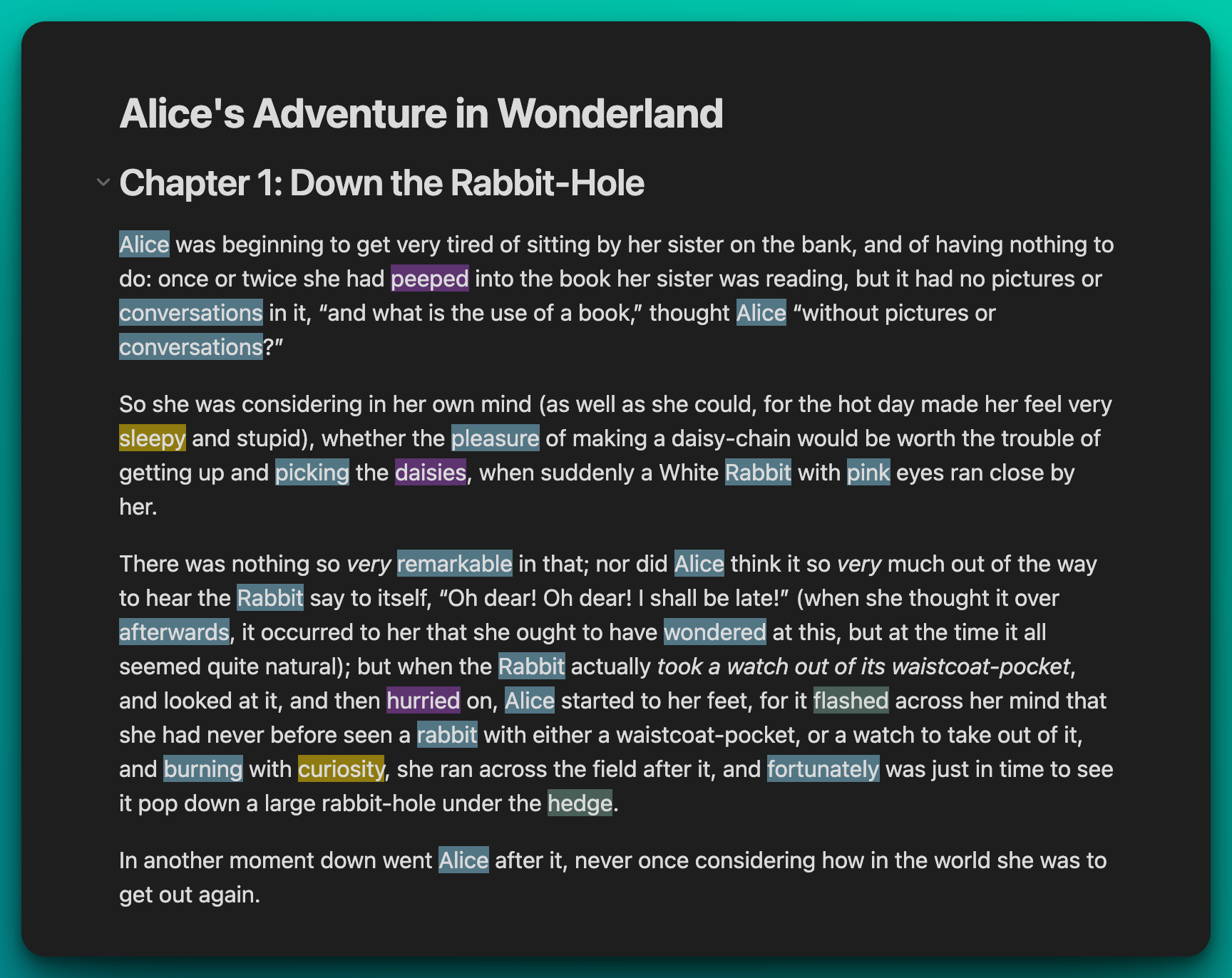
Settings
- Navigate to the plugin's setting tab in Obsidian.
- Adjust the highlight threshold to control frequency sensitivity and select your preferred colors for different frequency ranges.
- Optionally disable certain highlight groups to tailor your focus.
- Reopen your files in Reading View to see the changes. Words will be highlighted based on your settings.
- Use the
Toggle Vocabulary Highlightcommand to conveniently turn highlighting on or off as needed.
Commands
Toggle Vocabulary Highlight

For plugin developers
Search results and similarity scores are powered by semantic analysis of your plugin's README. If your plugin isn't appearing for searches you'd expect, try updating your README to clearly describe your plugin's purpose, features, and use cases.