URL Enricher
pendingby Matt Marotta
Non-destructive link preview and enrichment. Automatically displays rich metadata previews for URLs - shows page titles, descriptions, and favicons inline without modifying your markdown source.
URL Enricher


Rich, non-destructive link previews for Obsidian
Transform plain URLs into beautiful previews with title, description, and favicon — without modifying your markdown.
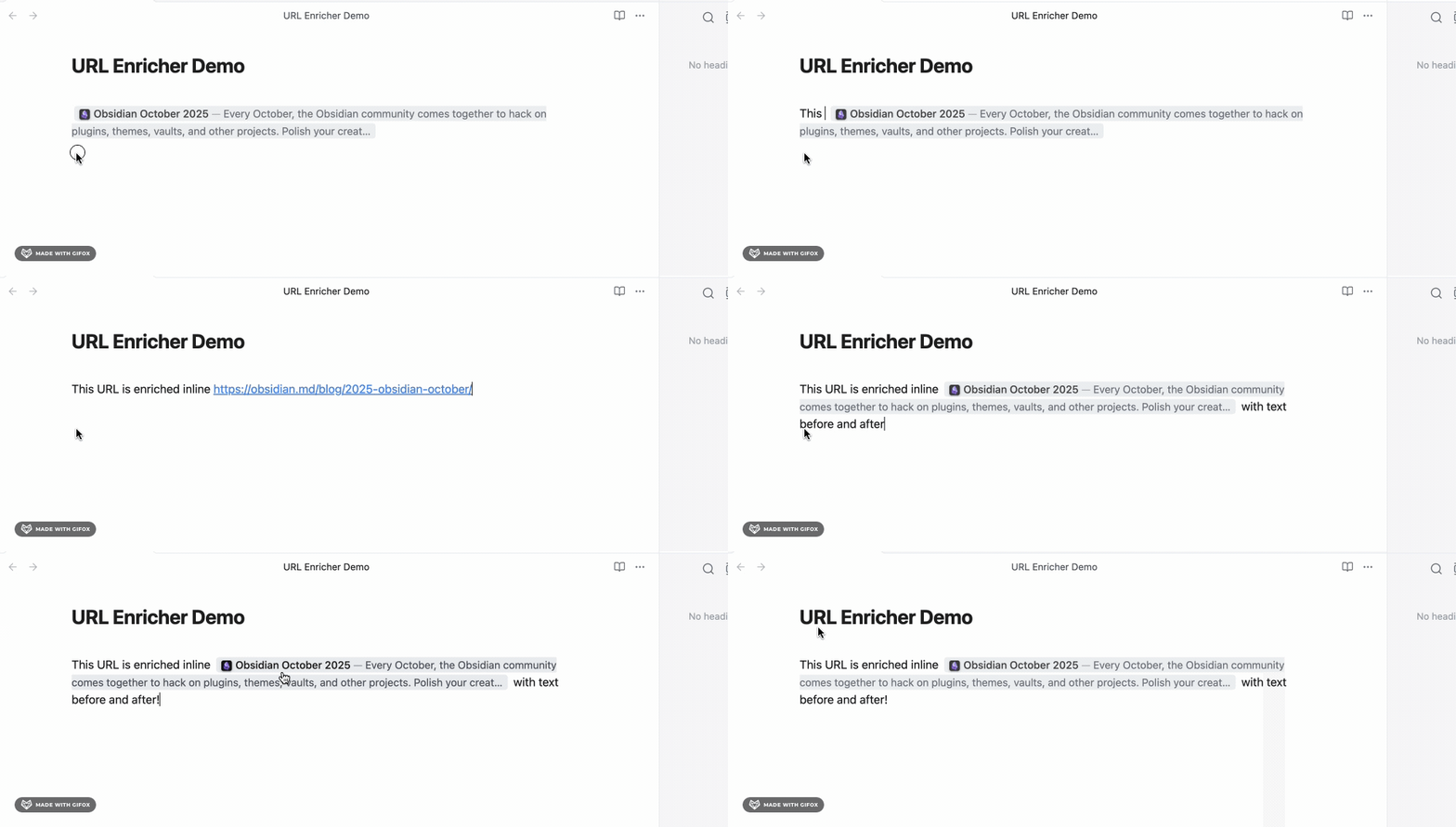
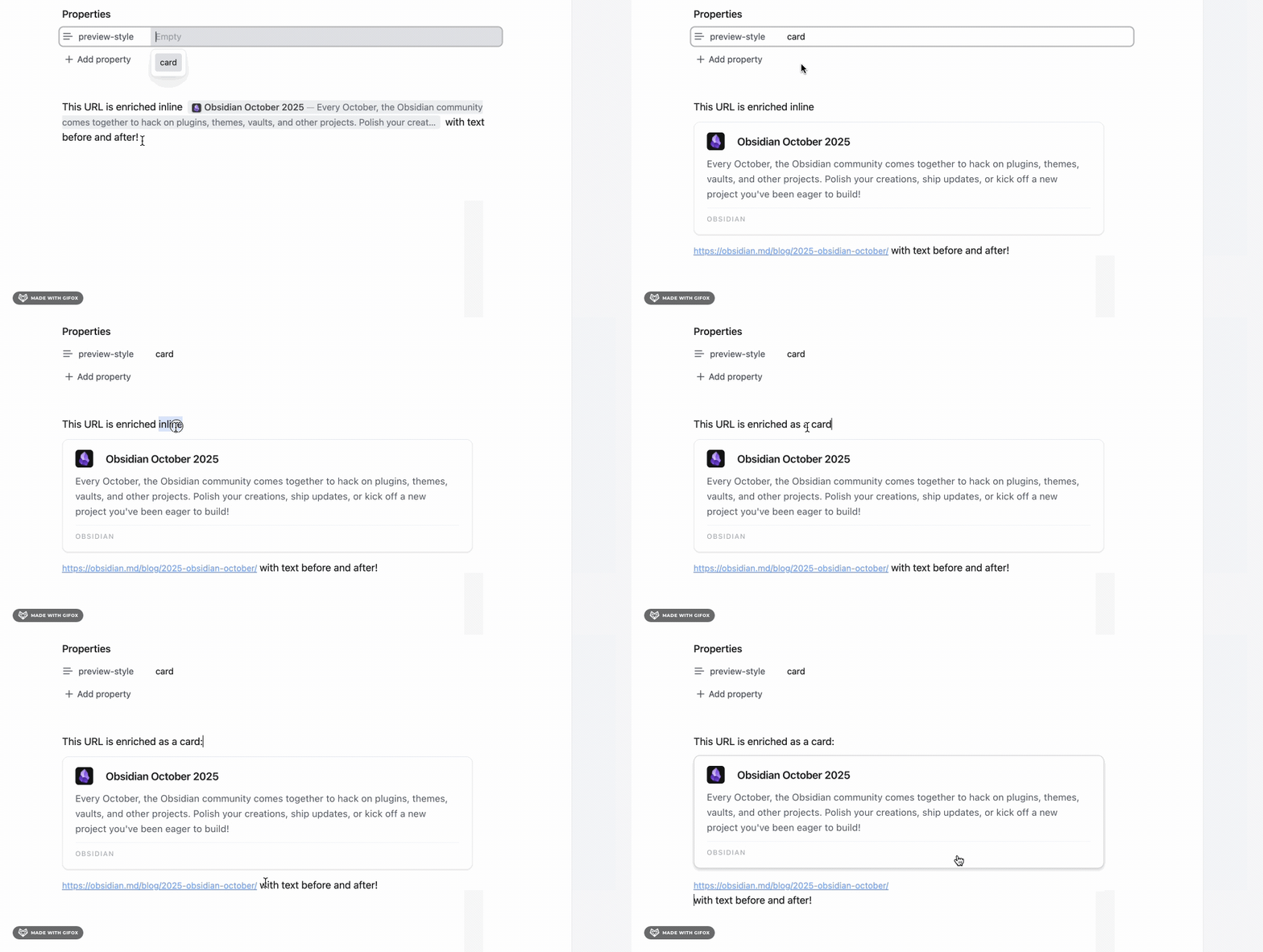
Quick Start
Plugin works only in Live Preview mode
Head to Settings > URL Enricher to customize global behaviour, or use frontmatter to customize per page.
Customize per-page:
Override global settings per-page. Must start on line 1!
---
preview-style: card                   # inline | card
max-card-length: 400                  # 1-5000 (recommended: 100+)
max-inline-length: 200                # 1-5000 (recommended: 50+)
show-favicon: true                    # true | false
include-description: true             # true | false
inline-color-mode: subtle             # none | subtle
card-color-mode: subtle               # none | subtle
---
Features
🎨 Two Preview Styles
Inline (compact): 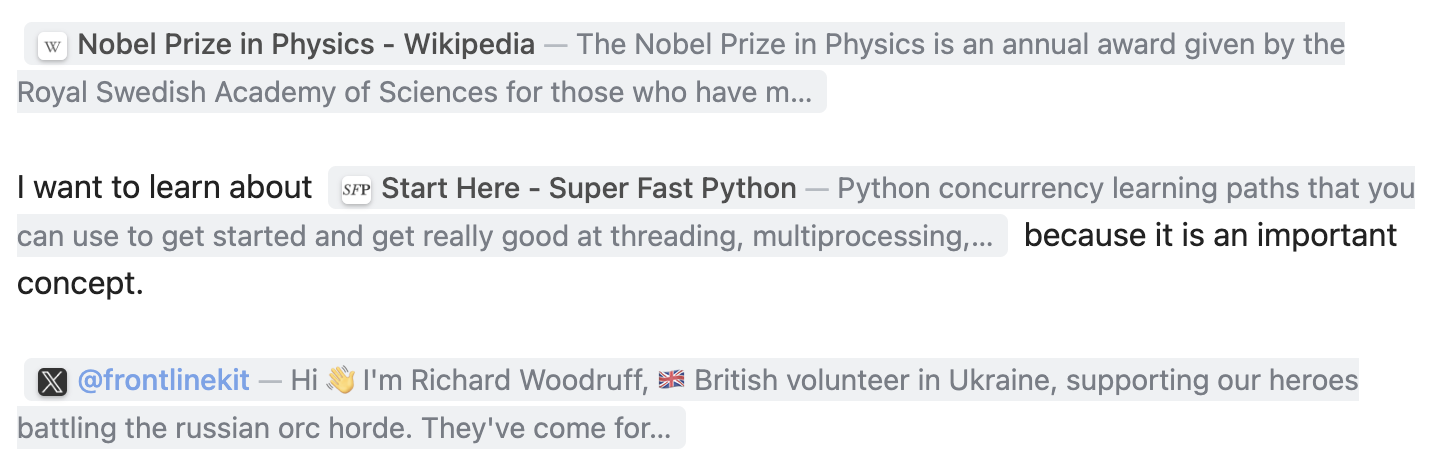
- Flows naturally with text
- URL completely hidden
- Perfect for reading
Card (detailed): 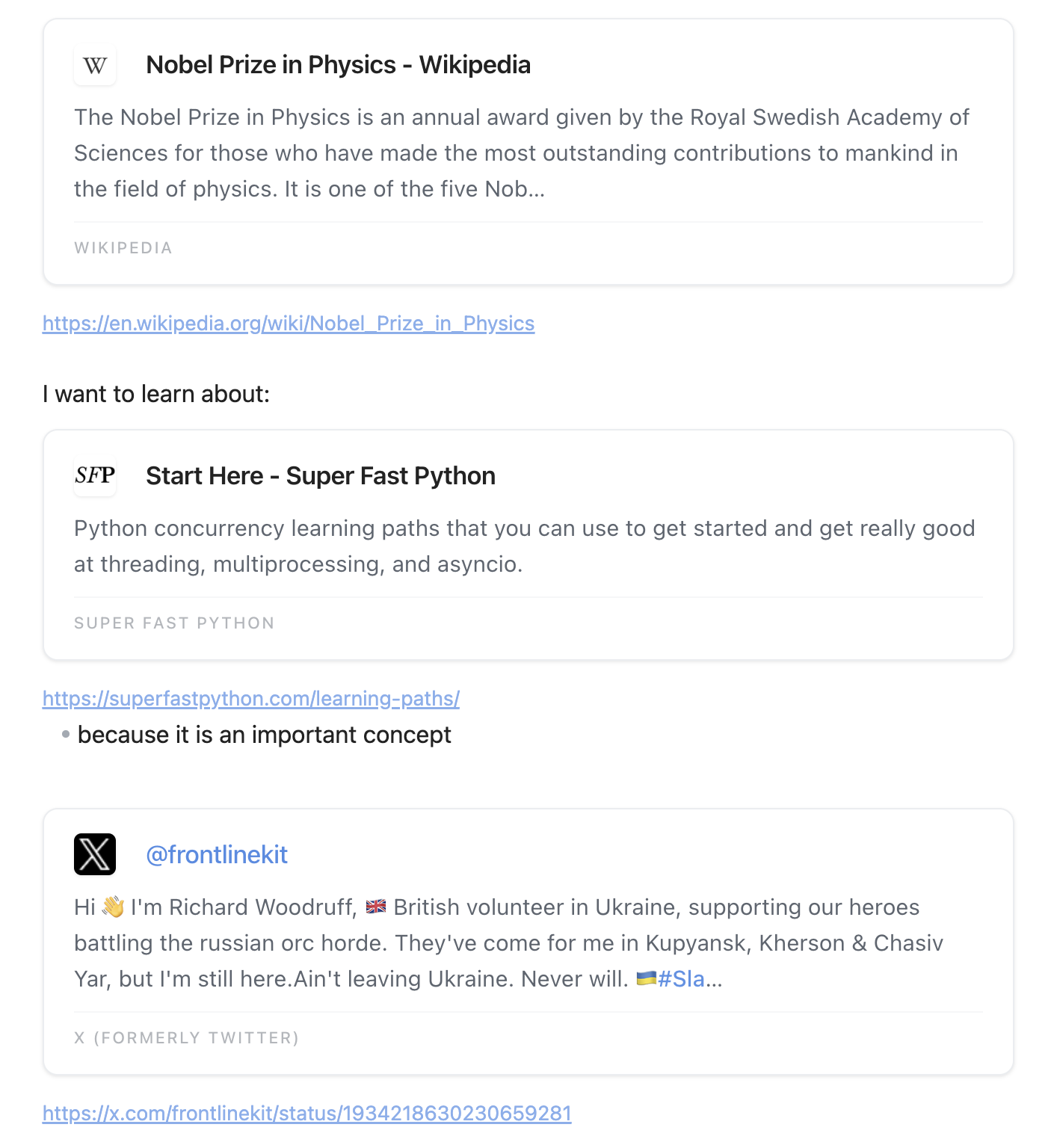
- Material Design aesthetic
- Shows description and site name
- Great for bookmarks and research
✨ What You Get
- 100% Non-Destructive - Markdown source never modified
- Cursor-Aware - Inline previews switch to editing mode when cursor in/around url
- Automatic Metadata - Fetches title, description, favicon
- Per-Page Config - Override settings with frontmatter
- Domain Enhancements - Special handling for Wikipedia, Reddit, Twitter, LinkedIn, Google
- Real-Time Updates - Settings apply instantly
Customization
Custom Preview Colors
Want specific colors? Use Obsidian CSS snippets:
- Settings → Appearance → CSS snippets folder (click folder icon)
- Create
url-enricher-colors.css:
/* Inline preview background */
.url-preview--inline {
  background: #4a90e2 !important;
}

/* Card preview background */
.url-preview--card {
  background: #50c878 !important;
}
- Settings → Appearance → CSS snippets → Enable snippet
Supported URL Formats
https://github.com                            # Bare URL
[custom text](https://github.com)             # Markdown link
[](https://github.com)                        # Empty link text
[[https://github.com]]                        # Wikilink (URLs only!)
Not supported: Image embeds , code blocks, non-HTTP protocols
Common Issues
Previews not showing?
- ✅ Enable Live Preview mode (not Source mode)
- ✅ Check URL format:
https://example.com - ✅ Settings → URL Enricher → Clear cache button
Frontmatter not working?
- ⚠️ Must start on line 1 with
--- - ⚠️ Check spelling:
preview-style(notpreviewstyle)
Stale or wrong previews?
- Go to Settings → URL Enricher → Clear cache
Performance issues?
- Disable descriptions in Settings
- Reduce description length in Settings
Broken URL warnings (⚠️)?
Some sites block bots (403 Forbidden). Disable warnings: Settings → URL Enricher → HTTP Error Warnings → OFF
For more help, see TROUBLESHOOTING.md.
Domain Enhancements
Special handling for popular sites:
- Wikipedia - Fetches article intros, shows "WIKIPEDIA" as site name
- Reddit - Format:
r/Subreddit — Title, extracts post content - Twitter/X - Fetches tweets via oEmbed, shows
@username - Google Search - Extracts query: "Google Search — your query"
- LinkedIn - Cleans hashtags and comment counts from titles
Privacy & Network Usage
This plugin makes network requests to provide rich previews:
- Page Metadata: Fetches HTML from URLs you include in your notes to extract titles, descriptions, and favicons
- Wikipedia API: For Wikipedia links, queries the Wikipedia API to fetch article summaries
- Twitter oEmbed API: For Twitter/X links, uses Twitter's public oEmbed endpoint to fetch tweet content
- Google Favicon Service: Requests high-resolution favicons from Google's public service for better display quality
Privacy:
- ✅ No telemetry or analytics
- ✅ No user data collection
- ✅ All network requests are for fetching public web content you've linked to
- ✅ All data cached locally in your vault's plugin folder
- ✅ You control what URLs are processed
Development
npm install                 # Install dependencies
npm run dev                 # Watch mode
npm run build               # Production build
npm run lint                # Run ESLint (enforces Obsidian plugin guidelines)
npm test                    # Run tests (618 tests)
See CONTRIBUTING.md for detailed development guide.
Contributing
Contributions welcome! See CONTRIBUTING.md for:
- Development setup
- Code standards (100% type-safe TypeScript)
- Release process
- Common gotchas
License
MIT - See LICENSE
Made with ❤️ for the Obsidian community
- Troubleshooting - Common issues
- Changelog - Version history
- Issues - Report bugs
- Discussions - Ask questions
For plugin developers
Search results and similarity scores are powered by semantic analysis of your plugin's README. If your plugin isn't appearing for searches you'd expect, try updating your README to clearly describe your plugin's purpose, features, and use cases.