Etch - Weather
pendingby Peter Parente
Etches weather forecasts into your local notes.
Obsidian Plugin - Etch - Weather
An Obsidian plugin that etches daily weather forecasts into your notes for permanent, local, offline access.

Why?
I wanted another plugin like [parente/obsidian-etch-google-calendar], this time to get an glimpse of expected weather in my daily notes and to maintain a history of those forecasts in my markdown files.
Setup
I've submitted this plugin for inclusion in the Obsidian Community Plugins list. You can one-click install it from there once it's approved. Until then, you can use the BRAT plugin to install a release from this repository.
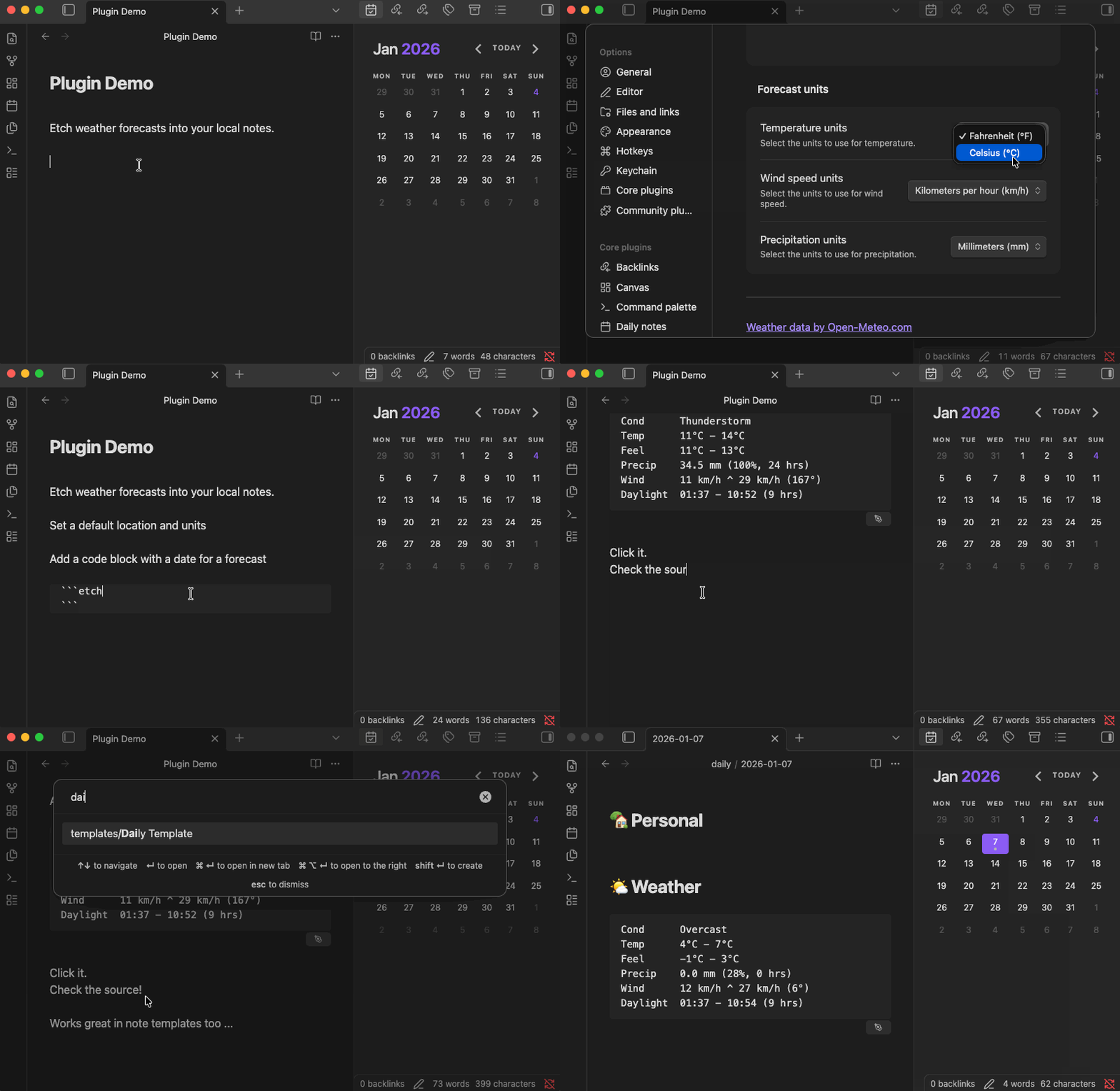
Once installed, configure the default location for forecasts, measurement units, and other details in the Obsidian settings.
Usage
Add a fenced code block with language identifier like etch-weather{date: 2025-12-31} to a note.
Move the text caret out of the block so that it renders. Click the pen icon that appears in the
bottom right to etch the forecast for the default location on that date (2025-12-31) into the code
block.
```etch-weather{date: 2025-12-31}
```
Alternatively, create a daily note with a title like 2025-12-31 and place a code block without a
{date: ...} into the note. The plugin will put the forecast for the default location for that
date into the code block instead. This approach works great with the Periodic
Notes and
Calendar plugins.
```etch-weather
```
You can override the default location using fenced block parameters too.
```etch-weather{lat: 34.1030, lon: -118.4105, tz: America/Los_Angeles}
```
Development
cd /path/to/vault/.obsidian/plugins
git clone git@github.com:parente/obsidian-etch-weather.git
npm i
npm run eslint
npm run svelte-check
npm run dev
Attribution
The structure of this plugin originates from https://github.com/obsidianmd/obsidian-sample-plugin. I reused some code and patterns from https://github.com/parente/obsidian-etch-google-calendar.
All weather data by Open-Meteo.com under the Attribution 4.0 International (CC BY 4.0) license. The project uses the Open-Meteo Typescript client which is MIT licensed.
For plugin developers
Search results and similarity scores are powered by semantic analysis of your plugin's README. If your plugin isn't appearing for searches you'd expect, try updating your README to clearly describe your plugin's purpose, features, and use cases.