Agentfiles
pendingby Railly Hugo
Discover, organize, and edit AI agent skills, commands, and agents across Claude Code, Cursor, Codex, Windsurf, and more.
Agentfiles
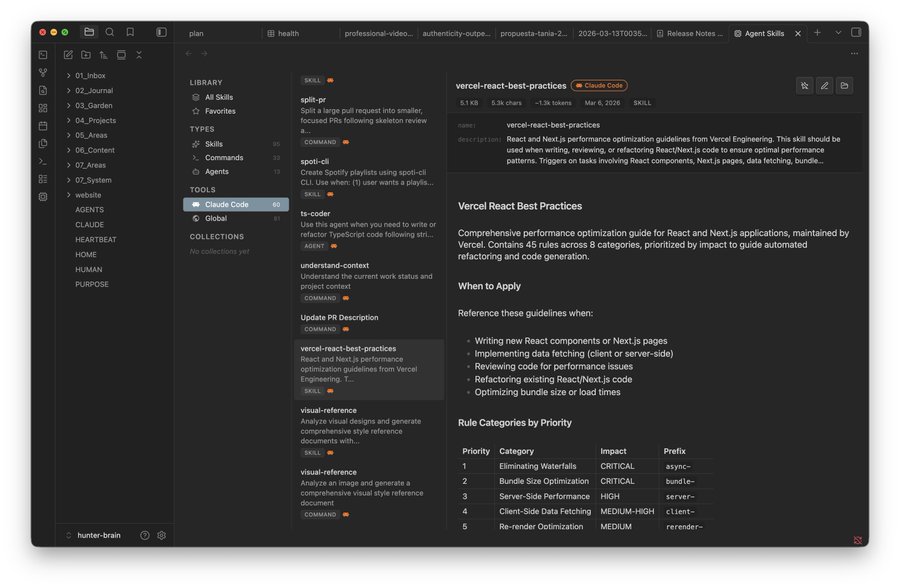
AI skills manager for Obsidian. Browse, create, and manage skills across Claude Code, Cursor, Codex, Windsurf, and 10+ coding agents.
Install
From Obsidian (coming soon)
Search Agentfiles in Settings > Community plugins.
Manual
- Download
main.js,manifest.json, andstyles.cssfrom the latest release - Create
<vault>/.obsidian/plugins/agentfiles/ - Copy the three files into that folder
- Enable in Settings > Community plugins
Optional: skillkit analytics
npm i -g @crafter/skillkit
skillkit scan
What it does
- Browse skills, commands, and agents from 13+ tools in one place
- Search by name or file content with deep search toggle
- Create new skills with a stepped wizard (pick tool, type, name)
- Edit skills inline with markdown preview and Cmd+S save
- Marketplace — install skills from skills.sh
- Conversations — browse Claude Code session history, search, tag, and export to vault
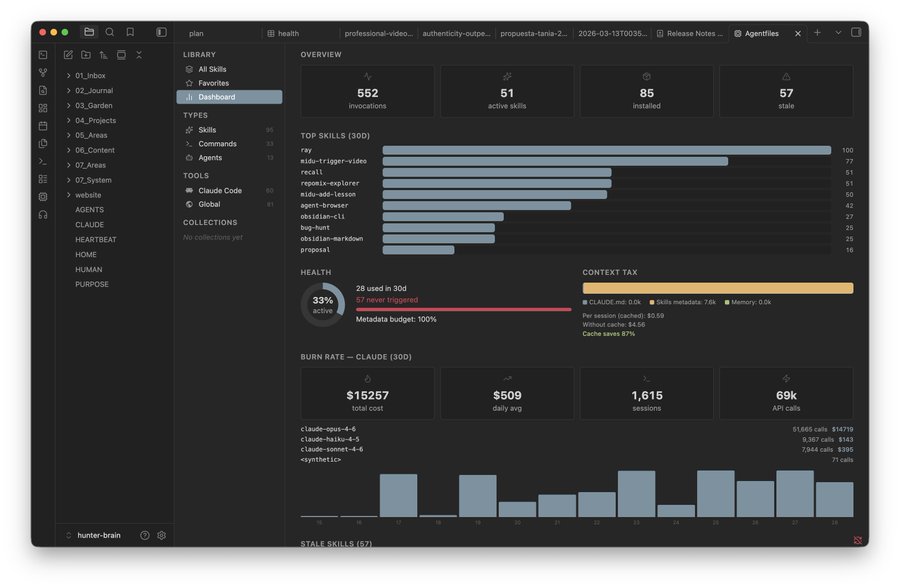
- Dashboard — usage analytics, burn rate, context tax, health metrics (requires skillkit)
Supported tools
| Tool | Skills | Commands | Agents |
|---|---|---|---|
| Claude Code | ~/.claude/skills/ | ~/.claude/commands/ | ~/.claude/agents/ |
| Cursor | ~/.cursor/skills/ | ~/.cursor/agents/ | |
| Codex | ~/.codex/skills/ | ~/.codex/prompts/ | ~/.codex/agents/ |
| Windsurf | ~/.codeium/windsurf/memories/ | ||
| Copilot | ~/.copilot/skills/ | ||
| Amp | ~/.config/amp/skills/ | ||
| OpenCode | ~/.config/opencode/skills/ | ||
| Global | ~/.agents/skills/ |
Desktop only (macOS, Windows, Linux) — reads files outside your vault.
License
MIT
For plugin developers
Search results and similarity scores are powered by semantic analysis of your plugin's README. If your plugin isn't appearing for searches you'd expect, try updating your README to clearly describe your plugin's purpose, features, and use cases.