Link Mention
pendingby RobCC
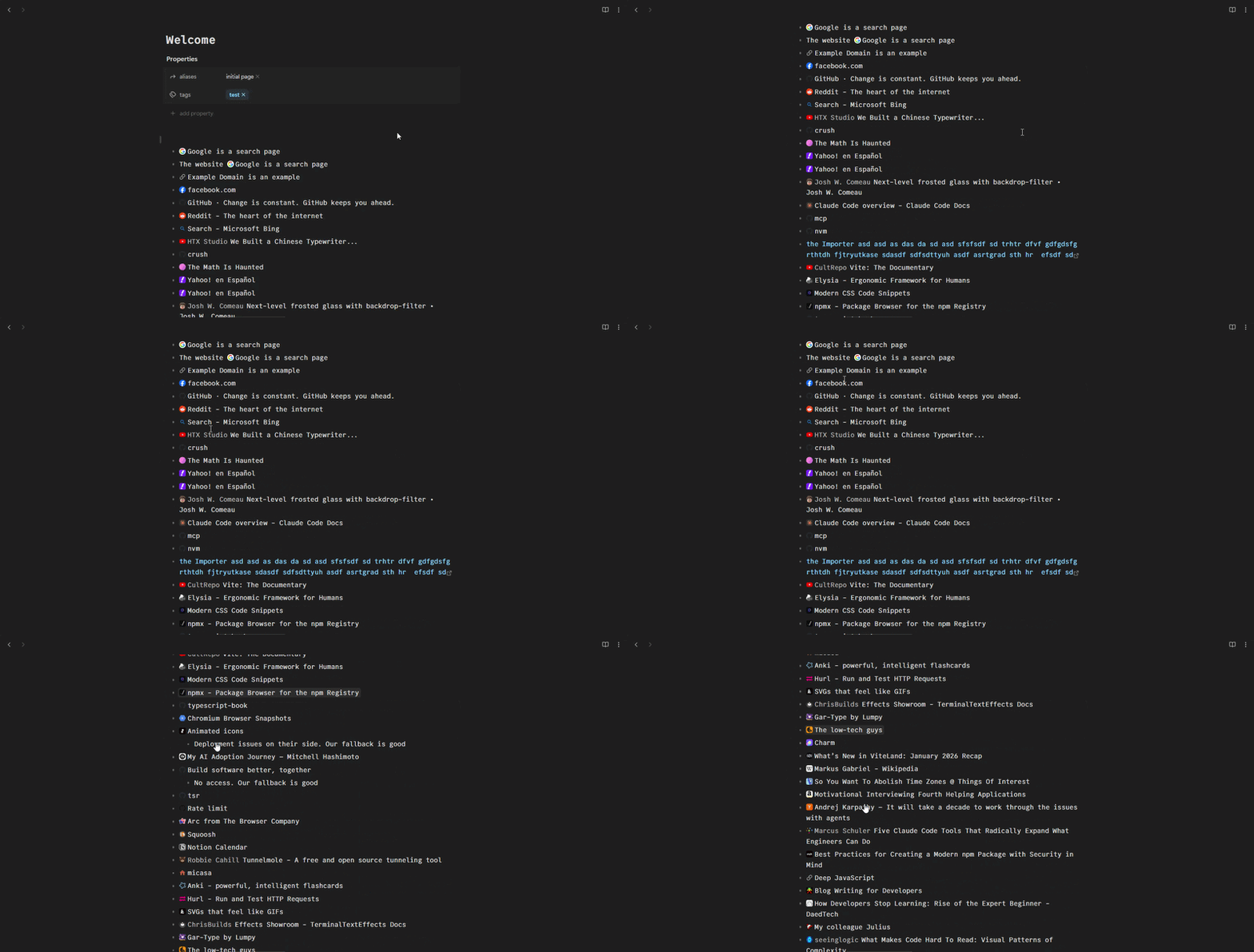
Render empty markdown links as rich inline pills with favicon and page title.
Link Mention — Obsidian Plugin
Render empty markdown links ([](url)) as rich inline pills showing the website's favicon and page title — similar to Notion's link mentions.
Your markdown source is never modified; the pill is purely visual.
Usage
Write an empty-text markdown link in any note:
Check out [](https://github.com) for code hosting.

Here's a doc page: [](https://developer.mozilla.org/en-US/docs/Web)
Each [](url) is rendered as an inline pill with the site's favicon and page title. The pill is clickable and opens the URL in your browser.
To use a normal link with your own text, write it as usual — the plugin won't touch it:
[My custom text](https://github.com)
Developer Info
Installation
From source
git clone https://github.com/your-repo/obsidian-link-mention.git
cd obsidian-link-mention
npm install
npm run build
Adding to your vault
Copy the following three files into your vault's plugin directory:
<your-vault>/.obsidian/plugins/link-mention/
├── main.js
├── manifest.json
└── styles.css
Then open Obsidian Settings → Community Plugins, enable "Link Mention", and reload.
Development
# Install dependencies
npm install

# Build for production (type-checks then bundles)
npm run build

# Watch mode (rebuilds on file changes)
npm run dev
The build produces a single main.js file in the project root via esbuild.
Architecture
src/
├── main.ts           # Plugin entry point — registers extensions
├── metadata.ts       # Fetches page title + favicon, with in-memory cache
├── live-preview.ts   # CodeMirror 6 ViewPlugin for Live Preview decorations
└── reading-view.ts   # MarkdownPostProcessor for Reading View
| Component | Approach | Why |
|---|---|---|
| Favicon | HTML <link> tags + /favicon.ico fallback | No external API dependency |
| Page fetch | Obsidian requestUrl | Bypasses CORS, works on desktop and mobile |
| Live Preview | CM6 ViewPlugin + WidgetType | Viewport-scoped, performant inline decorations |
| Caching | In-memory Map | Simple, clears on plugin reload, no stale data |
How to test
Create the plugin folder (adjust the vault path)
mkdir -p "/path/to/your/vault/.obsidian/plugins/link-mention"
Copy the built files
cp main.js manifest.json styles.css "/path/to/your/vault/.obsidian/plugins/link-mention/"
Then in Obsidian:
- Open Settings → Community Plugins
- Turn off Restricted Mode if it's still on
- Find Link Mention in the installed plugins list and enable it
- Close settings, open any note, and type
Design Note: Client-Side vs Server-Side Unfurling
This plugin fetches link metadata client-side via Obsidian's requestUrl API (which proxies through Electron to bypass CORS). This is different from how services like Notion handle it:
- Notion uses server-side unfurling — their servers fetch URLs, avoiding CORS and bot-detection issues. For third-party services, they offer a Link Preview integration API where services register a callback URL and return structured preview data.
- This plugin has no server dependency — it works offline-ish, requires no infrastructure, and
requestUrlhandles most sites fine. The tradeoff is that some sites with aggressive bot detection (e.g. Facebook) may return login walls instead of metadata, in which case the plugin falls back to displaying the hostname.
License
MIT
For plugin developers
Search results and similarity scores are powered by semantic analysis of your plugin's README. If your plugin isn't appearing for searches you'd expect, try updating your README to clearly describe your plugin's purpose, features, and use cases.