Better Search and Replace
pendingby saltyfireball
Enhanced search and replace with regex support, live diff preview, capture groups, and a floating editor bar.
Better Search and Replace









An enhanced search and replace plugin for Obsidian. Provides a floating search bar docked to the top of the editor with live highlighting, real-time diff preview, regex support with capture groups, and more.
Works on both desktop and mobile.
Features
- Floating search bar -- slides in at the top of the editor (not a modal, not a sidebar)
- Real-time match highlighting -- matches are highlighted as you type
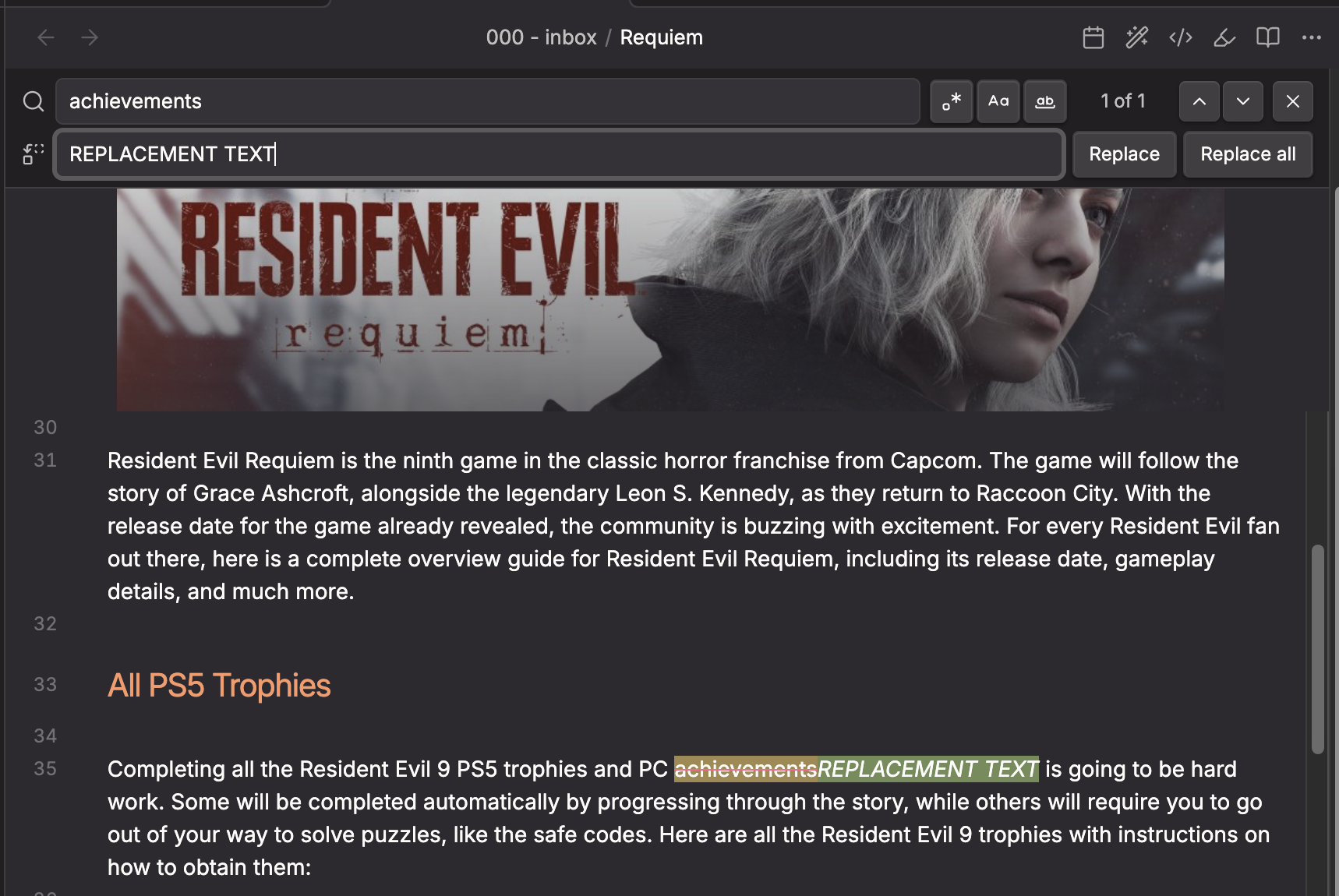
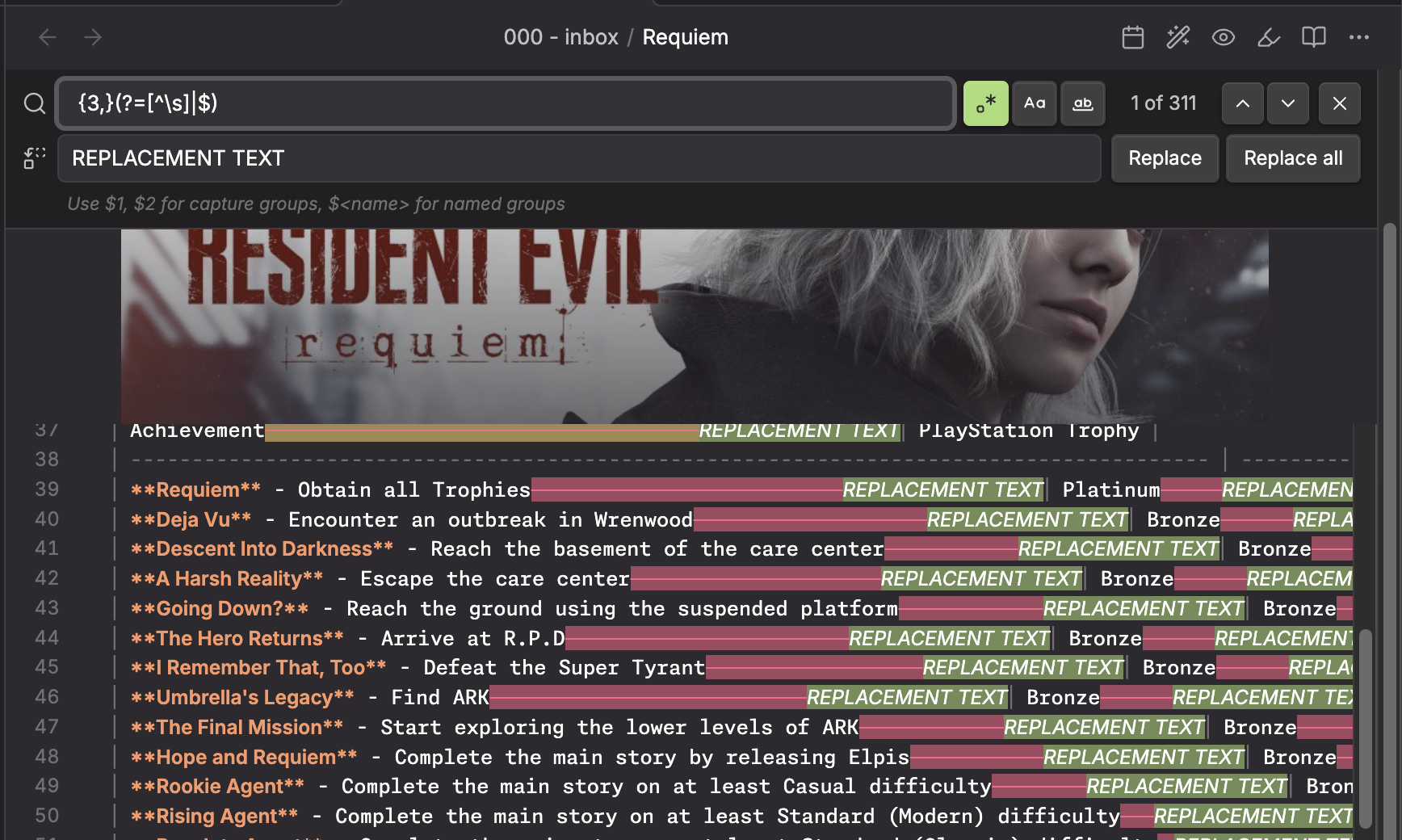
- Live diff preview -- matched text is shown with strikethrough (red) and the replacement is shown as green ghost text inline, so you can see exactly what will change before committing
- Regular expression support -- full JavaScript regex with capture groups (
$1,$2,$<name>) - Case sensitive toggle -- match exact case or ignore case
- Whole word toggle -- restrict matches to whole words only
- Match counter -- shows "3 of 12" style count inline with the search field
- Match navigation -- step through matches one at a time with up/down arrows
- Replace current -- replace just the current match
- Replace all -- replace every match at once
- Regex validation -- invalid regex patterns are caught immediately with inline error messages
- Capture group hint -- when regex mode is on, a hint reminds you that
$1,$2,$<name>are available - Customizable colors -- match highlight, current match, strikethrough, and preview colors are all configurable in settings
- Keyboard shortcuts -- Enter/Shift+Enter to navigate, Escape to close, Enter in replace field to replace current, Shift+Enter to replace all
- Command palette integration -- open via "Better Search and Replace: Find and replace in current file"
- Hotkey support -- assign any shortcut (e.g. Cmd/Ctrl+F) to replace the built-in search
- Note toolbar integration -- accessible from the helpers modal when the note-toolbar plugin is installed
How to Use
- Open the command palette and run Better Search and Replace: Find and replace in current file
- Type your search query in the search field
- Matches are highlighted in the editor in real time
- Use the toggle buttons to enable:
.*Regex modeAaCase sensitivityWWhole word matching
- Type replacement text in the replace field to see a live diff preview
- Click Replace to replace the current match, or Replace All to replace every match
- Press Escape or click the X button to close the search bar
Setting Up a Keyboard Shortcut
To replace Obsidian's built-in Cmd/Ctrl+F with this plugin:
- Go to Settings > Hotkeys
- Search for "Better Search and Replace: Find and replace in current file"
- Click the + button and press your desired key combination (e.g.
Cmd/Ctrl+F) - If the shortcut conflicts with the built-in search, Obsidian will prompt you to remove the existing binding
Regex Capture Groups
When regex mode is enabled, you can use standard JavaScript replacement patterns in the replace field:
| Pattern | Meaning |
|---|---|
$1, $2, ... | Capture group 1, 2, etc. |
$<name> | Named capture group ((?<name>...)) |
$& | The entire matched substring |
$` | Text before the match |
$' | Text after the match |
$$ | A literal $ |
Installation
Obsidian Community Plugin (pending)
This plugin has been submitted for review to the Obsidian community plugin directory. Once approved, you will be able to install it directly from Settings > Community plugins > Browse by searching for "Better Search and Replace".
Using BRAT
You can install this plugin right now using the BRAT plugin:
-
Install BRAT from Settings > Community plugins > Browse (search for "BRAT" by TfTHacker)
-
Open the BRAT settings
-
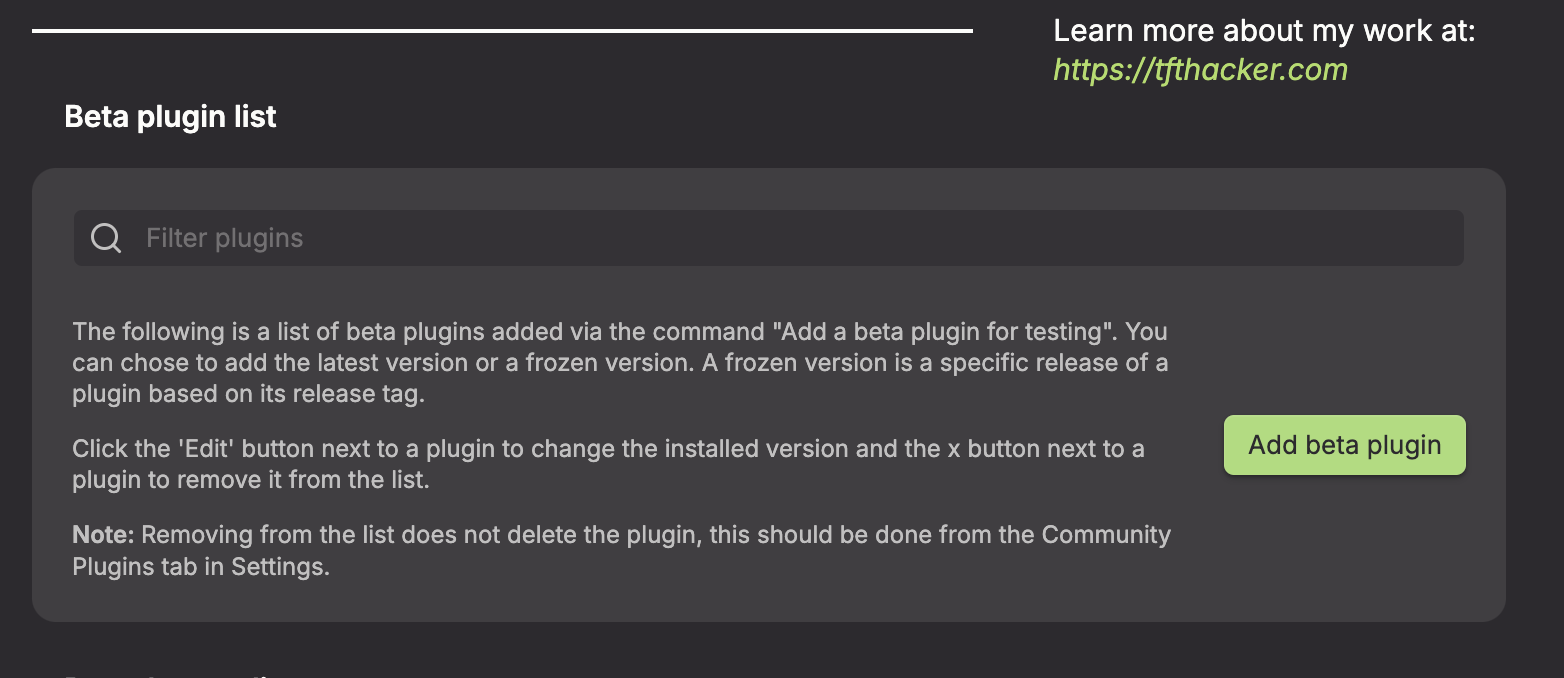
Under the Beta plugins section, click Add beta plugin
-
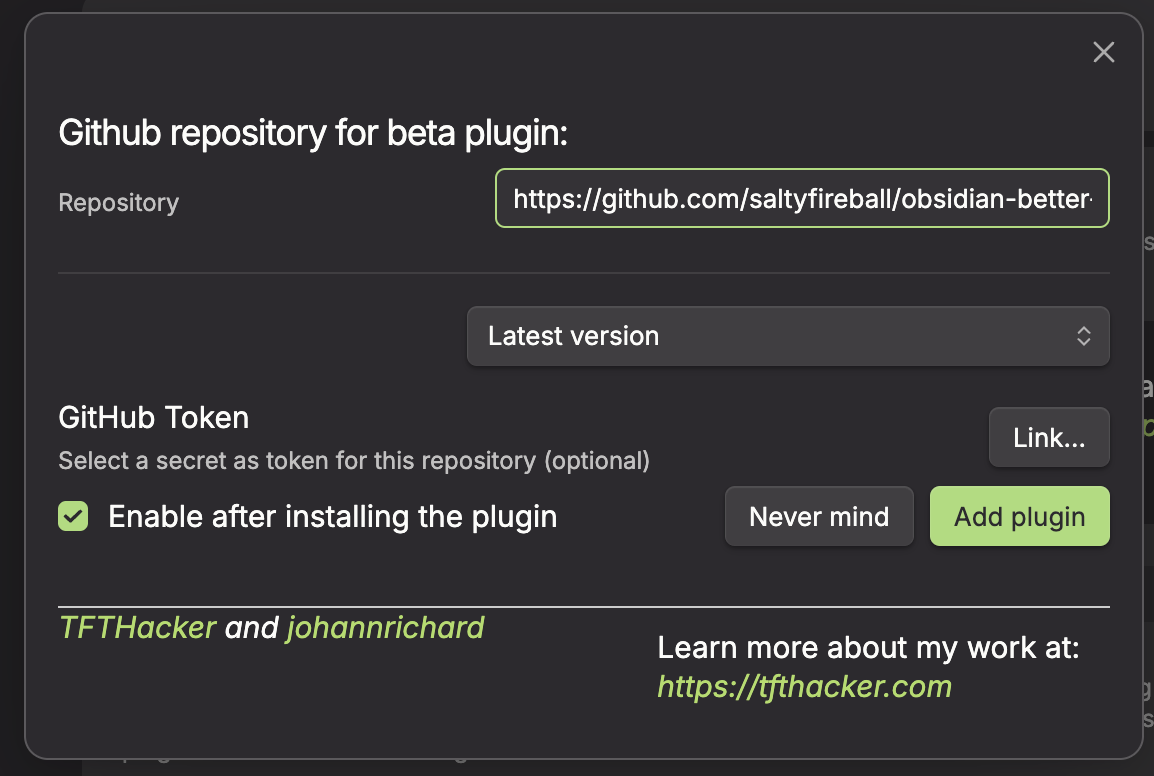
In the overlay, enter this plugin's repository:
https://github.com/saltyfireball/obsidian-better-search-and-replace(or justsaltyfireball/obsidian-better-search-and-replace)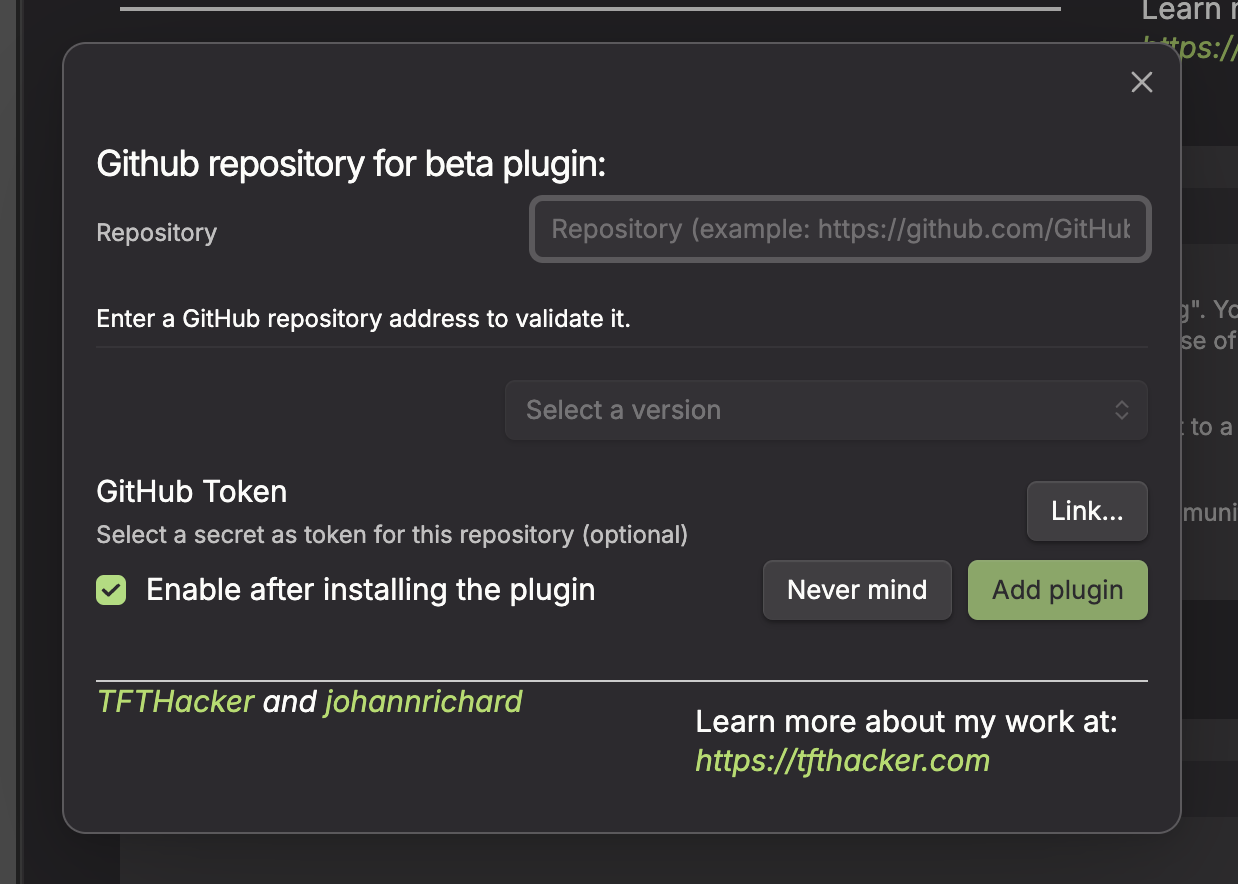
-
Leave the version set to latest
-
Click Add plugin
Manual
- Download the latest release from the Releases page
- Copy
main.js,manifest.json, andstyles.cssinto your vault's.obsidian/plugins/sfb-better-search-and-replace/directory - Enable the plugin in Settings > Community plugins
Settings
- Default search options -- set whether regex, case sensitivity, and whole word matching are on by default
- Match highlight color -- background color for matched text
- Match strikethrough color -- color of the strikethrough line on matches when replacement is shown
- Replacement preview color -- background color for the ghost replacement text
- Current match highlight color -- background color for the currently selected match
Default colors use the Monokai Pro palette:
- Match: Red (#FF6188) at 25% opacity
- Current match: Yellow (#FFD866) at 35% opacity
- Preview: Green (#A9DC76) at 25% opacity
License
For plugin developers
Search results and similarity scores are powered by semantic analysis of your plugin's README. If your plugin isn't appearing for searches you'd expect, try updating your README to clearly describe your plugin's purpose, features, and use cases.