Improved Random Note Pro
pendingby Dmitriy Laukhin
Open a random note based on filters like folders, tags and properties.
Improved Random Note

An Obsidian plugin that opens a random note based on customizable filters. Go beyond simple randomness — focus on the notes that matter to you.
✨ Features
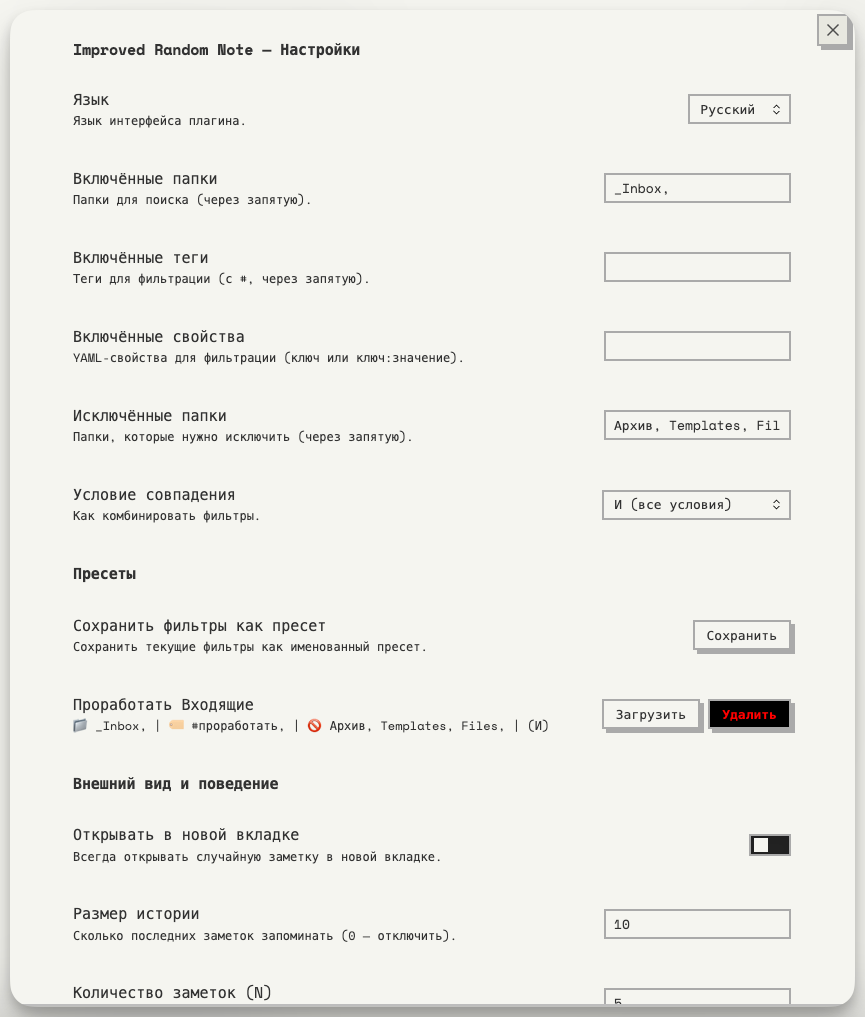
🎯 Smart Filters
- Include folders — search only in specific folders
- Include tags — filter by tags (frontmatter and inline)
- Include properties — filter by YAML frontmatter properties (key or key:value)
- Exclude folders — skip folders like templates or archives
- Match condition — combine filters with AND (all must match) or OR (any can match)
📚 Filter Presets
- Save your current filters as named presets (e.g., "Books", "Projects", "Daily Notes")
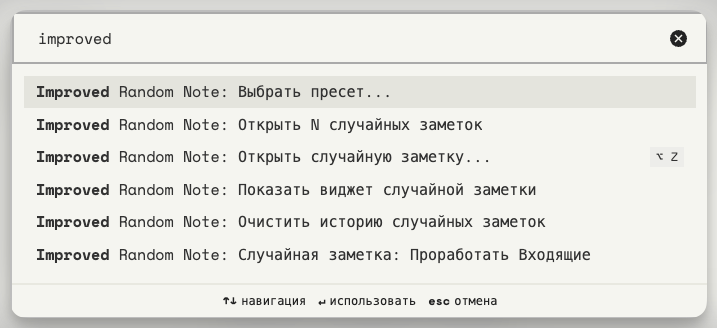
- Each preset gets its own command in the palette (Cmd/Ctrl+P)
- Fuzzy search modal for quickly picking a preset
- Load any preset back into settings, or delete it
📜 History
- Remembers the last N opened notes to avoid duplicates
- Configurable history size (default: 5, set to 0 to disable)
- Auto-resets when all candidates have been shown
- Clear history from settings or via command
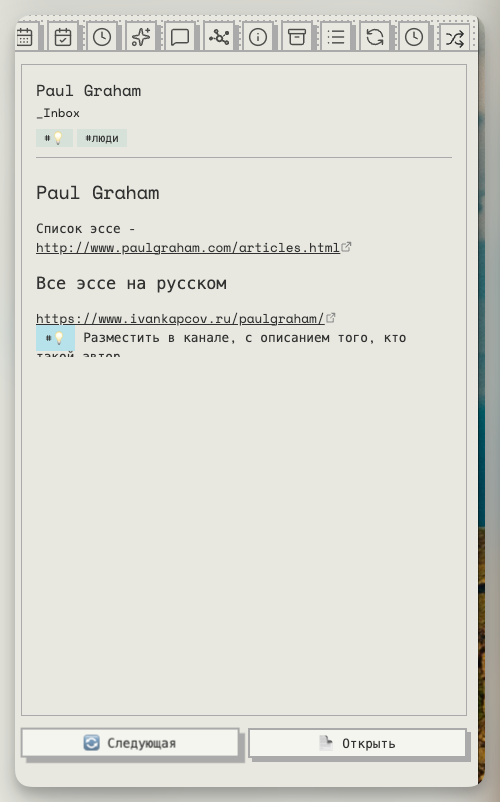
📌 Sidebar Widget
- A dedicated sidebar panel with a random note preview
- Shows: note title, folder path, tags, and a rendered markdown excerpt
- Refresh to see another note or Open to navigate to it
- Access via command: Show random note widget
⚙️ General
- Open notes in the current tab or always in a new tab
- Works with the ribbon icon (🔀), commands, presets, or the sidebar
📸 Screenshots
🚀 Installation
From Obsidian Community Plugins (coming soon)
- Open Settings → Community plugins → Browse
- Search for "Improved Random Note"
- Click Install, then Enable
Manual Installation
- Download
main.js,manifest.json, andstyles.cssfrom the latest release - Create a folder:
.obsidian/plugins/improved-random-note/ - Copy the three files into that folder
- Restart Obsidian and enable the plugin in Settings → Community plugins
🛠 Development
# Clone the repo into your vault's plugins folder
cd /path/to/vault/.obsidian/plugins/
git clone https://github.com/dementiy/obsidian-improved-random-note.git
cd obsidian-improved-random-note

# Install dependencies
npm install

# Build
npm run build

# Watch mode (auto-rebuild on changes)
npm run dev
📄 License
For plugin developers
Search results and similarity scores are powered by semantic analysis of your plugin's README. If your plugin isn't appearing for searches you'd expect, try updating your README to clearly describe your plugin's purpose, features, and use cases.