PolyChat
pendingby Ivan Semernyakov
PolyChat: multimodal AI chat with Groq API — one-click model switching, history, and cross-device sync for seamless productivity.
PolyChat – Obsidian Plugin



A plugin for Obsidian that integrates Groq AI capabilities directly into your notes.
PolyChat is a powerful chat extension with support for AI models via the Groq API. Designed for flexibility and ease of use, it enables seamless communication with multiple models directly from your vault.
Screenshots
Main Interface
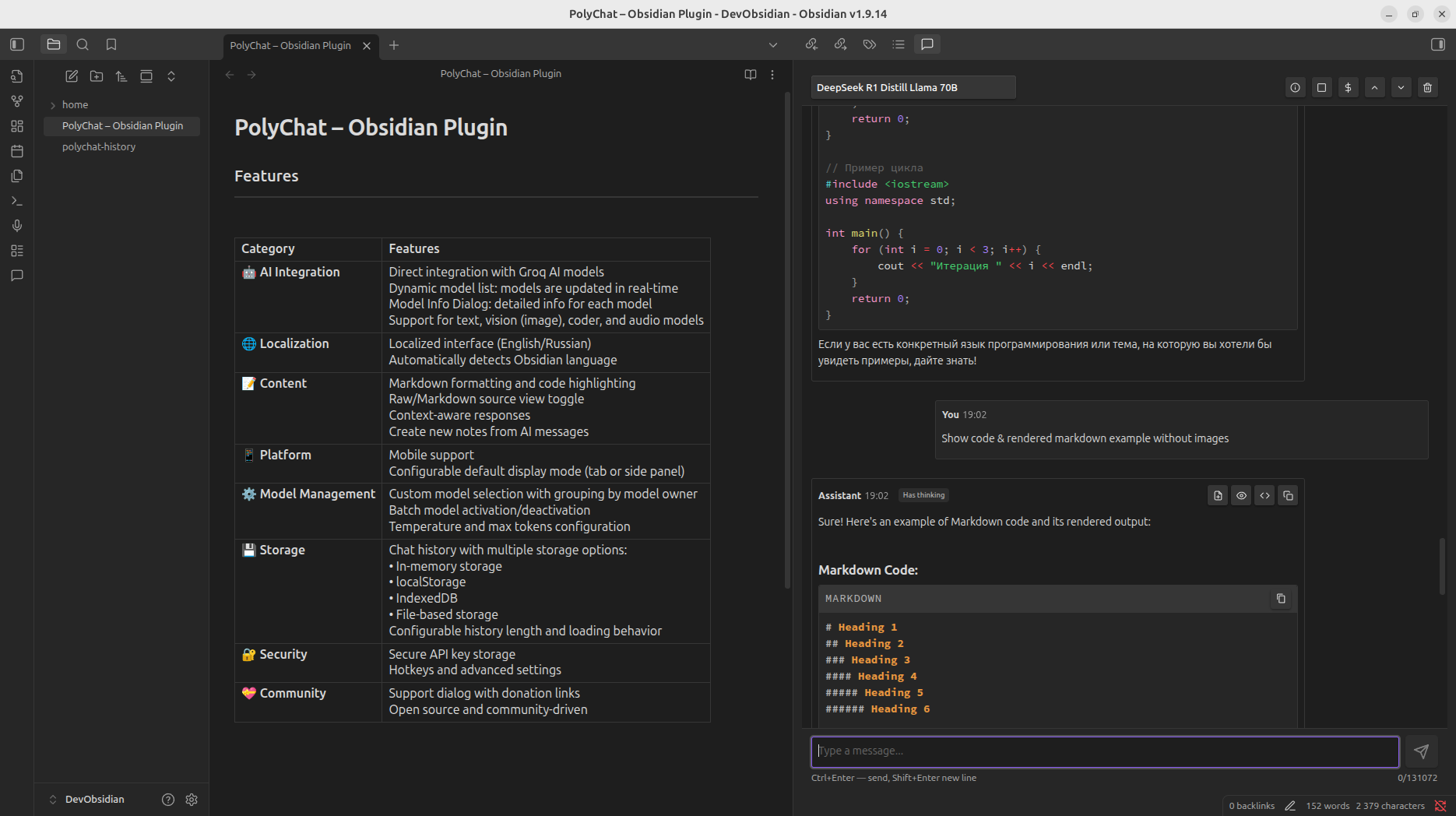
Settings Interface
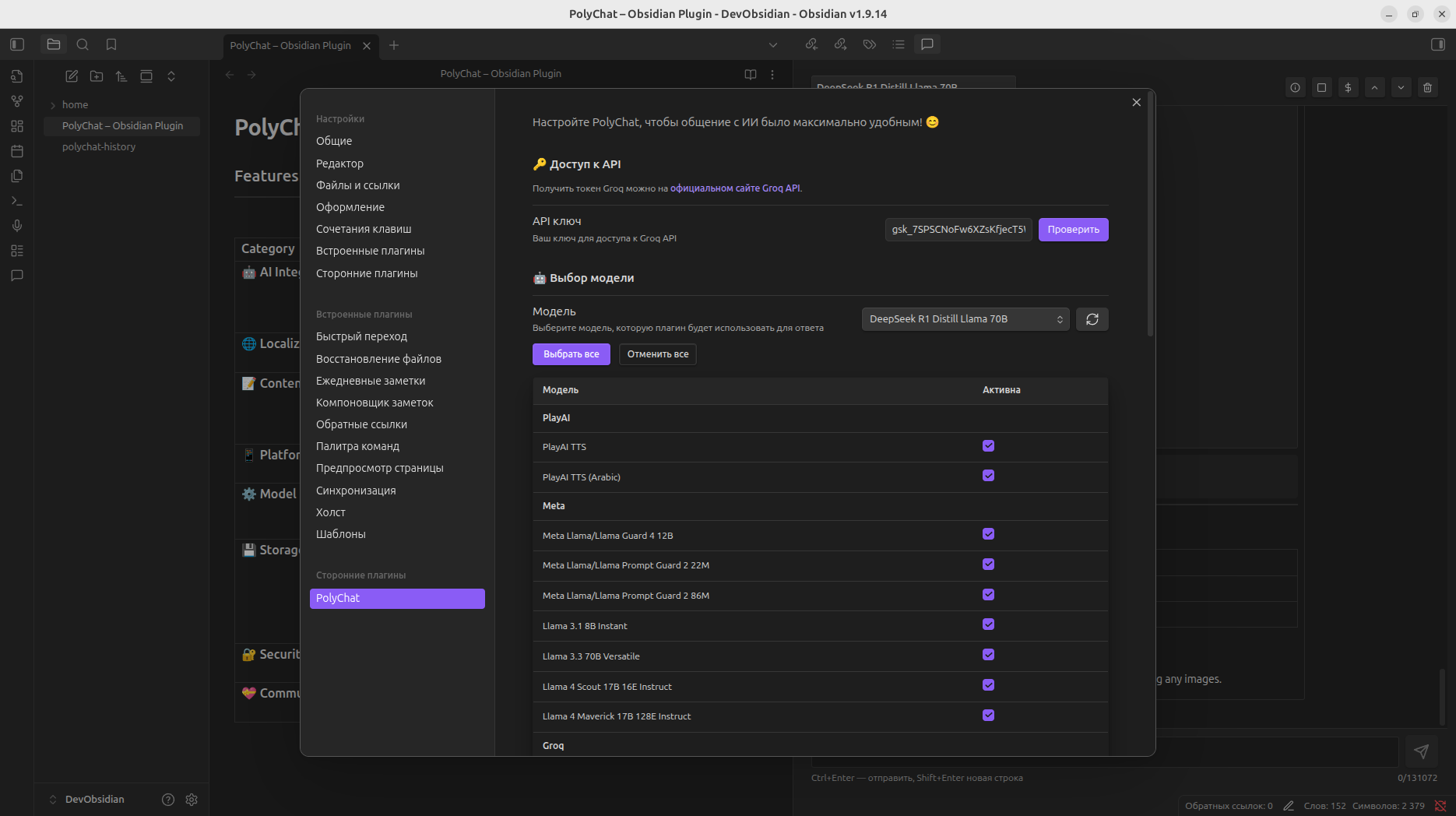
Features
| Category | Features |
|---|---|
| 🤖 AI Integration | Direct integration with Groq AI models Dynamic model list: models are updated in real-time Model Info Dialog: detailed info for each model Support for text, vision (image), coder, and audio models |
| 🌐 Localization | Localized interface (English/Russian) Automatically detects Obsidian language |
| 📝 Content | Markdown formatting and code highlighting Raw/Markdown source view toggle Context-aware responses Create new notes from AI messages |
| 📱 Platform | Mobile support Configurable default display mode (tab or side panel) |
| ⚙️ Model Management | Custom model selection with grouping by model owner Batch model activation/deactivation Temperature and max tokens configuration |
| 💾 Storage | Chat history with multiple storage options: • In-memory storage • localStorage • IndexedDB • File-based storage Configurable history length and loading behavior |
| 🔐 Security | Secure API key storage Hotkeys and advanced settings |
| 💝 Community | Support dialog with donation links Open source and community-driven |
Project Status
This project is actively maintained and developed. New features are added regularly, including dynamic model updates, vision/coder/audio support, and improved UI/UX. Automated tests and advanced model integrations (audio/image) are planned. Feedback and contributions are welcome!
Supported Models (Grouped by Developer)
| Developer | Models | Purpose |
|---|---|---|
| Meta | Llama 4 Scout 17B 16E Instruct Llama Prompt Guard 2 22M Llama Prompt Guard 2 86M Llama 3.3 70B Versatile Llama 3.1 8B Instant | Text Generation Content Filtering Content Filtering General Purpose General Purpose |
| OpenAI | Whisper Large v3 Turbo Community OSS Model (20B) Whisper Large v3 Community OSS Model (120B) | Speech-to-Text General Purpose Speech-to-Text General Purpose |
| Moonshot AI | Kimi K2 Instruct Kimi K2 Instruct (0905) | General Purpose |
| Alibaba Cloud | Qwen3 32B | General Purpose |
| SDAIA | Allam 2 7B | Text Generation (Arabic) |
| Groq | Groq Compound Groq Compound Mini | General Purpose |
| Canopy Labs | canopylabs/orpheus Arabic saudi canopylabs/orpheus v1 english | Text-to-Speech (Arabic) Text-to-Speech (English) |
| OpenAI (Safety) | OpenAI/gpt oss safeguard 20b OpenAI/gpt oss 120b | Content Safety General Purpose |
Last updated: March 26, 2026
See plugin settings for the full up-to-date list. Descriptions will be updated as soon as they become available.
Installation
- Open Obsidian Settings
- Go to Community Plugins and disable Safe Mode
- Click Browse and search for "PolyChat"
- Install the plugin
- Enable the plugin in Community Plugins
Configuration
- Get your API key from Groq Console
- Open plugin settings in Obsidian
- Enter your API key
- Configure additional settings as needed (Note: Settings have been updated, including options for default display mode and history storage. See plugin settings for details.)
Usage
- Open any note in Obsidian
- Click the PolyChat icon in the sidebar
- Select the model you want (models update in real time)
- Start chatting with AI (text, code)
- View model info any time via the Model Info Dialog
Test the Plugin with BRAT
You can install and test the latest development version of the plugin using the BRAT (Beta Reviewers Auto-update Tool) plugin for Obsidian.
Steps
- Install BRAT from the Obsidian Community Plugins.
- Open BRAT settings.
- Click Add Beta Plugin.
- Paste the repository URL: https://github.com/semernyakov/polychat
- Confirm installation.
BRAT will automatically install the plugin and allow you to receive updates directly from the repository.
Development
# Clone the repository
git clone https://github.com/semernyakov/polychat.git

# Install dependencies
npm install

# Development mode
npm run dev

# Build the plugin
npm run build

# Formatting
npm run format

# Lint the code
npm run lint
Contributing
Contributions are welcome! Please read our Contributing Guide for details on our code of conduct and the process for submitting pull requests.
Security
For security issues, please read our Security Policy and report any vulnerabilities responsibly.
🔐 Security Note: Your Groq API key is stored only on your local device and is never transmitted to any server.
🛡️ Data Privacy: This plugin does not collect, store, or transmit your API keys or chat data. All data remains on your local device.
License
This project is licensed under the MIT License - see the LICENSE file for details.
Support
If you find PolyChat helpful, you can support development via:
- 💰 YooMoney: Support via YooMoney
- Accepts transfers from both Russia and other Countries (via bank cards)
- ⭐ Star the repository: Add a star on GitHub
- 🐛 Report issues: Create an issue
Changelog
See CHANGELOG.md for all changes.
For plugin developers
Search results and similarity scores are powered by semantic analysis of your plugin's README. If your plugin isn't appearing for searches you'd expect, try updating your README to clearly describe your plugin's purpose, features, and use cases.