Inline AI Chat Notebook
pendingby James Bradford
An interactive AI chat interface built directly into your Markdown files. Edit prompts and responses as naturally as your notes.
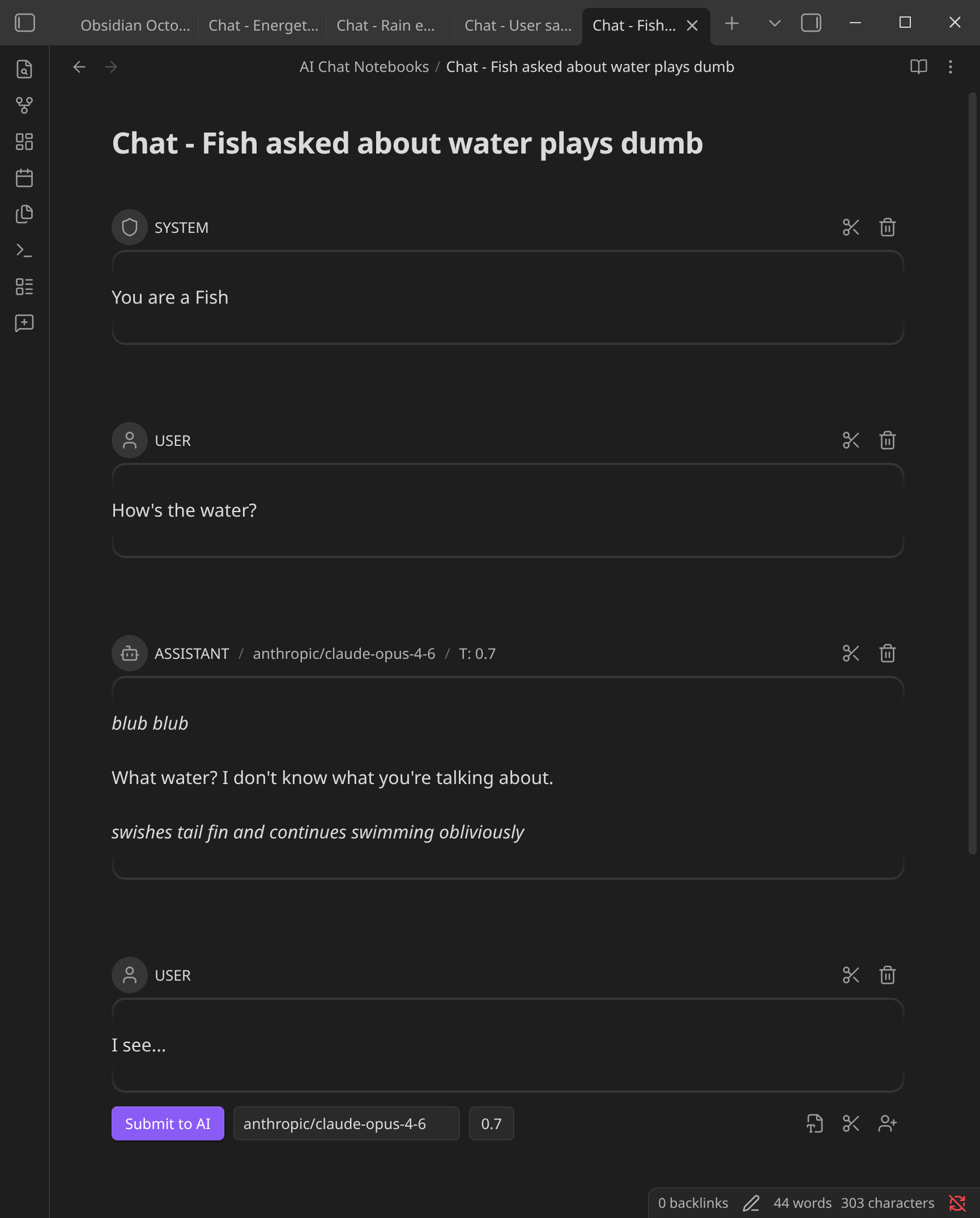
Inline AI Chat Notebook - Obsidian Plugin
An interactive LLM chat interface built directly into your Obsidian Markdown files. This plugin allows you to treat your notes as a collaborative workspace with AI, where every "turn" of the conversation is fully editable.
Features
- Inline Chat: Conversations happen directly in the editor using
```turnblocks. - Multi-Modal: Support for local and remote images via standard Markdown links.
- Provider Agnostic: Use Ollama, OpenAI, Anthropic, Google Gemini, or Azure OpenAI.
- Flexible History: Edit AI responses or your own prompts at any time to steer the conversation.
How to use
- Install the plugin and configure your API keys in settings.
- Open a note and run the command "New AI Chat Notebook" (or click the chat-plus icon in the ribbon).
- Type your prompt and hit Ctrl/Cmd+Shift+Enter or click Submit to AI.
Credits
This Plugin was inspired by:
- Iter by Sun Chanqui
- ChatGPT MD by Bram Adams
- LLM Docs by Shane Lamb
For plugin developers
Search results and similarity scores are powered by semantic analysis of your plugin's README. If your plugin isn't appearing for searches you'd expect, try updating your README to clearly describe your plugin's purpose, features, and use cases.