Song of the Day
pendingby snelling-a
Create song notes from Spotify links with metadata and album art.
Song of the Day

An Obsidian plugin that lets you create song notes from Spotify links with metadata and album art.
Features
- Create notes from Spotify track links or IDs
- Automatically fetch song metadata (title, artist, album, release date, duration)
- Embed album artwork in frontmatter
- Customizable note templates with variable support
- Configurable note naming formats
- Custom date formatting using moment.js
Setup
Getting Spotify API Credentials
To use this plugin, you need to create a Spotify application to get API credentials:
-
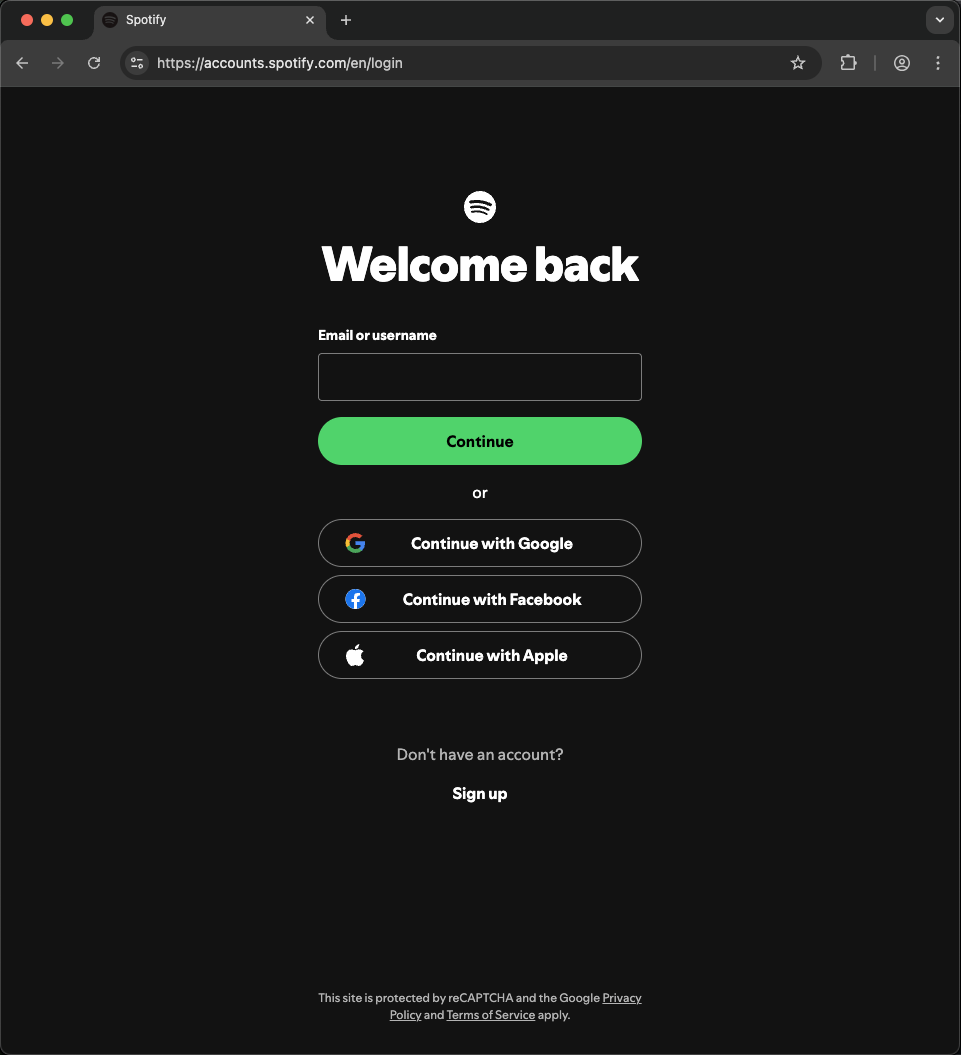
Log in to Spotify Developer Dashboard
Go to https://developer.spotify.com/dashboard and log in with your Spotify account.
-
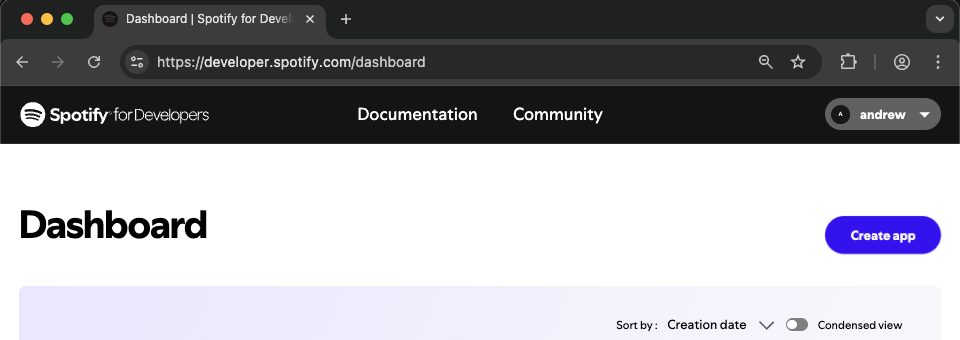
Create a new app
Click the "Create app" button.
-
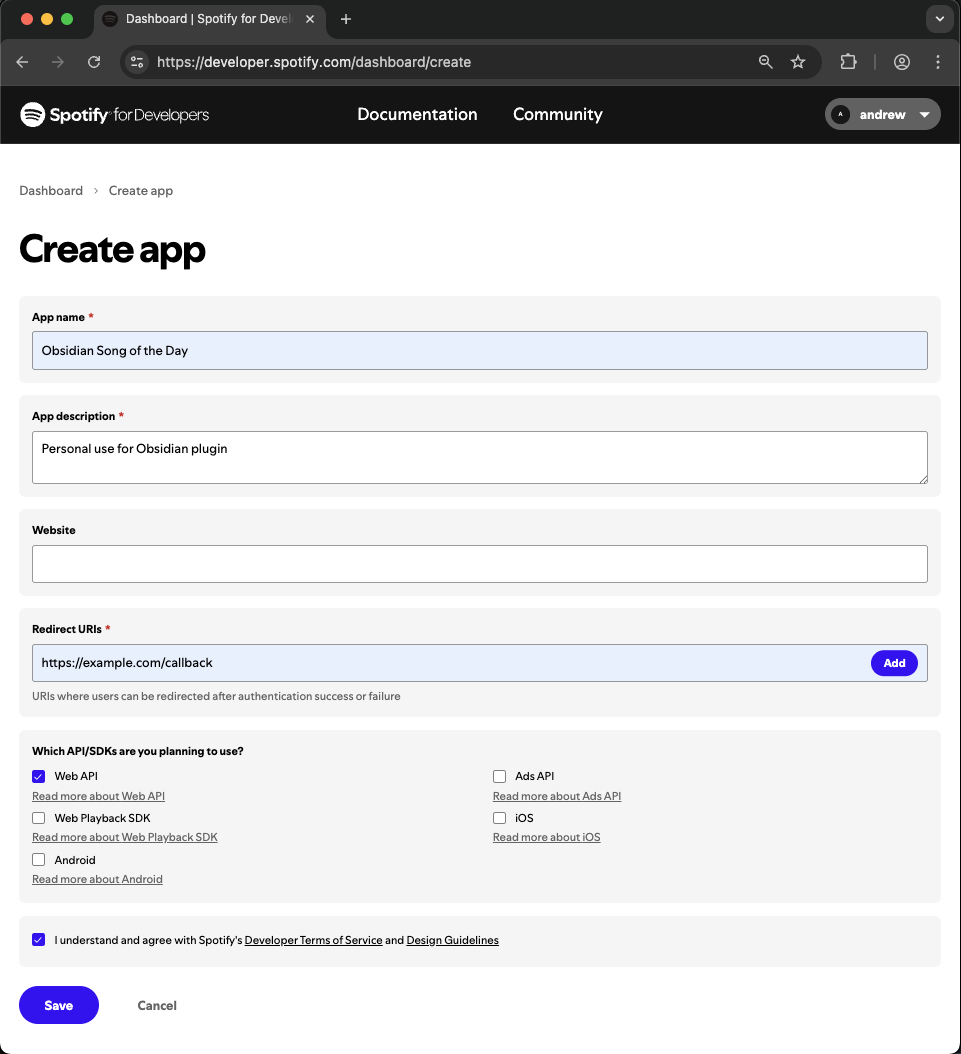
Fill out the app form
- App name: Choose any name (e.g., "Obsidian Song of the Day")
- App description: Add a description (e.g., "For Obsidian plugin")
- Redirect URIs: Enter
https://example.com/callback(required for OAuth to work) - APIs used: Select "Web API"
- Accept the terms and click "Save"
-
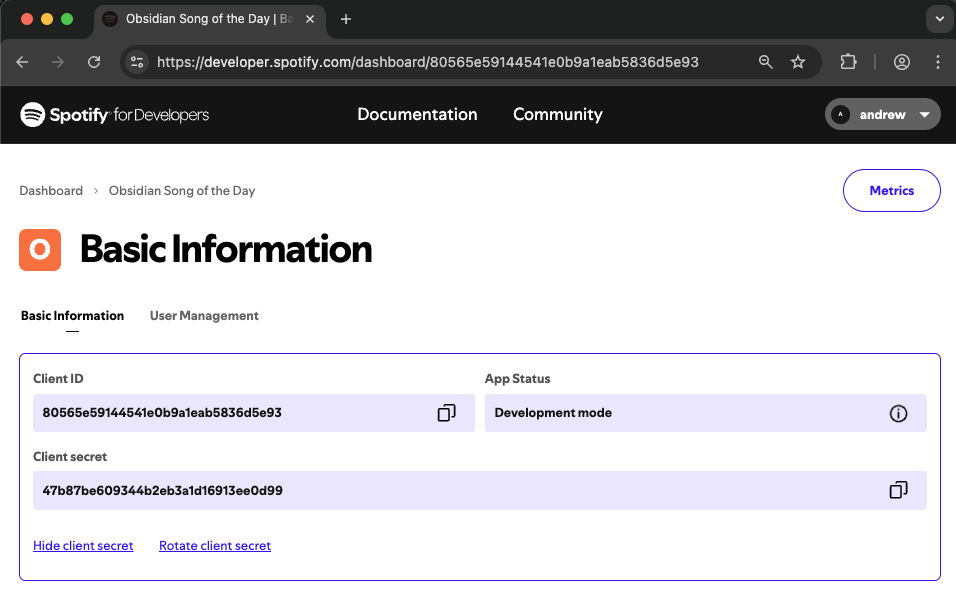
Copy your credentials
After creating the app, click "Settings" to view your credentials. You'll need:
- Client ID: Visible on the settings page
- Client Secret: Click "View client secret" to reveal it
-
Add credentials to Obsidian
Open Obsidian Settings, go to the "Song of the Day" plugin settings, and paste your Client ID and Client Secret.
Usage
- Copy a Spotify track link (e.g., from the Spotify app's share menu)
- In Obsidian, open the command palette (Cmd/Ctrl + P)
- Run the command "Create song note"
- Paste the Spotify link or track ID
- A new note will be created with song metadata
Supported Spotify Formats
- Full URL:
https://open.spotify.com/track/3n3Ppam7vgaVa1iaRUc9Lp - URI:
spotify:track:3n3Ppam7vgaVa1iaRUc9Lp - Track ID:
3n3Ppam7vgaVa1iaRUc9Lp
Settings
Note Settings
- Output folder: Where to create song notes (relative to vault root)
- Note name structure: Choose what information to include:
- Song only (e.g., "I Would Die 4 U")
- Artist - Song (e.g., "Prince - I Would Die 4 U")
- Song - Artist (e.g., "I Would Die 4 U - Prince")
- Note name casing: Choose how to format the text:
- Original (preserves capitalization)
- kebab-case (e.g., "i-would-die-4-u")
- snake_case (e.g., "i_would_die_4_u")
- Date format: Customize using moment.js syntax
- Note template: Define your note structure using template variables
Template Variables
Available variables for use in your note template:
{{title}}- Song title{{artist}}- Primary artist name{{artists}}- All artists (comma-separated){{album}}- Album name{{releaseDate}}- Album release date{{date}}- Note creation date (uses your date format setting){{duration}}- Song duration in mm:ss format{{spotifyUrl}}- Link to song on Spotify{{spotifyId}}- Spotify track ID{{cover}}- Album cover image URL
Security & Privacy
What Data is Stored
This plugin stores the following data locally in your vault at .obsidian/plugins/obsidian-song-of-the-day/data.json:
- Spotify API credentials (Client ID & Client Secret)
- OAuth tokens (Access Token & Refresh Token for playlist access)
- Track IDs (List of songs you've added to your playlist)
Important Security Considerations
- Plain text storage: All data is stored unencrypted in plain text, which is standard practice for Obsidian plugins
- Vault syncing: If you sync your vault (Obsidian Sync, iCloud, Dropbox, etc.), these credentials will be synced across devices
- Vault access: Anyone with access to your vault files can read these credentials
Best Practices
- Keep your vault secure: Use appropriate file system permissions
- Be careful with vault sharing: Don't share your vault publicly or with untrusted parties
- Credential rotation: If you believe your credentials have been compromised, revoke them in the Spotify Developer Dashboard and generate new ones
- Limited scope: The plugin only requests the minimal Spotify API permissions needed (playlist modification)
Data Usage
- No telemetry: This plugin does not collect or transmit any usage data
- Direct API calls: All Spotify API requests are made directly from your device to Spotify
- Local only: Your song notes and metadata remain entirely local to your vault
Installation
Using BRAT (Recommended)
This plugin is not yet available in the Obsidian Community Plugins store. You can install it using the BRAT plugin:
- Install BRAT from the Community Plugins in Obsidian
- Open the command palette and run the command BRAT: Add a beta plugin for testing
- Enter this repository URL:
https://github.com/snelling-a/obsidian-song-of-the-day - Enable the plugin in Settings > Community Plugins
Manual Installation
- Download the latest release from the releases page
- Extract the files to your vault's plugins folder:
VaultFolder/.obsidian/plugins/obsidian-song-of-the-day/ - Reload Obsidian
- Enable the plugin in Settings > Community Plugins
Development
Prerequisites
- Node.js 16 or higher
- npm or yarn
Setup
# Clone the repository
git clone https://github.com/snelling-a/obsidian-song-of-the-day.git

# Install dependencies
npm install
Development & Testing
Option 1: Using Environment Variable (Recommended)
Set the VAULT_ROOT environment variable to automatically copy the built plugin to your vault during development:
Using a .env file:
# Create a .env file in the project root
echo "VAULT_ROOT=/path/to/your/vault" > .env

# Start development build (watches for changes and auto-copies to vault)
npm run dev
Using command line:
# Set as environment variable for the session
export VAULT_ROOT=/path/to/your/vault
npm run dev

# Or set inline for a single command
VAULT_ROOT=/path/to/your/vault npm run dev
The dev build will automatically:
- Copy built files to
VAULT_ROOT/.obsidian/plugins/obsidian-song-of-the-day/ - Install and update the hot-reload plugin for live reloading
- Watch for file changes and rebuild automatically
Option 2: Manual Symlink
Alternatively, create a symlink in your vault's plugins folder:
ln -s /path/to/obsidian-song-of-the-day /path/to/vault/.obsidian/plugins/obsidian-song-of-the-day
npm run dev
Building for Production
npm run build
Support
If you encounter any issues or have feature requests, please open an issue.
License
For plugin developers
Search results and similarity scores are powered by semantic analysis of your plugin's README. If your plugin isn't appearing for searches you'd expect, try updating your README to clearly describe your plugin's purpose, features, and use cases.