Last.fm
pendingby Gorka Gomez
Fetch recent scrobbles, top tracks, artists, and albums from Last.fm.
Last.fm Integration for Obsidian
Fetch data and create notes from your Last.fm listening history directly inside Obsidian.
This plugin lets you fetch:
Recent scrobbles
Top tracks, artists, and albums (for any Last.fm period)
Weekly charts (from → to weekly ranges via Last.fm’s API)
Album artwork (available for recent scrobbles and top albums)
Automatically generate Markdown notes into your chosen folder
📸 Preview
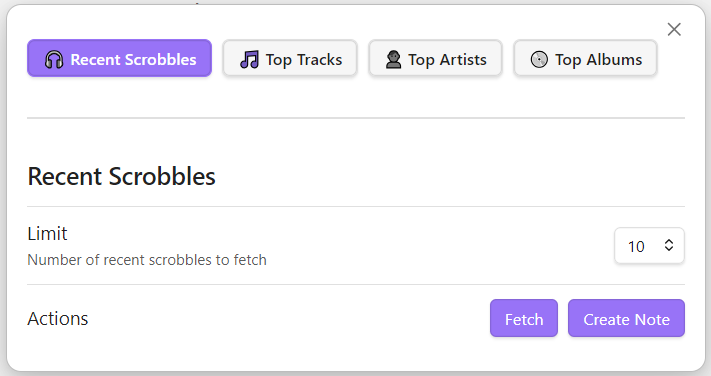
✨ Features
- Recent scrobbles
- Most recent tracks you scrobbled (includes artwork of each track's album)
- Select the number of tracks you want to pull from Last.fm (5, 10, 20, 50, 100)
- Top Tracks / Artists / Albums
- Period-based (7day, 1month, 3month, 6month, 12month, overall)
- Set a custom limit for how many results to fetch
- Weekly charts
- Real chart-based weekly ranges from Last.fm (up to 20 years back !)
- Automatic note creation
- Create notes to persist data in your vault
- Choose a folder in which notes will be created
- Album art included when available (recent plays & top albums only)
- Clean UI modal with tabs
- Ribbon icon for quick access
- Fully local — only Last.fm API requests are made
🔧 Setup
-
Get a Last.fm API key
https://www.last.fm/api/account/create -
In Obsidian:
- Open Settings → Community Plugins
- Enable Third-party plugins
- Install this plugin manually (see below)
- Enter your API key, username, and output folder
📦 Manual Installation
-
Clone this repo
-
Make sure your NodeJS is at least v16 (node --version)
-
npm ito install dependencies -
npm run buildto compile the code -
Copy
main.js,styles.css,manifest.jsonto your vaultVaultFolder/.obsidian/plugins/obsidian-lastfm-plugin/ -
Reload Obsidian and enable the plugin.
🧾 License
MIT
🙏 Credits
Built by Gorka Gómez
Uses the Last.fm public API.
⭐ Support
If you enjoy this plugin, consider starring the repo on GitHub!
For plugin developers
Search results and similarity scores are powered by semantic analysis of your plugin's README. If your plugin isn't appearing for searches you'd expect, try updating your README to clearly describe your plugin's purpose, features, and use cases.