Copy Files Content
pendingby svkaka
Copy contents of selected files or folders into your clipboard with customizable templates.
Copy Files content
Minimalist plugin that enables to Copy contents of selected files into clipboard
Features
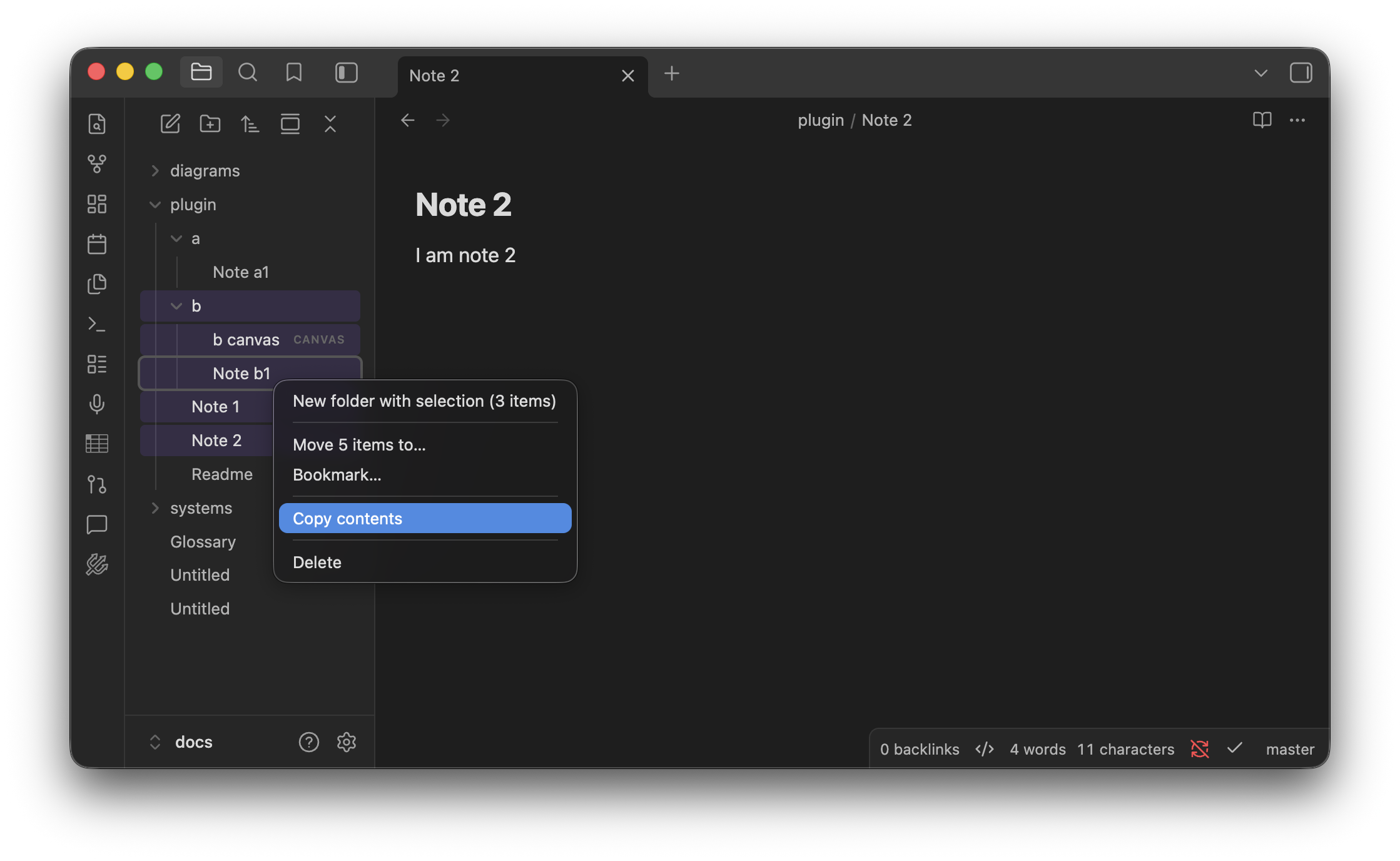
- Contextual Copy: Right-click any file or folder in the File Explorer to copy content immediately.
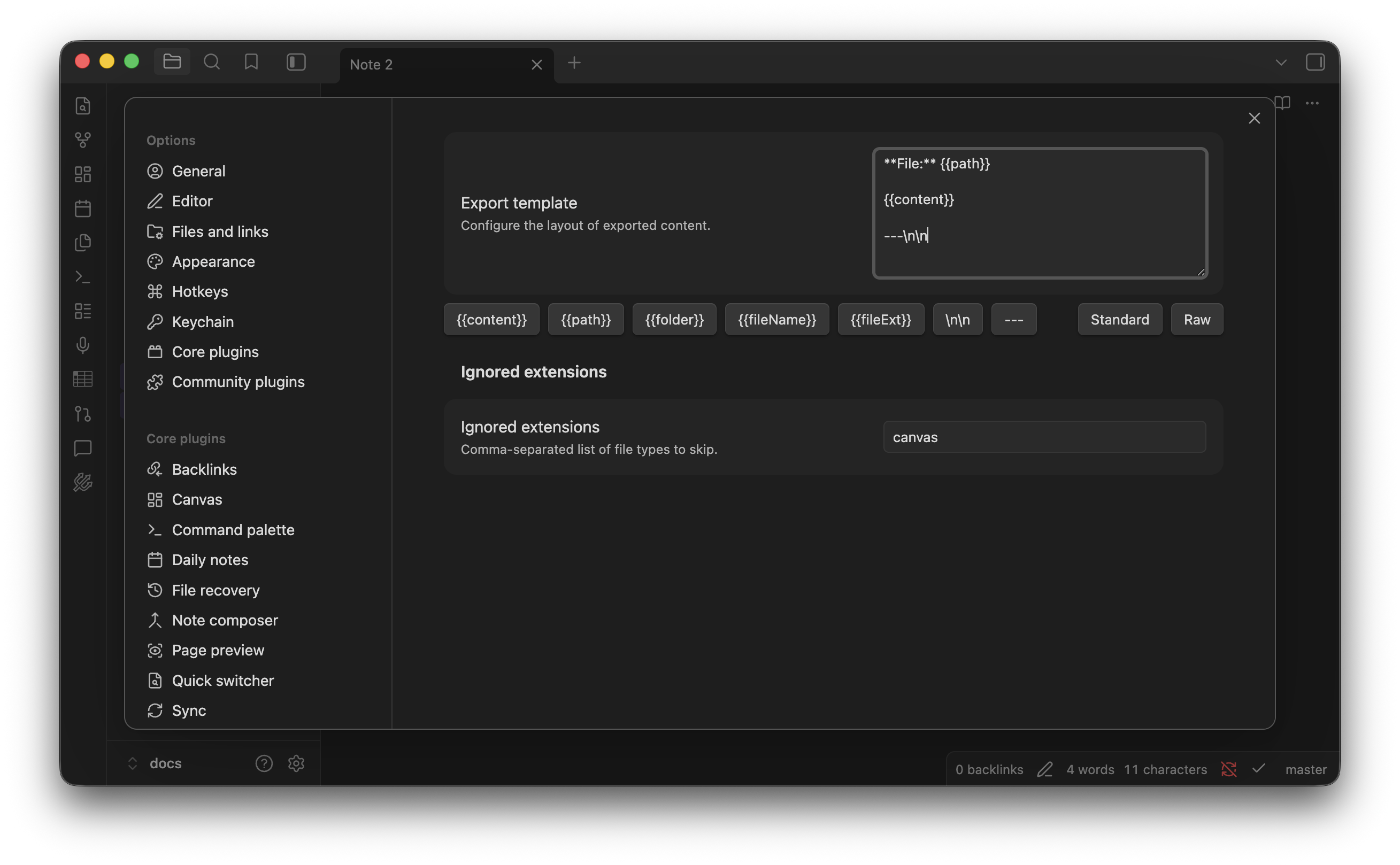
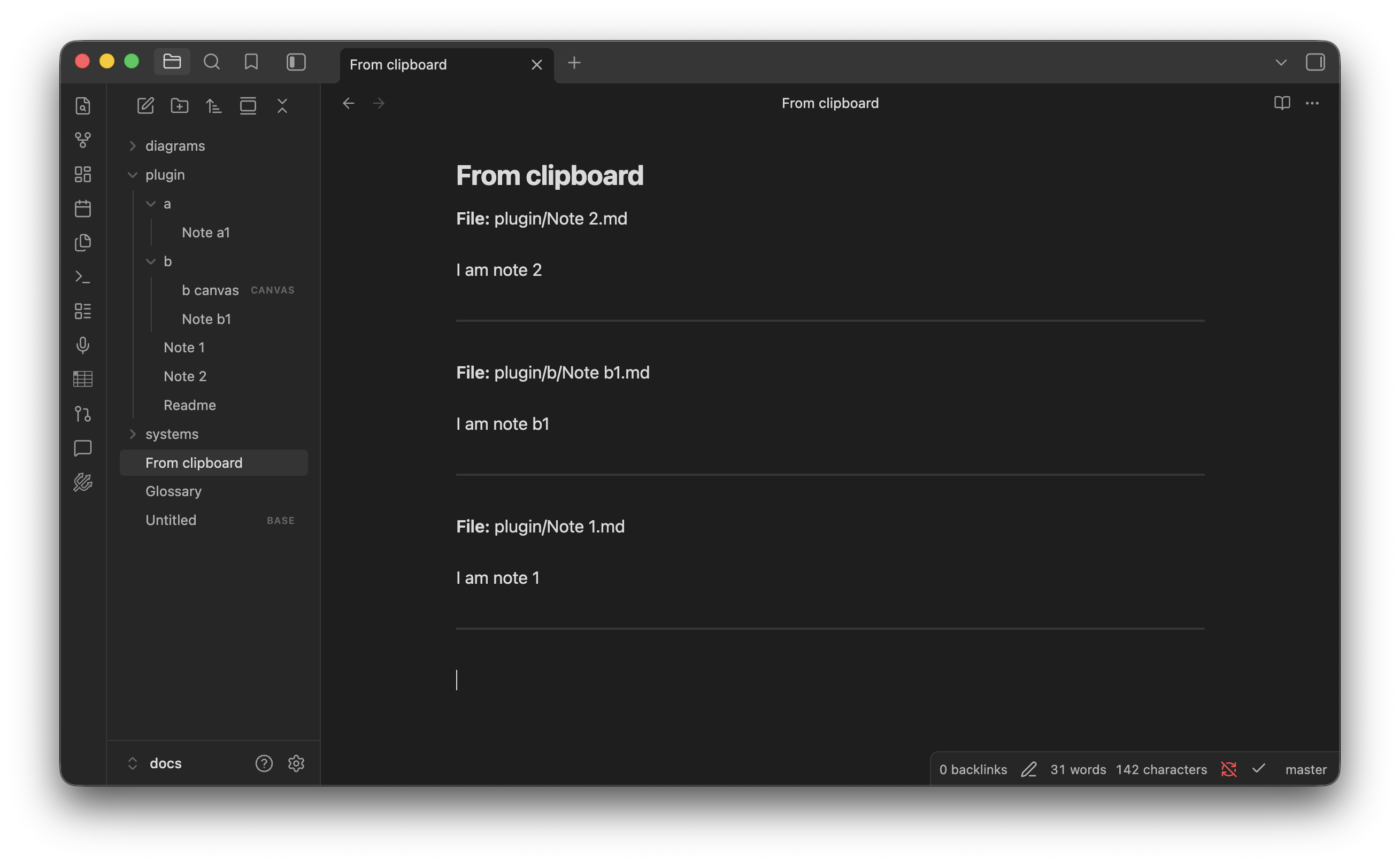
- Dynamic Templates: Fully customizable output using
{{path}},{{fileName}}, and{{content}}variables. - Selective Exclusion: Define specific file extensions (like
.svgor.canvas) to skip during the copy process. - Ignores Binary: Ignores non-plaintext files (images, PDFs, etc.) to keep your clipboard clean.
How to use
- Select one or more files/folders in the File Explorer.
- Right-click and select Copy contents.
- Paste anywhere.
Installation
Search for "Copy Files Content" in the Obsidian Community Plugins tab or install manually by moving main.js,
manifest.json, and styles.css to your .obsidian/plugins/copy-files-content/ folder.
Screenshots
For plugin developers
Search results and similarity scores are powered by semantic analysis of your plugin's README. If your plugin isn't appearing for searches you'd expect, try updating your README to clearly describe your plugin's purpose, features, and use cases.