Pin to Top
pendingby valenzine
Pin folders and notes to the top of the file explorer for quick access.
Pin to Top
An Obsidian plugin that lets you pin folders and notes to the top of the file explorer for quick access.
Features
- 📌 Pin files and folders to the top of the file explorer
- 🖱️ Right-click context menu - easily pin/unpin any item
- ⌨️ Command palette support for keyboard-driven workflows
- 💾 Persistent pins - your pins are saved and restored across sessions
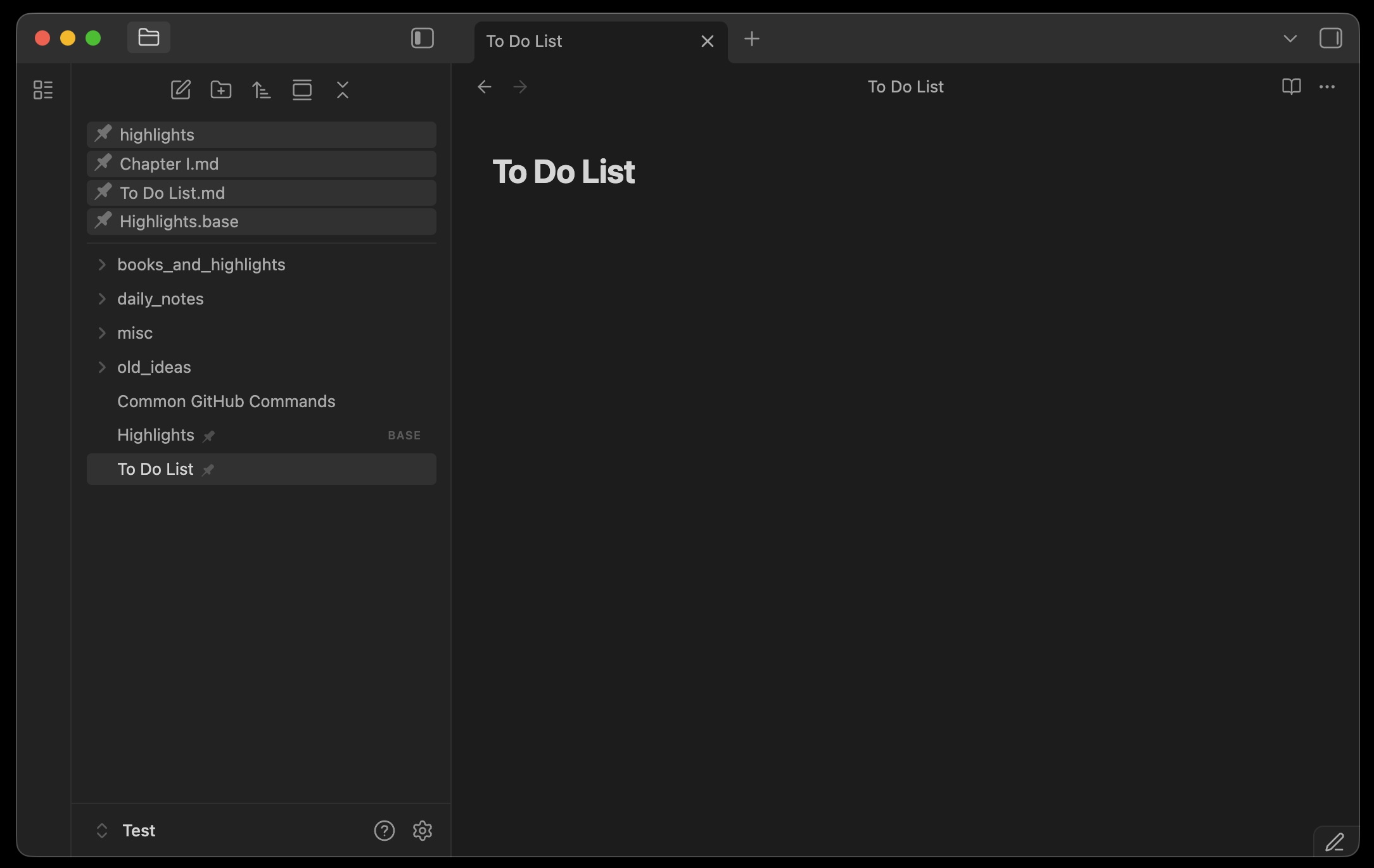
- 🎨 Visual indicators - pinned items are clearly marked with a pin icon
- 🔄 Auto-updates - pins automatically update when files are renamed or deleted
Usage
Pin an item
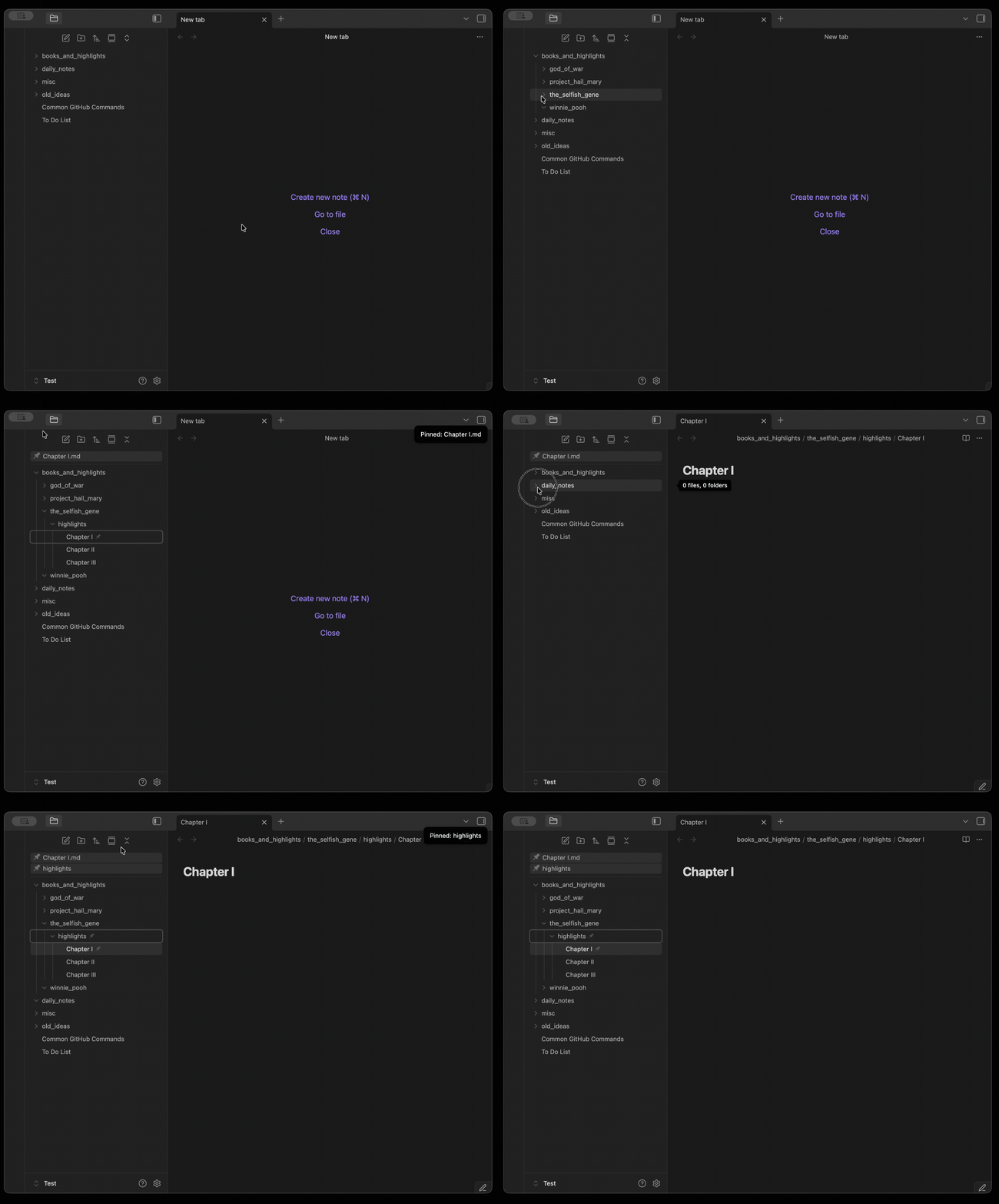
- Right-click on any file or folder in the file explorer
- Select "Pin to top" from the context menu
- The item will appear at the top of the file explorer with a pin icon indicator
Unpin an item
- Right-click on a pinned item
- Select "Unpin from top" from the context menu
Command palette
You can also use the command palette (Cmd/Ctrl + P) to:
- Pin current file - pins the currently active file
- Unpin current file - unpins the currently active file
- Toggle pin for current file - toggles the pin state
Settings
Go to Settings → Community plugins → Pin to Top to:
- View all pinned items
- Unpin individual items
- Clear all pins at once
Installation
From Obsidian Community Plugins
- Open Settings → Community plugins
- Disable Safe mode
- Click Browse and search for "Pin to Top"
- Click Install, then Enable
Manual installation
- Download
main.js,styles.css, andmanifest.jsonfrom the latest release - Create a folder:
<vault>/.obsidian/plugins/pin-to-top/ - Copy the downloaded files into this folder
- Reload Obsidian
- Enable the plugin in Settings → Community plugins
Development
# Clone the repository
git clone https://github.com/valenzine/obsidian-pin-to-top.git

# Install dependencies
npm install

# Start development build (watch mode)
npm run dev

# Production build
npm run build

# Lint code
npm run lint
Testing locally
Copy main.js, styles.css, and manifest.json to:
<vault>/.obsidian/plugins/pin-to-top/
License
MIT License - see LICENSE for details.
Support
If you find this plugin helpful, consider:
- ⭐ Starring the repository on GitHub
- 🐛 Reporting bugs or suggesting features via Issues
For plugin developers
Search results and similarity scores are powered by semantic analysis of your plugin's README. If your plugin isn't appearing for searches you'd expect, try updating your README to clearly describe your plugin's purpose, features, and use cases.