AirPortal
pendingby zyshunyx
Turn your vault into a local web server. Transfer, edit, and manage notes wirelessly via browser. (无线传送门)
AirPortal (无线传送门)


AirPortal transforms your vault into a local web server, allowing you to view, edit, and transfer your notes from any device (iOS, Android, iPad, PC) via a web browser.
No companion app required. Just scan the QR code and start managing your notes wirelessly.
AirPortal (无线传送门) 是一款强大的插件,它能将你的 Obsidian 变成一个局域网 Web 服务器。你可以在任何设备(手机、平板、其他电脑)上通过浏览器直接查看、编辑和传输你的笔记。
无需安装任何手机 App,扫码即连,即刻创作。
✨ Key Features (核心功能)
- 🚀 Zero-Install (零安装): No need to install Obsidian or any third-party app on your mobile device. Just use Safari, Chrome, or any browser.
- 无需 App:手机端无需安装任何应用,浏览器即开即用。
- 📝 Live Editor (实时编辑): Edit your Markdown notes directly in the browser with a clean interface.
- 在线编辑:提供移动端友好的编辑器,支持 Markdown 语法,随时修改笔记。
- 📂 File Transfer (文件传输):
- Import (导入): Batch upload files from phone to computer.
- Export (导出): Download notes from computer to phone.
- 双向传输:支持手机批量上传文件到电脑,也支持将电脑笔记下载到手机。
- 🔍 Full Management (全面管理): Search your vault, create new notes, and browse your file list instantly.
- 管理功能:支持全局搜索、新建笔记、查看最近修改列表。
- 🔒 Privacy First (隐私优先): Works entirely over your Local Area Network (LAN). No data is sent to the cloud.
- 局域网安全:所有数据仅在局域网内传输,不经过任何云端服务器。
- 🌍 Internationalization (国际化): Full support for English and Chinese.
- 双语支持:完美支持中文和英文界面。
📸 Screenshots (截图)
| Mobile Interface (手机端) | Settings (设置界面) |
|---|---|
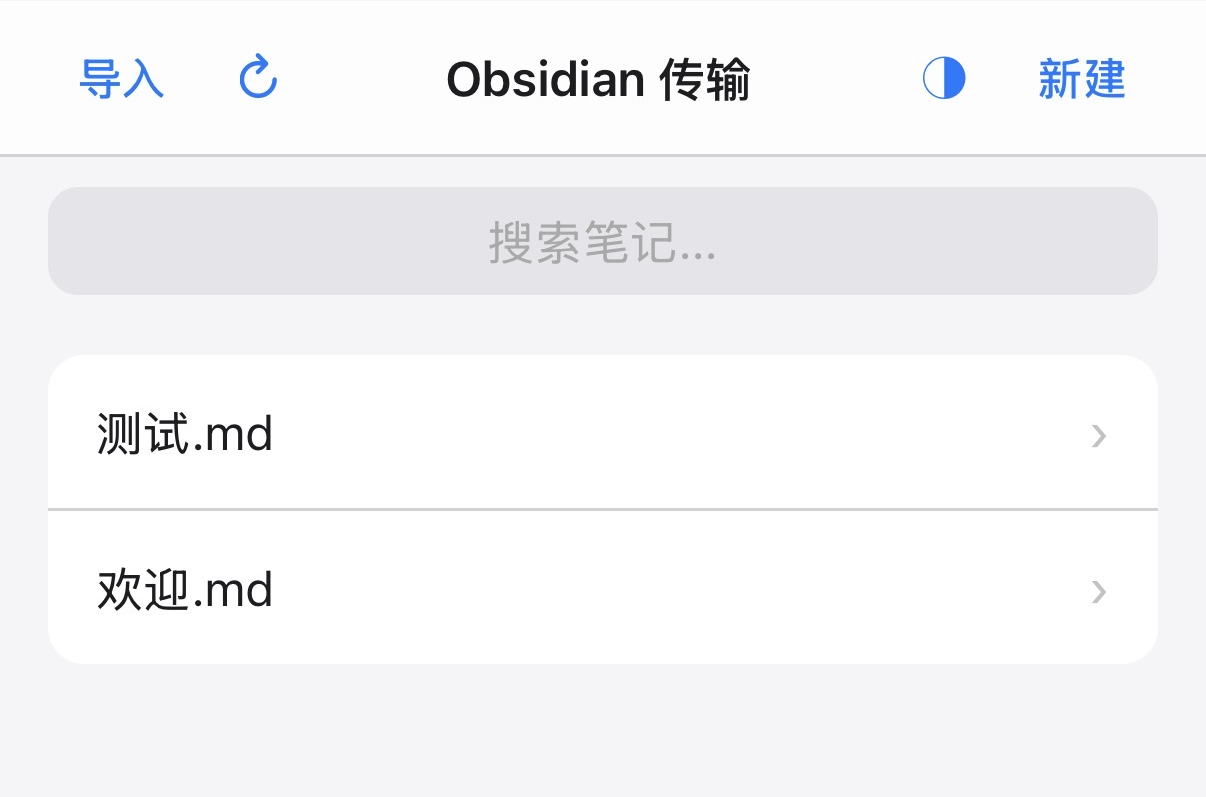 | 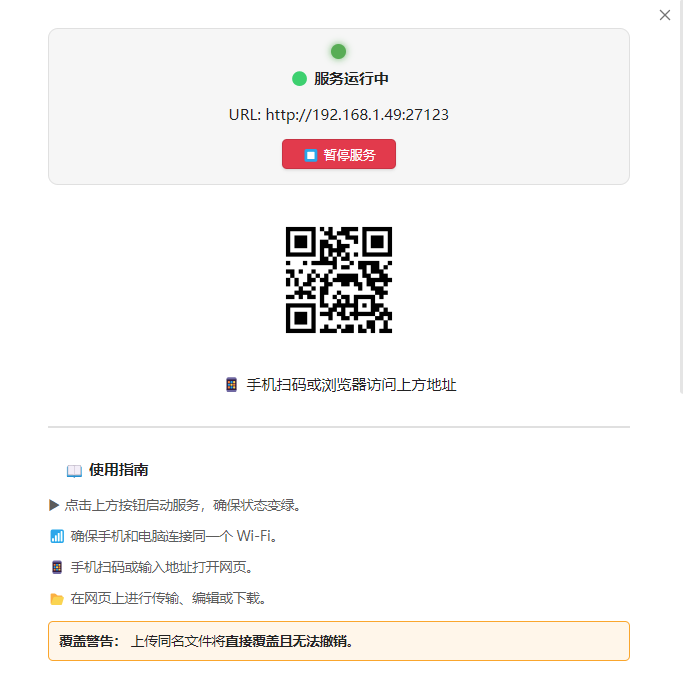 |
(Run the plugin to see the QR code and start using!)
🛠️ Installation (安装方法)
Method 1: Community Plugins (Recommended)
- Open Obsidian Settings > Community plugins.
- Turn off Safe mode.
- Click Browse and search for "AirPortal".
- Click Install and then Enable.
Method 2: Manual Installation
- Download the latest release (
main.js,manifest.json,styles.css) from the GitHub Releases page. - Create a folder named
air-portalinside your vault's.obsidian/plugins/directory. - Move the downloaded files into that folder.
- Reload Obsidian and enable the plugin.
📖 Usage (使用指南)
- Start Service: Click the AirPortal icon in the left ribbon or open Settings. Click "Start Service".
- 启动服务:点击左侧边栏图标或进入设置页,点击“启动服务”。
- Connect: Ensure your phone and computer are on the same Wi-Fi. Scan the QR Code displayed in the settings.
- 连接:确保手机和电脑在同一 Wi-Fi 下,用手机扫描设置页面的二维码。
- Manage:
- Edit: Tap any file to edit. Click "Save" to sync changes to PC.
- New: Click "New" to create a note.
- Transfer: Use the "Import" button to upload files or "Download" button to save to phone.
- 开始使用:在手机网页上点选文件进行编辑;点击“新建”创建笔记;使用“导入/下载”进行文件传输。
⚠️ Warning & Disclaimer (风险提示)
- Overwrite Warning: Uploading a file from your phone with the same name as a file on your computer will permanently overwrite the computer version. Please be careful.
- 覆盖警告:从手机上传同名文件时,将直接覆盖电脑端文件且无法撤销。
- Network Security: This plugin opens a simple HTTP server on your local network. Please only use it on trusted networks (e.g., Home Wi-Fi).
- 网络安全:本插件在本地开启 HTTP 服务,请仅在受信任的网络(如家庭 Wi-Fi)下使用。
License
MIT License. See LICENSE file for details.
For plugin developers
Search results and similarity scores are powered by semantic analysis of your plugin's README. If your plugin isn't appearing for searches you'd expect, try updating your README to clearly describe your plugin's purpose, features, and use cases.