WebDAV Explorer
approvedby sunmagicshow
WebDAV Explorer: Connect to WebDAV server, preview files directly in web view, and generate links through simple drag-and-drop.
WebDAV Explorer for Obsidian
📖 Overview
A WebDAV plugin for Obsidian that enables seamless file management through WebDAV protocol. Drag and drop files to generate links, double-click to open files directly in Obsidian!
✨ Features
- 📂 WebDAV File Browser - Access WebDAV servers and browse files and folders
- 🎯 Drag & Drop Link Generation - Simply drag files into Obsidian to automatically generate markdown links
- 🎬 Media Preview - Preview videos and images directly within Obsidian (Videos require Media Extended plugin)
- 🖱️ Double-click to Open - Double-click any file to open it in Obsidian's built-in browser
- ⬇️ File Download - Directly download Obsidian-supported formats to your vault; unsupported formats use the system downloader
- 📤 Right-click Upload - Right-click on a single file or folder and select "Upload to WebDAV" to upload to the current browsing path
- 📁 Drag & Drop Upload - Drag a single file or folder into the WebDAV view to upload it to the current browsing path
- 🔄 Duplicate File Handling - Automatically detects duplicate files during upload, offering options to overwrite, rename, or cancel
- ✏️ File Rename - Right-click on files or folders in the WebDAV view and select "Rename" to rename them
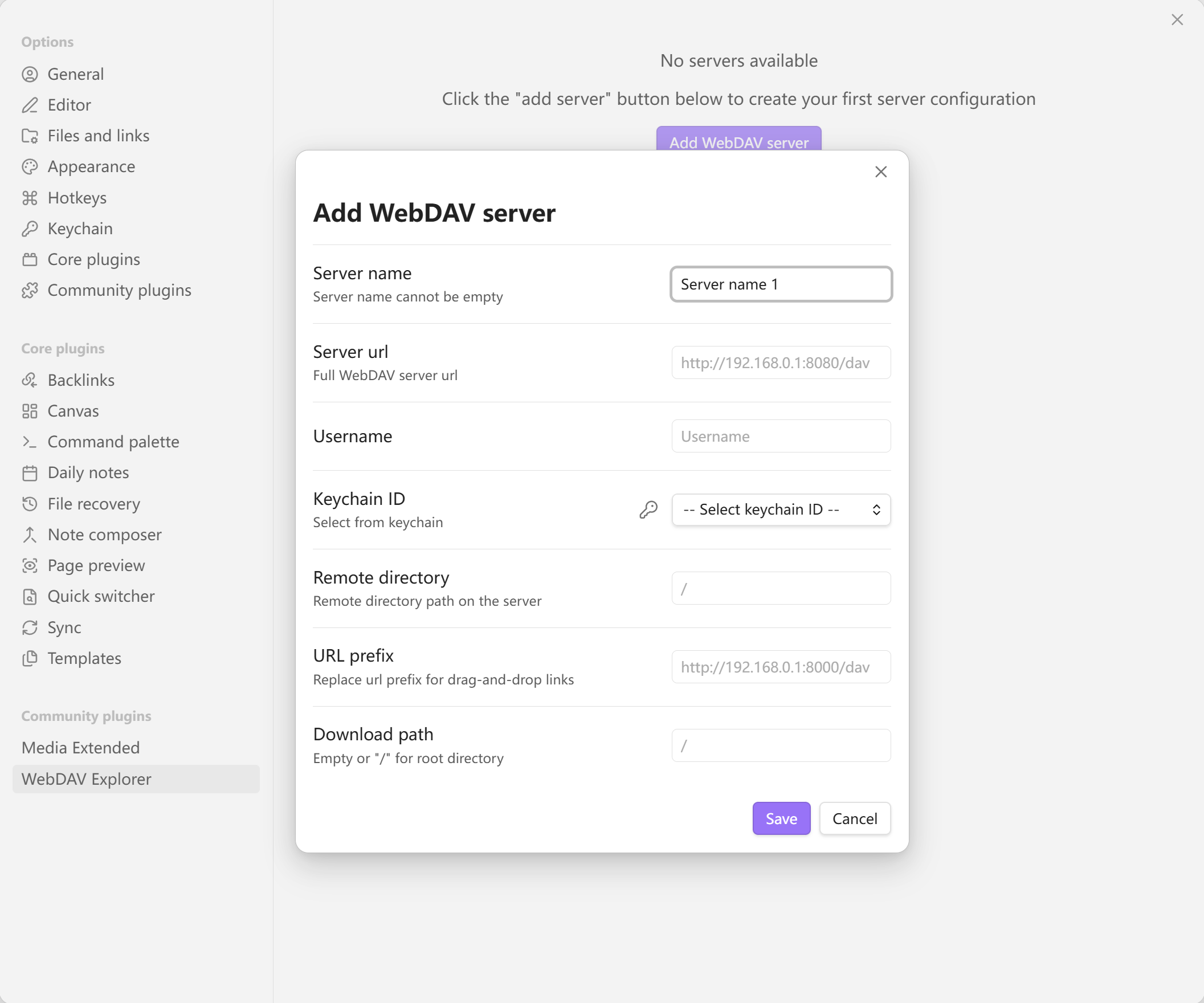
⚙️ Settings Example
📋 Requirements
🌐 CORS Configuration
💡 Recommended: For the best real-time file preview experience, it is recommended that your WebDAV server supports CORS (Cross-Origin Resource Sharing). If your server does not support CORS, the plugin will automatically use an alternative approach (authorization + blob mode) to handle file previews.
Recommended CORS header configuration:
Access-Control-Allow-Origin: *Access-Control-Allow-Methods: GET, PROPFIND, OPTIONS, PUT, DELETEAccess-Control-Allow-Headers: Authorization, Content-Type, *Access-Control-Expose-Headers: Content-Length, Content-Type
🎮 Usage Demo
For plugin developers
Search results and similarity scores are powered by semantic analysis of your plugin's README. If your plugin isn't appearing for searches you'd expect, try updating your README to clearly describe your plugin's purpose, features, and use cases.