Photo-tagging
approvedby Pavlo Myroniuk
Plugin for tagging people on photos and rendering interactive galleries. - This plugin has not been manually reviewed by Obsidian staff.
Photo tagging
Obsidian plugin for tagging people on photos
Motivation
I have a lot of genealogy data regarding my family and its history. I use Obsidian to work with this data. At some point, I needed a simple software to tag people on photos and then show a person's photos on their page. I did not find the existing plugin, so I decided to write my own.
Installation
[!IMPORTANT]
You must havelibvipsinstalled. See installation instructions: https://www.libvips.org/install.html.Nope, you cannot disable it.
libvips is used to generate image tiles (image pyramids). The photo-tagging plugin uses it to handle large images.
When the user opens the image in the tagger for the first time, the plugin automatically generates image tiles and a preview image. The plugin will use them to display and zoom large images effectively.
Obsidian Community Plugins
The photo-tagging plugin is available in the Obsidian Community Plugins list. So, you can install it right from the Obsidian app. Here is a direct link to the plugin page: https://community.obsidian.md/plugins/photo-tagging.
Manual installation
You can install the plugin by downloading the release assets, placing them inside your Obsidian vault, and enabling it in the settings:
- Go to the TheBestTvarynka/photo-tagging/releases page and download release assets:
main.js,manifest.json, andstyles.css. - Place these files in the vault plugin directory:
VAULT_DIR=/path/to/vault
PHOTO_TAGGING_DIR=${VAULT_DIR}/.obsidian/plugins/photo-tagging
mkdir -p ${PHOTO_TAGGING_DIR}
cp main.js ${PHOTO_TAGGING_DIR}
cp styles.css ${PHOTO_TAGGING_DIR}
cp manifest.json ${PHOTO_TAGGING_DIR}
- Enable the Grafily plugin in the Obsidian settings (
Community Pluginssection).
Manual
-
You manually add tags to photos using the built-in tagger:
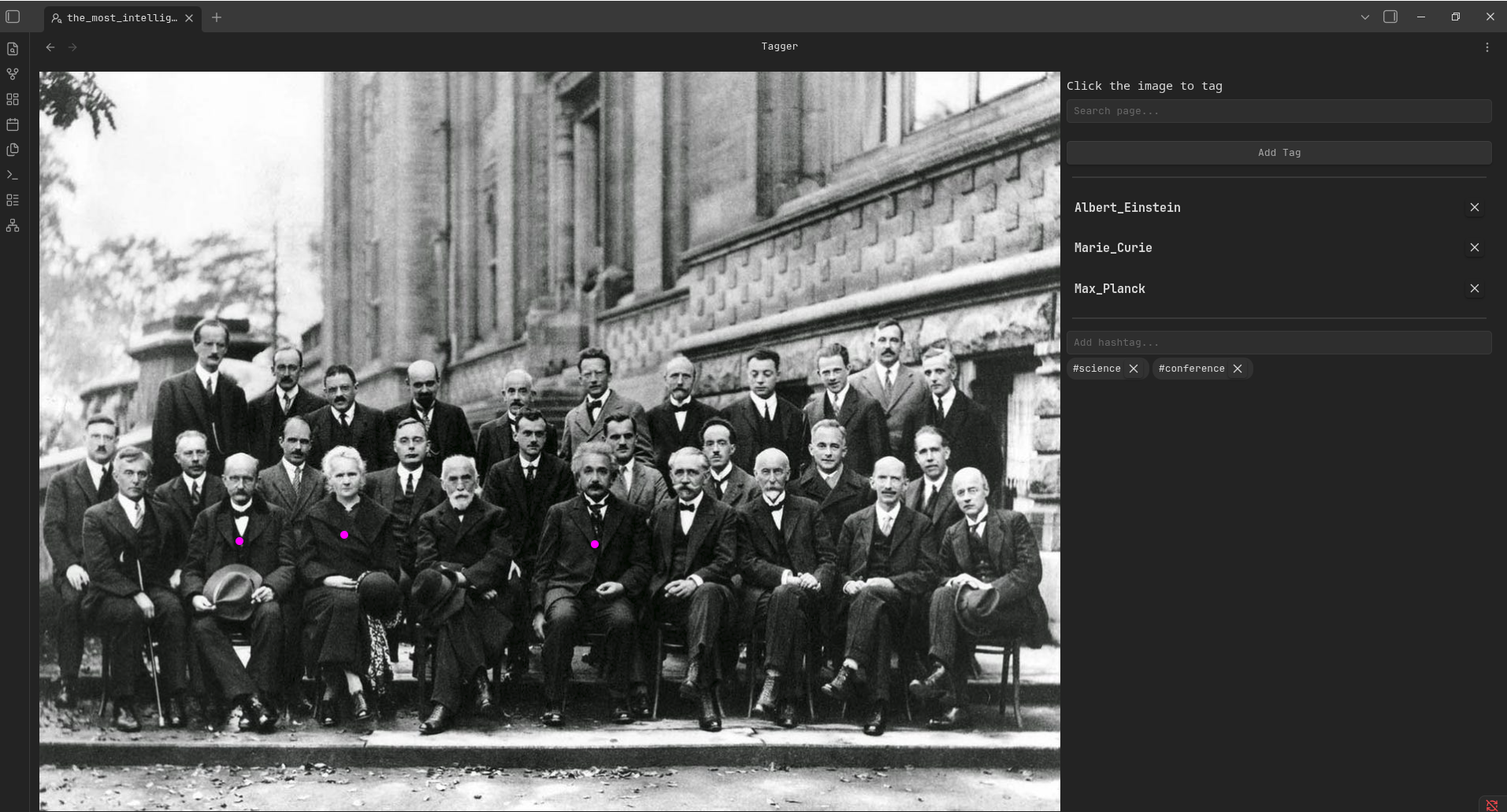
You can open tagger from the file context menu (
Tag peopleoption):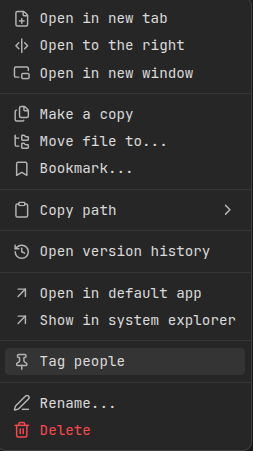
-
Every tag is linked to some note. In my case, every note represents a person.
-
Add the following code block to see the person's photos inside the note:
    ```tagged-photos
    ```
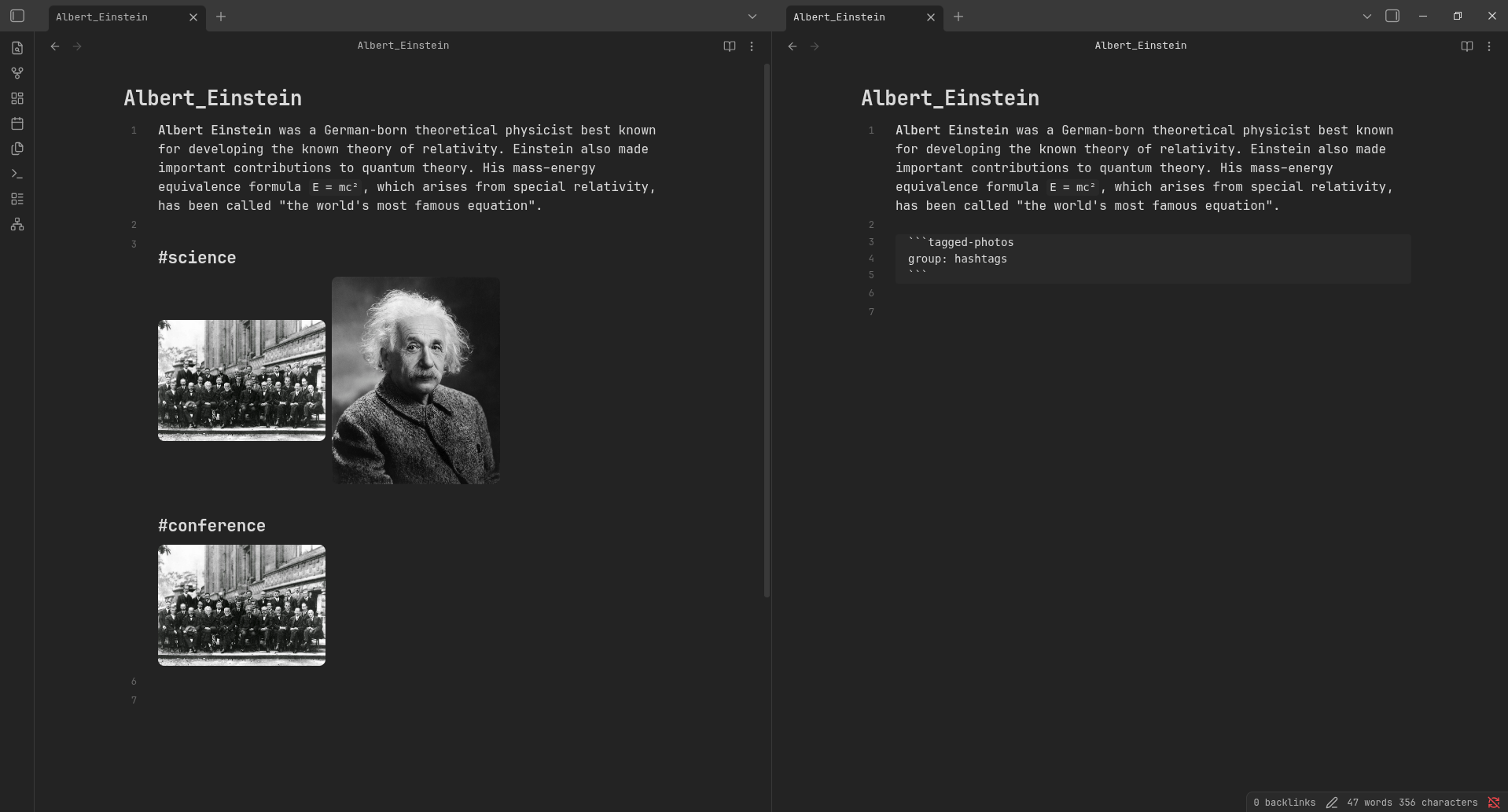
The plugin automatically resolves photos assigned to the current person:
Person's plain gallery Photos are grouped by hashtags 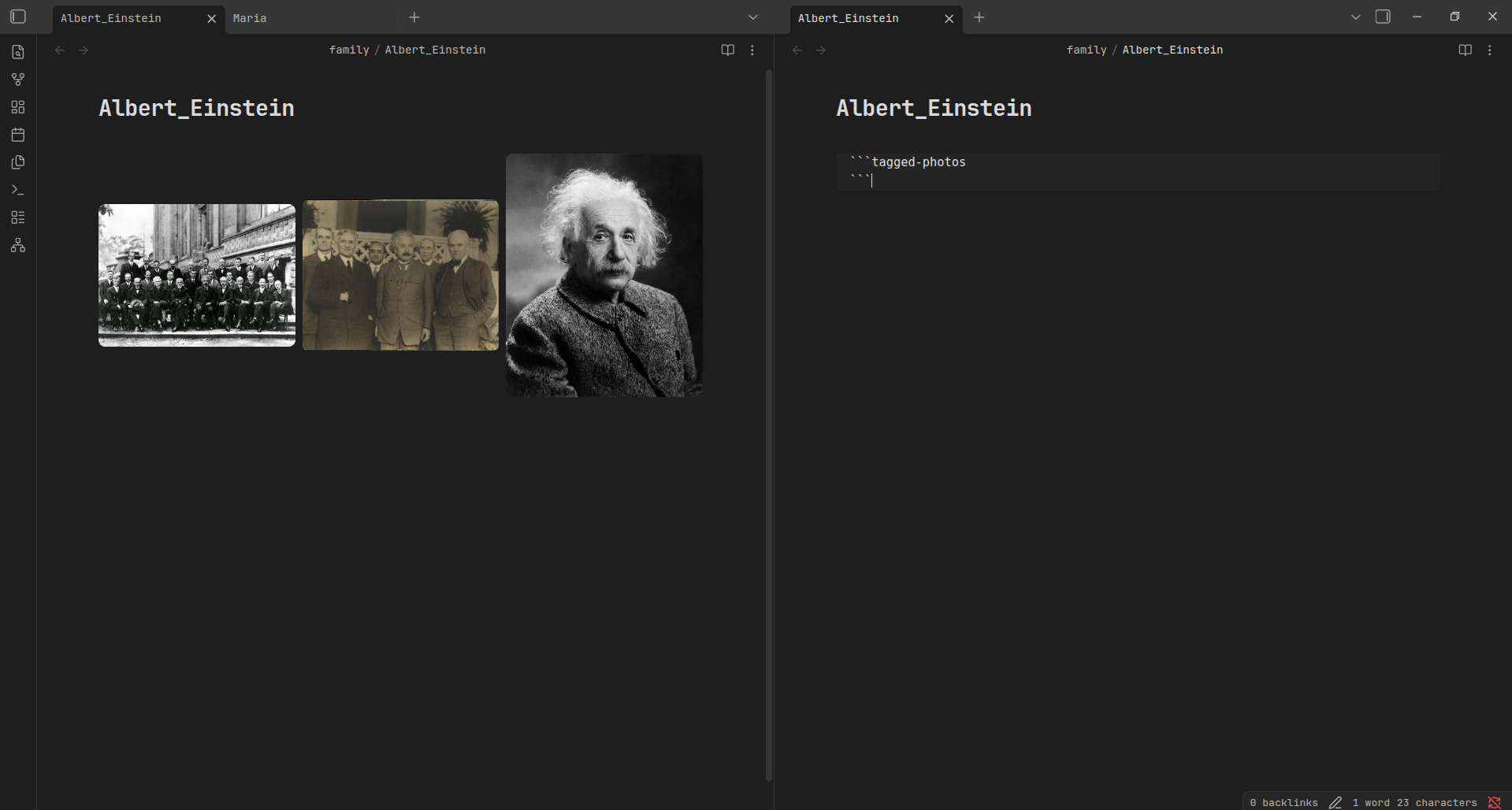
All tags are saved inside JSON file. By default, the JSON file is located in the photo-tags.json at the root of the vault.
You can change it in the plugin settings.
BDFL
Did you hear about BDFL?
TL;DR:
Benevolent dictator for life (BDFL) is a title given to a small number of open-source software development leaders, typically project founders who retain the final say in disputes or arguments within the community.
For the Photo-tagging project, the BDFL is @TheBestTvarynka (Pavlo Myroniuk), original creator of Photo-tagging.
For plugin developers
Search results and similarity scores are powered by semantic analysis of your plugin's README. If your plugin isn't appearing for searches you'd expect, try updating your README to clearly describe your plugin's purpose, features, and use cases.