by fizzy
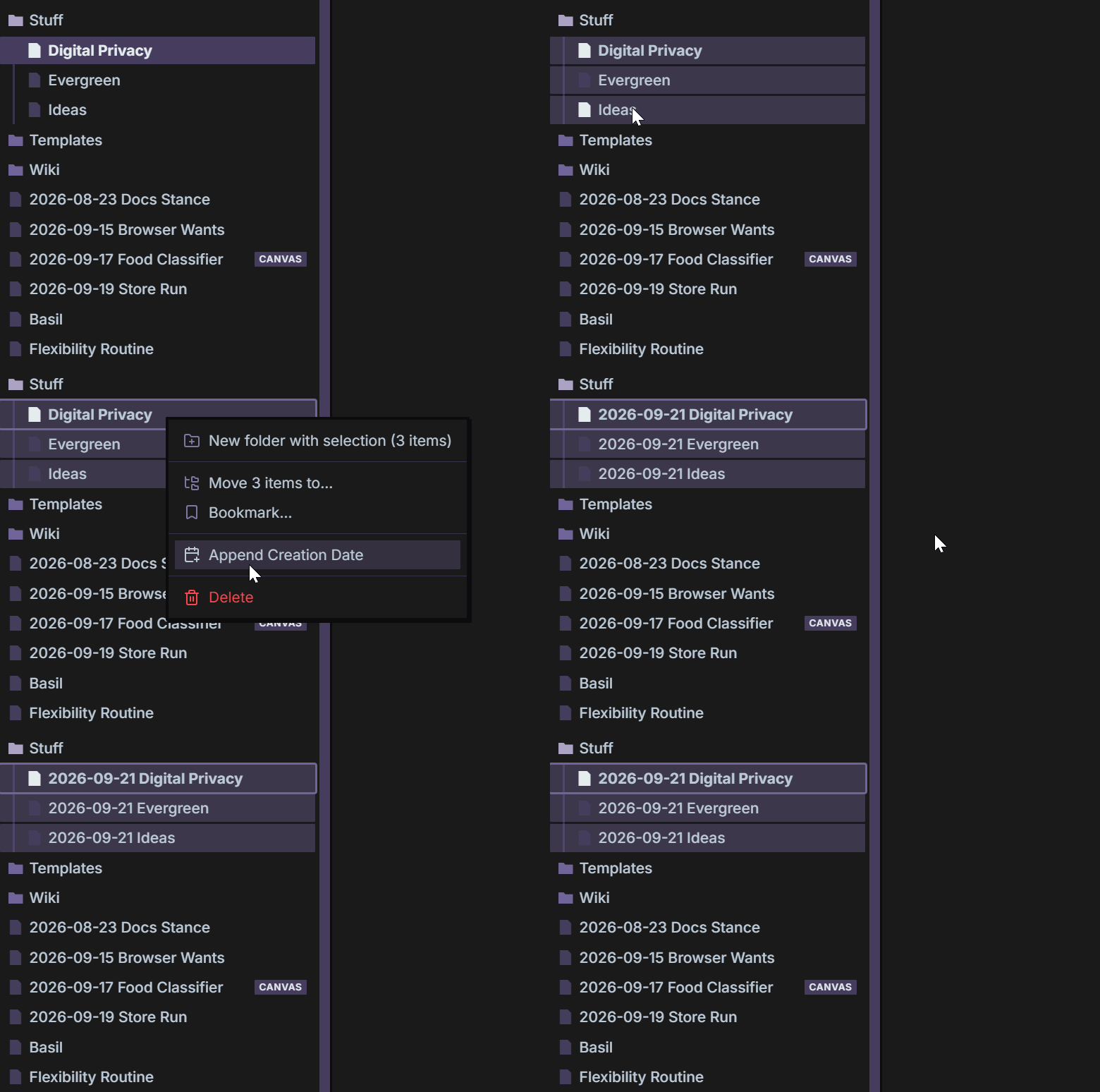
Provides shortcuts to prefix files with their creation dates.
↓ 62 downloadsUpdated 19d ago

Prepend Creation Date
This is a simple Obsidian plugin that makes it easy to date notes in your Obsidian Vault.
Run it from the file explorer or command palette!
Features
- Batch Editing
- Command Palette & Files Support
Installation
From Obsidian
Open Settings → Community plugins, search for Prepend Creation Date, then install and enable it.
Manual installation
- Download
main.jsandmanifest.jsonfrom the latest GitHub release. - Create a folder named
prepend-creation-datein your vault at.obsidian/plugins/. - Copy both downloaded files into that folder.
- In Obsidian, open Settings → Community plugins, press the reload button, and enable Prepend Creation Date.
For updates, replace the two files with the versions from a newer release, then press 🔄️ in the Community Plugins menu.
For plugin developers
Search results and similarity scores are powered by semantic analysis of your plugin's README. If your plugin isn't appearing for searches you'd expect, try updating your README to clearly describe your plugin's purpose, features, and use cases.