Prism Dashboard
approvedby Kerekes Stefan
A context-adaptive dashboard that reconfigures itself by time of day, active project, and live priority. - This plugin has not been manually reviewed by Obsidian staff.
Prism Dashboard
A context-adaptive dashboard for Obsidian that reconfigures itself by time of day, active project, and live priority.
The dashboard reads your vault and reshapes itself across four modes — Morning briefing, Working mode, Evening review, and Night desk — surfacing what matters most right now instead of a static panel.

Features
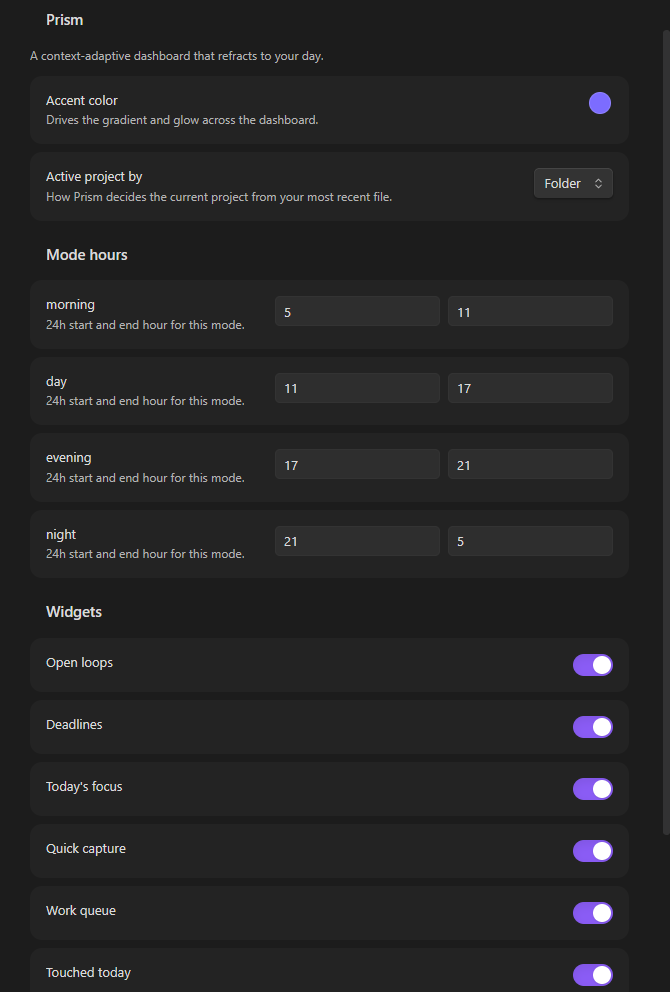
- Adaptive by time of day — modes shift automatically through morning, day, evening, and night, with a toolbar to override anytime.
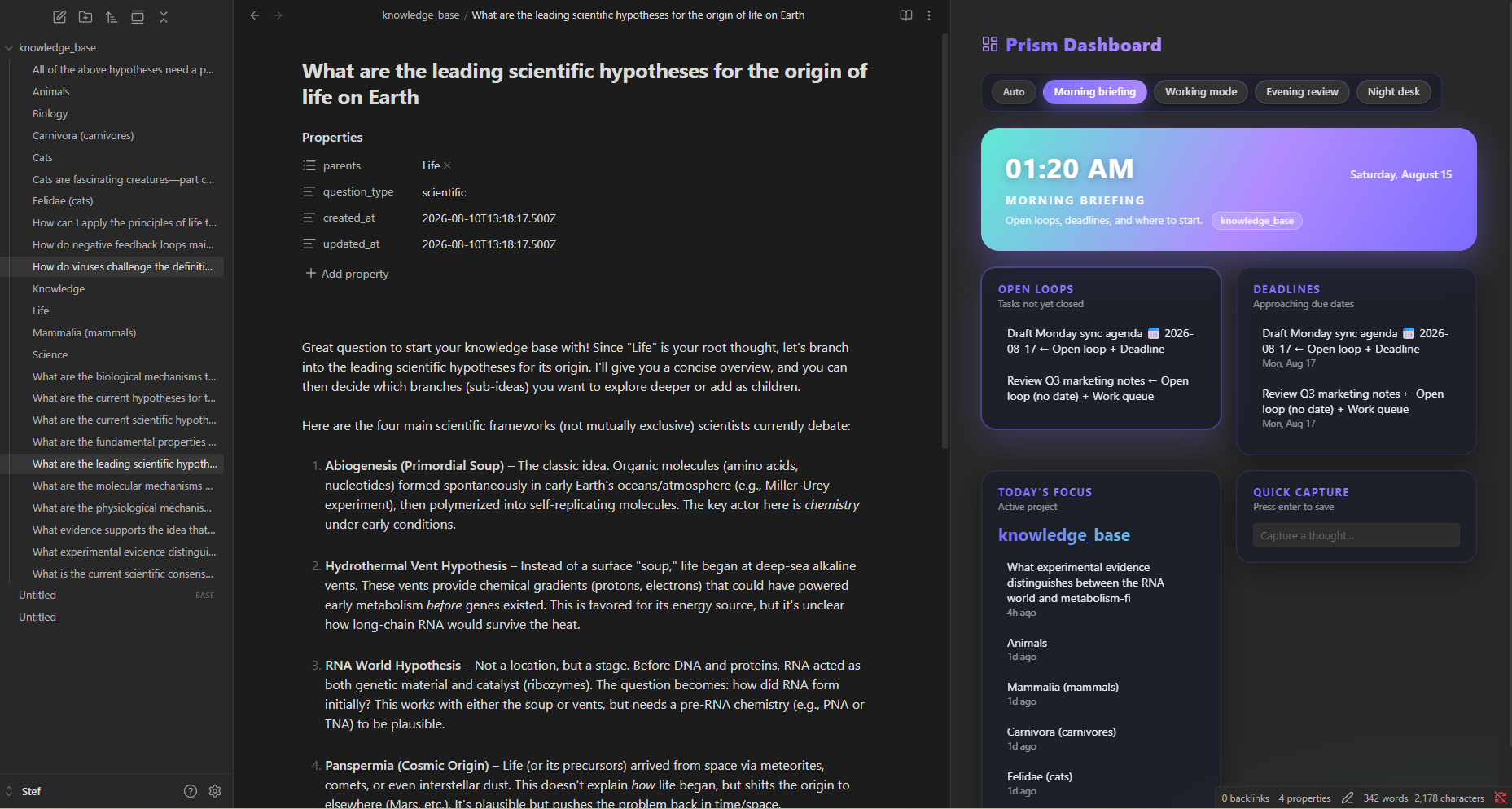
- Adaptive by project — "Today's focus" derives the active project from your most recently opened note: its folder, or its frontmatter
project:value (falling back to its first tag) when the tag setting is on. - Live priority ranking — widgets re-rank by urgency (overdue tasks jump to the top), so the most important thing is always at the top of the grid.
- Complete tasks in place — task rows carry a completion ring: click it and Prism checks the task off in the note itself.
- Quick capture — type a thought, press Enter, and it's appended to
Capture.mdat your vault root. - Manual refresh — a toolbar button forces a fresh read of the vault, next to a "last updated" timestamp.
- Aurora styling — glass cards, gradient hero, and per-mode color themes, matching light and dark Obsidian themes.
Screenshots
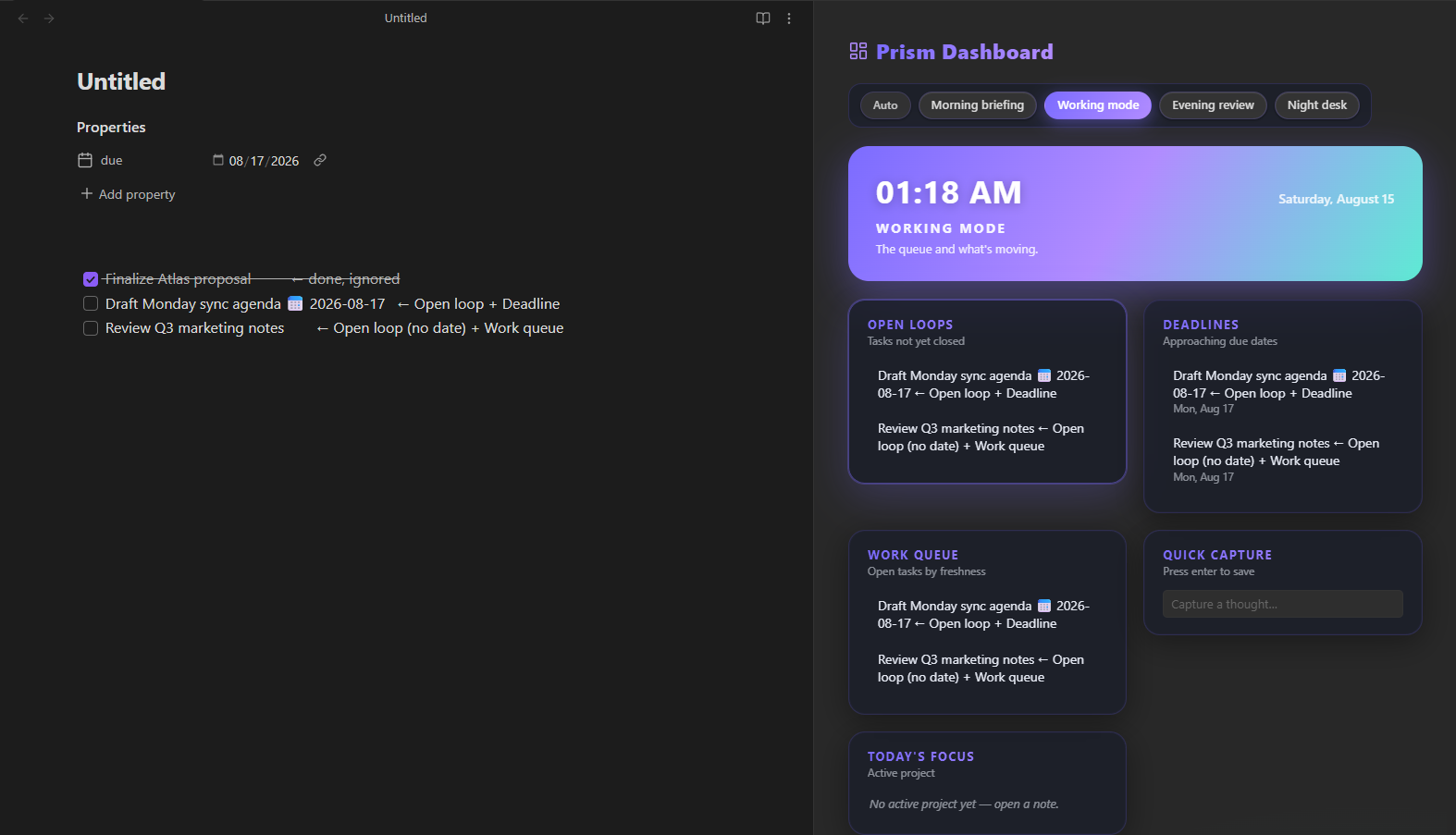
| Morning | Day |
|---|---|
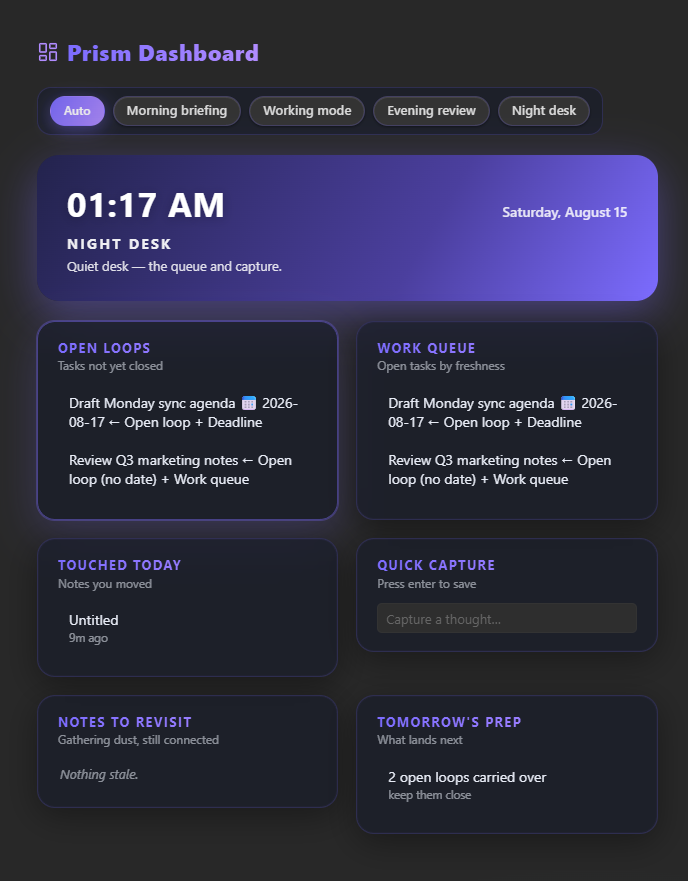 |  |
| Evening | Night |
|---|---|
 |  |
Widgets
| Widget | Shows | Modes |
|---|---|---|
| Open loops | Open tasks, overdue ones first | morning · day · night |
| Deadlines | Tasks due within ~3 days | morning · day · evening |
| Work queue | Open tasks by note freshness | day · night |
| Today's focus | Active project + recent notes in it | morning · day |
| Quick capture | Inline capture box | all |
| Touched today | Notes edited today | evening · night |
| Notes to revisit | Notes untouched 7+ days, still linked | evening · night |
| Tomorrow's prep | What lands tomorrow | evening · night |
Task rows with a ring (Open loops, Work queue, and task deadlines) can be completed in place — click the ring to check the task off in its note.
How the data works
The dashboard reads ordinary Markdown — no separate setup needed.
Tasks feed Open loops, Work queue, and Deadlines. Each open task row shows a completion ring — click it to mark the task done in its note:
- [ ] Call the dentist                       <!-- open task -->
- [x] Book venue for demo                    <!-- done, ignored -->
- [ ] Ship signup flow fix 📅 2026-08-17    <!-- open task with due date -->
Due dates come from the inline 📅 YYYY-MM-DD emoji, or from frontmatter on the note (inherited by its tasks):
---
due: 2026-08-17
---

- [ ] Draft Monday sync agenda
Today's focus tracks your most recent file-open. In Folder mode the
active project is that file's parent folder; in Tag mode it's the file's
frontmatter project: value, or its first tag when no project is set — and
"Today's focus" then shows recent notes carrying the same project or tag.
Notes to revisit is automatic: notes untouched for 7+ days that still have at least one outgoing [[link]].
Quick capture writes each capture as a bullet under Capture.md.
Installation
- Download the latest release from the releases page.
- Unzip
main.js,manifest.json, andstyles.cssintoYourVault/.obsidian/plugins/prism-dashboard/. - Reload Obsidian, then enable Prism Dashboard under Settings → Community plugins.
- Open it via the ribbon icon (dashboard) or the command palette: Open dashboard.
Development
npm install        # install dependencies
npm run dev        # watch mode — rebuilds main.js on change
npm run build      # type-check + production build
The plugin is built with esbuild from TypeScript sources in src/.
License
MIT © 2026 Kerekes Stefan
For plugin developers
Search results and similarity scores are powered by semantic analysis of your plugin's README. If your plugin isn't appearing for searches you'd expect, try updating your README to clearly describe your plugin's purpose, features, and use cases.