Quick Peek Sidebar
approvedby bwya77
Opens the left and/or right side panel by hovering over it.
Quick Peek Sidebar

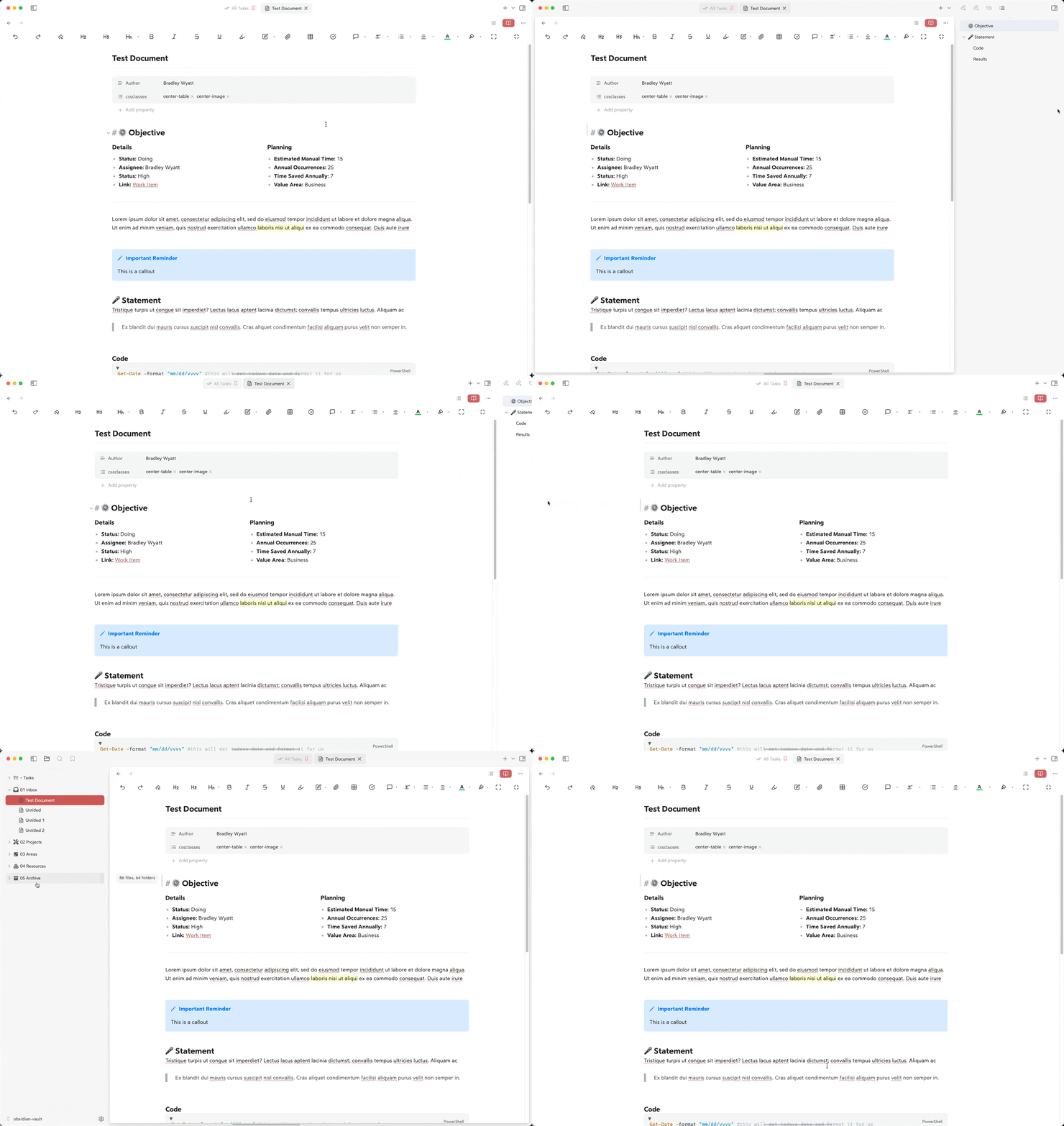
Automatically expand and collapse the left/right or both sidebars when hovering over the edge of the window.
Features
- Expands the left sidebar when hovering over the left edge of the window
- Expands the right sidebar when hovering over the right edge of the window
- Configurable hover trigger areas (pixel distance from edges)
- Set the expand/collapse animation speed
- Option to overlay the sidebars on top of the main content
- Set maximum width for the left and right sidebars
- Configurable delay before expanding
- Configurable delay before collapsing
- Option to sync left and right sidebars (expand/collapse both together)
Configuration
You can customize the following settings in the plugin options:
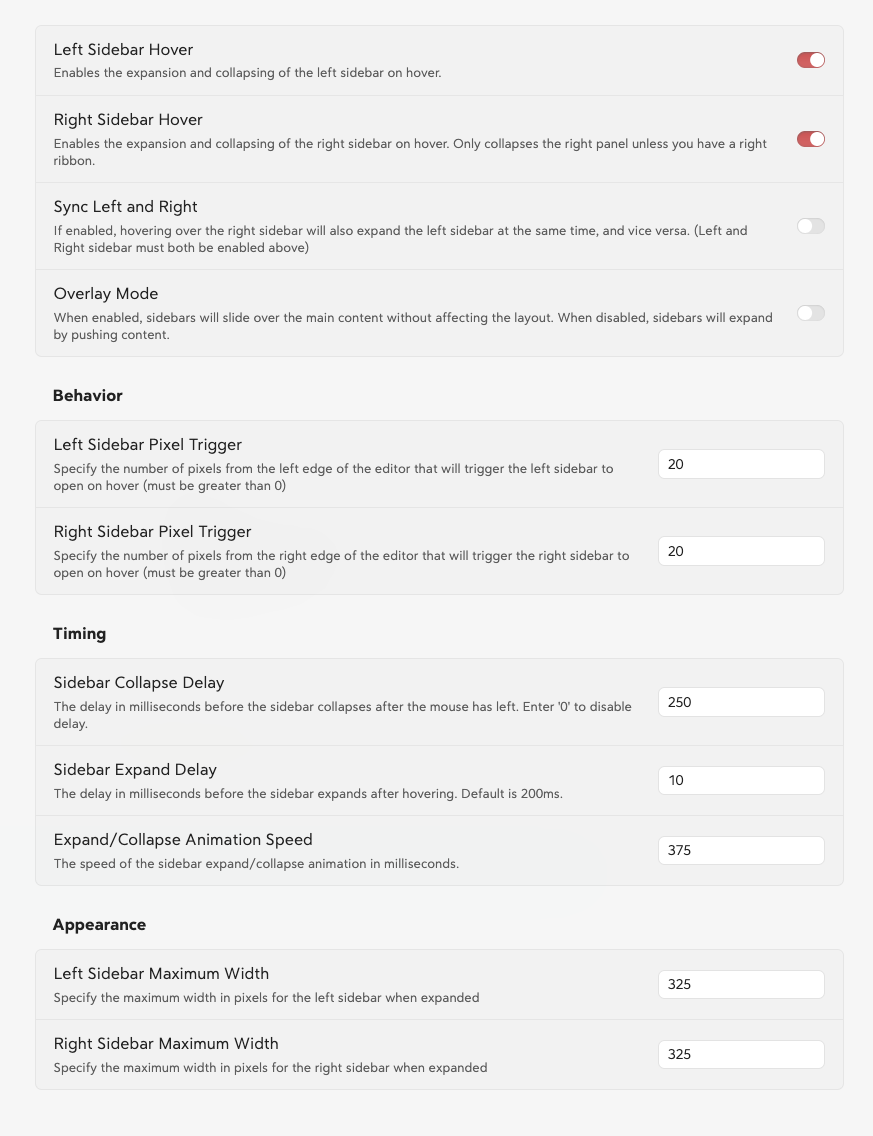
Here is the sidebar settings formatted in the requested table style:
Sidebar Settings
General
| Setting | Description | Default |
|---|---|---|
| Left Sidebar Hover | Enables the expansion and collapsing of the left sidebar on hover. | Enabled |
| Right Sidebar Hover | Enables the expansion and collapsing of the right sidebar on hover. | Enabled |
| Sync Left and Right | Expands both sidebars simultaneously when one is hovered (requires both to be enabled). | Disabled |
| Overlay Mode | Sidebars slide over the main content instead of pushing it. | Disabled |
| Double Click Pin Sidebar | Double click to keep sidebar open. Double click again to unpin it | Disabled |
Behavior
| Setting | Description | Default |
|---|---|---|
| Left Sidebar Pixel Trigger | Pixels from the left edge that trigger the sidebar to open on hover. | 20 |
| Right Sidebar Pixel Trigger | Pixels from the right edge that trigger the sidebar to open on hover. | 20 |
Timing
| Setting | Description | Default |
|---|---|---|
| Sidebar Collapse Delay | Delay in ms before the sidebar collapses after the mouse leaves. | 250 |
| Sidebar Expand Delay | Delay in ms before the sidebar expands after hovering. | 10 |
| Expand/Collapse Animation Speed | Speed of the sidebar expand/collapse animation in ms. | 375 |
Appearance
| Setting | Description | Default |
|---|---|---|
| Left Sidebar Maximum Width | Maximum width in pixels for the left sidebar. | 325 |
| Right Sidebar Maximum Width | Maximum width in pixels for the right sidebar. | 325 |
Installation
- Open Obsidian Settings
- Navigate to Community Plugins and disable Safe Mode
- Click Browse and search for "Quick Peek Sidebar"
- Install the plugin
- Enable the plugin in your Community Plugins list
Manual Installation
- Download the latest release from the releases page
- Extract the files into your vault's
.obsidian/plugins/quick-peek-sidebar/directory - Reload Obsidian
- Enable the plugin in your Community Plugins list
Development
Want to contribute or modify the plugin? Here's how to get started with the source code:
-
Create a directory for your GitHub projects:
cd path/to/somewhere mkdir Github cd Github -
Clone the repository:
git clone https://github.com/bwya77/obsidian-quick-peek-sidebar.git -
Navigate to the plugin directory:
cd open-sidebar-on-hover -
Install dependencies:
npm install -
Start development build mode:
npm run devThis command will keep running in the terminal and automatically rebuild the plugin whenever you make changes to the source code.
-
You'll see a
main.jsfile appear in the plugin directory - this is the compiled version of your plugin.
Testing Your Changes
To test your modifications:
- Create a symbolic link or copy your plugin folder to your vault's
.obsidian/plugins/directory - Enable the plugin in Obsidian's community plugins settings
- Use the developer console (Ctrl+Shift+I) to check for errors and debug
Making Contributions
- Fork the repository
- Create a new branch for your feature
- Make your changes
- Submit a pull request with a clear description of your changes
Contributions
- Added: ability to expand and collapse the right sidebar on hover instead of over the ribbon
License
MIT License. See LICENSE for full text.
For plugin developers
Search results and similarity scores are powered by semantic analysis of your plugin's README. If your plugin isn't appearing for searches you'd expect, try updating your README to clearly describe your plugin's purpose, features, and use cases.