Reading Progress and Bookmarks
approvedby Maxy Park
Tracks reading progress and bookmarks for Markdown and PDF files. - This plugin has not been manually reviewed by Obsidian staff.
Reading Progress and Bookmarks
An Obsidian desktop plugin that remembers where you stopped reading in Markdown and PDF files. It also keeps one quick bookmark per file.
Quick start
- Open Settings → Community plugins → Browse.
- Search for Reading Progress and Bookmarks, then install and enable it.
- Open a Markdown or PDF file and start reading. Progress appears in the status bar.
- Reopen the file later. The plugin returns to the saved position automatically.
- Click the status bar item to add, open, remove, or reset a bookmark.
For Markdown, the status bar shows progress and source lines:
MD 47% · 859/1755 lines · Bookmark 620
For PDF files, it shows progress and pages:
PDF 57% · 20/34 pages · Bookmark 18

Everyday use
Resume reading
The plugin records the current position while you scroll. Ordinary file opens resume from that position. Heading links, block links, and PDF #page= links keep priority over saved progress.
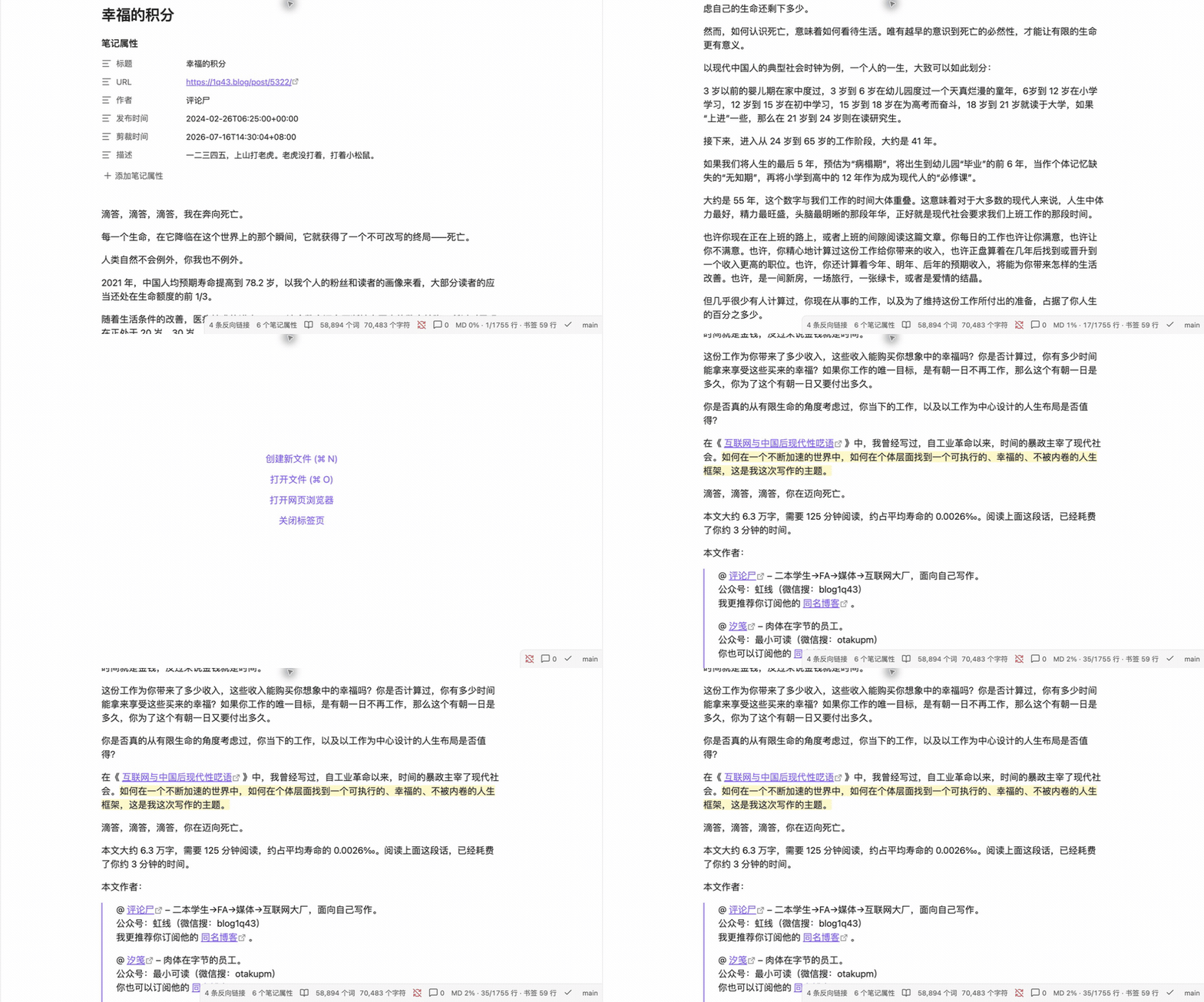
After you reach the completion threshold, the next ordinary open can start from the top once. You can disable this behavior or change the threshold in settings.
Use a quick bookmark
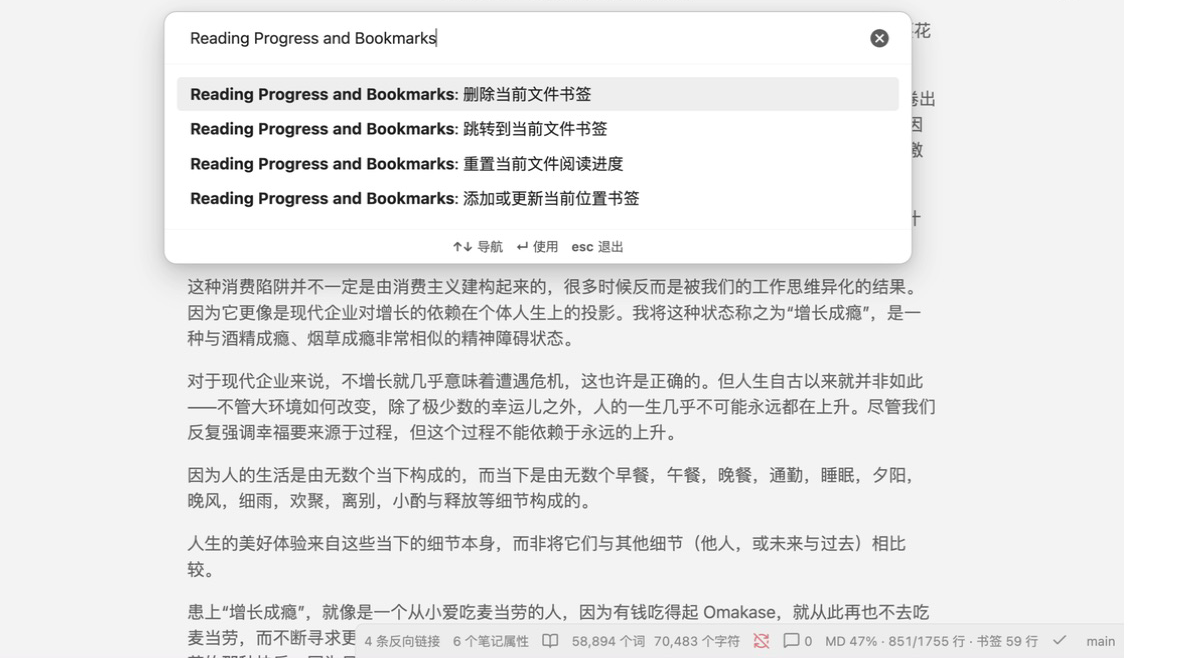
Each file has one quick bookmark. Click the status bar item or use the command palette to:
- Add or update the bookmark at the current position.
- Go to the bookmark.
- Remove the bookmark.
- Reset reading progress without deleting the bookmark.
The bookmarked Markdown paragraph or PDF page is highlighted.
Settings
- Automatically restore reading position: continue recording while controlling whether ordinary opens resume automatically.
- Avoid opening the same file twice: focus an existing tab for the same file. Disabled by default.
- Start from the top after completion: configure the completion threshold from
50%to100%. - Local debug logging: record local diagnostic events only when enabled.
- Delete debug logs: remove
debug.loganddebug.log.1without affecting reading progress.
Privacy
The plugin does not modify Markdown content, frontmatter, or PDF files. Reading state is stored locally in:
<Vault>/.obsidian/plugins/reading-progress-bookmarks/data.json
Debug logging is off by default. When enabled, logs may contain vault-relative file paths, view types, workspace events, and plugin settings. They exclude note content, selections, API keys, cookies, and account credentials.
Compatibility
- Desktop only: macOS, Windows, and Linux.
- Verified on macOS with Obsidian 1.12.7; Windows and Linux testing is welcome.
- Supports Reading view, Live Preview, and Source mode for Markdown.
- Works with Obsidian's built-in PDF viewer and is designed to coexist with PDF++.
- PDF page detection depends on internal PDF.js elements, so Obsidian or PDF++ updates may temporarily affect PDF restore or highlighting.
Manual installation
Download main.js, manifest.json, and styles.css from the latest release. Copy them to <Vault>/.obsidian/plugins/reading-progress-bookmarks/, reload Obsidian, and enable the plugin.
Development
Requires Node.js 20 or later. Run npm install, npm test, npm run lint, and npm run build.
Reporting a bug
Open a GitHub issue with the Obsidian version, operating system, file type, view mode, and reproduction steps. For restore issues, enable local debug logging only while reproducing the problem and review file paths before sharing logs.
License
MIT. Consulted projects and licenses are recorded in UPSTREAM.md.
For plugin developers
Search results and similarity scores are powered by semantic analysis of your plugin's README. If your plugin isn't appearing for searches you'd expect, try updating your README to clearly describe your plugin's purpose, features, and use cases.