Reading Time Status
approvedby loispsq
Show word count and estimated reading time for the current note in the status bar (CJK-aware). - This plugin has not been manually reviewed by Obsidian staff.
Reading Time Status
Show an estimated reading time for the current note in Obsidian's status bar. Obsidian already shows a word/character count, so this stays out of the way and just adds the minutes. Updates live as you switch notes or type.

Features
- Live status bar — estimated reading time for the active note, next to Obsidian's built-in word count
- CJK-aware counting — each Chinese / Japanese / Korean character counts as one word, so mixed-language notes are estimated correctly
- Configurable reading speed — set your words-per-minute (default 200)
- Optional word count — turn it on if you also want
N wordsshown
Settings
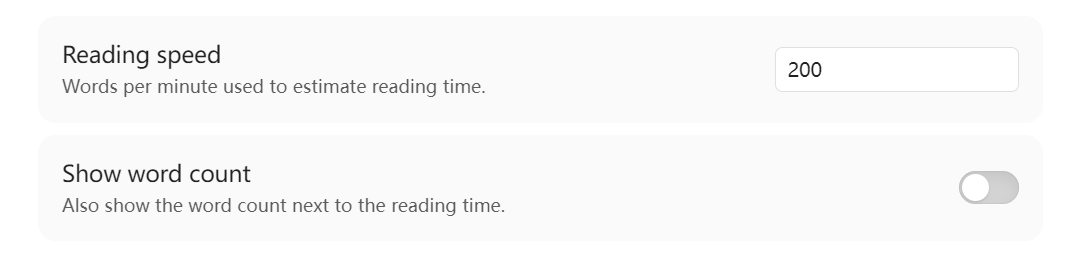
| Setting | Default | What it does |
|---|---|---|
| Reading speed | 200 wpm | Divisor used to estimate minutes |
| Show word count | off | Also show N words next to ~M min |
Install
From the community plugin browser (once approved)
Settings → Community plugins → Browse → search "Reading Time Status".
Manual
Download main.js, manifest.json, styles.css from the
latest release
into your vault's .obsidian/plugins/reading-time-status/ folder, then enable
the plugin.
Development
npm install
npm run dev      # watch build
npm run build    # production build → main.js
License
MIT
For plugin developers
Search results and similarity scores are powered by semantic analysis of your plugin's README. If your plugin isn't appearing for searches you'd expect, try updating your README to clearly describe your plugin's purpose, features, and use cases.