by swiSwift
Highlight keywords with regex + custom CSS. Matching highlights auto-built from vault — add interlinear notes, counts, remarks & info. Click keywords to search. Floating notes (in-app/standalone).
义父/Patron daddy:莫问归期6666
SwiftGlossa
SwiftGlossa highlights keywords with regex + custom CSS and indexes them into a searchable highlight database — click any keyword to surface every match vault-wide. Keywords are the bones, CSS the skin, the database the flesh; floating notes are a paper wristband of always-visible questions. (Formerly Regex CSS Highlighter)/SwiftGlossa 用正则+自定义 CSS 高亮关键词并建立可搜索的高亮数据库——点击任意关键词即可浮现全库匹配。关键词是骨头,CSS 是皮肤,数据库是血肉;悬浮笔记是常显问题的纸带手环。(原 Regex CSS Highlighter)
Keyword Popup / 关键词弹窗
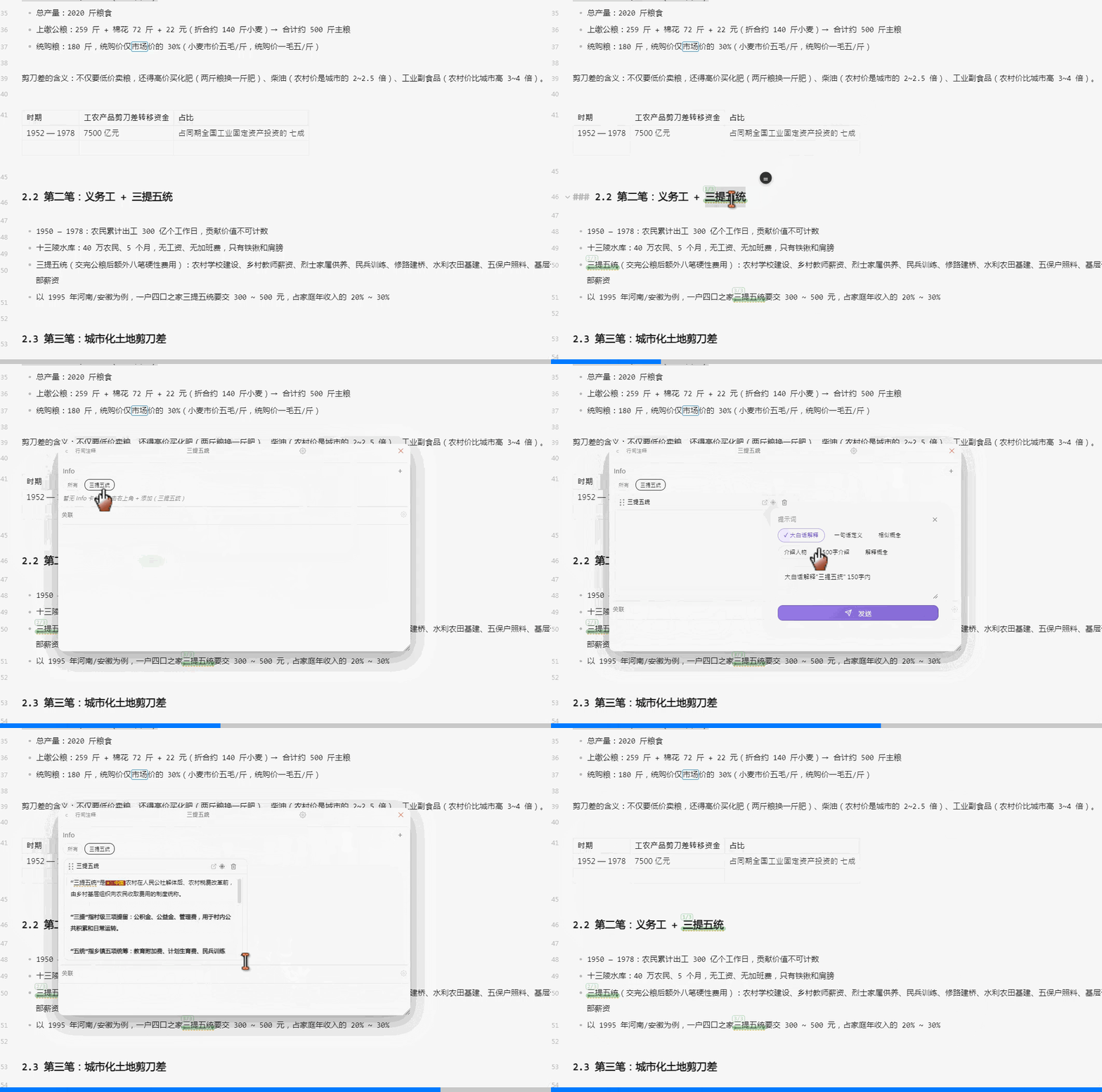
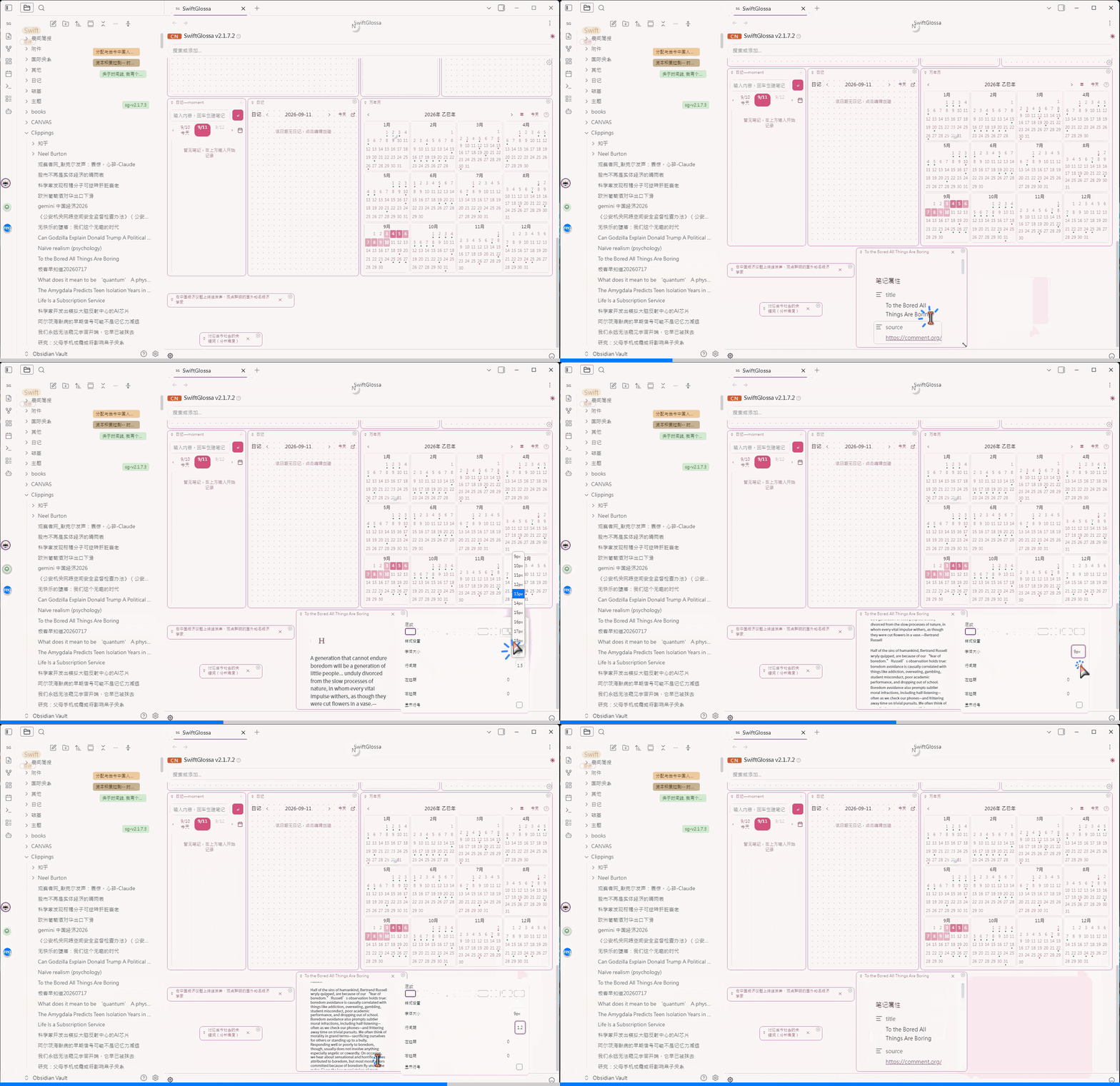
Floating Notes / 悬浮笔记

🎨 Style Highlighting / 样式高亮
Style Highlighting / 样式高亮
- Regex Matching + CSS Styles / 正则匹配 + CSS 样式 — Match text using regular expressions and apply custom CSS styles to matched content / 使用正则表达式匹配文本,为匹配内容应用自定义 CSS 样式
- Style Category Management / 样式分类管理 — Styles organized by groups, with support for adding, editing, and deleting / 样式按分组分类,支持添加、编辑、删除样式
- Instant Style Application / 样式即时生效 — Styles take effect immediately after adding/editing/deleting, no restart required / 添加/编辑/删除样式后无需重启,立即在笔记中生效
- Floating Style Buttons / 样式悬浮按钮 — Right-click a style button to create a draggable floating button with adjustable size and opacity / 右键样式按钮可创建可拖动的悬浮按钮,支持调整大小和透明度
- Style Button Context Menu / 样式按钮右键菜单 — Copy class name, copy full style, float display, and other quick actions / 复制类名、复制完整样式、悬浮显示等快捷操作
Installation / 安装
Installation / 社区安装
Search for "Regex Css Highlighter" in Obsidian Settings → Community Plugins → Browse to install directly. 在 Obsidian 设置 → 社区插件 → 浏览 中搜索 "Regex Css Highlighter" 直接安装。
Manual Installation / 手动安装
- Download
main.jsandmanifest.json/ 下载main.js、manifest.json - Create a
Regex-Css-Highlighterfolder in your Obsidian vault's.obsidian/plugins/directory / 在 Obsidian 库的.obsidian/plugins/目录下创建Regex-Css-Highlighter文件夹 - Place the downloaded files in that folder / 将下载的文件放入该文件夹
- Enable "Regex Css Highlighter" in Obsidian Settings → Community Plugins / 在 Obsidian 设置 → 社区插件中启用 "Regex Css Highlighter"
Credits / 致谢
- GridStack.js (MIT) — Drag-and-drop resizable card layout / 拖拽调整大小的卡片布局
Sponsor / 赞助
If you find this plugin helpful, consider buying me a coffee! / 如果这个插件对你有帮助,请考虑支持我!

For plugin developers
Search results and similarity scores are powered by semantic analysis of your plugin's README. If your plugin isn't appearing for searches you'd expect, try updating your README to clearly describe your plugin's purpose, features, and use cases.