Relational Graph
approvedby Tristan Van Garsse
Visualize relationships between notes using shared context, direct links, recency, filters, and project focus. - This plugin has not been manually reviewed by Obsidian staff.
↓ 337 downloadsUpdated 27d ago0BSD
Relational Graph
Relational Graph is an Obsidian plugin that visualizes connections between notes based on shared context and direct links.
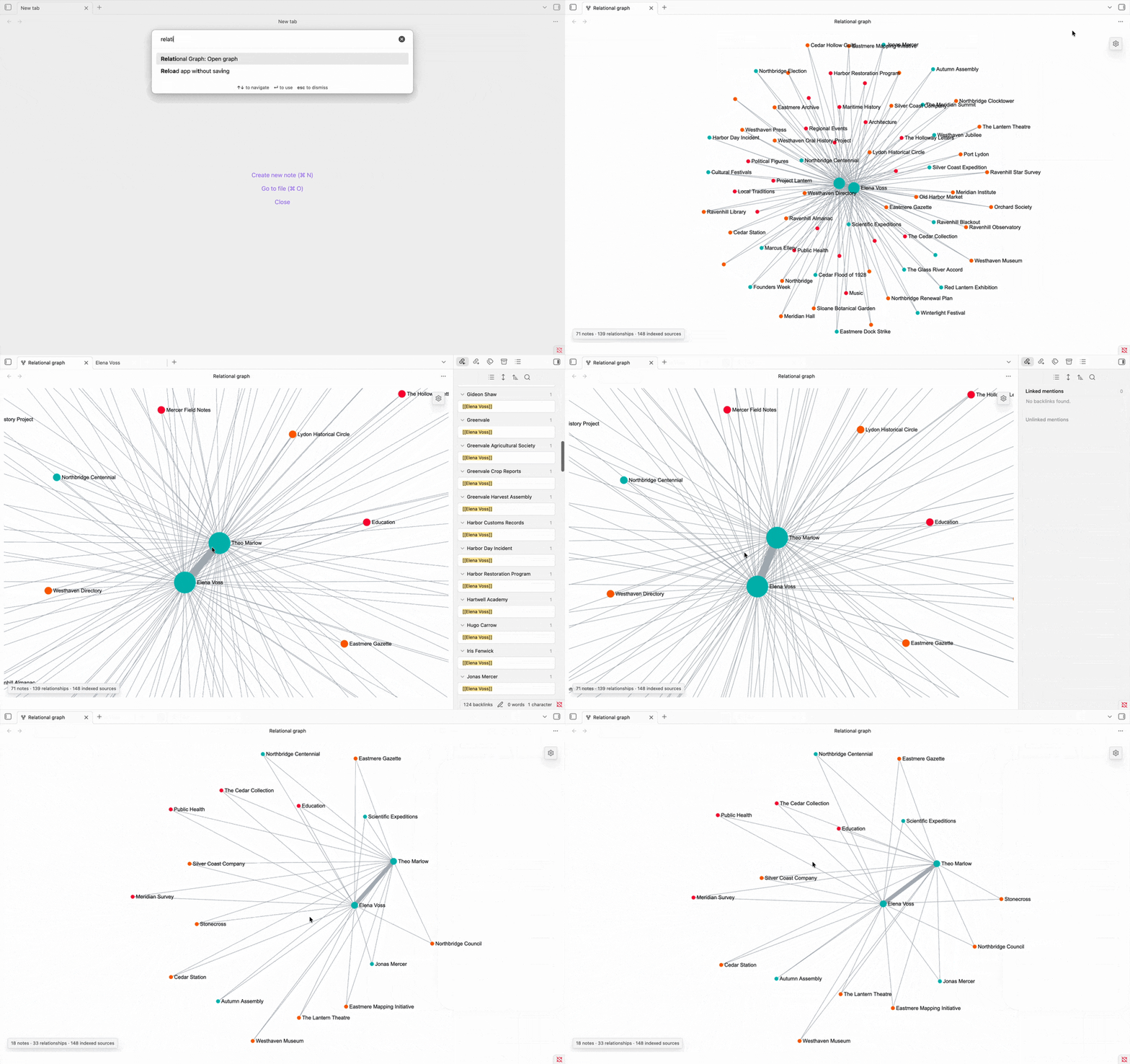
Features
- Incremental vault indexing
- Shared-context relationships
- Direct-link relationships
- Recency weighting
- Relationship filters
- Filter toolbar
- Project focus
- Node styling
- Interactive graph navigation
Installation
Once approved, install the plugin from:
Settings → Community plugins → Browse → Relational Graph
Usage
- Open the command palette.
- Run “Open Relational Graph.”
- Use the toolbar to filter relationships.
- Click a node to open its note.
- Drag nodes to rearrange the graph.
Project metadata
Projects can be defined with frontmatter:
project: Example Project
For plugin developers
Search results and similarity scores are powered by semantic analysis of your plugin's README. If your plugin isn't appearing for searches you'd expect, try updating your README to clearly describe your plugin's purpose, features, and use cases.