Rich Foot
approvedby jparkerweb
Adds backlink tags and created/modified dates to the footer of your notes.
🦶 Rich Foot

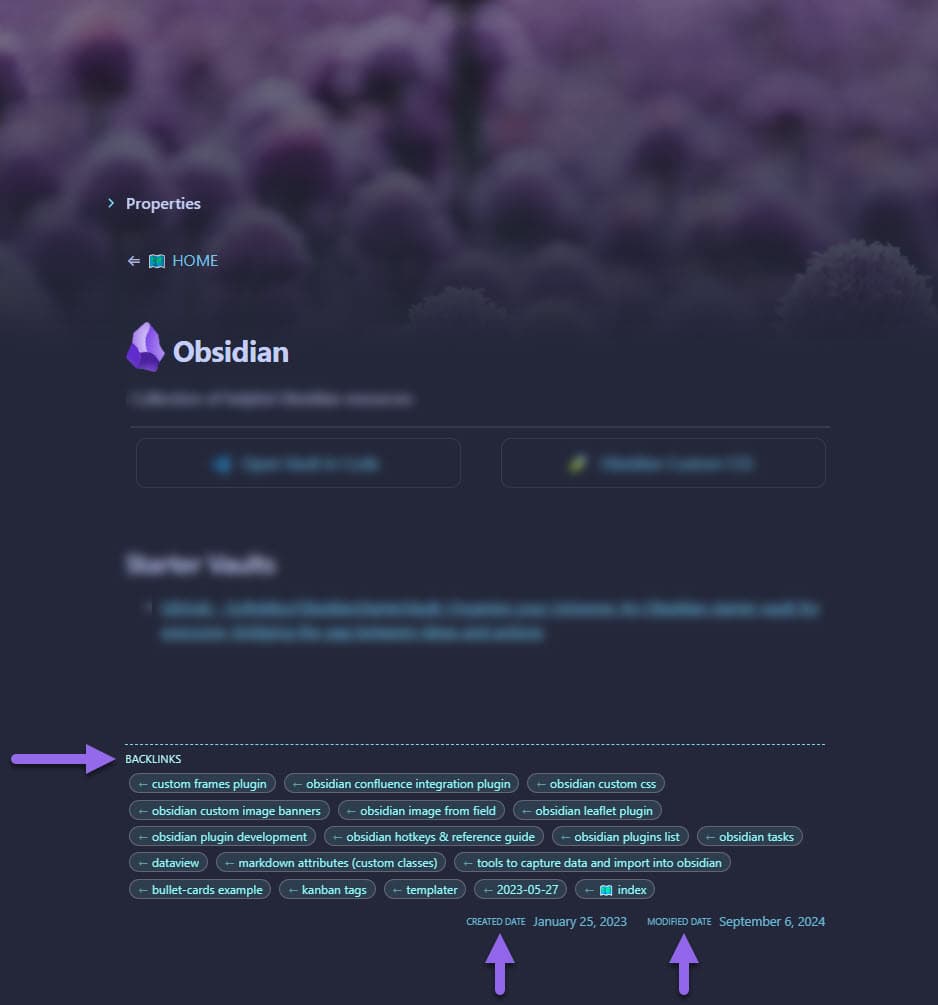
Rich Foot is an Obsidian plugin that enhances the footer of your notes by adding backlinks, outlinks, and created/modified dates.
Maintained by

Features
- Adds
backlinksto the footer of your notes (links FROM other notes TO this note) - Adds
outlinksto the footer of your notes (links FROM this note TO other notes) - Displays
createdandmodifieddates for each note - Supports links in frontmatter
- Stylish appearance with tag-like links
- Highly customizable appearance with opacity and border controls
- Option to exclude folder(s) from displaying 🦶 Rich Foot
Installation
- Open Obsidian and go to Settings
- Navigate to Community Plugins and disable Safe Mode
- Click on Browse and search for "Rich Foot"
- Install the plugin and enable it
Usage
Once installed and enabled, Rich Foot will automatically add the following to the footer of your notes:
- Backlinks: Displayed as tags showing which notes link TO this note
- Outlinks: Displayed as tags showing which notes this note links TO (disabled by default)
- Created Date: Shows when the note was first created
- Modified Date: Shows when the note was last modified
Frontmatter Support
Rich Foot also detects links in your note's frontmatter. For example:
---
links:
  - "[[Some Note]]"
  - "[[Another Note]]"
---
Customization
Rich Foot provides several customization options through its settings panel:
Visibility Settings
You can toggle the visibility of each section:
- Show/Hide Backlinks
- Show/Hide Outlinks (disabled by default)
- Show/Hide Dates
Style Settings
Customize the appearance of your Rich Foot:
Border Customization
- Border Width: Adjust thickness from 1-10px
- Border Style: Choose from various styles (solid, dashed, dotted, double, groove, ridge, inset, outset)
- Border Opacity: Control border transparency (0-1)
- Border Color: Choose custom color for the border with color picker
Links Customization
- Link Border Radius: Adjust the roundness of link corners (0-15px)
- Links Opacity: Control transparency of backlinks and outlinks (0-1)
- Links Color: Choose custom color for backlinks and outlinks with color picker
Dates Customization
- Dates Opacity: Control transparency of created/modified dates (0-1)
- Dates Color: Choose custom color for created/modified dates with color picker
Each setting includes a reset button to quickly return to default values.
Excluding Folders
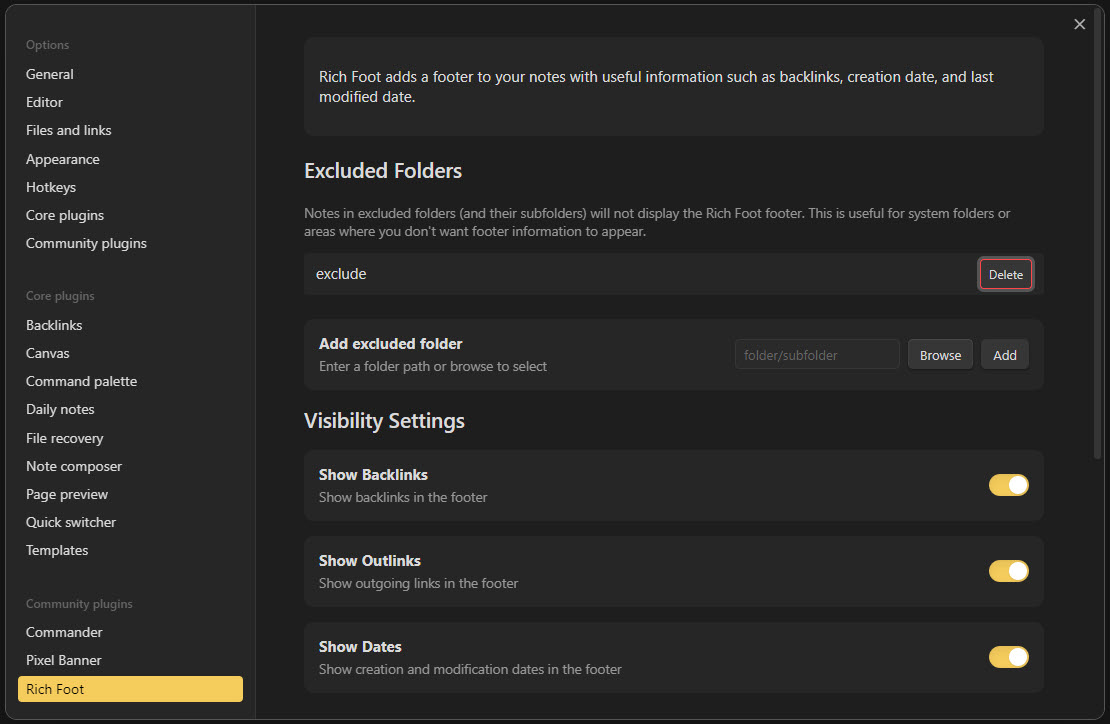
You can prevent Rich Foot from appearing in specific folders:
- Go to Obsidian Settings
- Navigate to the Rich Foot plugin settings
- Use the "Add excluded folder" section to:
- Manually enter a folder path
- Use the "Browse" button to select a folder
- Click "Add" to add it to the exclusion list
- Use the "Delete" button next to any folder to remove it from the exclusion list
Notes:
- Excluding a folder will hide Rich Foot completely from notes in that folder
- Excluded folders also affect all subfolders
- Links from notes in excluded folders will still appear in the backlinks of other notes
License
This project is licensed under the MIT License. See the LICENSE file for details.
Appreciation
If you enjoy this plugin please consider sending me a tip to support my work 😀
🍵 tip me here
Support
If you encounter any issues or have suggestions for improvements, please open an issue on the GitHub repository.
Contributing
Contributions are welcome! Please feel free to submit a Pull Request.
Author
Created by Justin Parker
Enjoy adding rich footers to your Obsidian notes with Rich Foot! 👣
For plugin developers
Search results and similarity scores are powered by semantic analysis of your plugin's README. If your plugin isn't appearing for searches you'd expect, try updating your README to clearly describe your plugin's purpose, features, and use cases.