by Cole Davis
Renders sakura fenced code blocks as colored directory trees.
Sakura
Overview
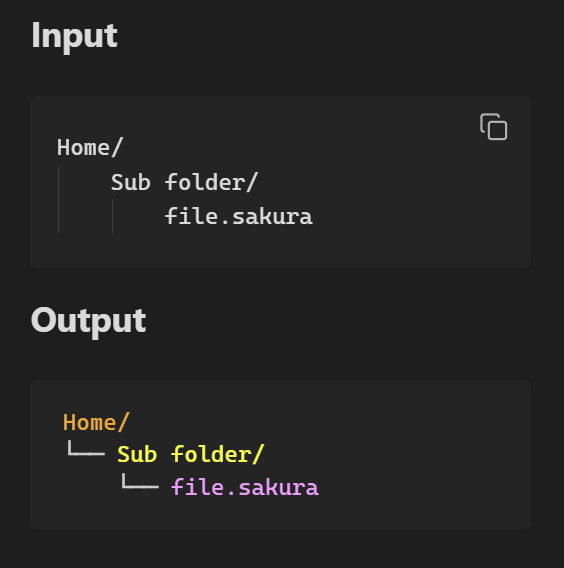
Sakura is a tree visualization tool for simplifying the design of file systems or other tree-like structures. Sakura diagrams are color-coded and great for project documentation or presentations.
It runs as an Obsidian plugin: write an indented list inside a ```sakura
code block and Sakura renders it as a colored directory tree.
Install
Obsidian Community Plugins
- Settings > Community Plugins > Browse
- Search "Sakura"
- Install and Enable
Manual install
- Download
main.js,manifest.json,styles.cssfrom the latest release - Put them in
<vault>/.obsidian/plugins/sakura - Enable in Settings > Community Plugins
Usage
```sakura
home
    documents
        notes.txt
    scripts
        deploy.py
```
Folders are detected from nesting, indentation widths don't have to be consistent, and you can mix tabs with spaces.
You can also paste the output of the tree command, or a Markdown
bulleted list, straight into the block and it renders as-is. See the full
reference below.
Syntax Reference
LICENSE
For plugin developers
Search results and similarity scores are powered by semantic analysis of your plugin's README. If your plugin isn't appearing for searches you'd expect, try updating your README to clearly describe your plugin's purpose, features, and use cases.