Scrying Mirror of Productivity
approvedby Lyra
All-in-one focus sanctuary: Pomodoro flow chrono, directives matrix with unlimited nested subtasks, multi-timescale telemetry, and liquid writings vault sync. - This plugin has not been manually reviewed by Obsidian staff.
✧ Scrying Mirror of Productivity ✧



Speak to the mirror. It remembers. ✦
An all-in-one productivity suite, focus sanctuary, and luxury workspace native to Obsidian:
Flow-State Pomodoro Chrono • Directives Matrix with Unlimited Subtasks • Multi-Timescale Telemetry & 365-Day Heatmap • Offline Study Logger • Lecture Theater • Liquid Writings Studio with Inline Images & Vault Sync.
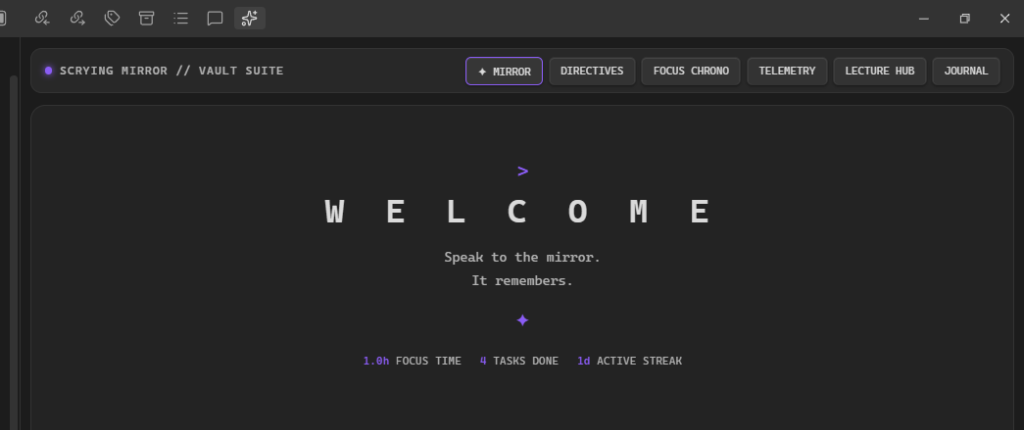
📸 Visual Showcase & Previews
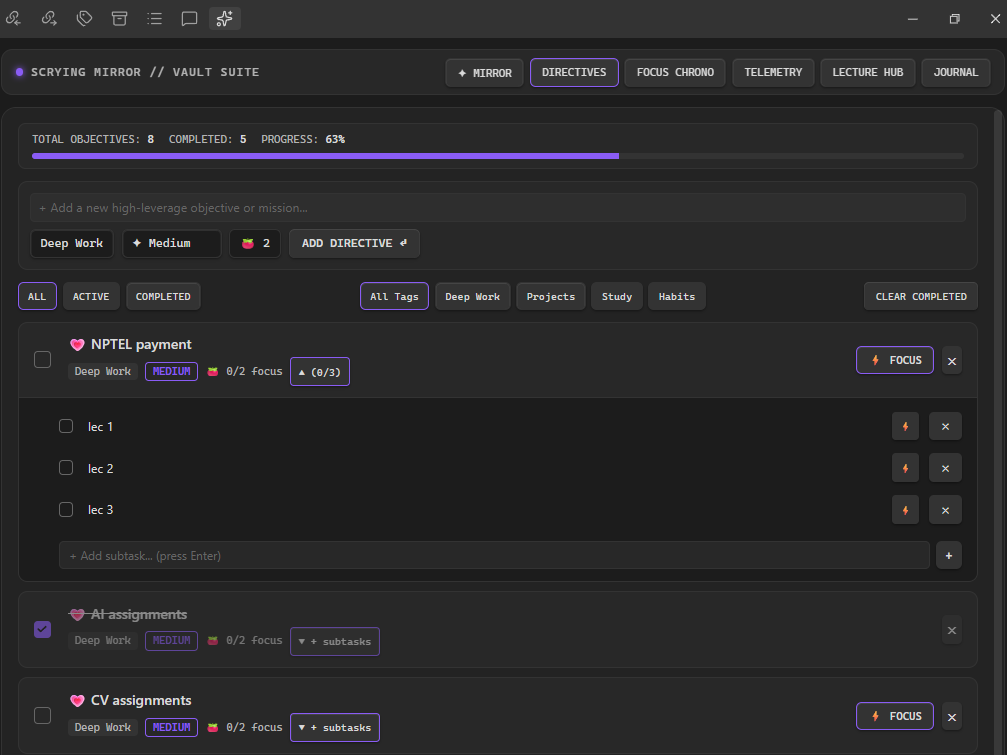
1. ✦ Directives & Unlimited Nested Subtasks
Break high-leverage missions into infinite micro-steps with collapsible drawers, live progress tracking, and 2-way indented Markdown sync (
ScryingMirror/Tasks.md).
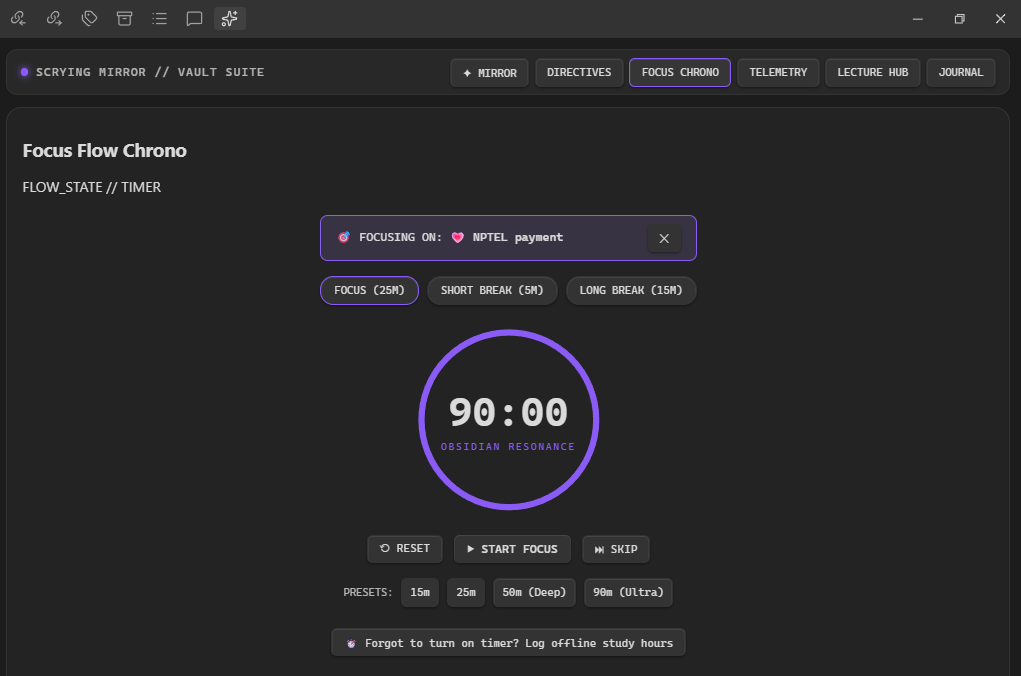
2. ⚡ Focus Flow Chrono (Pomodoro)
Seamless SVG dial countdown timer with Obsidian resonance glow. Connect any directive or individual subtask directly to the timer using the
⚡ FOCUSbutton.
3. 📊 Multi-Timescale Telemetry & Analytics
|
Today's 24-Hour Timeline & Offline Session Logger 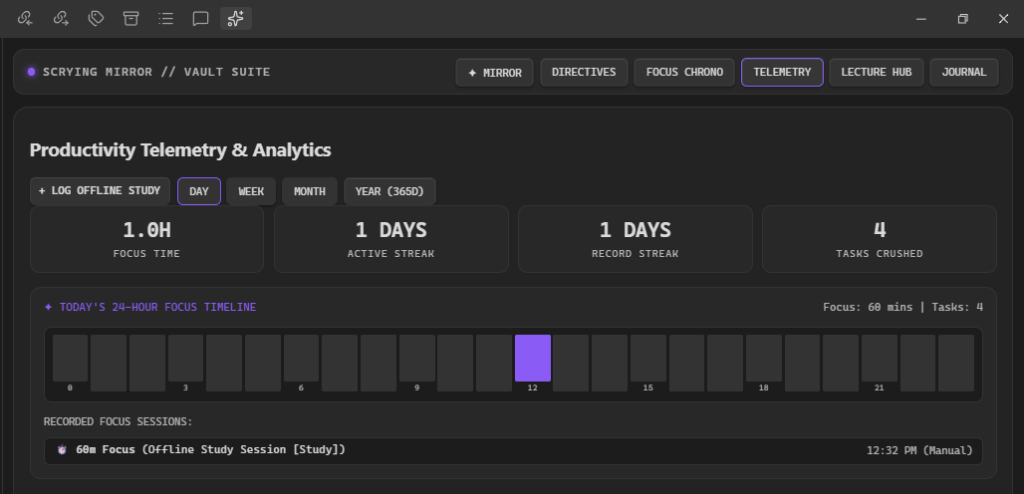
|
365-Day Contribution Telemetry Heatmap 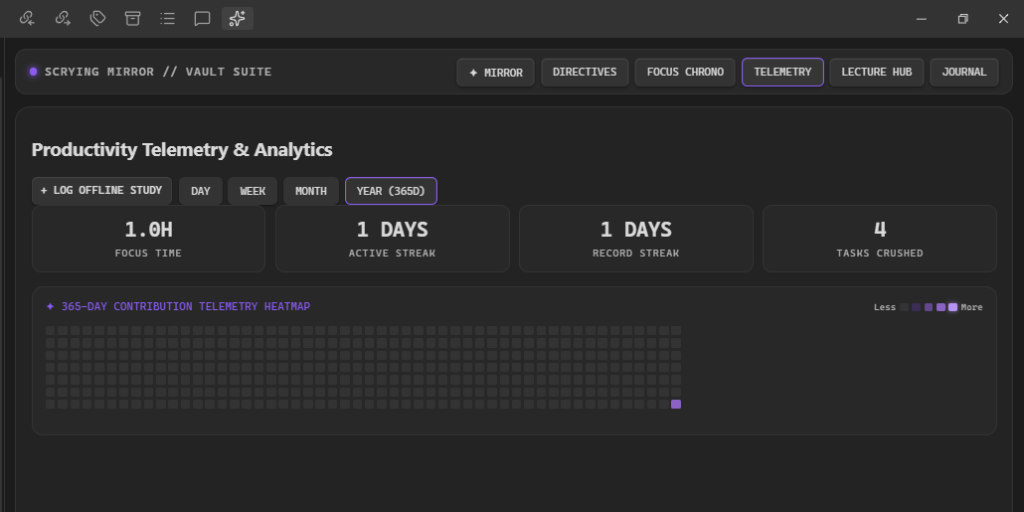
|
✨ Core Features
| Feature | Description | Vault Sync Target |
|---|---|---|
| ✦ Directives Matrix | Priority tags (CRITICAL, HIGH, MEDIUM), Tomato goals (🍅), and unlimited nested micro-checklists. | ScryingMirror/Tasks.md |
| ⚡ Focus Flow Chrono | 25m focus, 5m short break, 15m long break, 50m deep work & 90m ultra flow states. | Real-time Telemetry |
| ⏱️ Offline Study Logger | Log past/untracked study hours, categories, and topics directly into streaks and heatmap. | Telemetry History |
| 📊 Multi-Timescale Charts | 24-Hour Timeline, 7-Day Velocity Bars, Monthly Calendar, and 365-Day Heatmap. | ScryingMirror/Telemetry.json |
| 🎥 Lecture Theater | Split-screen YouTube player + real-time timestamped scratchpad. | ScryingMirror/Lectures/ |
| 🖋️ Liquid Writings Studio | Rich reflection journal supporting unlimited inline images (Ctrl+V paste, drag & drop, file picker). | ScryingMirror/Journal/ |
| 🎨 Native Theme Resonance | Adapts dynamically to any Obsidian Light or Dark theme using native CSS variables. | Fully Local & Offline |
📦 Installation
Official Obsidian Community Plugins
- In Obsidian, open Settings ➔ Community plugins.
- Turn Restricted mode to OFF.
- Click Browse and search for
Scrying Mirror of Productivity. - Click Install, then Enable.
Manual Installation
- Download
main.js,manifest.json, andstyles.cssfrom the Latest Release. - Create a folder in your vault:
.obsidian/plugins/obsidian-scrying-mirror/. - Copy all 3 files into that folder.
- In Obsidian, go to Settings ➔ Community plugins ➔ toggle Scrying Mirror of Productivity to ON.
🛠️ Open Source & Contributing
Contributions, feature requests, and bug reports are welcome!
Feel free to open an issue or submit a pull request on the GitHub repository.
📄 License
This plugin is open source and licensed under the MIT License.
Developed with 💜 by Lyra.
For plugin developers
Search results and similarity scores are powered by semantic analysis of your plugin's README. If your plugin isn't appearing for searches you'd expect, try updating your README to clearly describe your plugin's purpose, features, and use cases.