Smart HTML Select
approvedby isaiascope
Create select that change the markdown on change adding an action button to the ribbon (left sidebar)
Smart Select Plugin
Fast resume
This plugin allows you to add an HTML select element to your note with configurable options. It includes backend logic to update the markdown dynamically when the selected value changes in view mode. In other words makes the changes for HTML selects, generated by this plugin, permanent.
How to use
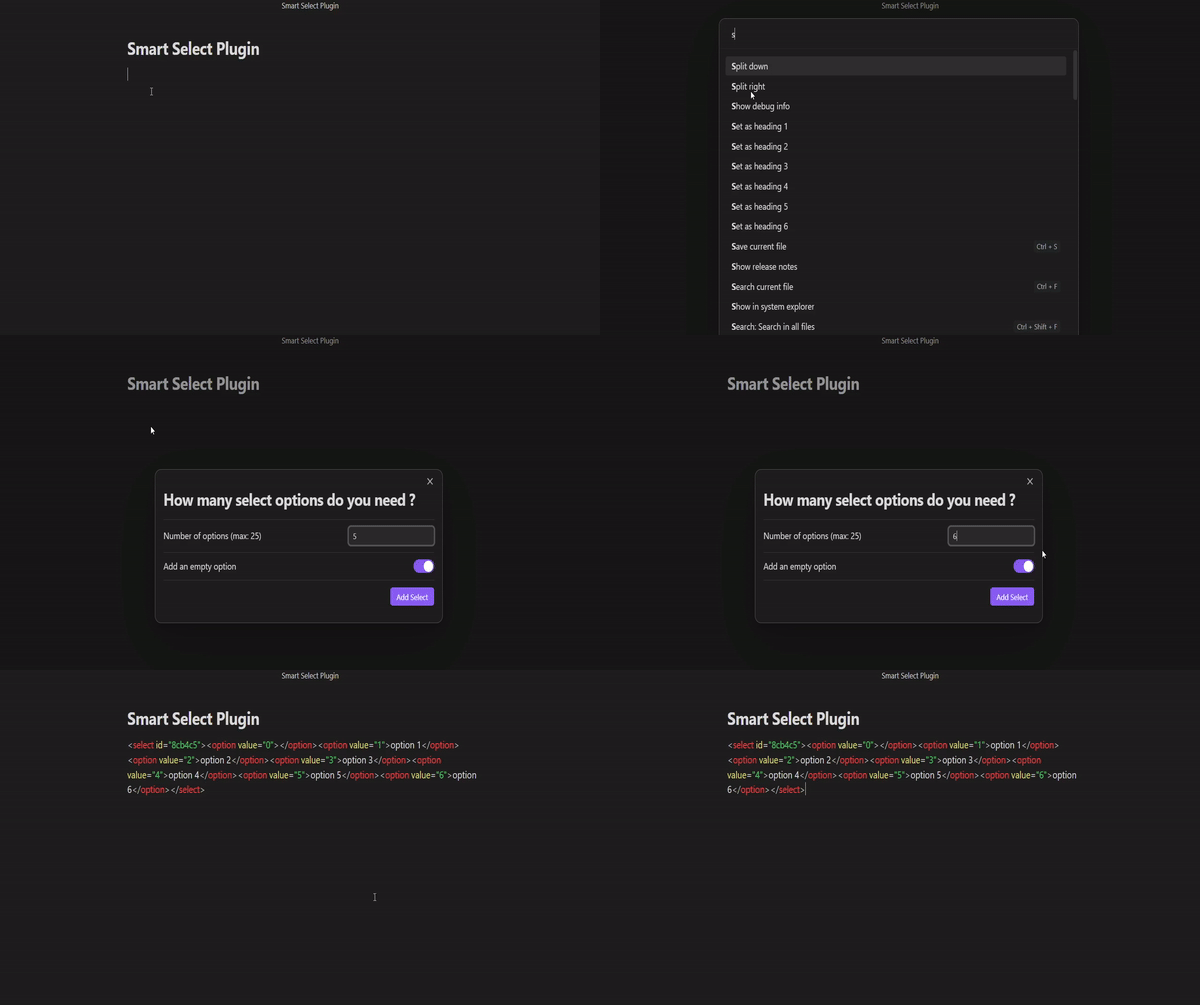
- Simply enable the plugin and open command palette (default: Ctrl + P). Start typing 'Insert HTML select' in the search then fill the modal with desire select configuration or keep the default one. Confirm your choice selecting bottom right button.
- Enabling the plugin also add a 'fire' icon to the ribbon (left sidebar) that on click open the previous modal.
Add the select with command palette
How the plugin works in deep
The plugin generates a select with the number of options you want. The options are generated with the following pattern: Option 1, Option 2, Option 3, ..., Option n. The plugin also adds a logic to the markdown file to make the changes permanent when the select value changes.
Just after select creation, the plugin adds a markdown code like the following:

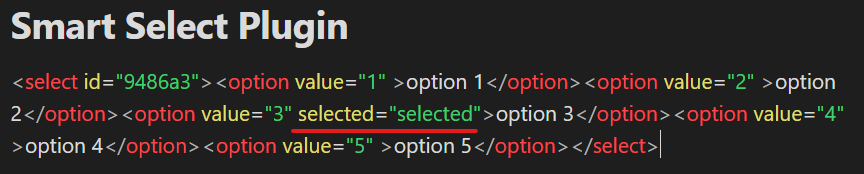
After the select value changes, the plugin changes the markdown code to the following:
For plugin developers
Search results and similarity scores are powered by semantic analysis of your plugin's README. If your plugin isn't appearing for searches you'd expect, try updating your README to clearly describe your plugin's purpose, features, and use cases.