Smart Link Alias
approvedby vpcano
Enhance your internal links management with dynamic alias customization. Display short, full, or combined titles for your notes effortlessly.
SmartLinkAlias
SmartLinkAlias is an Obsidian plugin that enhances your internal link management by allowing you to dynamically control how note titles appear in links. Whether you're working with acronyms, abbreviations, or custom aliases, this plugin provides you with powerful options to display your links exactly how you want.
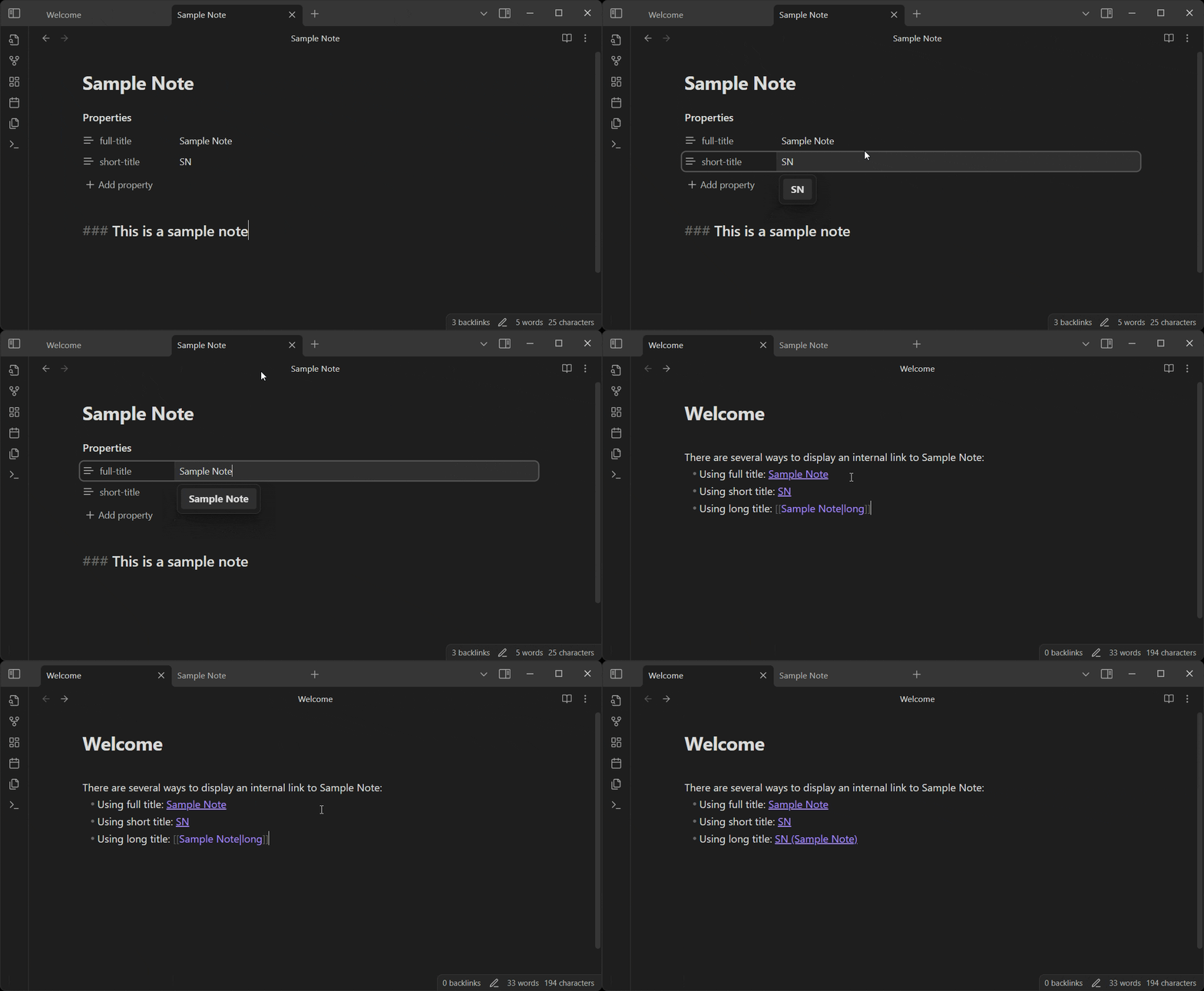
Usage
-
Open a note where you'd like to define custom titles.
-
Add the following YAML properties at the top of your note:
--- full-title: Sample Note short-title: SN --- -
When creating a link to this note from another note, use the alias section to specify the display mode:
[[Sample Note|short]]→ Displays:SN[[Sample Note|full]]→ Displays:Sample Note[[Sample Note|long]]→ Displays:SN (Sample Note)
Roadmap
- Base functionality in read mode
- Base functionality in edit mode
- Customize display format via plugin settings
- Add a tooltip when hovering a shortened link
- Other ways to select the display mode ??
Contributing
If you encounter any issues or have feature requests, please visit the GitHub Repository and feel free to open an issue or submit a pull request.
License
This plugin is licensed under the MIT License.
Thank you for using SmartLinkAlias! If you find it helpful, don't forget to leave a review in the Obsidian Community Plugins list!
For plugin developers
Search results and similarity scores are powered by semantic analysis of your plugin's README. If your plugin isn't appearing for searches you'd expect, try updating your README to clearly describe your plugin's purpose, features, and use cases.