by snipd-app
Sync Snipd podcast highlights to your vault with transcript, notes, AI summaries and metadata.
Snipd Official 🎙️
The official Snipd plugin maintained by the Snipd team.
Lets you automatically sync all your podcast highlights (=snips) to your Obsidian Vault, including transcript, notes, ai summary and more.
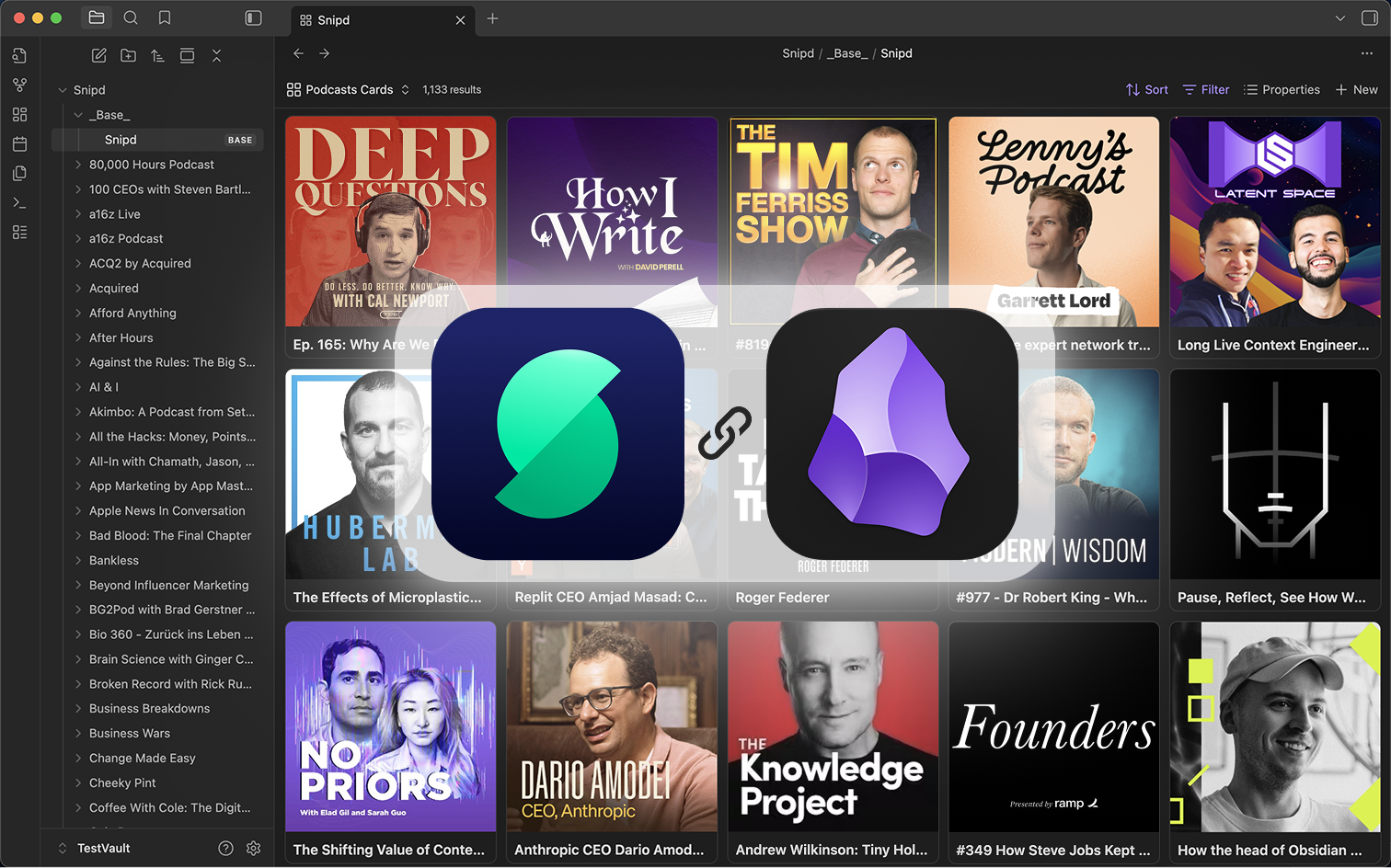
Plugin Features
- Automatically sync your snips to your Obsidian vault, including:
- Transcript
- AI-summary
- Your notes
- Link to snip
- Rich podcast metadata incl. image, title, publish date & more
- Customize the formatting
- Choose whether to only sync edited snips
- Compatible with Obsidian Bases:
- Metadata as properties
- Two default Bases views out of the box
Account, network use and privacy
- Snipd account: the plugin needs a Snipd account. "Connect" opens
app.snipd.comin your browser to sign in. - Network use: the plugin connects only to the Snipd API (
api.snipd.com), to link your account and to download your snips, episode details and the default Bases views. Requests carry the plugin's API key and your formatting templates, which the server applies. - Content in your notes: synced notes link to
share.snipd.comand show episode artwork from where it is hosted. The default snip template embeds Snipd's audio player fromshare.snipd.com, which loads when you open a note; remove{{snip_audio_player}}from the snip template to leave it out. - Files: the plugin reads and writes only inside your vault.
- Privacy: the plugin itself collects no analytics. Snipd's servers record sync requests as described in the Snipd privacy policy.
About Snipd
Snipd is an AI-powered podcast app that let's you highlight and take notes from podcasts just by tapping your headphones.
You can also chat with episodes, see all mentioned books, or generate summaries.
You can download it here.
Plugin Demo
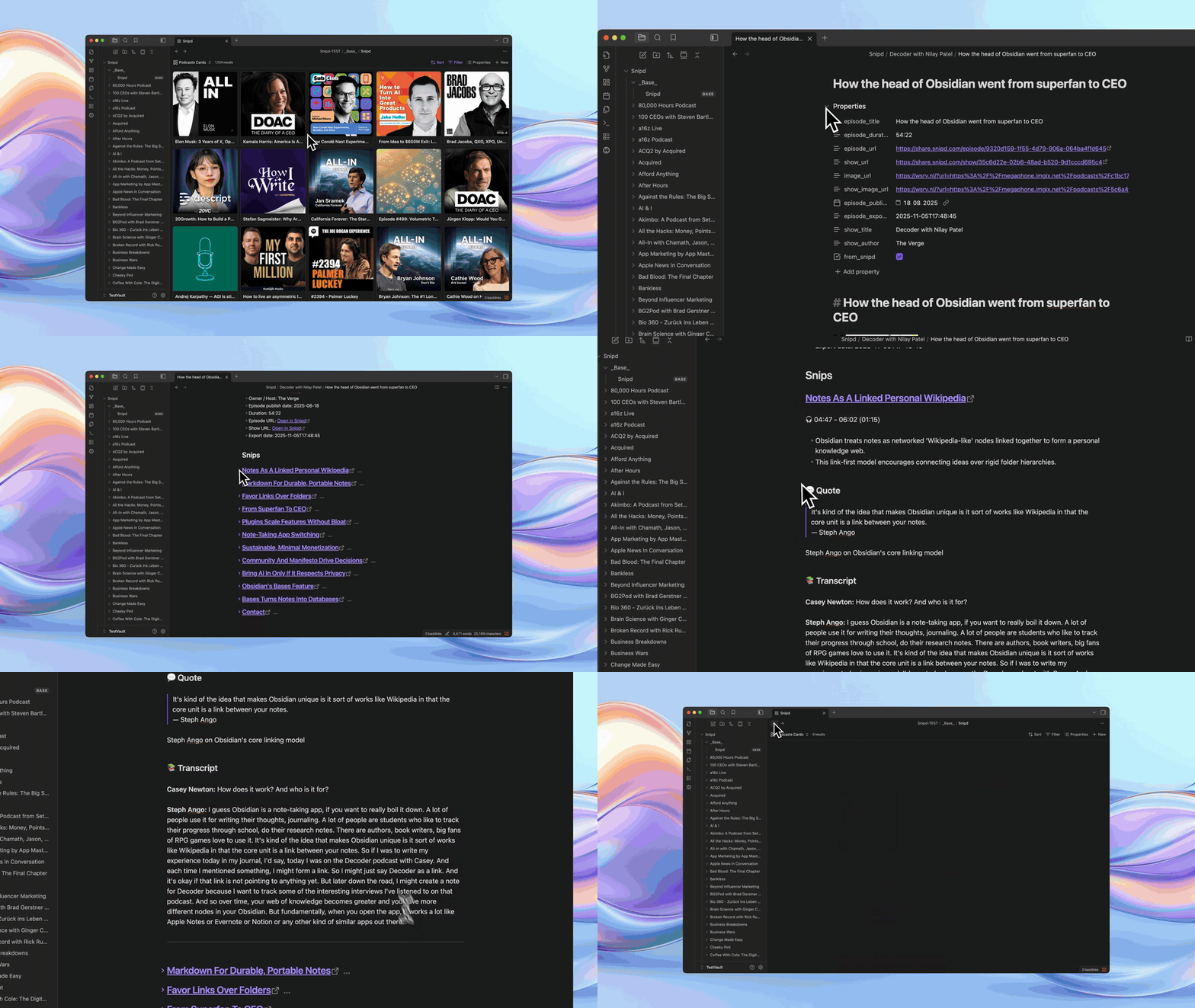
Plugin Setup
- Install & enable the plugin inside Obsidian's community plugin section
- Open the plugin settings
- Click on "Connect" and sign in with your Snipd account. If you have an issues connecting to your Snipd, please make sure you open the link in your native web browser, not in Obsidian's in-app browser.
- Optionally click "Test sync" to test the connection and output format
- Optionally customize your template
- Click "Start syncing" to start your first sync
Custom Formatting
Inside the plugin's settings, go to "Custom formatting" and click "Configure":
- Episode filename template: Customize how episode files are named
- Episode template: Control how episode files are formatted
- Snip template: Control how individual snips appear
Pre-submission checks
Run npm ci followed by npm run check before tagging a release. This builds the plugin, runs Obsidian's official source and CSS lint rules, and checks that the version and release files are ready. For a specific tag, run npm run check:release -- 1.3.3 after building.
The Obsidian Community directory also offers Review branch on the plugin's management page. It previews the full hosted scan against a branch or commit before a release is published.
Support & Feedback
If you encounter any issues, have questions or want to pass along feature requests, please contact us via the in-app feedback button inside the Snipd mobile app.
You can find it in "You" -> Settings -> Feedback.
Note: This plugin requires a Snipd account to access the API. You can create a free account inside the mobile app.
Get the Snipd app
We hope you like it! :)
For plugin developers
Search results and similarity scores are powered by semantic analysis of your plugin's README. If your plugin isn't appearing for searches you'd expect, try updating your README to clearly describe your plugin's purpose, features, and use cases.