Snippets plugin
approvedby cristianvasquez
Execute simple scripts/snippets. This plugin is experimental.
Run Snippets plugin
📌 Note: Looking for a more up-to-date and actively maintained plugin with similar functionality? Check out obsidian-execute-code.
This plugin allows you to run Python, Javascript etc, snippets from inside obsidian.md
It's intended for simple uses, like starting a service, running a program, etc. I've tested this only in Linux, and is experimental.
The plugin reads your 'snippet plugin settings' that contain the configuration for each language.
Usage
Preview mode
The plugin shows a 'run' button for a recognized (shell) snippet.

If you click, firefox opens.
Edit mode
- Place your cursor on top of a code snippet.
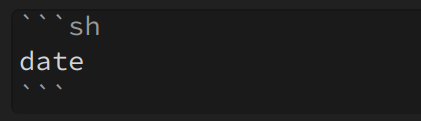
- press
Ctrl/Cmd+Shift+Enter, or select theSnippets: Runcommand from the palette
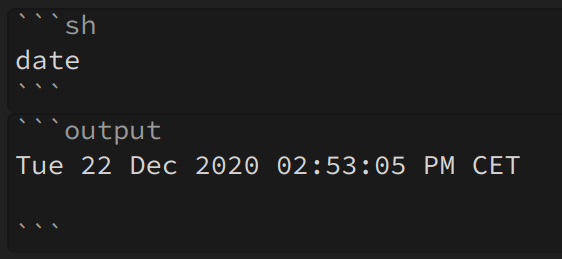
The code will (hopefully) run, and any outputs will be appended after the snippet.
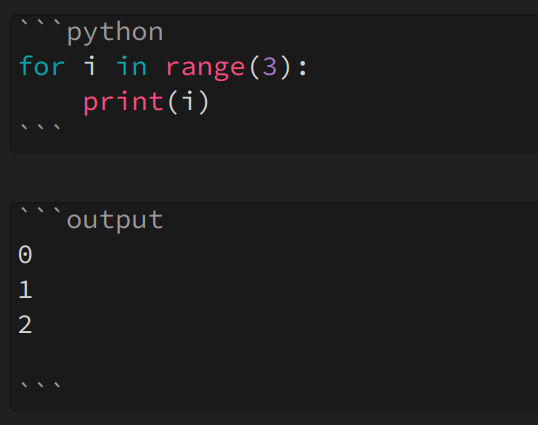
You can also invoke some python!
Vars
The following placeholders are recognized:
| {{vault_path}} | path of the vault |
| {{folder}} | name of the folder |
| {{file_name}} | Name of the file |
| {{file_path}} | absolute path of the file |
Example
echo {{vault_path}}
echo {{folder}}
echo {{file_name}}
echo {{file_path}}
/home/cvasquez/obsidian
snippets-plugin
readme.md
/home/cvasquez/obsidian/snippets-plugin/readme.md
Config
This is the config by default. It contains one entry for each language.
{
  "python": {
    "template": "python3 -c \"{{src}}\"",
    "showModal": true,
    "appendOutputContents": true,
    "showRunButtonInPreview": true
  },
  "javascript": {
    "template": "node -e \"{{src}}\"",
    "showModal": true,
    "appendOutputContents": true,
    "showRunButtonInPreview": true
  },
  "sh": {
    "template": "{{src}}",
    "showModal": true,
    "appendOutputContents": true,
    "showRunButtonInPreview": true
  }
}
Attributes
| Template | {{src}} will be replaced |
| showModal | shows the output in a modal |
| appendOutputContents | writes the output after the code fence |
| showRunButtonInPreview | shows the button in the preview mode |
| options | additional options such as shell or encoding |
Default shell
The default shell is '/bin/sh' on Unix and process.env.ComSpec on Windows. Other shells can be configured using the 'options' attribute.
Example that uses powershell:
  "sh": {
    "template": "{{src}}",
    "options": {"shell":"powershell.exe"},
    "showModal": true,
    "appendOutputContents": true,
    "showRunButtonInPreview": true
  }
Manual installation
Install dependencies
npm install
Generate main.js bundle
npm run build
Copy main.js, manifest.json and styles.css to your vault's plugins folder, under [YourVaultFolder]/.obsidian/plugins/review-obsidian/.
Observations
This prototype is super experimental; I've written it because I wanted to use python inside obsidian.
Developers
Pull requests are both welcome and appreciated. :)
Version
0.0.4
- Added javascript option.
- Added shell options.
- No errors when markdown view is not present.
Thanks to:
For plugin developers
Search results and similarity scores are powered by semantic analysis of your plugin's README. If your plugin isn't appearing for searches you'd expect, try updating your README to clearly describe your plugin's purpose, features, and use cases.