by dimagious
Type a short trigger, get Markdown. Hotstrings that stay quiet in code, a searchable snippet picker, community packs, and import from Text Snippets and Espanso.
Snipsy



Type todo and a space, get a task. Snipsy turns short triggers into text as you write in
Obsidian, and a regex pattern you add can turn 1/2 and a space into ½. No scripting, and no templates to
learn.
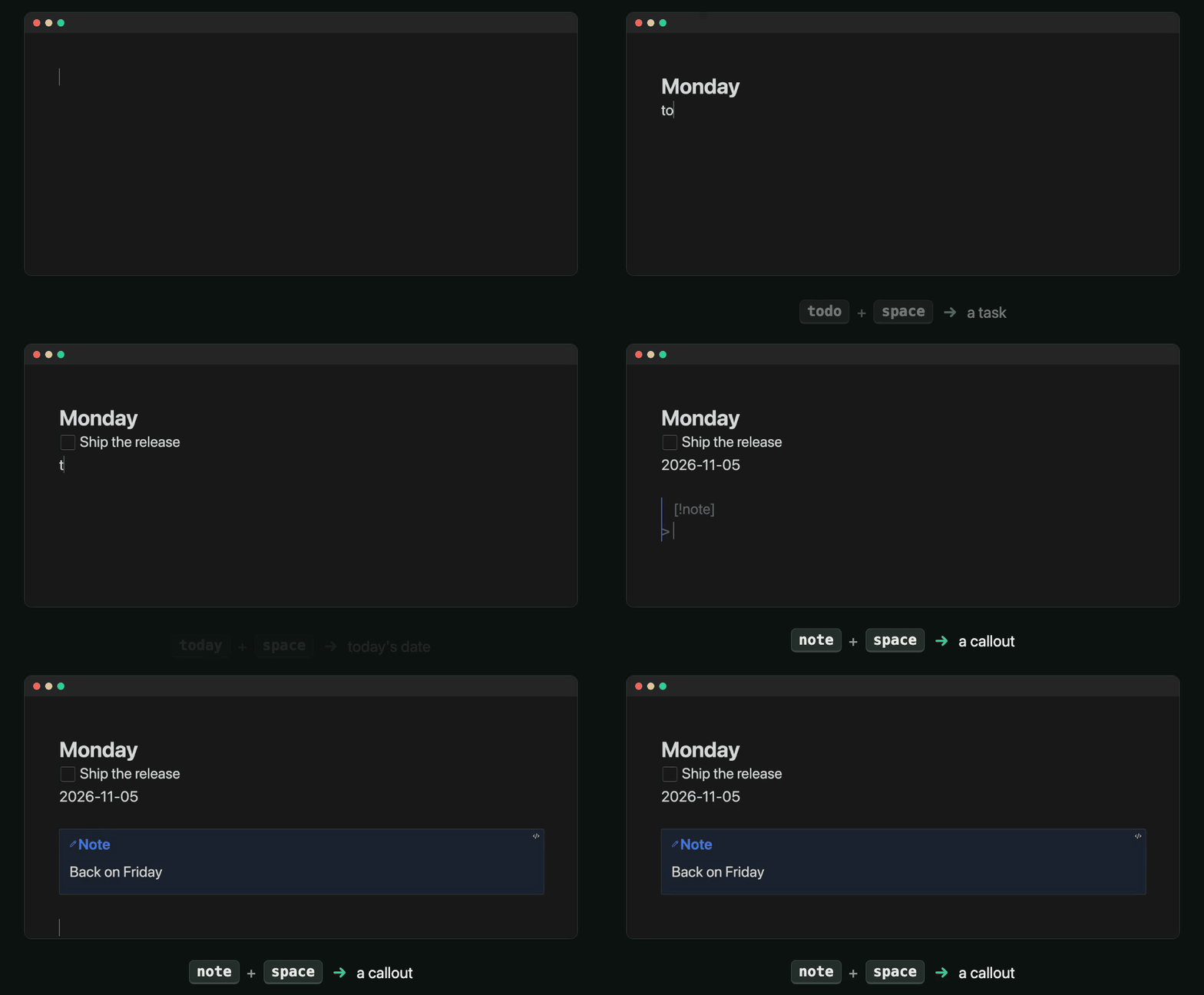
Install: Settings → Community plugins → Browse → search for Snipsy. Then open a
note, type todo and a space.
Website · Full reference · 2-minute video
Why Snipsy
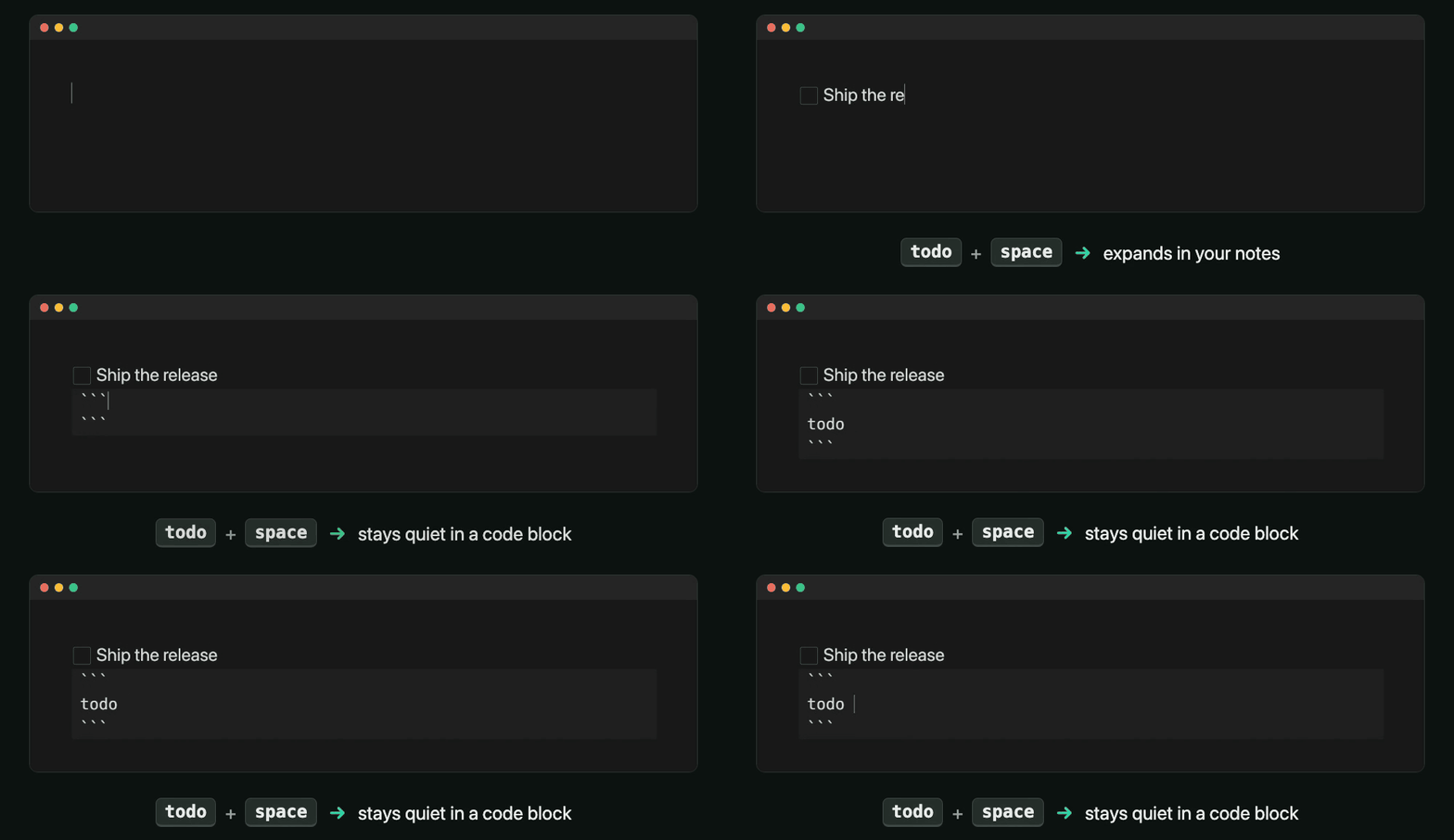
- It knows Markdown. Triggers stay as you typed them in code blocks, inline code, math and frontmatter.
- Only your typing fires it. Paste, undo, another plugin's edit and IME composition expand nothing.
- It works on your phone. Same snippets, same picker.
- Regex patterns are checked before they run. A pattern that could backtrack without limit is refused when you write it, and a rule that turns out slow is switched off.
What you can do
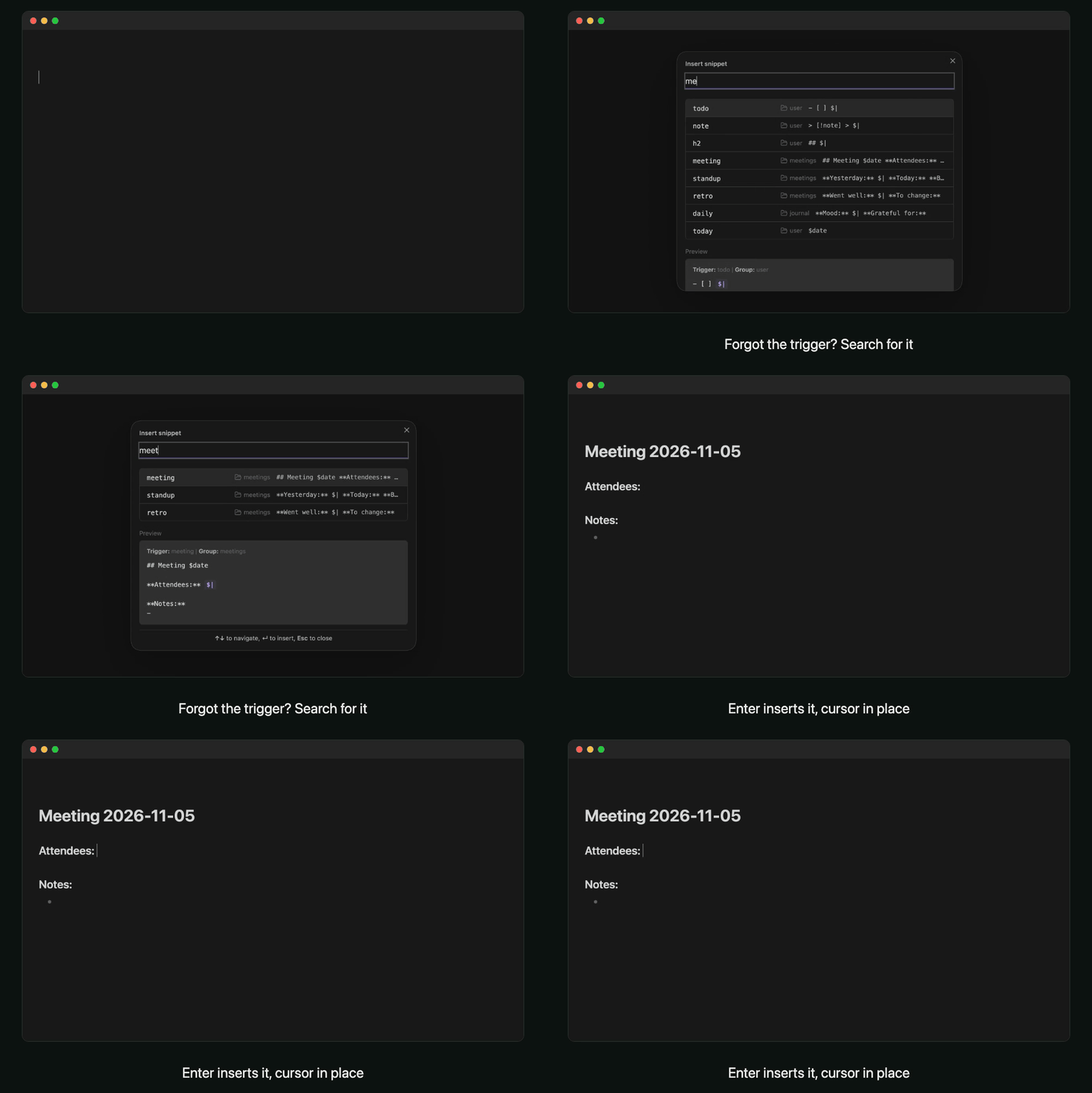
Find a snippet when you forget its trigger. Run Snipsy: Insert snippet… to search triggers and replacements, preview the result and insert it. You can give it a hotkey.
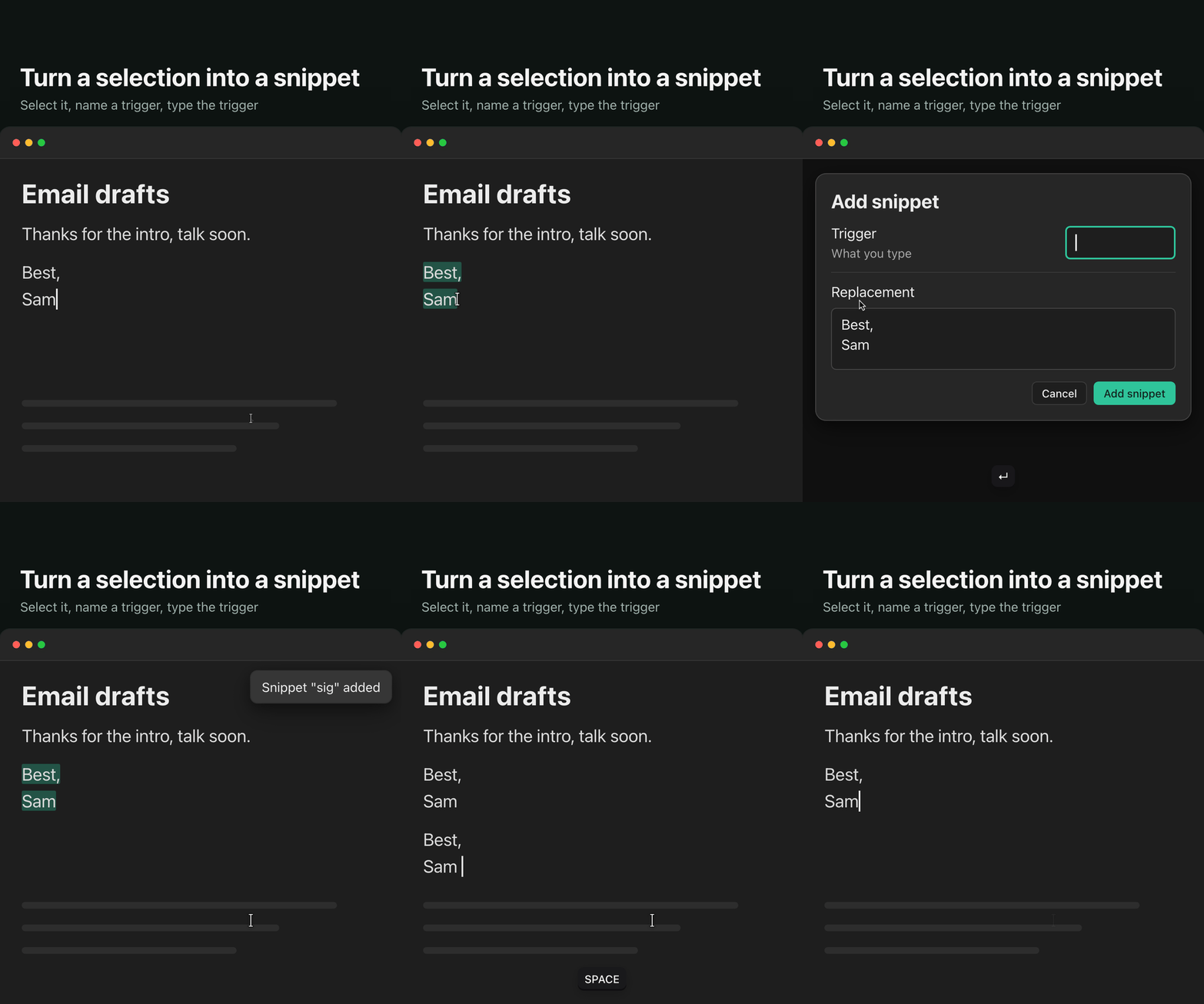
Add your own. Select text, run Snipsy: Add snippet from selection and type a trigger.
Symbols work too, so -> can become →.
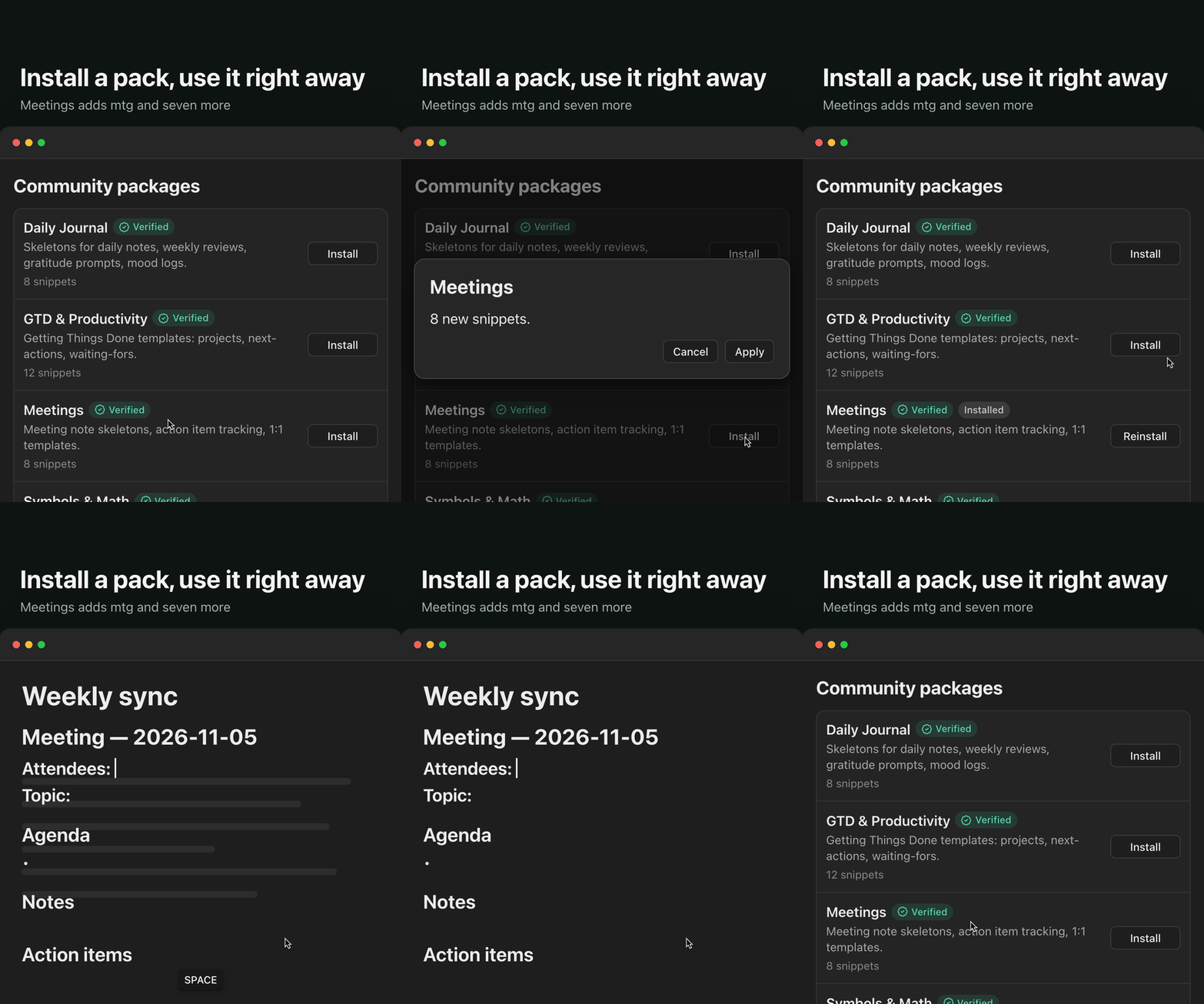
Install a pack. Thirteen packs, one click each: Meetings, Daily Journal, Code Review, Symbols & Math and more. Each pack gets its own group, so you can mute it or delete it whole.
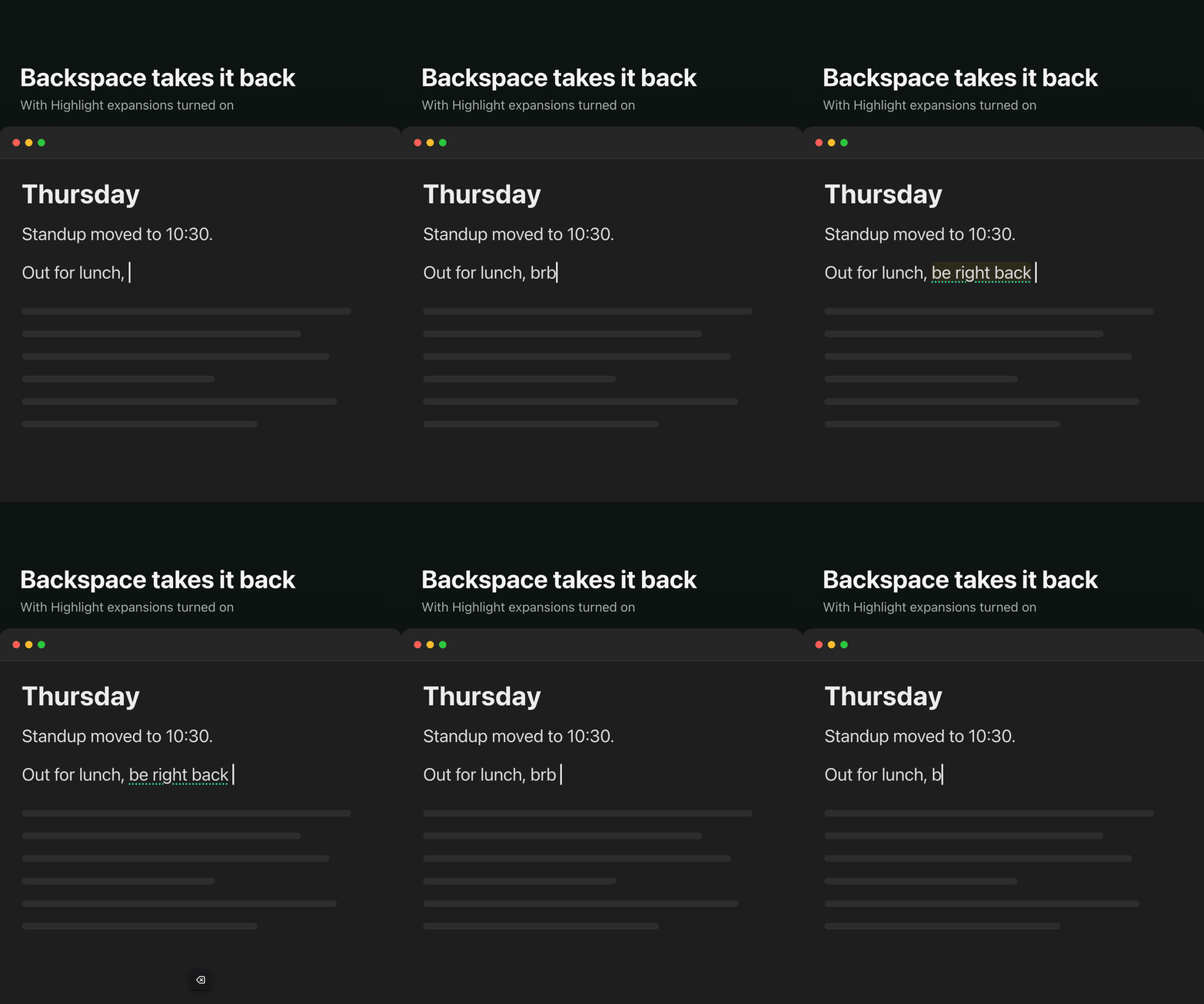
Take an expansion back. Undo removes it in one step. Turn on Highlight expansions and Backspace restores the trigger too (not for a snippet with fields: the caret moves into the first field, so there is no highlight and Backspace is a normal Backspace).
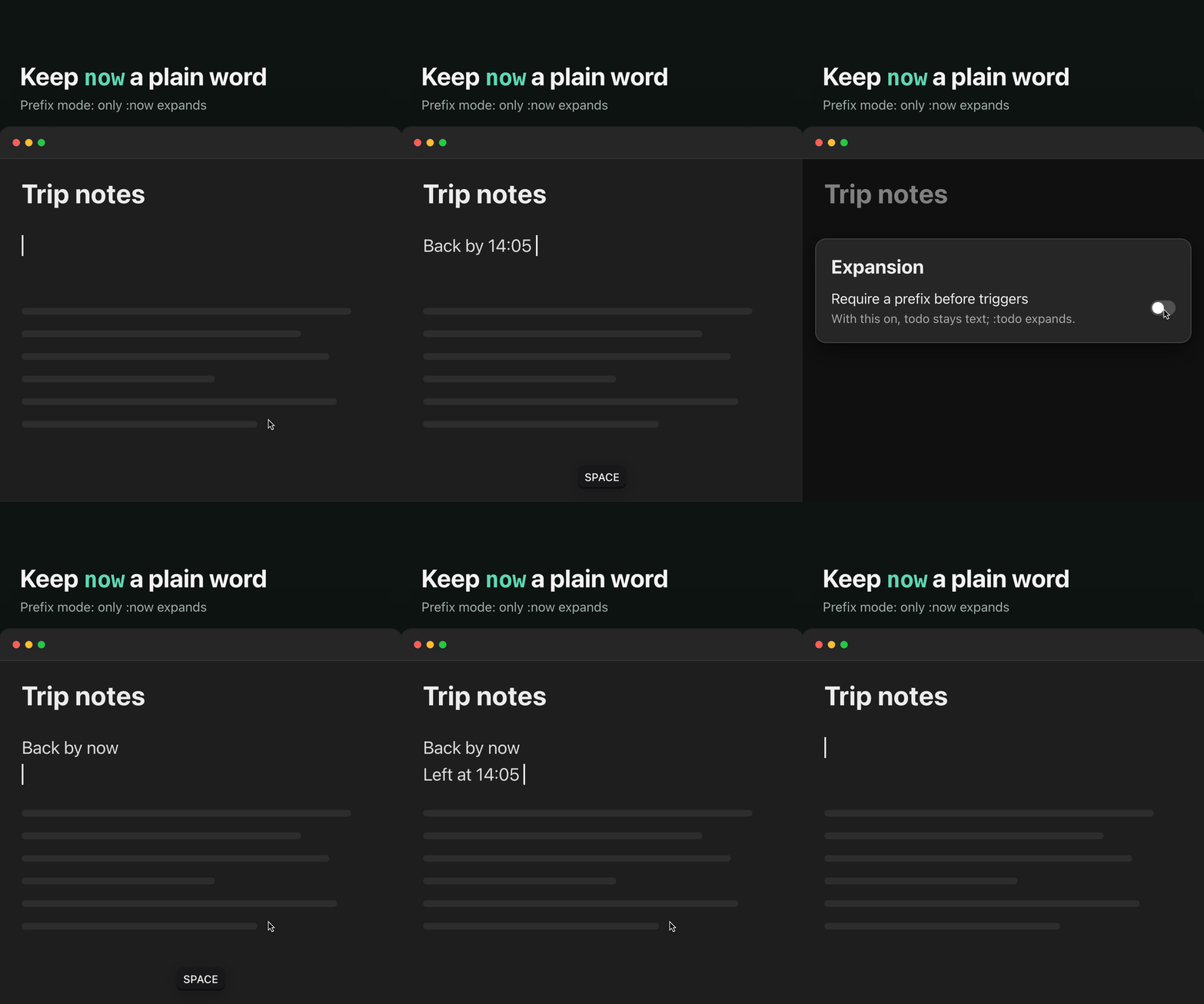
Stop accidental expansions. Mute a group, or turn on prefix mode so only :todo expands and
todo stays a word.
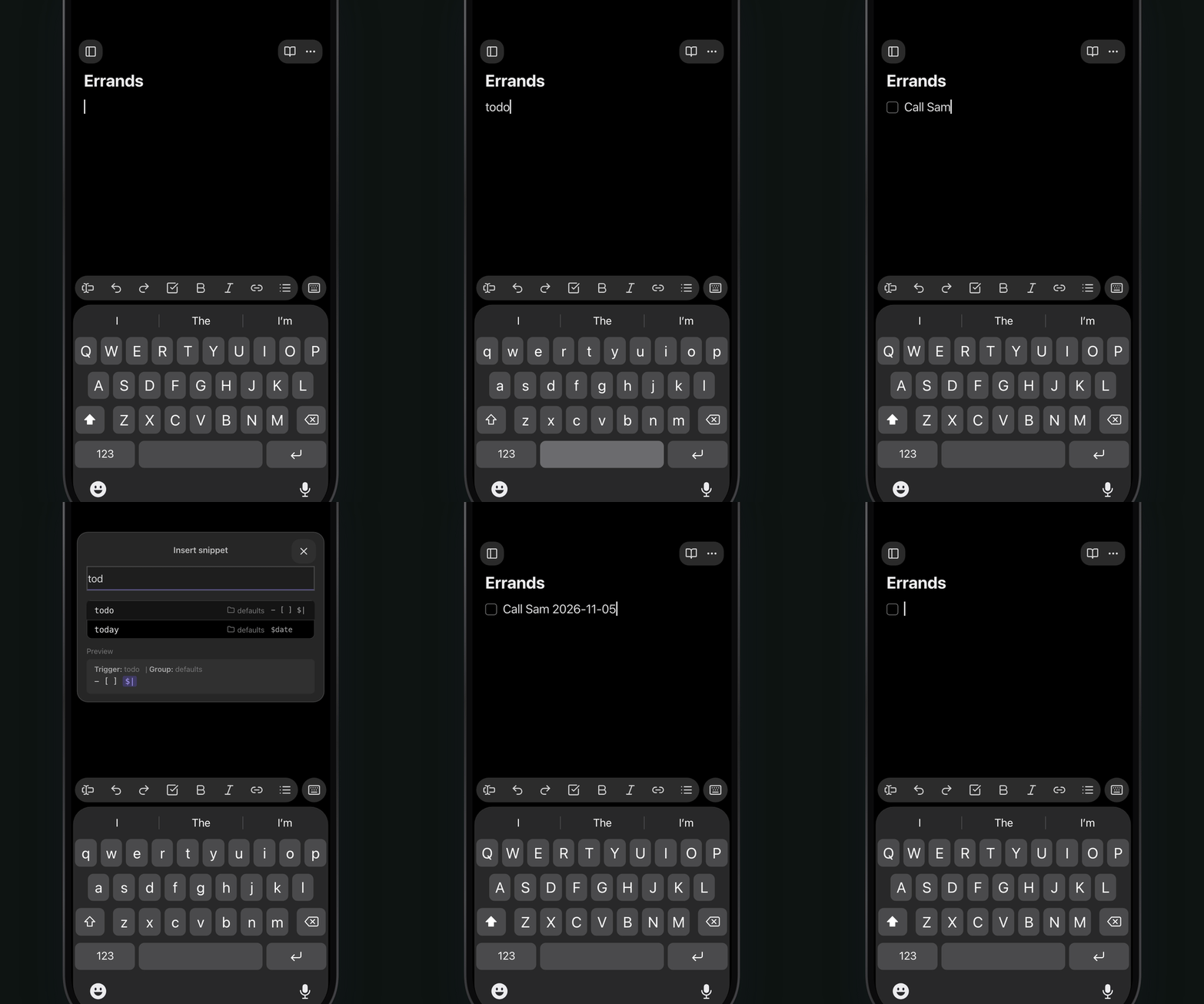
Use it on your phone. The same snippets expand as you type, and the same picker opens. Add Snipsy: Insert snippet… to the editor toolbar in Obsidian's settings to open it with one tap.
Patterns
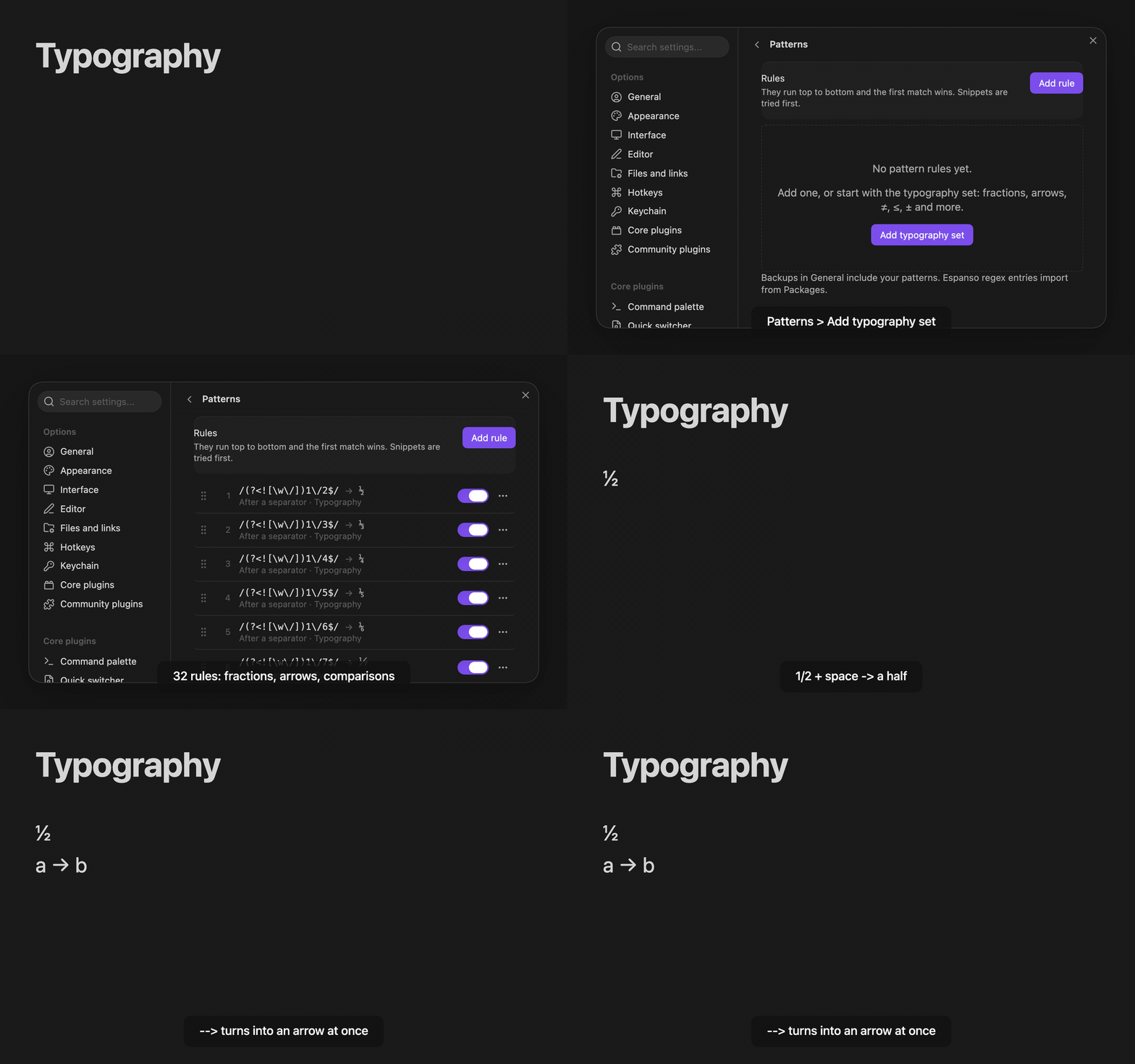
A trigger is a fixed word. A pattern is a regular expression that must end at the caret, so it
can match a shape: 1/2, -->, :work:. Add one in Settings → Snipsy → Patterns, or add
the typography set there for 32 ready rules (fractions, arrows, ≠, ≤, ≥, ±, …).
| Pattern | Replacement | You type | You get |
|---|---|---|---|
/\b1\/2$/ | ½ | 1/2 and a space | ½ |
/-->$/ | → | --> | →, at once |
/:(\w+):$/ | #{{1}} | :work: and a space | #work |
Each rule is Instant (fires as soon as the text matches) or After a separator (fires on a
space, Enter or punctuation, so 1/23 can still be typed). {{1}} is what the first group
matched, {{name}} a named group. The Try it field in the editor replays a line through the
real engine and tells you what fires. Expansion is one undo step, and it stays quiet in code,
math and frontmatter like any trigger. The reference
has the syntax, the limits and everything that is refused.
Coming from another tool
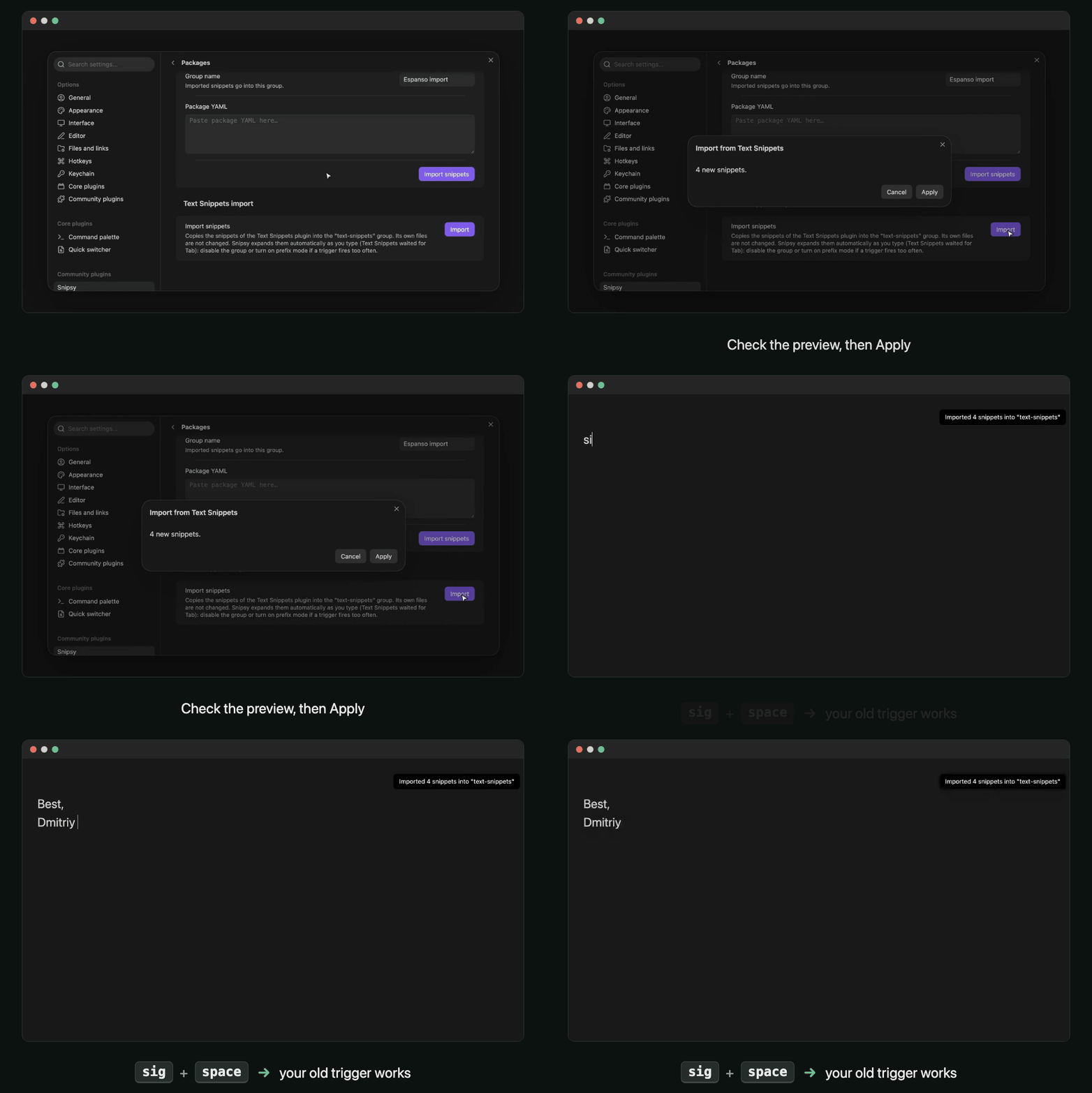
Text Snippets. Its last release was in May 2022. On the Packages page, press Import under
Text Snippets import. Snipsy shows a preview and copies your snippets into their own group,
without changing anything in Text Snippets. Its $tb$ tab stops become fields you walk with Tab
(a stop glued to a letter or digit cannot be a field, the reference has the details).
One difference: Snipsy expands as you type instead of waiting for a key. If you prefer to trigger
expansion yourself, bind Expand trigger at cursor to the key you used there.
Espanso. Paste the YAML of a package and name a group. regex: matches become pattern rules.
Forms, scripts and other things Snipsy can't represent are skipped and named.
Substitutions. Its rules, like 1/2 into ½, can be written as patterns here, and the typography
set is ported from its 32 default rules. There is no importer for its settings yet. Copy a rule by
hand and write {{1}} where it used $1.
Other system-wide expanders. Espanso, Raycast, Keyboard Maestro and AutoHotkey work in every app, and Snipsy works only in Obsidian. Pick Snipsy for Markdown awareness and the same snippets on your phone.
What ships with it
Sixteen triggers in one group called Defaults. Type the trigger, then a space.
| Trigger | Becomes |
|---|---|
todo · done | - [ ] · - [x] |
h1 · h2 · h3 | # · ## · ### |
bold · italic · code | **|** · _|_ · `|`, cursor inside |
note | a > [!note] callout, cursor on the body line |
table | a table, cursor in the first cell |
today · now | 2026-09-28 · 14:05 |
brb · omw · ty · imo | be right back · on my way · thank you · in my opinion |
Delete any of them. Settings → Snipsy → Restore default snippets brings back the missing ones.
Placeholders
| Placeholder | Becomes |
|---|---|
$| | where the cursor lands, or the last stop when Tab walks fields |
$1, $2... | fields: Tab jumps from one to the next, Shift+Tab goes back. With only one $1 it is the cursor. From the picker over a selection, $1 takes the selected text |
$date · $time | today · now |
{{date:dddd, D MMMM}} | your own Moment.js format |
$filename | the note's file name, with its extension |
{{title}} | the note's name without its extension; empty when no note is open |
{{notedate:FORMAT}} | the date in the note's name (a diary note), written in FORMAT, e.g. {{notedate:GGGG-[W]WW}} in 2026-12-31 gives 2026-W53. The name is read with the core Daily notes date format; empty when it is not a date |
$clipboard | what is on your clipboard |
The reference has the exact rules.
What it does not do
- JavaScript or dynamic templates: use Templater.
- Expansion outside Obsidian: use Espanso.
- Patterns with backreferences, lookahead or Unicode property classes (
\p{L}). The reference lists what a pattern cannot be, and why.
Privacy
No analytics, no telemetry, no account. Snipsy goes online only when you open the Packages page, to
fetch the catalog from GitHub. Your snippets stay in the plugin's data.json.
Questions
It keeps expanding now in my sentences
Delete that snippet, switch off the Defaults group, or turn on prefix mode so only :now expands.
My emoji snippets with colons (:smile:) don't expand
: is a separator, so :smile: can't be typed as one word. Settings → Snipsy → Snippets shows a
Fix triggers button that renames them to smile after a preview.
Triggers don't expand on Linux (Wayland)
Start Obsidian with --ozone-platform=x11. If that fixes it, please report it in an issue with your
desktop and input method.
If something is wrong, or missing
Open an issue with what you typed and what you got. The feature list is short on purpose, and the fastest way to change it is to say what you tried to do and could not.
If Snipsy saves you keystrokes, a star on GitHub helps other people find it, and a coffee says thanks.
Also by the author: Dashy, a dashboard inside an Obsidian note, built from seven Markdown blocks, with no JavaScript or Dataview.
Development commands are in the reference.
License
MIT © Dmitriy Yurkin
For plugin developers
Search results and similarity scores are powered by semantic analysis of your plugin's README. If your plugin isn't appearing for searches you'd expect, try updating your README to clearly describe your plugin's purpose, features, and use cases.