by Yuiga Wada
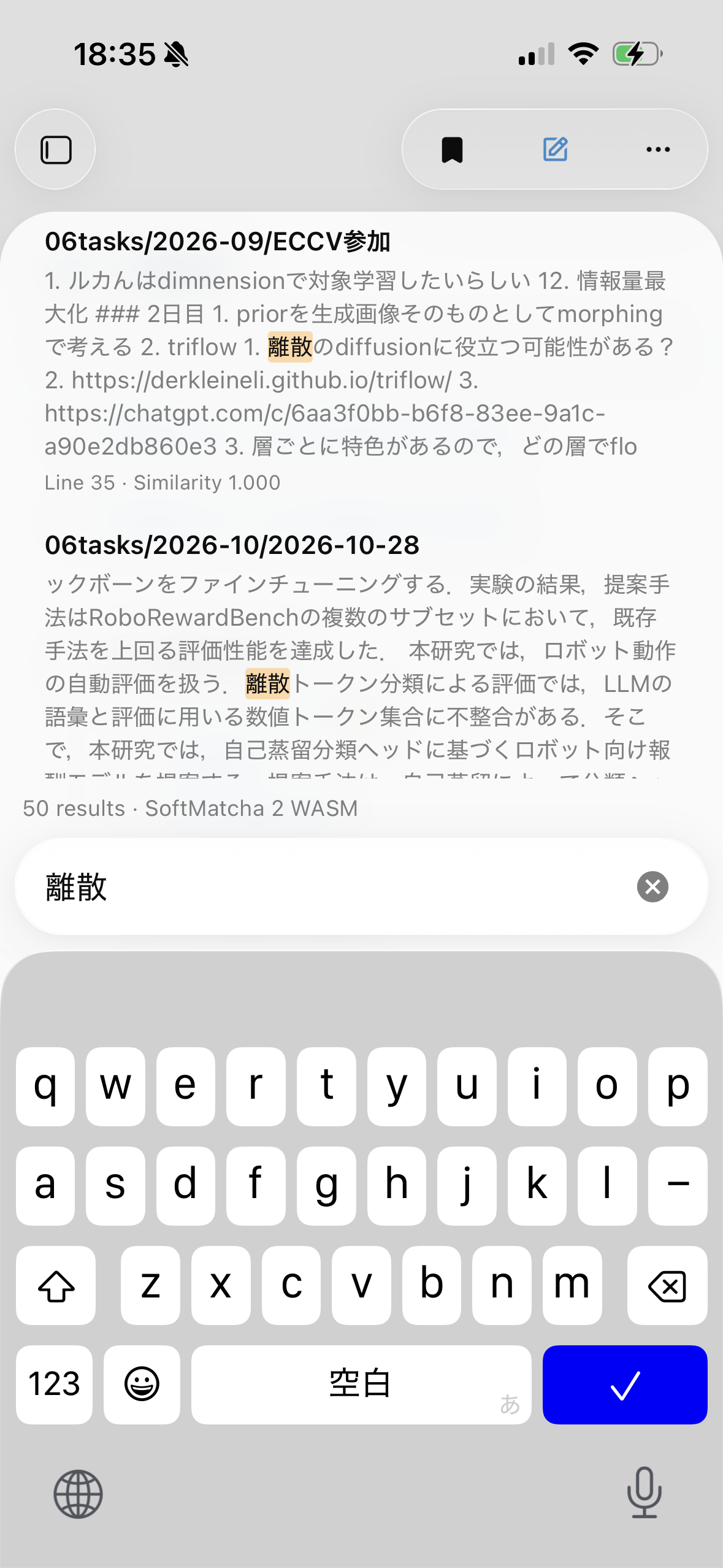
Fast, powerful local vector search. Find passages beyond exact words, with highlighted matches. English & Japanese, desktop & mobile. No API key or server.
SoftMatcha Search
Find the passage—even when you forget the exact words.
Fast, powerful local vector search for Obsidian. English & Japanese · Desktop & mobile · No API key or server.
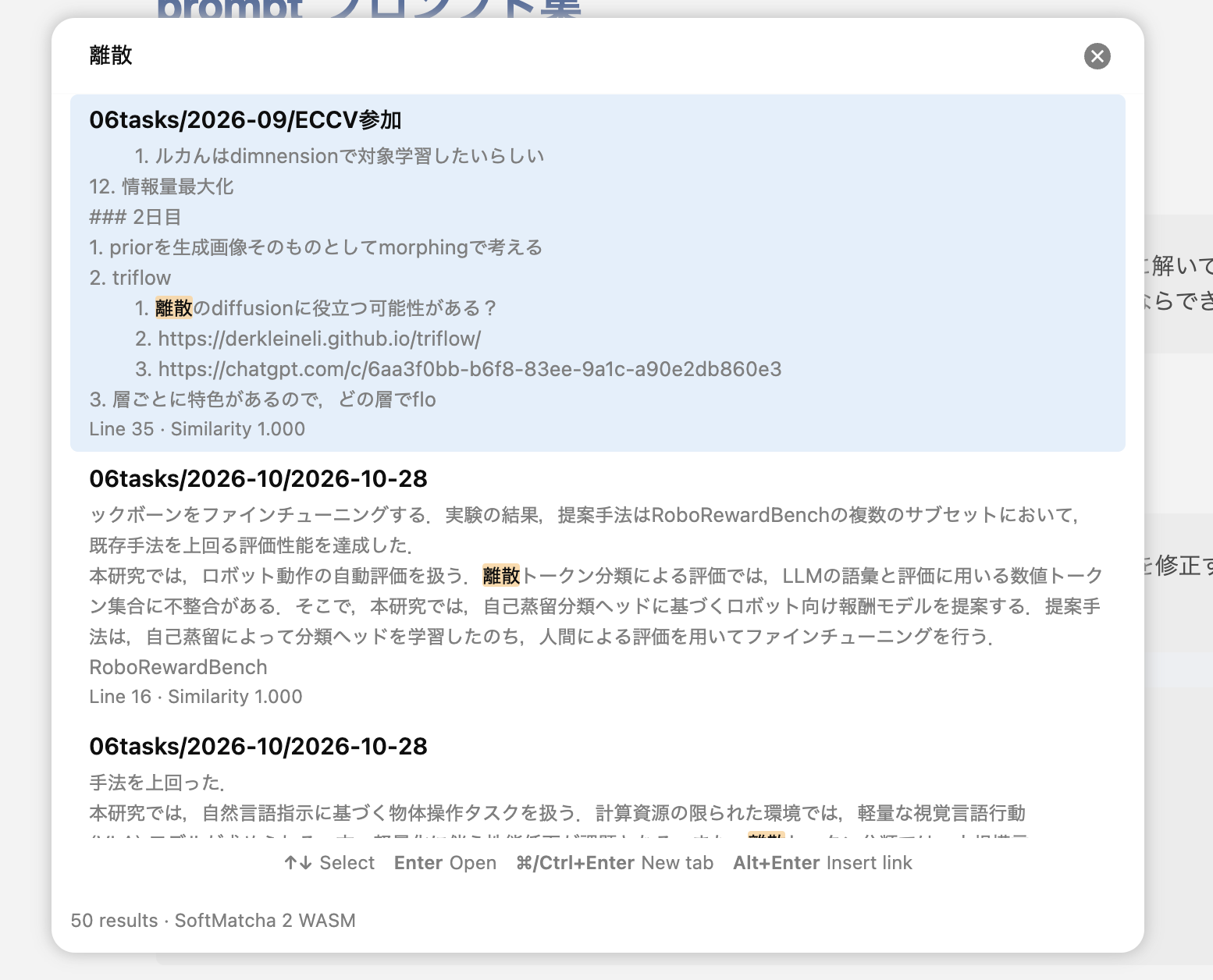
Powered by SoftMatcha 2: match similar words and phrase variations, highlight the passage, and jump straight to it.
Install from Community Plugins
 |  |
Find. Open. Keep writing.
- Built for speed. Rust + WebAssembly, with search running in a background worker.
- Search beyond exact words. Combine exact matching with similarity-based phrase search.
- See the match. Highlighted excerpts with direct navigation to the source line.
- Stay in flow. Open results in a new tab or insert a
[[link]]from the keyboard. - Choose your footprint. Enable English and Japanese models independently; exact search works without either.
Open SoftMatcha Search: Search vault from the command palette or tap the search ribbon icon. Set your shortcut in Settings → Hotkeys; try Cmd/Ctrl + Shift + O.
Local vector search. Your notes stay yours.
Search runs on your device. Missing models for enabled languages download automatically from GitHub Releases in the background; opt out in settings. After setup, search works offline. Notes and search queries are never uploaded. Privacy details
License
Original code and documentation: MIT. SoftMatcha 2 port: Apache-2.0 with MIT portions. fastText models: CC BY-SA 3.0. Japanese dictionary: upstream terms. Third-party notices · License texts
For plugin developers
Search results and similarity scores are powered by semantic analysis of your plugin's README. If your plugin isn't appearing for searches you'd expect, try updating your README to clearly describe your plugin's purpose, features, and use cases.