SoftView
approvedby SoftView
Open the current Markdown note in a warm, focused reading view. - This plugin has not been manually reviewed by Obsidian staff.
SoftView
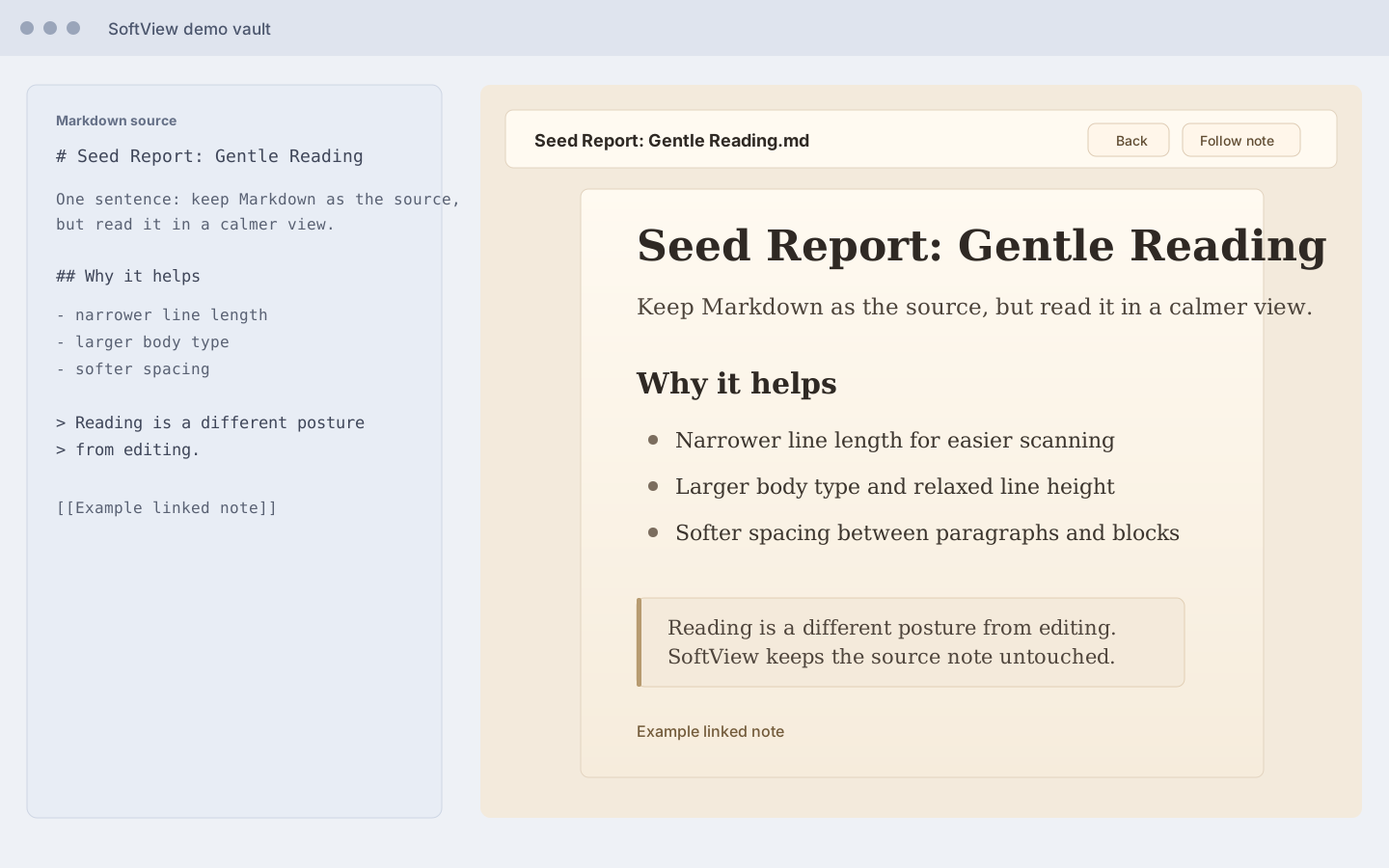
SoftView opens the current Markdown note in a warm, focused reading view inside Obsidian.
It does not generate external HTML, does not open a system browser, and does not modify your Markdown files. Your note remains the single source of truth; SoftView is only a softer way to read it.
Why SoftView
Obsidian is excellent for writing, linking, and editing. Reading often wants a different posture: narrower lines, warmer background, gentler spacing, and less interface noise.
SoftView keeps you inside Obsidian while giving the active note a paper-like reading surface.
Features
- Open the current Markdown note in a custom SoftView pane.
- Render Markdown through Obsidian's
MarkdownRenderer. - Preserve Obsidian-style internal links, images, callouts, tags, and embeds as closely as possible.
- Use a warm reading layout with comfortable width, line height, spacing, quotes, callouts, and code blocks.
- Open from the ribbon book icon.
- Open from the command
Open current note. - Refresh with the icon button in the toolbar.
- Toggle
Follow current noteto update SoftView when you switch Markdown files. - Click internal links inside SoftView and navigate within the reading pane.
- Use
Backto return to the previous SoftView article and restore the prior scroll position.
Installation
Once SoftView is available in the Obsidian community plugin browser:
- Open Obsidian Settings.
- Go to Community plugins.
- Search for
SoftView. - Install and enable the plugin.
Manual Installation
Download the latest release files:
main.jsmanifest.jsonstyles.css
Place them in:
<your-vault>/.obsidian/plugins/softview/
Then restart Obsidian or reload community plugins, and enable SoftView.
Usage
- Open any Markdown note in Obsidian.
- Click the ribbon book icon, or run
Open current notefrom the command palette. - Read in the SoftView pane.
- Use the refresh icon after editing the source note.
- Turn on
Follow current noteif you want SoftView to update when you switch notes. - Click internal links to move through your notes inside SoftView, then use
Backto return.
Development
npm install
npm run build
On Windows PowerShell, if npm.ps1 is blocked:
npm.cmd install
npm.cmd run build
Privacy
SoftView runs locally inside Obsidian. It does not upload your notes or send note content to any external service.
License
MIT
For plugin developers
Search results and similarity scores are powered by semantic analysis of your plugin's README. If your plugin isn't appearing for searches you'd expect, try updating your README to clearly describe your plugin's purpose, features, and use cases.