by Elisa De Gregorio
Turns hyphens into Spanish dialogue dashes (raya) and fixes spacing and punctuation around narrator incisos.
Spanish Dialogue Dash
Obsidian plugin for Spanish dialogue dashes (raya, —), following
correctores.es: guiones largos.
—Me parece que me estás engañando —susurró Víctor—, pero no importa.
—¡Qué buen día hace! —exclamó sonriente Jorge.
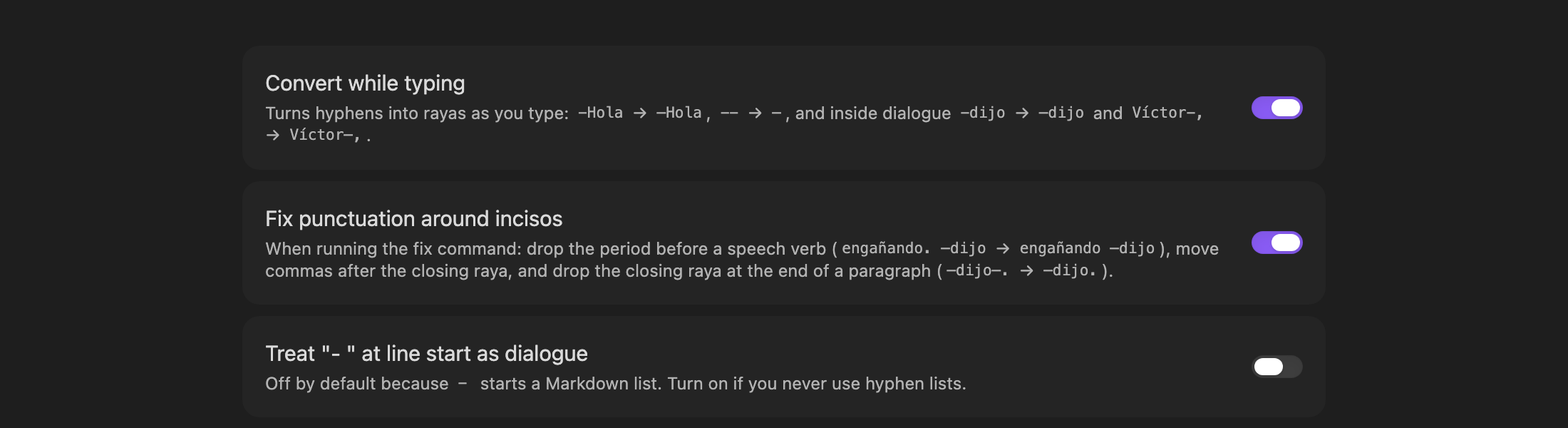
While typing
-Holaat line start →—Hola(-with a space stays a Markdown list)--anywhere →—- Inside a dialogue line:
-dijo→—dijo,Víctor-,→Víctor—,
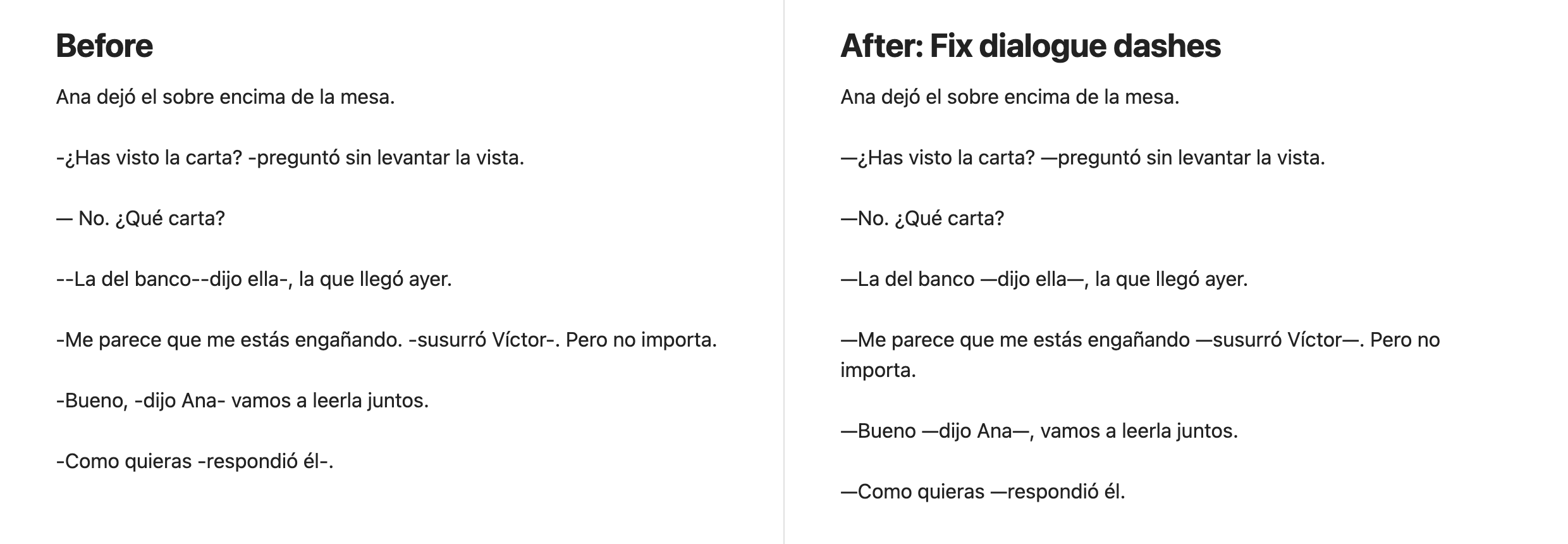
Command: Fix dialogue dashes in note (or selection)
On every line that starts with -, --, – or —:
- Opening raya attached to the first word:
— Hola→—Hola - Inciso spacing:
engañando—dijo Víctor -, pero→engañando —dijo Víctor—, pero - Period before a speech verb removed:
engañando. —dijo→engañando —dijo - Comma moved after the closing raya:
Bueno, —dijo— vamos→Bueno —dijo—, vamos - No closing raya at paragraph end:
—dijo—.→—dijo.
Hyphenated words (ex-novio), numbers (3-4, -5), links, code, frontmatter and code blocks are left alone.
Command Insert raya (—) inserts the dash; give it a hotkey in Settings → Hotkeys.
Settings
Develop
npm install
npm run build
npm test
npm run lint          # Obsidian's official lint rules (same as the plugin review)
npm run screenshots   # regenerate docs/images (macOS, needs Obsidian and Chrome)
Install manually
Copy main.js and manifest.json to <vault>/.obsidian/plugins/spanish-dialogue-dash/,
then enable Spanish Dialogue Dash in Settings → Community plugins.
Support
If this plugin helps you write, you can buy me a coffee:

License
MIT © Elisa De Gregorio
For plugin developers
Search results and similarity scores are powered by semantic analysis of your plugin's README. If your plugin isn't appearing for searches you'd expect, try updating your README to clearly describe your plugin's purpose, features, and use cases.