Synkk Team Vault Sync
approvedby Tawanda Joseph Mutsena
Whole-file team vault sync with path permissions, selective device rules, and deletion safety controls. - This plugin has not been manually reviewed by Obsidian staff.
Synkk Team Vault Sync
Whole-file team vault sync, real-time Yjs multiplayer, and zero-knowledge E2EE for Obsidian, powered by a self-hosted Synkk server.
Website · Live Docs Portal · Docs · Server repo · Latest release · Ottomate
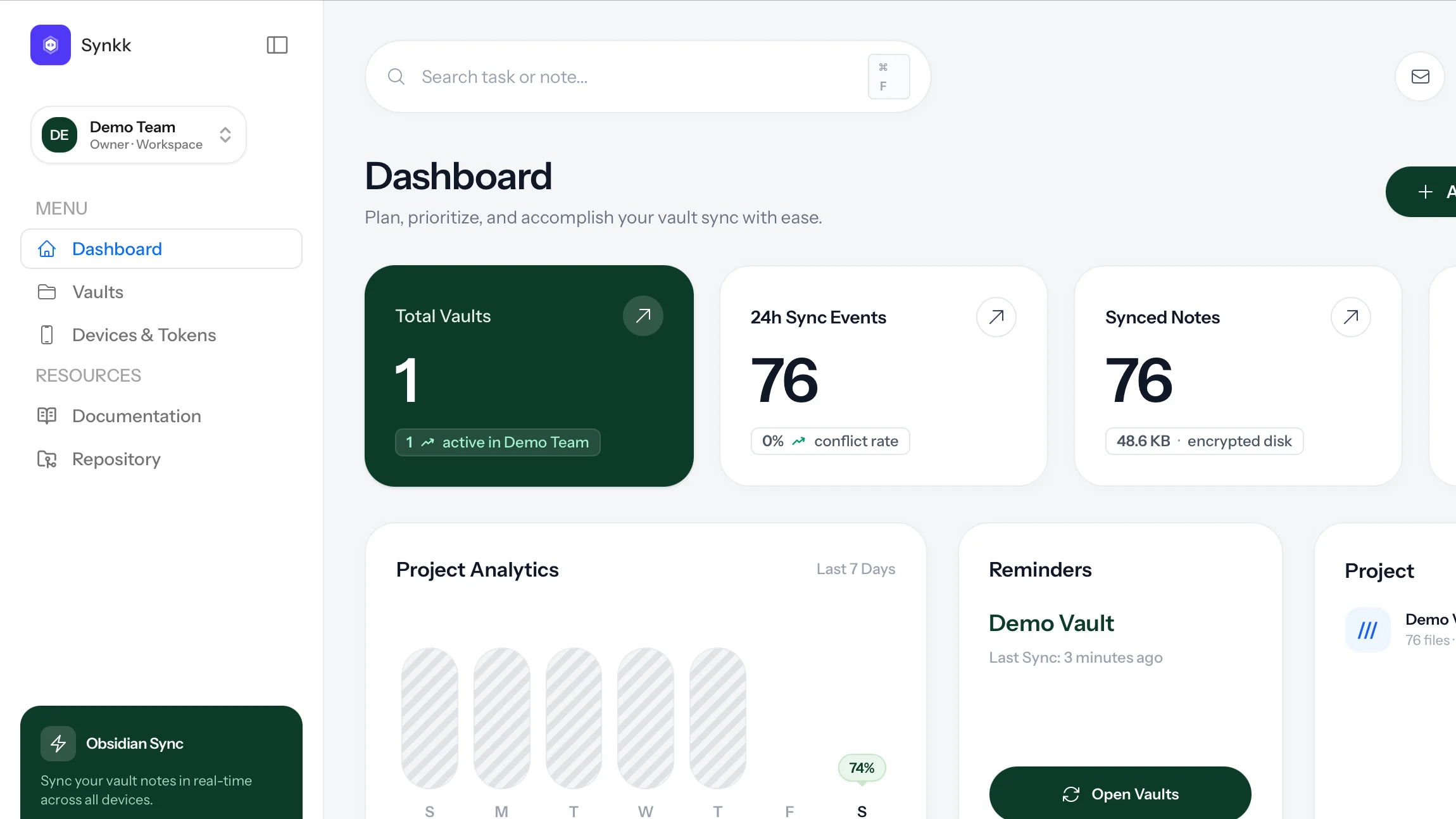
Synkk Team Vault Sync connects an Obsidian vault to a Synkk team server. It is designed for teams and individuals that need private infrastructure, member/device access control, path-specific permissions, real-time multiplayer collaboration, zero-knowledge encryption, and recoverable sync history without turning every user into a Git operator.
Product Screens
| Web Dashboard | Markdown Editor |
|---|---|
| 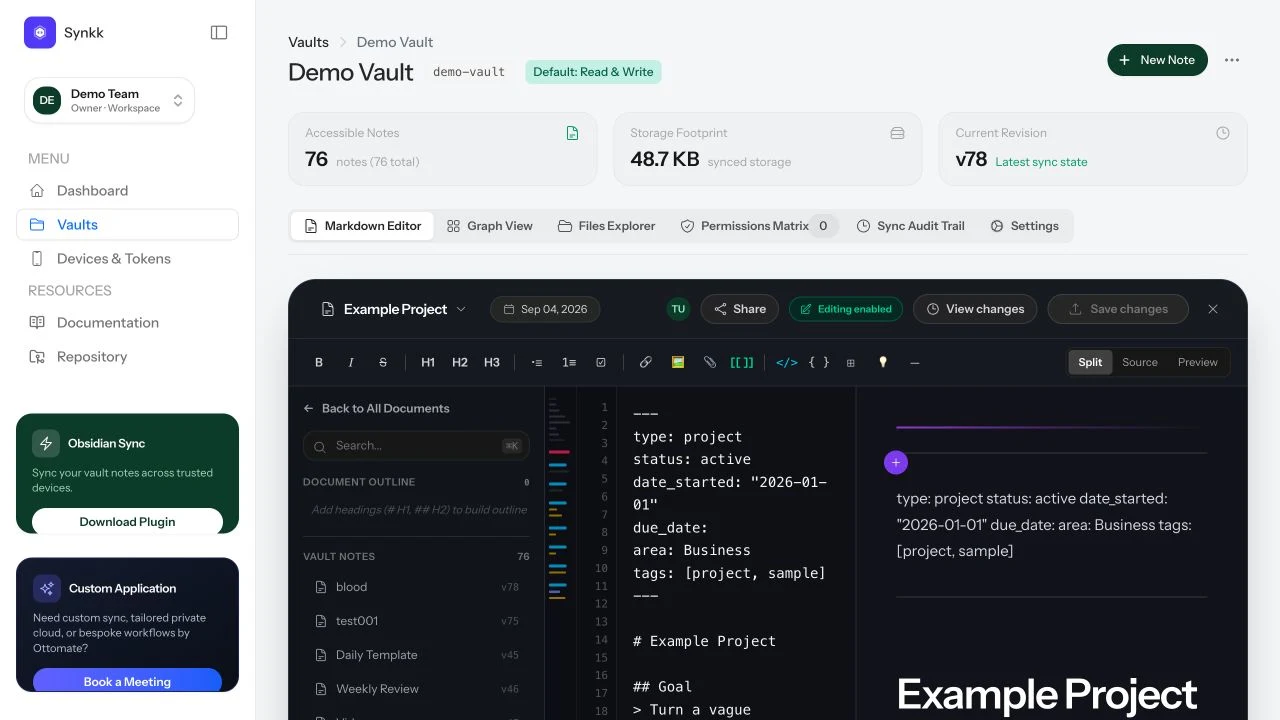 |
| Graph View | Permissions Matrix |
|---|---|
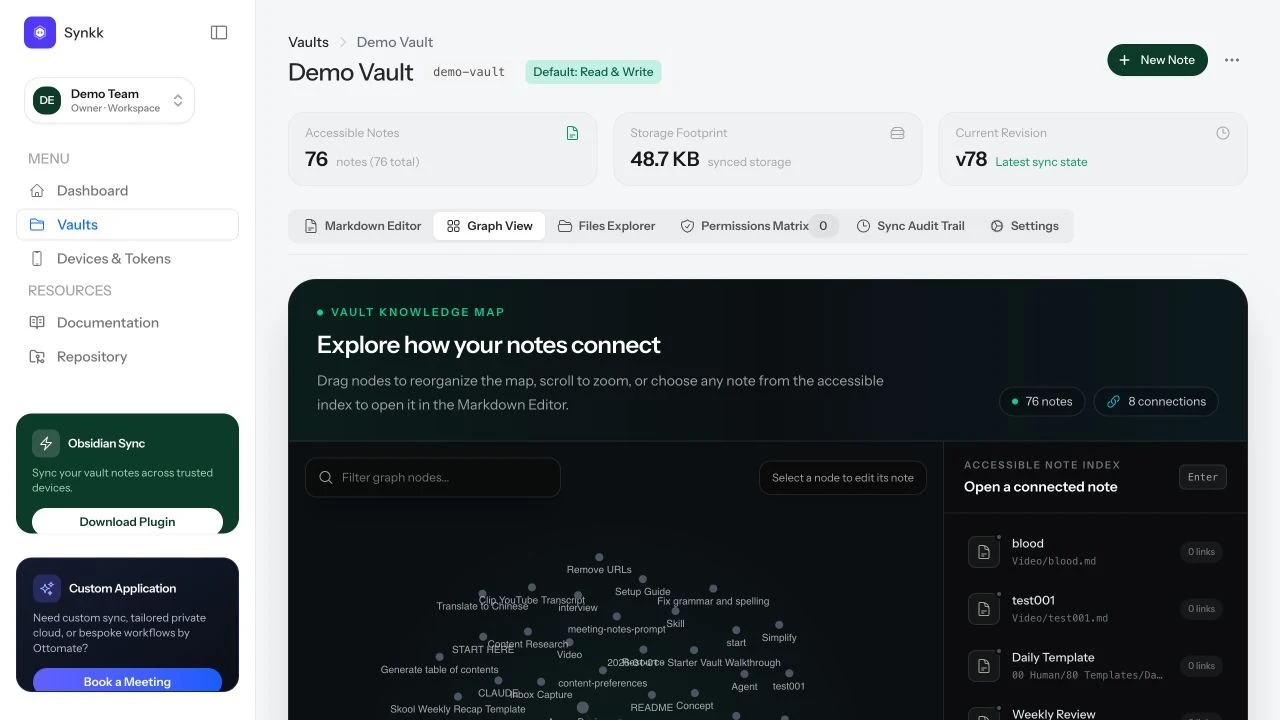 | 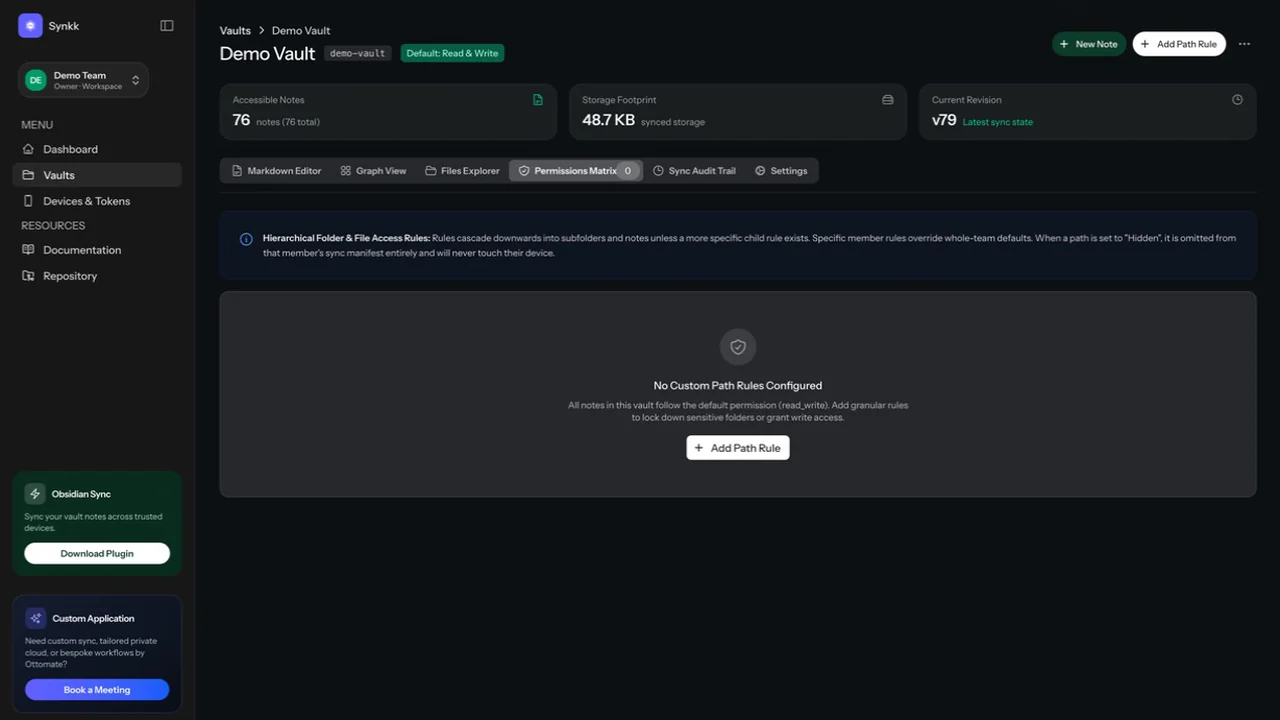 |
Core Capabilities
- Cross-Platform Sync: macOS, Windows, Linux, iOS, and Android support through Obsidian's plugin runtime.
- First-Sync Pre-Flight & Migration Wizard: Built-in 4-phase diagnostic wizard that inspects local vaults prior to first sync, groups files (Markdown, Canvases, Images, Media, PDFs), sanitizes illegal cross-platform characters (
: * ? " < > | \) with a single click, simulates quota and change counts via dry-run API, and prevents mass wipes with the 20% Atomic Safety Shield. - One-Scan QR Pairing: Instant device setup using the
obsidian://synkk-pairdeep link protocol. Scan a QR code in the Synkk web dashboard to connect your mobile or desktop device in 2 seconds. - Interactive Livewire Vault Portals: Publish your vault as an interactive web portal at
/p/{slug}in real time with 4 design presets, instant Livewire fuzzy search, and interactive backlinks. Explore the live Synkk Docs Portal. - Real-Time Multiplayer Collaboration (Yjs): Real-time concurrent Markdown editing powered by Yjs CRDTs over Laravel Reverb, with remote awareness carets, shared undo history, and offline convergence.
- Zero-Knowledge Client-Side Encryption (E2EE): High-entropy AES-256-GCM client-side encryption for E2EE vaults. Plaintext notes and Yjs updates never touch server disks unencrypted.
- On-Demand Ghost Files: Dehydrate large attachments into lightweight stubs to keep mobile vaults lean, with one-click on-demand hydration.
- Access Control & Path Rules: Scoped device tokens, team membership, and granular path-level
read_write,read_only, andhiddenpermissions. - Content Integrity: SHA-256 content verification, atomic safety shields, deletion abort thresholds, and preserved
*.sync-conflict-*.mdbackup copies. - Selective Sync & Config: Per-device include/exclude folder rules and optional
.obsidianconfiguration syncing. - Recoverable History: Web Time Machine for server-side file-version rollback and recovery.
Security & Architecture Disclosures
- E2EE Vaults: When client-side encryption is enabled, file contents and real-time collaboration updates are encrypted and decrypted strictly on your client device using WebCrypto AES-256-GCM. The Synkk server only stores and routes opaque ciphertext blobs. For E2EE vaults, server-side search and RAG indexing are intentionally disabled to guarantee zero server knowledge.
- Standard Vaults: For standard (non-E2EE) vaults, the server receives file contents over HTTPS so it can store, authorize, version, index for local RAG, and restore them.
- Transport Security: Always deploy the Synkk server behind HTTPS and configure trusted reverse proxies appropriately.
Installation & Quick Setup
Method 1: Instant One-Scan Pairing (Recommended)
- In Obsidian, install and enable the Synkk Team Vault Sync plugin.
- In your Synkk web dashboard, navigate to Devices -> Pair Device.
- Scan the generated QR code with your mobile camera or click Copy Deep Link on desktop (
obsidian://synkk-pair?...). - Obsidian will automatically configure the server URL, scoped token, and vault bindings.
Method 2: Manual Installation
- Download
main.js,manifest.json, andstyles.cssfrom the latest release. - Create
<vault>/.obsidian/plugins/synkk-sync/. - Place the three release files in that directory.
- In Obsidian, open Settings -> Community plugins and enable Synkk Team Vault Sync.
- In Settings -> Synkk Vault Sync, enter your HTTPS server URL ending in
/api/v1, paste your device token, and choose the target vault.
Development
npm ci
npm run build
npm test
The production command compiles TypeScript and bundles main.js. Release packages also include manifest.json and styles.css.
Links
- Public app: synkk.space
- Documentation: synkk.space/documentation
- Server repo: github.com/tawandajosephmutsena/synkk
- Plugin repo: github.com/tawandajosephmutsena/synk-obsidian-plugin
- Creator studio: Ottomate
Creators
Synkk is created by Ottomate. Product direction and engineering are led by Tawanda Joseph Mutsena.
License
The plugin is licensed under the MIT License.
For plugin developers
Search results and similarity scores are powered by semantic analysis of your plugin's README. If your plugin isn't appearing for searches you'd expect, try updating your README to clearly describe your plugin's purpose, features, and use cases.