Tab Cleaner
approvedby caijyii
Visually find, review, and safely close groups of Obsidian tabs. - This plugin has not been manually reviewed by Obsidian staff.
Tab Cleaner for Obsidian
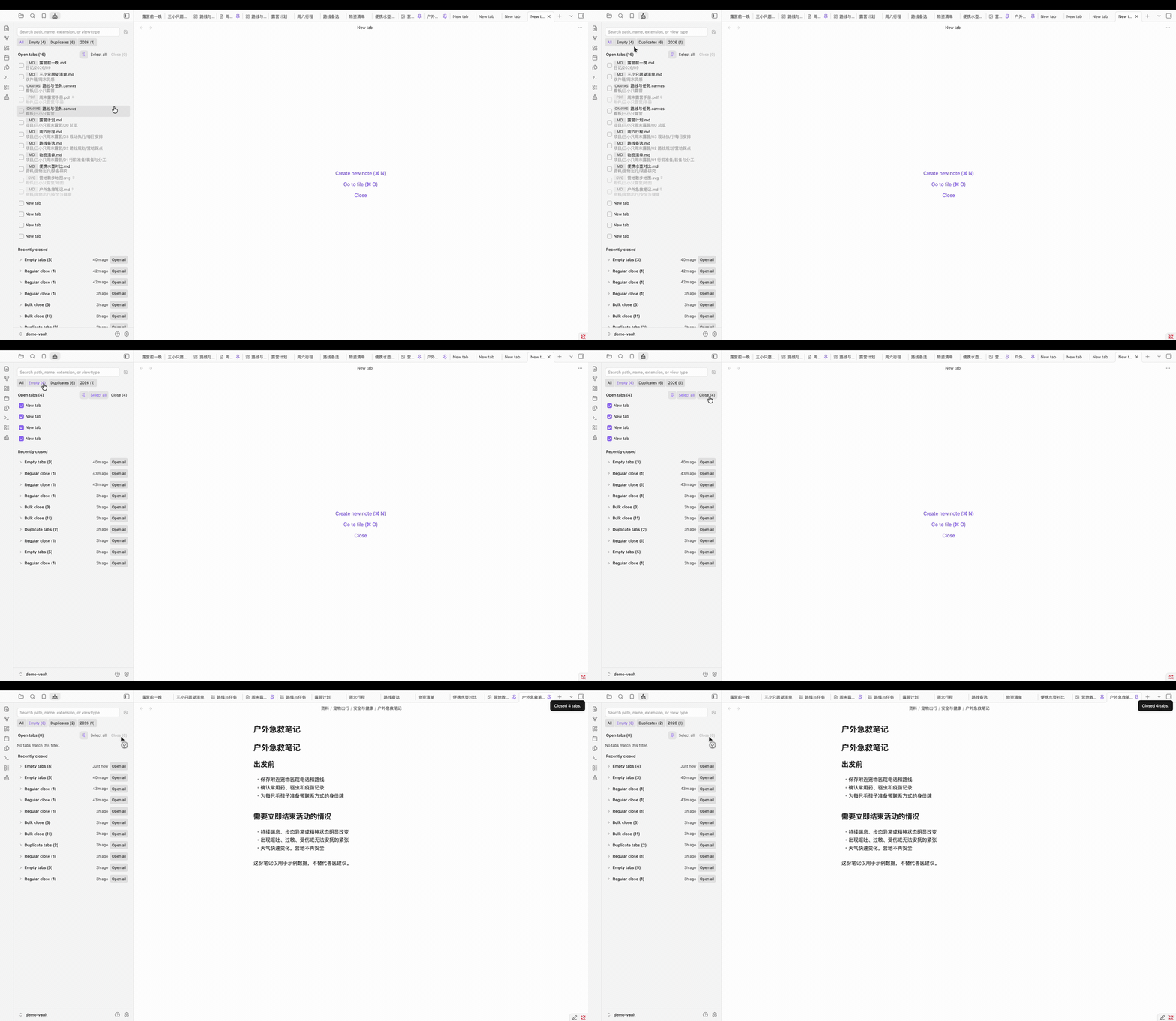
Tab Cleaner is a visual workspace for reviewing and safely closing groups of Obsidian tabs.
Features
- Visual list of tabs in the main workspace
- Built-in filters for empty and duplicate tabs
- Search by path, file name, extension, or view type
- Reusable search groups that can be edited or removed
- Pinned-tab protection available directly in the cleaner panel
- Active-tab protection by default
- Recently closed cleanup batches with one-click reopening
- Simplified Chinese and English interfaces based on the Obsidian language
- Safe closing boundary: only empty tabs and file-backed tabs can be selected
Empty tabs are grouped into Recently closed and can be reopened as a new empty tab. Sidebar tools and the Tab Cleaner panel itself are never included.
Requirements
- Obsidian 1.8.7 or later
- Designed for desktop and mobile; currently tested on macOS
Back up important work and test the workflows you rely on before introducing any tab-management plugin to an important vault.
Install
Community Plugins
Tab Cleaner is available in the Obsidian Community Plugins directory:
- Open Settings → Community plugins in Obsidian.
- Choose Browse and search for Tab Cleaner.
- Choose Install, then enable the plugin.
BRAT
To test a GitHub release directly, install it with BRAT:
- Install and enable BRAT.
- Choose Add Beta plugin in the BRAT settings.
- Enter
https://github.com/caijyii/obsidian-tab-cleaner.
Manual installation
Download main.js, manifest.json, and styles.css from the matching GitHub release, then copy them into:
YOUR_OBSIDIAN_VAULT/.obsidian/plugins/tab-cleaner/
Replace YOUR_OBSIDIAN_VAULT with the folder that contains your Obsidian notes.
Restart Obsidian or reload plugins, then enable Tab Cleaner under Settings → Community plugins.
Usage
Open the ribbon brush icon or run Tab Cleaner: Open panel from the command palette.
- Choose All, Empty, Duplicates, a saved search group, or enter a search.
- Choose whether pinned tabs can be selected, then select visible tabs or adjust them individually.
- Choose Close selected.
- Reopen tabs later from Recently closed if needed.
Recently closed consolidates repeated instances of the same file, URL, or empty-tab type into an ×N record. The count describes how many tabs were closed; reopening restores one tab per record.
To create a reusable search group, search for a stable path, file name, extension, or view type, then choose the save icon. Edit or delete saved groups from the pencil beside an active filter or from the plugin settings.
Safety and privacy
- Tab Cleaner does not send data anywhere.
- It does not read or modify note contents.
- Settings and recent cleanup history stay in Obsidian's local plugin data file.
- Non-file views that cannot be safely restored are excluded from closing.
- Empty tabs are saved as an aggregated history entry and reopen as one new empty tab.
Known limitations
- Reopening a cleanup batch restores one tab per history entry, even if
×Nindicates that several equivalent tabs were closed. - A recently closed file cannot be reopened after the file has been deleted or moved.
Feedback
Please report bugs and feature requests in GitHub Issues.
Acknowledgements
The product concept was inspired by Tab Out.
License
MIT © 2026 caijyii
For plugin developers
Search results and similarity scores are powered by semantic analysis of your plugin's README. If your plugin isn't appearing for searches you'd expect, try updating your README to clearly describe your plugin's purpose, features, and use cases.