Tag Calendar
approvedby Synaphi
A light, easy calendar for follow-up tasks. One tagged Markdown line per schedule, one hub note, and live calendar blocks you can paste into any note. - This plugin has not been manually reviewed by Obsidian staff.

Tag Calendar
A light, easy calendar for Obsidian. Tag a task, give it a date, and it shows up on the calendar.
- [ ] Send the follow-up email 📅 2026-09-15 #follow-up
That one Markdown line is the whole system. No database, no sync engine, no setup.
Why you'll like it
- One line, one place. Your schedule lives in plain Markdown checkboxes. Edit the line, the calendar updates. Tick the calendar, the line updates.
- One note to manage. The plugin opens a single hub note (
_CALENDAR.mdby default). Add schedules there, or write the line in any note — both are picked up instantly. - Copy it anywhere. Press Copy and paste a
tag-calendarblock into any note — your daily note, a project page, a dashboard. Every copy is live and shows the same data. - Light. It only indexes lines that carry both
📅and#follow-up, so it stays fast even in large vaults and never touches your other tasks. - Recurring, without clutter. Add
🔁 daily,weekly,monthly:15, oryearly:09-15. Completing an occurrence rolls the same line forward to the next date — no duplicated future tasks.
Screens
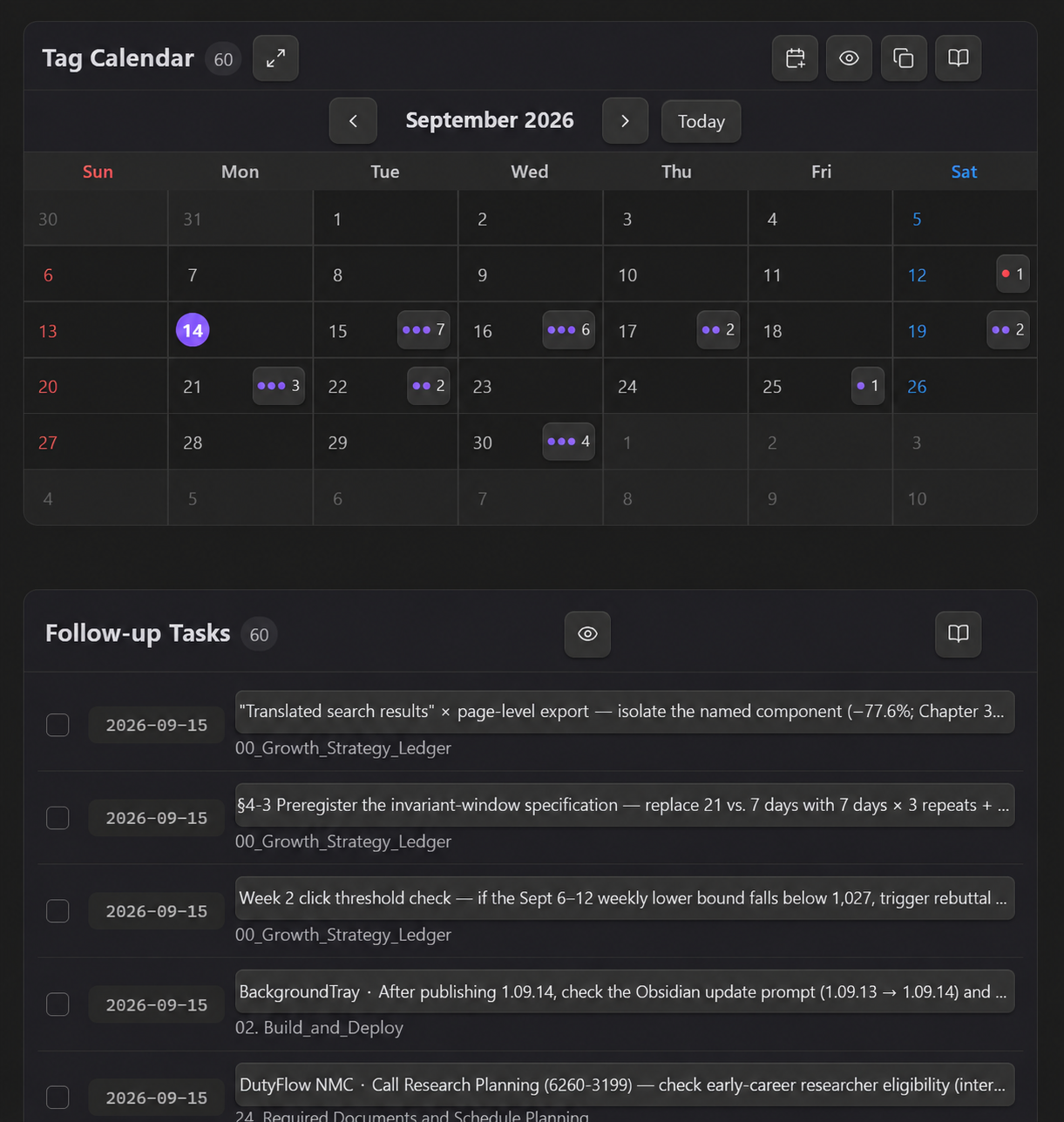
Compact calendar with a nearest-first list underneath:
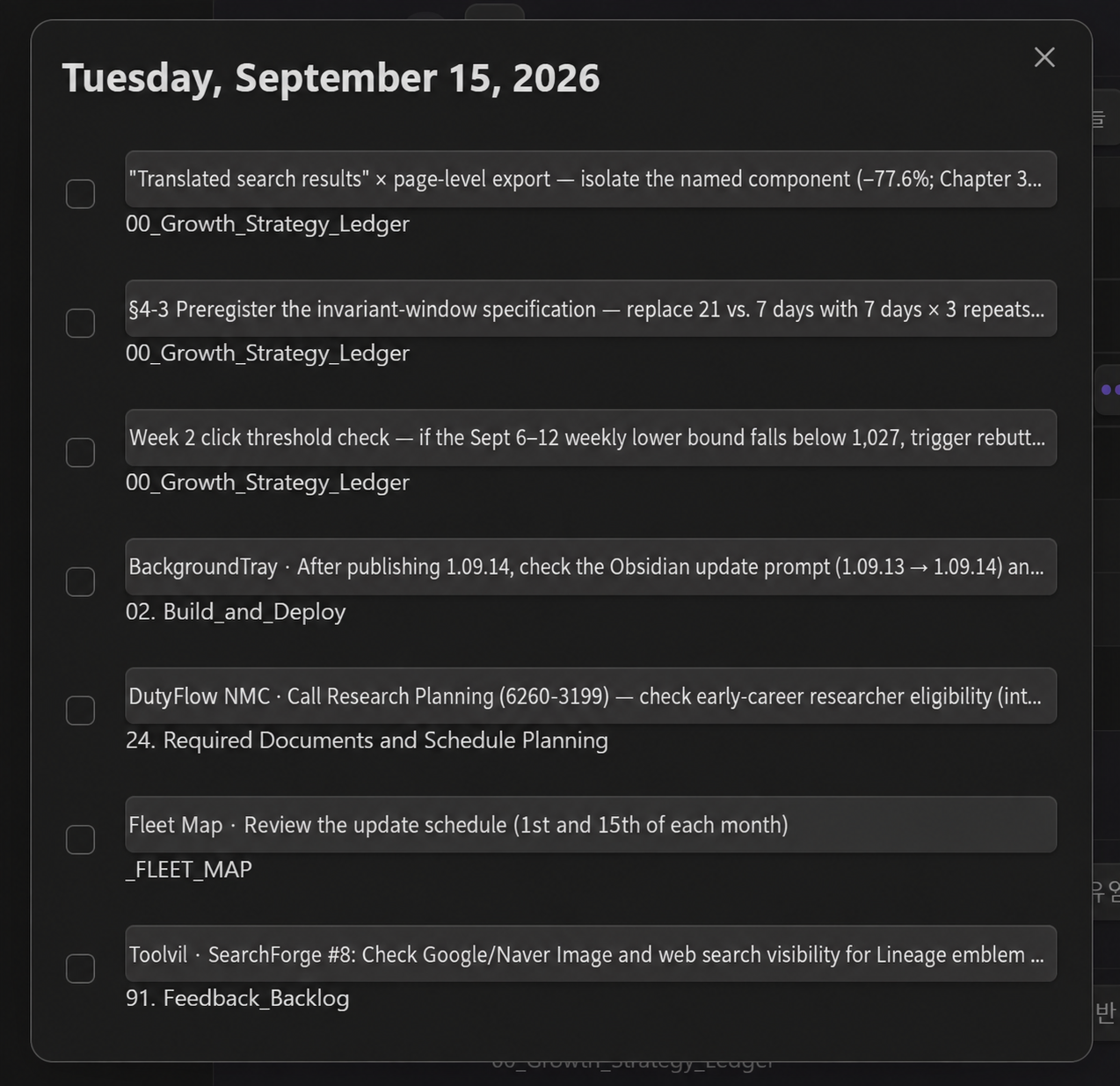
Click a day to see everything due that day and tick items off:
How to use
- Click the calendar icon in the left ribbon. The hub note opens (it's created once if missing).
- Press Add schedule, or write a line yourself:
- [ ] Title 📅 YYYY-MM-DD #follow-up #optional-project-tag - Press Copy in the calendar header and paste the block into any other note.
Live block options (all optional):
```tag-calendar
weekStart: monday
showCompleted: false
density: compact
```
Use tag-list as the block name for the list view only.
Settings
Language (English by default; Korean, or follow Obsidian), hub note path, first day of week, show completed by default, default calendar size. A built-in guide with update notes is one click away from the book icon.
Feedback
This plugin is small on purpose, and I keep it that way. If something feels off or you're missing a small thing, open an issue — feedback is folded in quickly.
Install manually
Download main.js, manifest.json, and styles.css from the latest release into <vault>/.obsidian/plugins/tag-calendar/, reload Obsidian, and enable Tag Calendar.
Development
npm install
npm test
npm run build
npm run deploy:local -- C:\path\to\vault
Versions use the date form <year index>.<MM>.<DD> (1.09.15 = 2026-09-15). The community
directory requires three-part semver, so a second release on the same day takes the next day number
(1.09.16). Edit manifest.json, package.json, and versions.json by hand — npm version
normalizes 1.09.15 to 1.9.15 and breaks the release tag.
The banner is rendered from assets/banner-source.html with headless Chrome at 1280×600 (scale 1.5).
License
MIT
For plugin developers
Search results and similarity scores are powered by semantic analysis of your plugin's README. If your plugin isn't appearing for searches you'd expect, try updating your README to clearly describe your plugin's purpose, features, and use cases.