Tare Money
approvedby Kalpit Jain
A local-first, plain-text money tracker. - This plugin has not been manually reviewed by Obsidian staff.
Tare Money
A local-first, plain-text money tracker for Obsidian.
A plain-text accounting (PTA) plugin for Obsidian. Your transactions live as plain markdown files in your vault. No cloud. No account. No subscription.
- Local-first. Transactions are markdown files in your vault. You control how (or if) your vault gets synced.
- No new apps to install or maintain. Lives inside Obsidian.
- Cross-platform. Works anywhere Obsidian works — desktop, iOS, Android — and syncs however you sync your vault (Obsidian Sync, iCloud, Syncthing, Git, whatever).
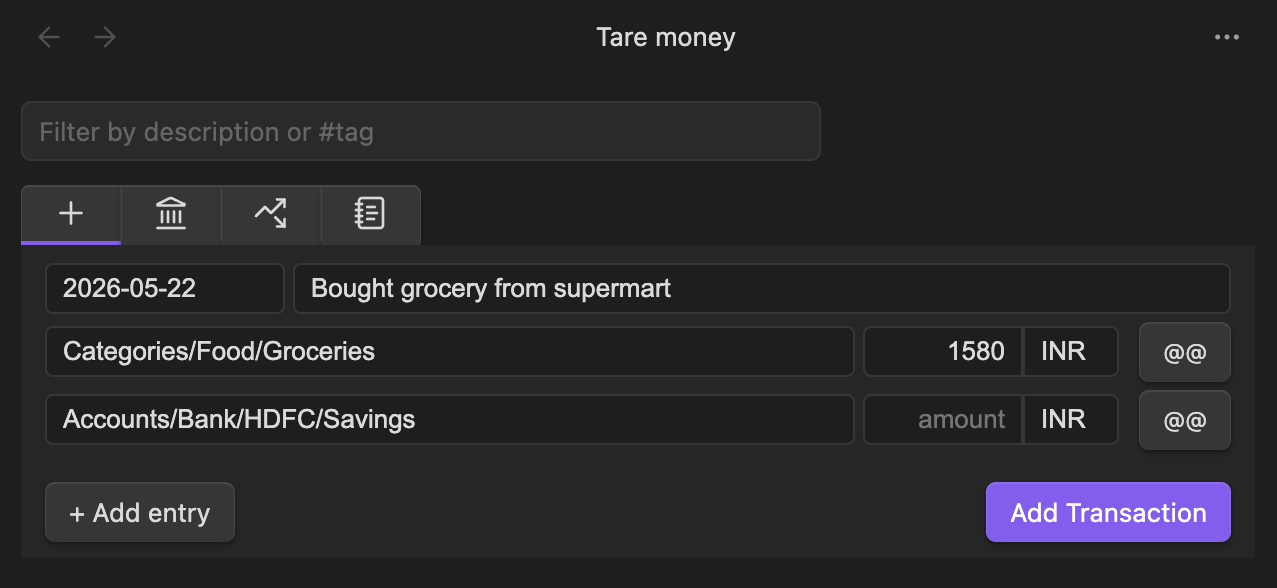
- UI-first. Add transactions through a form – stored in your Obsidian vault as plain-text.
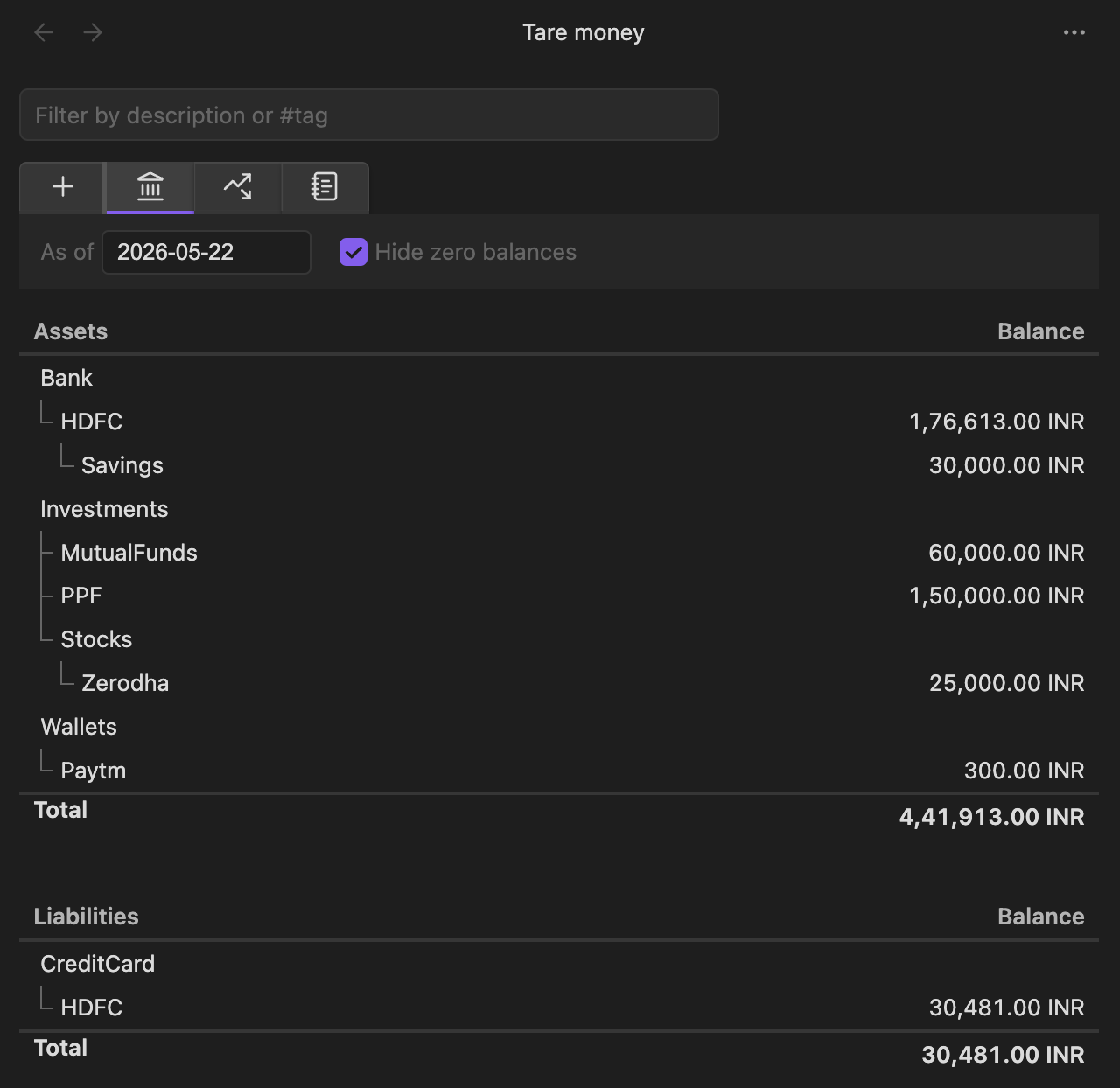
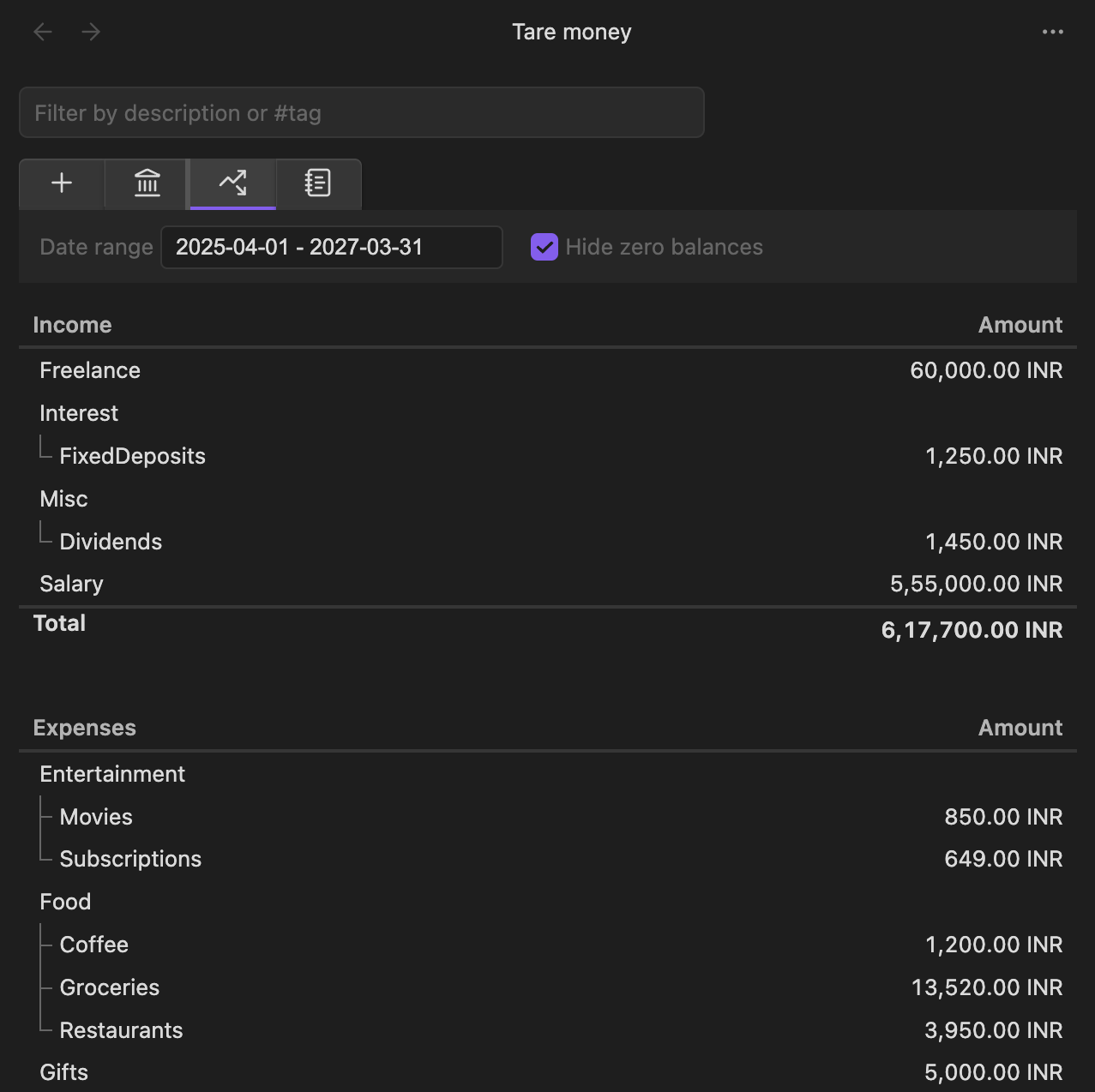
- Built-in views. Balances and Income & Expenses, at a glance.
Features
- Add transactions through a form — no hand-editing required
- Balances view – all your accounts
- Income & Expenses view
- Multi-currency with explicit conversion
- Double-entry validation (zero-sum enforced)
- Hashtag support for categorization
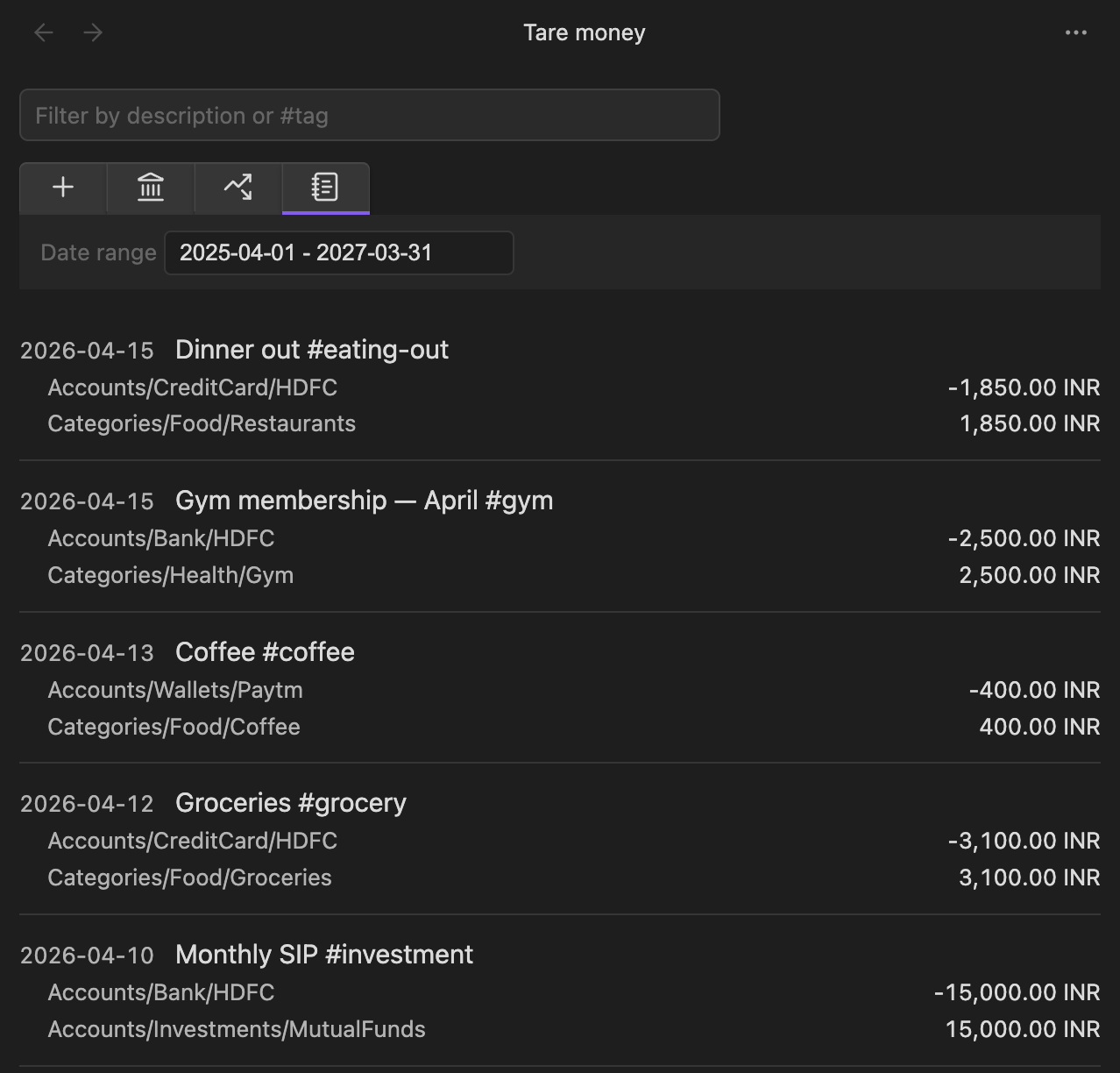
- Date range and text filters
- Stale-data detection with reload (Obsidian Sync friendly)
- Localized number formatting (
en-US,en-IN,de-DE,fr-FR,de-CH) - Runs and syncs wherever Obsidian runs
Install
From within Obsidian (recommended)
- Open Settings → Community plugins → Browse
- Search for "Tare Money"
- Install and enable
Alternatively, go to the Obsidian plugin directory and click "Add to Obsidian".
Manual
- Download
main.js,manifest.json, andstyles.cssfrom the latest release. - Place these files in
<VaultFolder>/.obsidian/plugins/tare-money/. - Restart Obsidian.
- Enable Tare Money in Settings → Community plugins.
Quickstart
- Open the view via the ribbon wallet icon, or run Tare Money: Open view from the command palette.
- In settings, set your transactions directory (default:
transactions). - Open the Add Transaction tab in the view to record a new transaction.
- Your transaction is saved to
<transactions-dir>/<year>.mdas plain text.
Transaction format
A transaction is a date line followed by two or more indented entry lines. Every transaction must balance to zero.
2026-04-15 Groceries at supermarket #grocery
  Accounts/Bank/HDFC             -1500 INR
  Categories/Food/Groceries       1500 INR
Multi-currency (use @@ for the total conversion amount):
2026-04-15 Dinner in Berlin
  Accounts/Bank/HDFC            -10000 INR  @@ 110 EUR
  Categories/Food/Eating-out       110 EUR
Amount inference — for single-currency transactions, you can omit one amount and it will be computed:
2026-04-15 Groceries
  Accounts/Bank/HDFC             -1500 INR
  Categories/Food/Groceries
Rules
- Zero-sum: every transaction must balance (per currency in multi-currency transactions).
- Inference: single-currency transactions may omit one amount. Multi-currency transactions must have all amounts explicit.
- Comments: anything after
;on a line is ignored. - Hashtags:
#tagsin descriptions are extracted as metadata.
Development
npm install       # install deps
npm run dev       # watch mode
npm run build     # production build
npm run test      # vitest
npm run lint      # eslint
Contributing
Contributions welcome. A CONTRIBUTING.md is coming. For now, open an issue before starting non-trivial changes so we can align on approach.
Screenshots
License
MIT.
For plugin developers
Search results and similarity scores are powered by semantic analysis of your plugin's README. If your plugin isn't appearing for searches you'd expect, try updating your README to clearly describe your plugin's purpose, features, and use cases.