TaskNotes
approvedby Callum Alpass
Note-based task management with calendar, pomodoro and time-tracking integration.
 TaskNotes for Obsidian
A task management plugin for Obsidian. Each task is a separate Markdown note, and the task list, Kanban, calendar and agenda views are Obsidian Bases views.
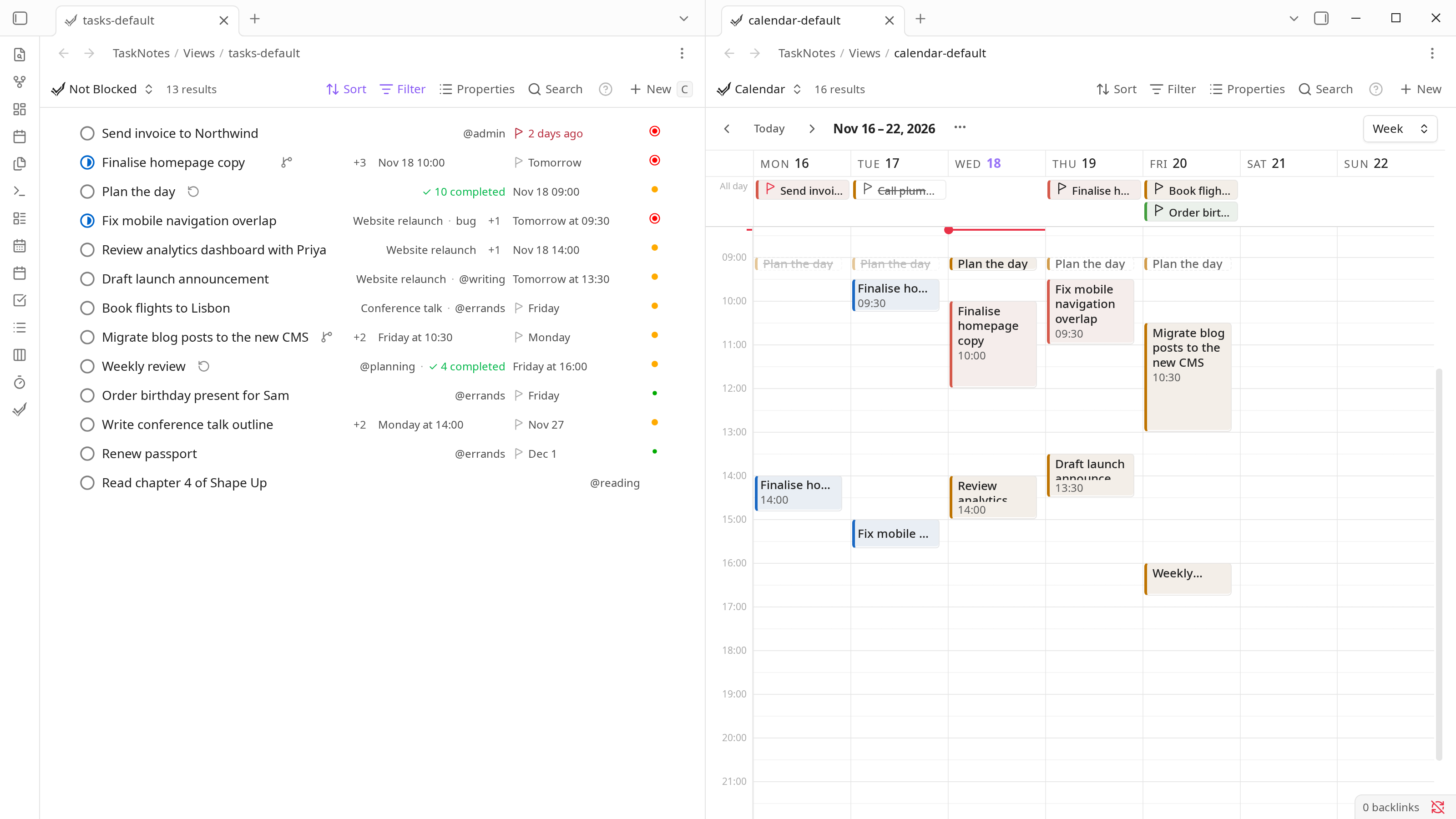
Documentation: tasknotes.dev
[!NOTE] TaskNotes is also available in Beta on the web, iPhone and Android. Open TaskNotes on the web, download it from the App Store or get it on Google Play. To use it with the tasks in your vault, sync the vault with mdbase Connect, which needs an mdbase Connect account. See Use TaskNotes App with your vault.
Overview
Each task is a Markdown note. Its status, dates, projects and other properties are stored in YAML frontmatter, and the rest of the note is ordinary Markdown.
The views are .base files in TaskNotes/Views/. You can change their filters, sorting and grouping in the Bases UI, edit the files directly, or copy them to make new views.
There is no separate database, so other tools and scripts can read and edit tasks. Property names are configurable, and extra frontmatter fields you add to tasks can be used in Bases.
Views
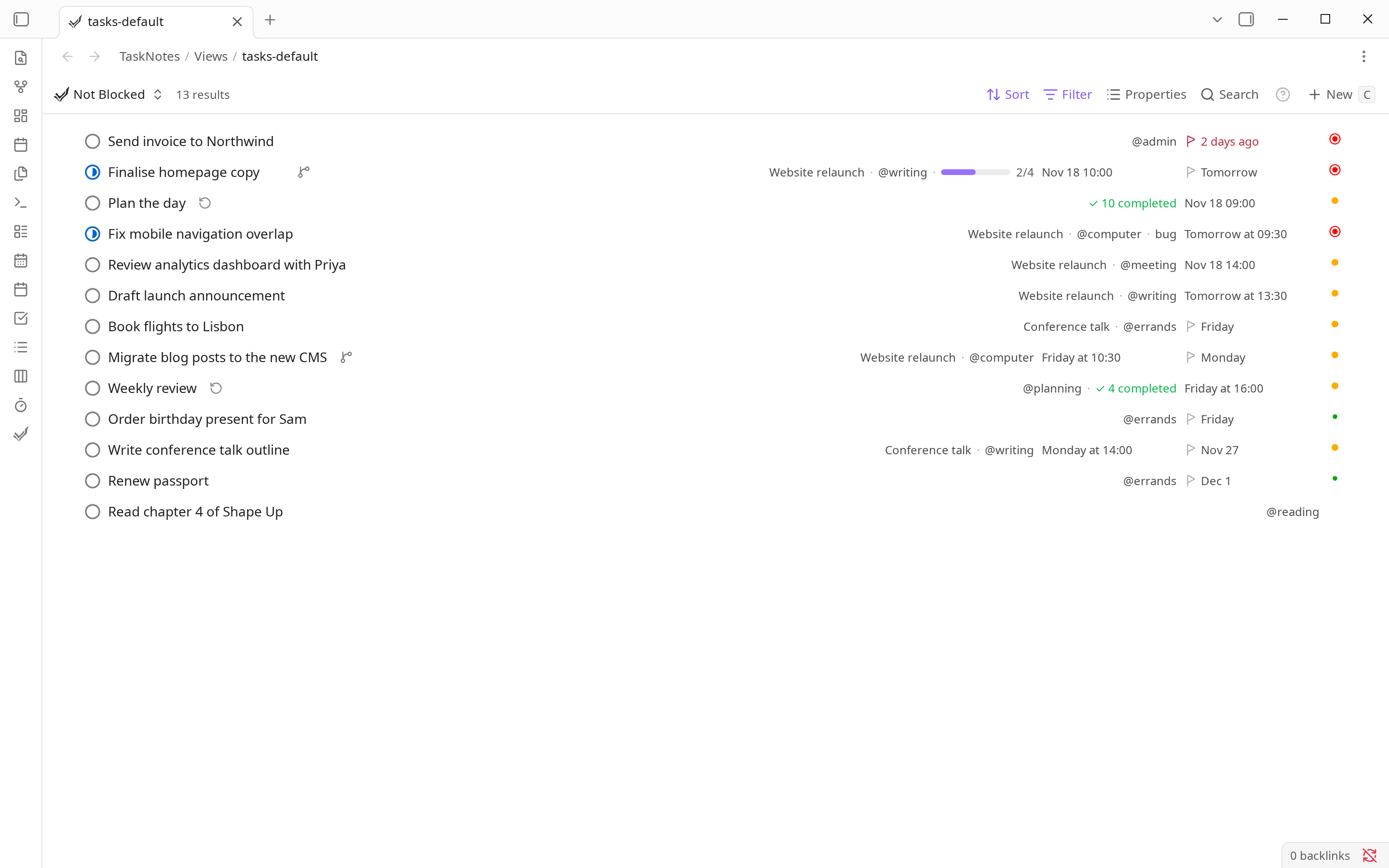
Task List. The default file includes Today, Inbox, Overdue, This Week and Not Blocked views. |
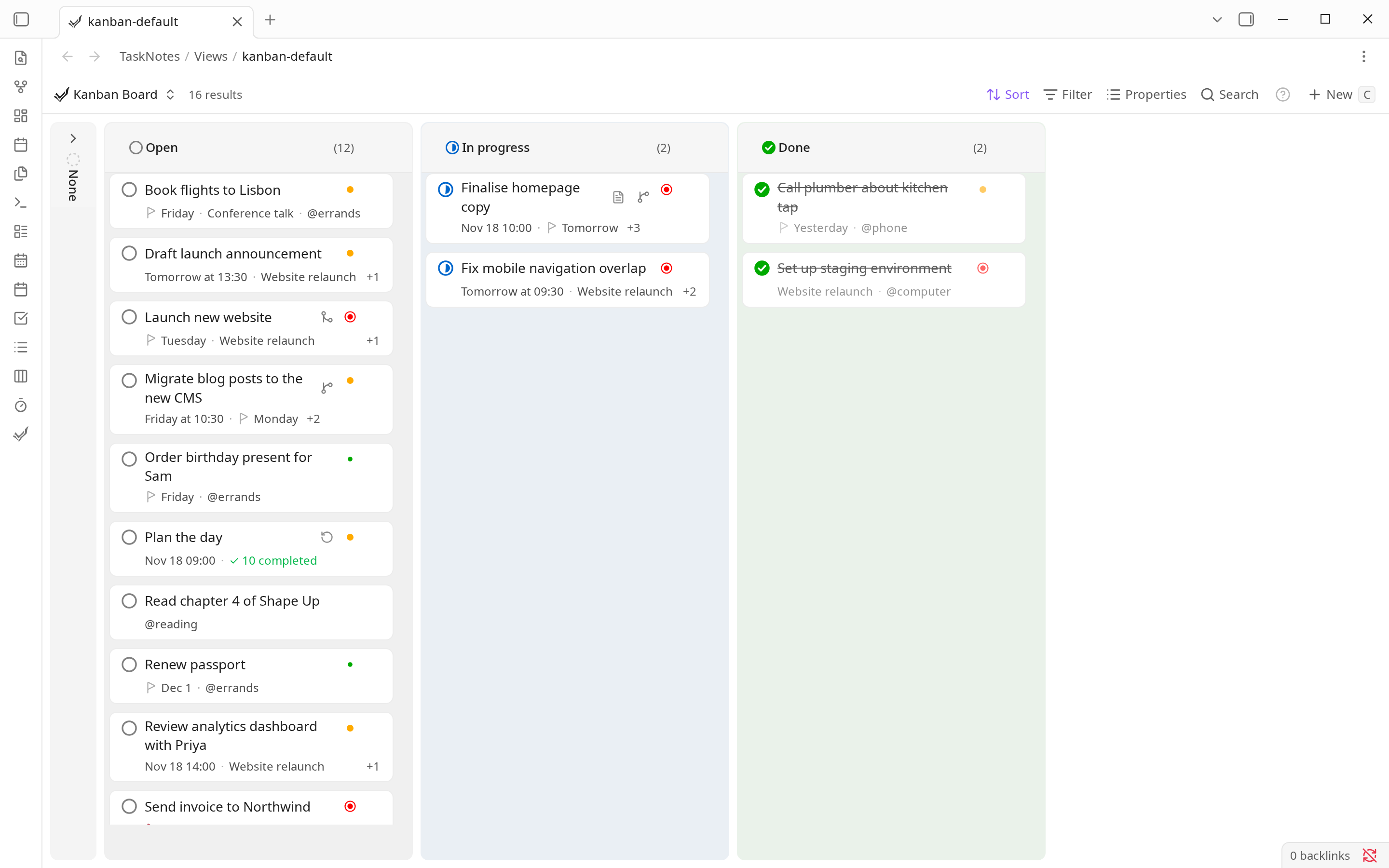
Kanban. Columns can be grouped by status or any other property, with optional swimlanes. |
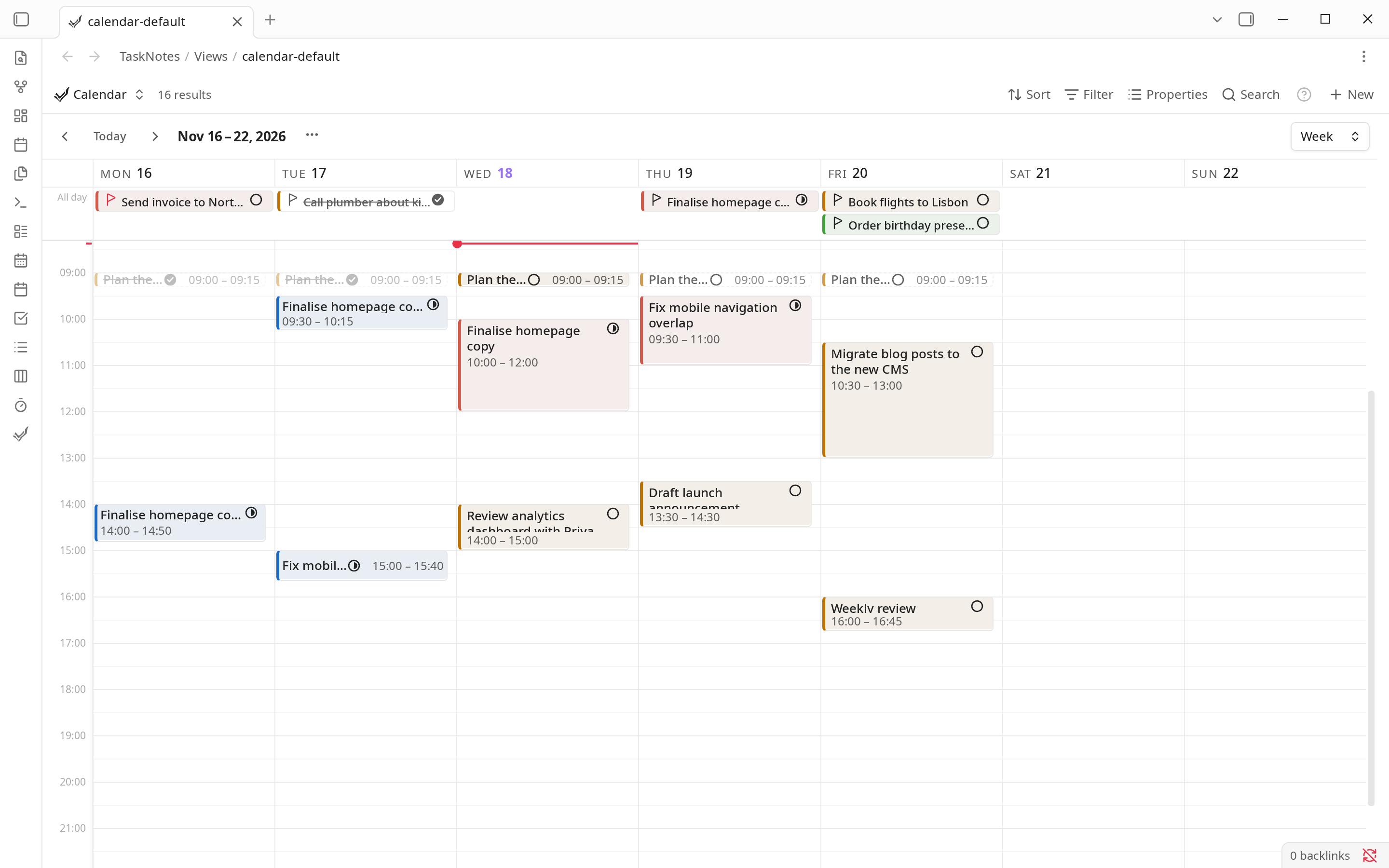
Calendar. Shows scheduled and due tasks, recurring instances, tracked time, timeblocks and calendar subscriptions. Tasks can be dragged to reschedule them. |
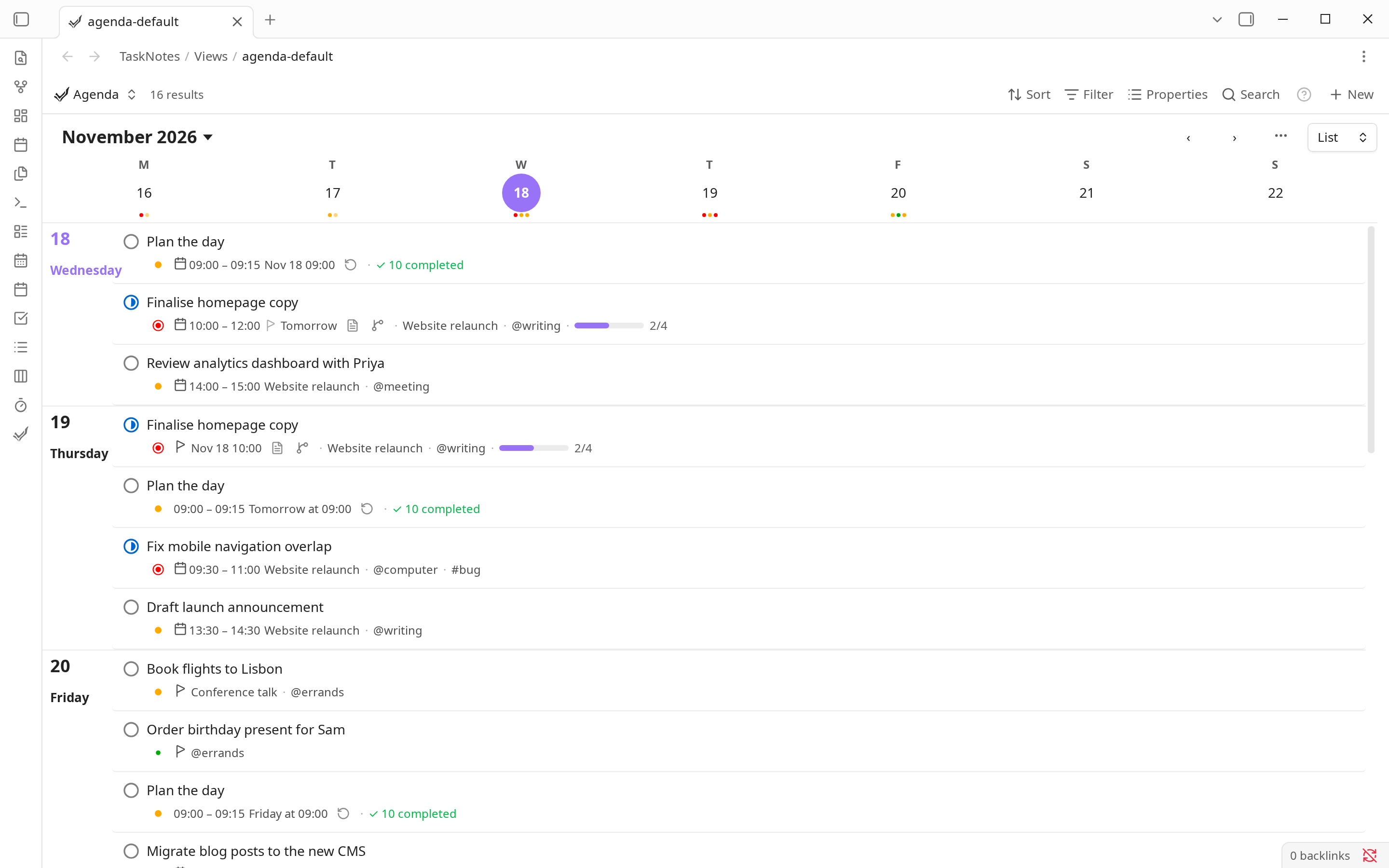
Agenda. Scheduled and due tasks, listed by day. |
There are also mini calendar, Pomodoro and relationships views.
Task notes
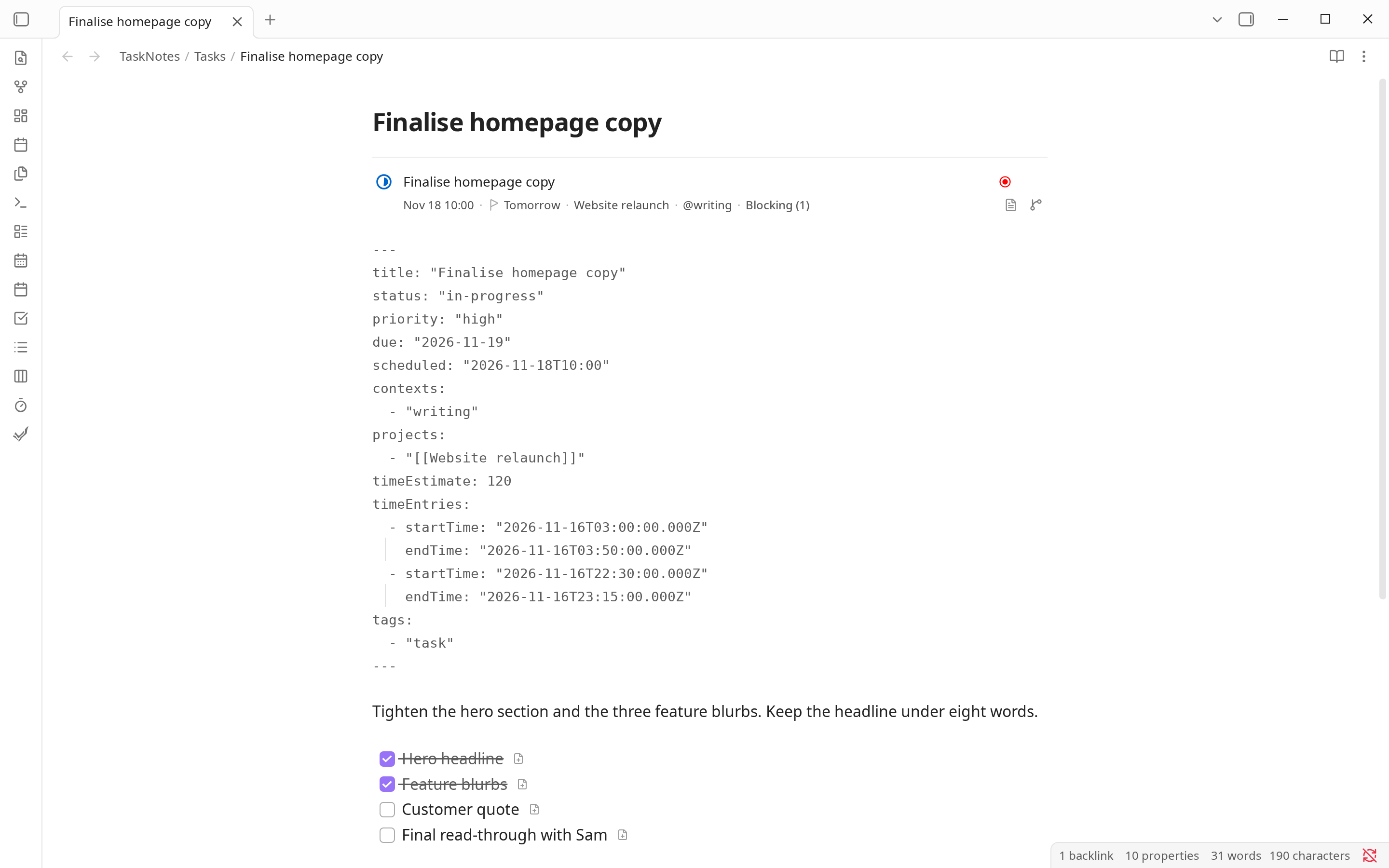
TaskNotes reads and writes the frontmatter. The task card above it can be turned off in settings.
Recurring tasks use RRULE strings with per-instance completion tracking:
title: "Weekly review"
recurrence: "DTSTART:20261016;FREQ=WEEKLY;BYDAY=FR"
complete_instances: ["2026-11-06", "2026-11-13"]
An individual occurrence can also be given its own note. See recurring tasks.
Natural language input
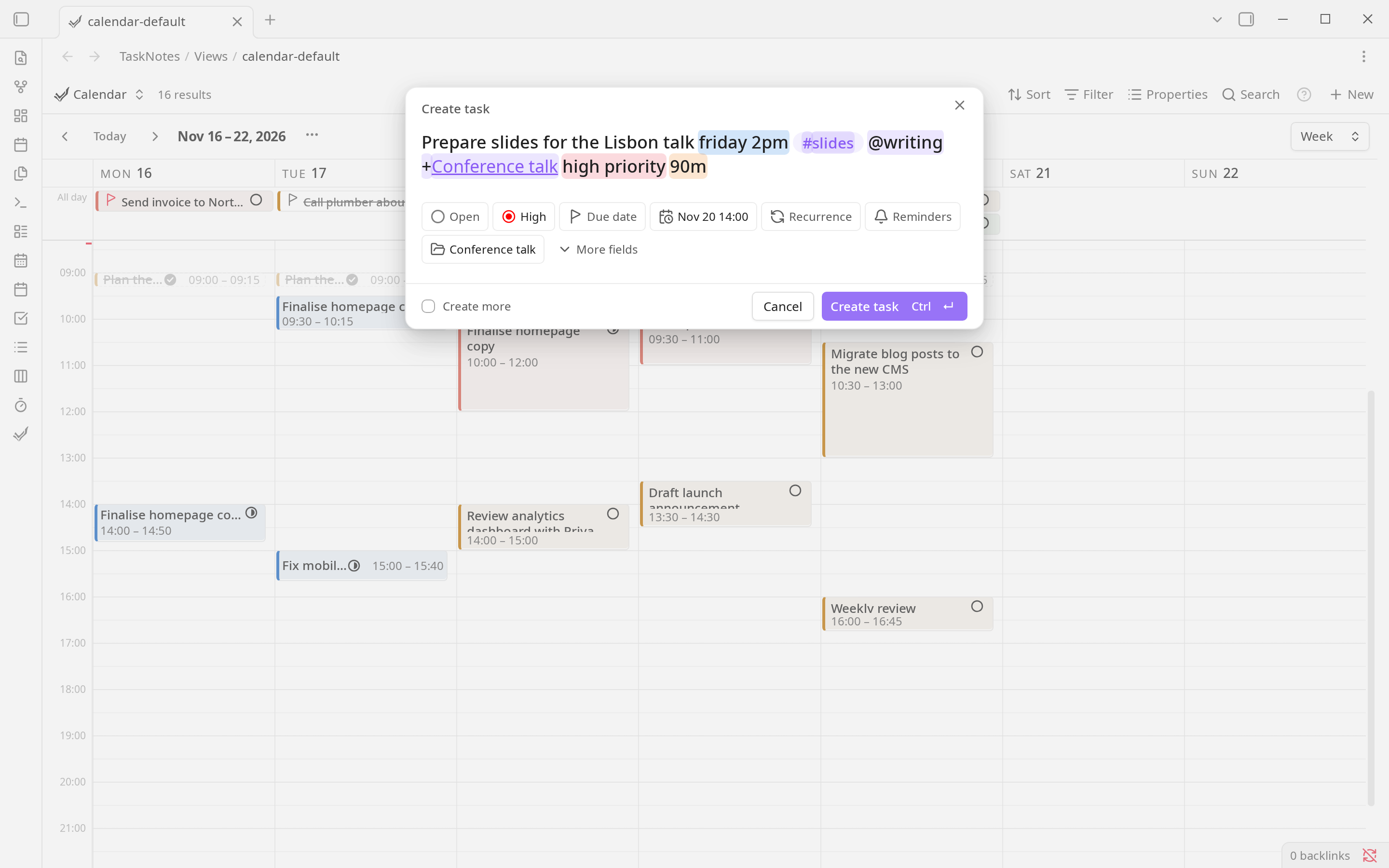
The create task dialog parses dates, times, recurrence, #tags, @contexts, +projects, priority, status and time estimates from the text, and highlights the parts it recognised. Checkboxes (- [ ]) in notes can also be converted to tasks.
Other features
- Calendar sync with Google Calendar and Microsoft Outlook, and read-only ICS subscriptions
- Time tracking per task, a Pomodoro timer and session history
- Recurring tasks with fixed or flexible schedules and per-instance completion
- Dependencies between tasks
- Reminders, relative to due or scheduled dates or at a fixed time
- Custom statuses, priorities and fields
- Task link overlays, which show a linked task's status, priority and dates in the editor
How it works with Bases
TaskNotes registers its view types with Bases: tasknotesTaskList, tasknotesKanban, tasknotesCalendar and tasknotesMiniCalendar. Task notes are the rows, and their frontmatter properties are the columns.
The default .base files include formulas that can be used for sorting, filtering, grouping or as columns:
formulas:
  priorityWeight: if(priority=="none",0,if(priority=="low",1,if(priority=="normal",2,if(priority=="high",3,-1))))
  daysUntilDue: if((due.isEmpty() == false), ((number(date(due)) - number(today())) / 86400000).floor(), null)
  isOverdue: (due.isEmpty() == false) && date(due) < today() && status != "done"
  isRecurring: recurrence && !recurrence.isEmpty()
See default base templates for the full list.
Getting started
- Install TaskNotes from Settings → Community plugins and enable it. TaskNotes needs Obsidian 1.13.1 or later.
- Make sure the Bases core plugin is enabled under Settings → Core plugins.
- Create a task with TaskNotes: Create new task. Open views with TaskNotes: Open tasks view, Open Kanban board, Open calendar view or Open agenda view.
For a vault that already has task notes, see Adopt TaskNotes in an existing vault. For upgrading from v4, see the upgrade guide.
Integrations
TaskNotes has an optional HTTP API, and webhooks can notify other services when tasks change. There is a browser extension and a CLI. See the HTTP API, webhooks and JavaScript API docs.
Language support
Interface: English, German, Spanish, French, Italian, Japanese, Korean, Portuguese, Russian and Chinese.
Natural language parsing: English, German, Spanish, French, Italian, Japanese, Dutch, Portuguese, Russian, Swedish, Ukrainian and Chinese.
License
MIT. See LICENSE.
For plugin developers
Search results and similarity scores are powered by semantic analysis of your plugin's README. If your plugin isn't appearing for searches you'd expect, try updating your README to clearly describe your plugin's purpose, features, and use cases.